Crafty Codes: 5 Ways to use QR Codes in Craft Fairs

Key Takeaways
- QR codes can be used to make several tasks easier in craft fairs
- Most craft fair patrons are familiar with QR codes and know how to use them
- QR codes can be made on your own for free and even be made into crafts themselves
In the modern age where just about everything is mass produced in a factory without the crucial factor of human touch, craft fairs serve as a bastion from these machine produced goods, allowing skilled artists to sell hand made products to locals, all while building a small community.
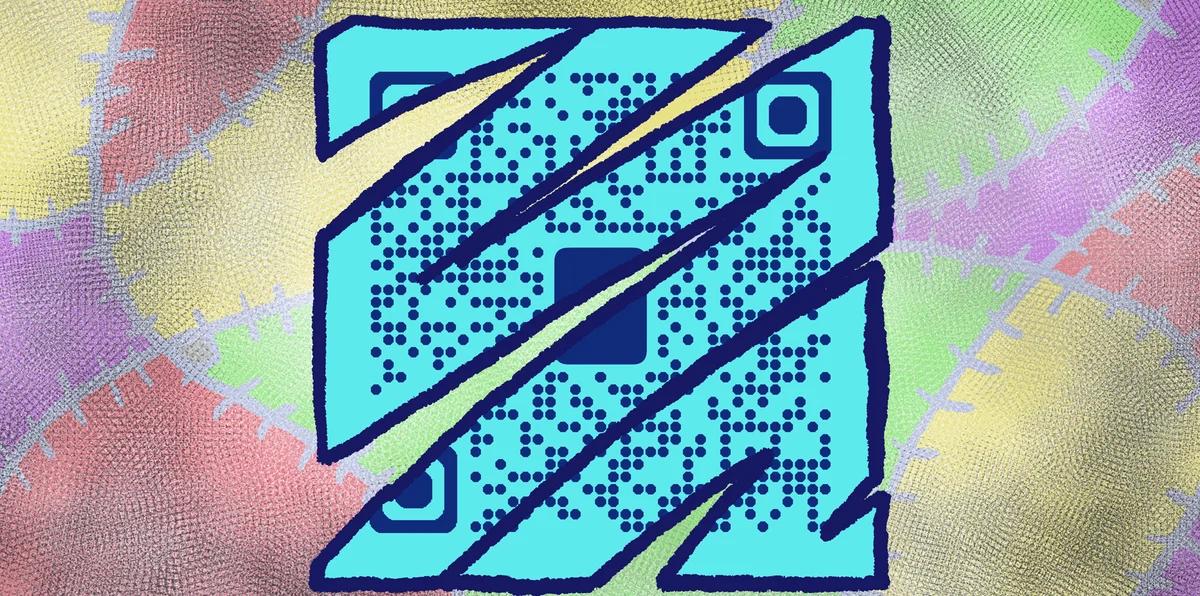
However, some aspects of running and operating a craft fair can still be difficult for smaller businesses. Fortunately, there are all sorts of ways for craft fair stands to effectively use QR codes to make sales and business easier!
In this piece I will go over 5 smart ways artisans can use QR codes in craft fairs. I will also be sharing some helpful tips and answer some frequently asked questions on this topic.
So let’s get crafting!
What is a QR code?
A QR code is a type of image with data encoded into a square, monochrome design. They typically appear as squares made up of smaller black and white squares or dots, though they can be customized visually.
These codes can be scanned by a smart device, like a phone or a tablet, in order to access a variety of digital media, like websites, images, social media pages, and much more! These codes can be attached to just about any surface that can display a 2D image, like in cards, table tents, posters, and flyers.
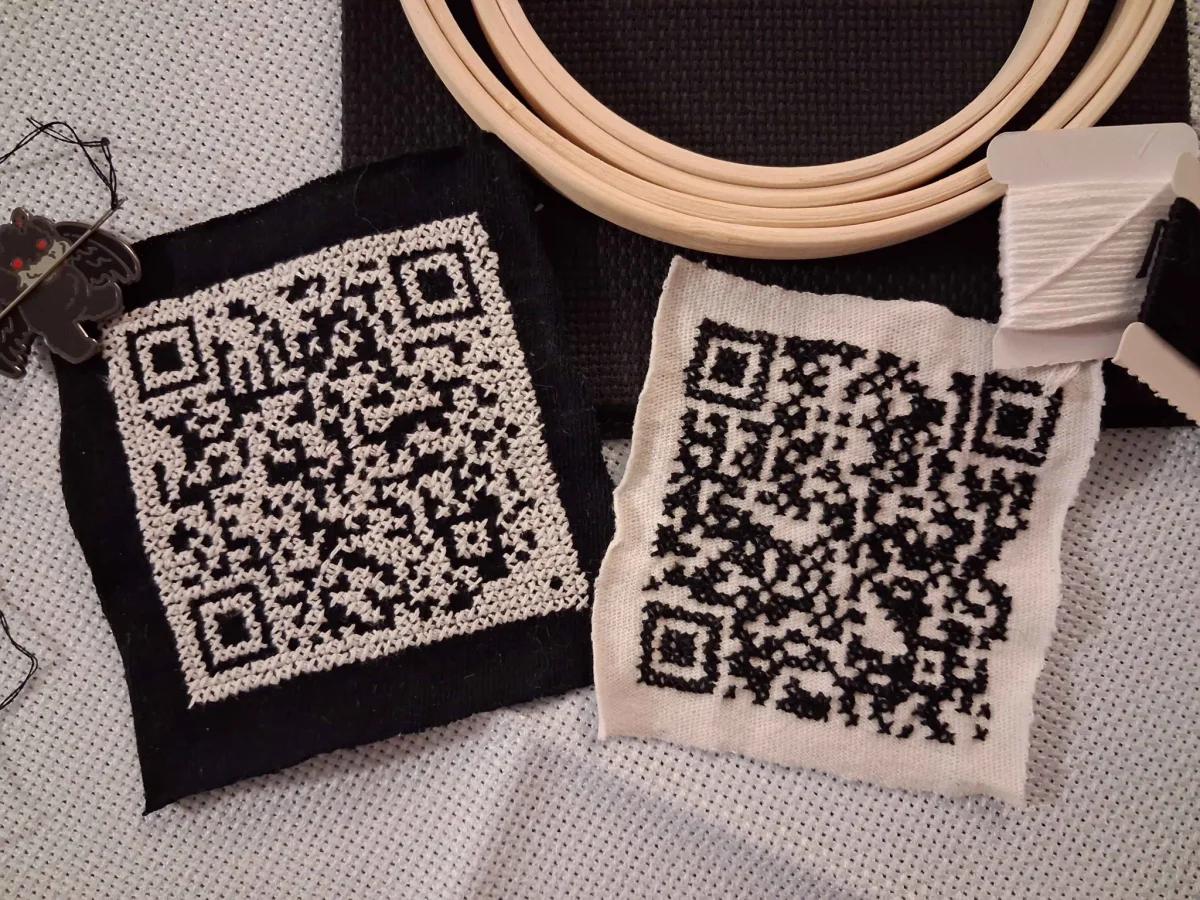
QR codes can even be made into crafts themselves, like crochet, fabrics, and bead art, while remaining perfectly functional. A friend of mine even crocheted these fully functional QR codes themselves. Scan them for a fun surprise!
Crochet and photo by lee ray bee.
How can QR codes be used in craft fairs?
The only limit to how you can use QR codes is truly your imagination, but here’s five methods in particular that can greatly assist craft faire businesses.
Payment
QR code payment allows you to receive funds digitally for products at your craft stand without needing to swipe a card or even buy any additional equipment. All you need to do is have your patron scan your code, and they’ll be taken to a page where they can pay you for the product they want. No cards, no cash, no problem!
This can be especially useful for craft fair stands since less people nowadays carry cash, and this allows you to take card payments without cards. Services like PayPal, Venmo, Cashapp, Zelle, and WePay all allow for QR code based payment.
Website
There’s only so many products that a tiny craft table can hold, so you’ll likely end up leaving a lot of products at home, products some patrons could be interested in. Fortunately, if you have a website or catalog of your products, you can leave that out for patrons to scan to easily access.
This also allows them to learn more about you and your crafts. They can see your other works, interests, other collaborators, and even see what other craft fairs you’ll be at and when.
Social media
In addition to your official website, your social media pages can also be shared to craft fair patrons via QR codes. This will allow them to keep up to date on you and your crafts, interact with you, and even see some behind the scenes content for the making of your products.
QR codes can be made for pages on Twitter/X, Facebook, Youtube, TikTok, Instagram, and much more! Posting on social media will also help you advertise your business and reach a new audience.
Reviews
Feedback and reviews help customers know what to expect from the products they buy as well as the people who make them, and this is true whether you’re a large chain or a small craft fair stand.
Fortunately, a QR code linking to a satisfaction survey or review page can be provided to your craft fair patrons, either on a business card or product receipt, that allows them to leave their thoughts to you as well as other craft fair patrons. This way, you can get a better idea of what you’re doing right, what could be improved, and what other crafts you could make.
WiFi
This one is less for the owners of individual craft store stands and more for the organizers of the fairs themselves. Free WiFi networks have become accepted and expected in the age of smart phones across all fields, craft fairs included.
Patrons paying digitally with their phones or through QR codes will likely need a good connection in order to do so. QR codes can allow craft fair patrons to easily sign in to a secure WiFi network, all without having to put in a password, track down an employee, or compromise their security.
Benefits to using QR codes in craft fairs
Ease of use
QR codes are both easy to use and easy to make through something like QR Code Developer. Just about every smart phone on the market has a QR code scanner built right in. All you need to do is point the camera at the code and tap the link when it pops up.
QR codes can also be scanned from almost any angle and even when visible damage has been done to the code.
Widely understood
By now, most people with smart phones are at least familiar with QR codes and know how to use them. In many regions, QR code payment is more popular than cash or cards.
Customizable
QR codes can be heavily customized, with unique colors and appearances to fit your needs or branding.
Hands free communication
The usage of QR codes surged during the COVID 19 pandemic since it allowed for people to communicate with each other, access content, and share resources, all without needing to touch each other or even be in the same space.
Trackable
If you use something like QR Code Developer to make your codes, then it’s possible to monitor how your codes are used. This can include information like how many scans your code got, where they were scanned, and even on what device they were scanned.
General tips
Know your audience: If you’re certain that most of your intended audience doesn’t know how to use QR codes or just don’t like them, then don’t use them.
Keep instructions clear: Provide clear instructions on how to use and scan QR codes as well as where the codes will redirect to.
Place codes on a flat surface: To make sure that codes are still scannable, only put them on flat surfaces, like walls, tables, posters, or fliers.
Use high contrast: If using custom colors on a code, make sure that the colors are distinct enough from each other to be read as a QR code.
Make sure codes are visible: Don’t place codes where patrons are unlikely to see them.
Only use codes when necessary: If an alternative exists that’s easier for all parties involved, use that.
Test on multiple devices: Make sure your codes work whether scanned on an Android device, iPhone, tablet, or other device.
Frequently Asked Questions
Q: Do I need to hire someone to make my QR codes?
A: No. QR codes can be made by yourself for free through a service like QR Code Developer.
Q: Do I need to download anything to scan QR codes?
A: While QR scanner apps are available for mobile devices, they are not necessary. Most modern smart devices are perfectly capable of scanning codes right from the built-in camera app.
Q: What devices can scan QR codes?
A: Most modern smart devices with both a built-in camera and an internet connection can scan QR codes and access the content within. This includes smart phones, tablets, and even some handheld gaming consoles.
Q: Are QR codes safe?
A: While there are some risks in using QR codes, they are relatively safe.
Ready to create your QR code?
Generate custom QR codes in seconds - free and easy to use.
Create Free QR Code →