
Generate Powerful
Dynamic QR Codes
Effortlessly create, customize, and monitor dynamic QR
codes.

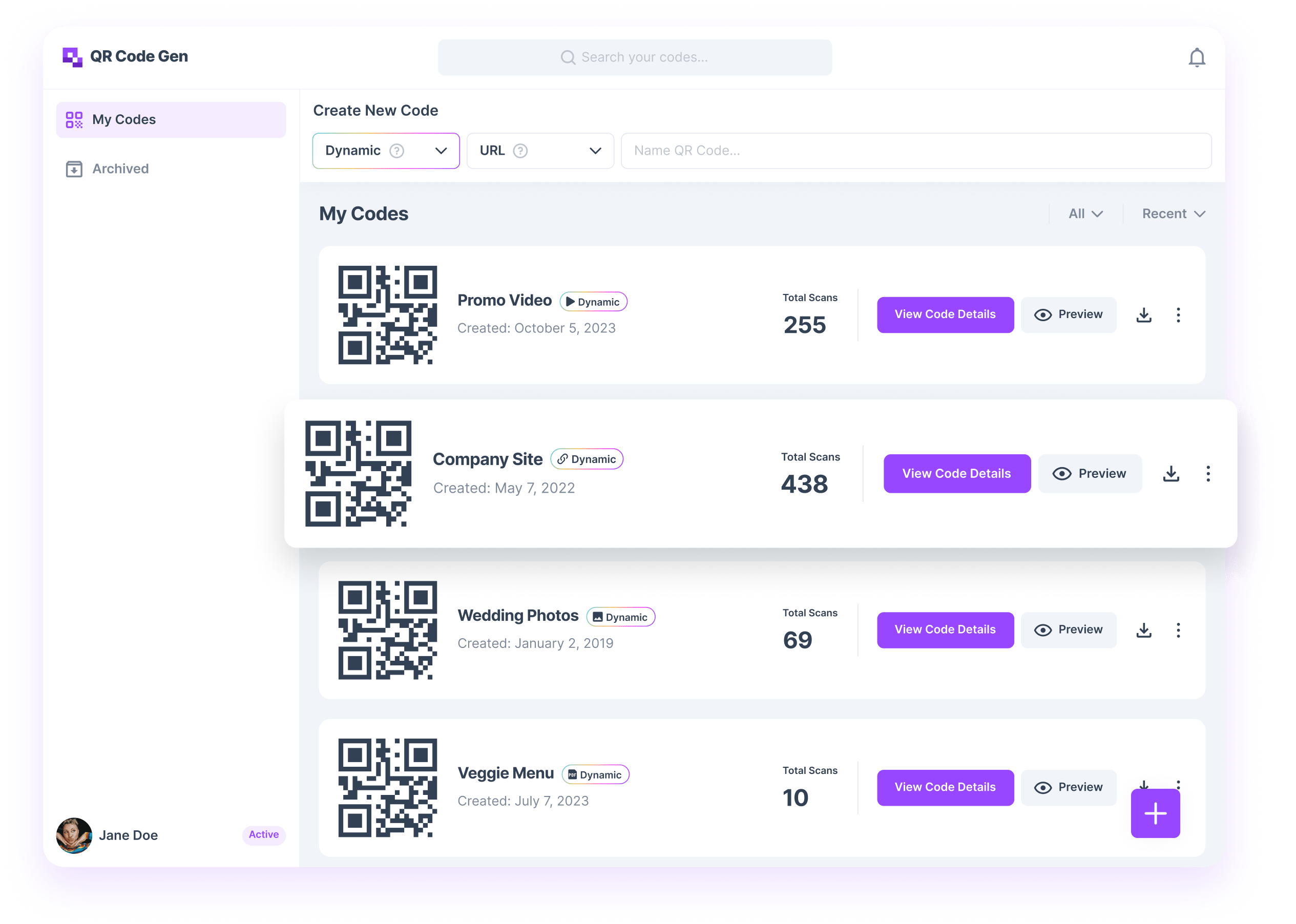



Create custom QR codes
Choose from a variety of dynamic types tailored to fit every need.

Download, share, and edit
Instantly download, share, and edit on-the-go with the user-friendly editor.

Track a variety of analytics
Keep tabs on your QR code scans and get insights to make data-driven decisions.

Empower Your Brand With Dynamic QR Codes!
Harness the future of QR technology with our advanced dynamic QR types. Drive engagement, monitor success, and scale your marketing efforts seamlessly.
Customer Reviews
See what our customers are saying about QR Code Developer.
Susan T.

“I knew nothing about making a QR code and was terrified when asked to add one to a flyer I was creating for our youth group. This app made it SUPER EASY!!! And made me look good to the other leaders. Thank you!”
Marianna D.
It was really easy to make it and love it!
Anonymous
So easy and affordable!
Anonymous
It is so simple and works perfectly every time!
Anonymous
“This is very fantastic, quick and very accurate.”
Anonymous
“It was great. I needed to generate a QR code for a url and was able to do so in about ten seconds. So easy.”
Anonymous
“Absolutely Brilliant. Thank you.”
Anonymous
“Thank you for making it an easy process.”
Shrina L.
“I love the efficiency of just two or three clicks!”
Luis
“Great! Easy to use, and great results.”
Susan T.
“I knew nothing about making a QR code and was terrified when asked to add one to a flyer I was creating for our youth group. This app made it SUPER EASY!!! And made me look good to the other leaders. Thank you!”
Marianna D.
It was really easy to make it and love it!
Anonymous
So easy and affordable!
Anonymous
It is so simple and works perfectly every time!
Anonymous
“This is very fantastic, quick and very accurate.”
Anonymous
“It was great. I needed to generate a QR code for a url and was able to do so in about ten seconds. So easy.”
Anonymous
“Absolutely Brilliant. Thank you.”
Anonymous
“Thank you for making it an easy process.”
Shrina L.
“I love the efficiency of just two or three clicks!”
Luis
“Great! Easy to use, and great results.”
Frequently Asked Questions
A QR code generator turns information like website links or contact details into a scannable code to access content without typing anything.
QR Code Developer simplifies the generation process, making it easy for anyone, regardless of programming knowledge, to create a custom QR code in just a few clicks.
Absolutely! QR Code Developer imposes no limitations on QR code usage. Utilizing QR codes is an excellent method to enhance the visibility of your business, brand, organization, or event.
QR codes can hold a wide range of digital content, granting access to PDF files, websites, MP3s, videos, and even Wi-Fi networks.
QR Code Developer offers users a free trial period to explore the product. However, to retain access to custom editing and scan statistics, a premium plan is necessary.
Upon signing up you are automatically opted in for a recurring subscription. You can cancel this at any time.
Dynamic QR codes are more versatile than static ones because you can update their content anytime, even after they're printed. Unlike static codes, which have fixed content and links, dynamic codes offer flexibility for changes as needed.
With QR Code Developer, you can customize your QR code's appearance by incorporating frames, social media icons, adjusting colors, and choosing your preferred font.
Depending on your chosen plan, there may be restrictions on the number of QR codes you can generate. Please refer to our plans for specific details regarding limitations.
QR codes can be generated as PNG, JPG or SVG files.
Scanning a QR code is easy! Follow these steps:
Point your smartphone camera at the QR code.
Make sure the QR code is within the camera frame.
Your device should automatically recognize the QR code and display a notification.
Tap the notification or follow the on-screen instructions to access the content linked to the QR code.
Ensure your QR code is at least 1 cm x 1 cm in size for optimal scanning. We suggest testing your code by scanning it before printing to confirm readability.
For optimal printed results, export your code in SVG format. SVGs scale seamlessly and maintain quality whether shrunk or enlarged.
For web-based QR codes, such as those in emails or on websites, exporting the code in PNG or JPG format is recommended.
QR codes are versatile and can be scanned on nearly any digital medium, including websites, emails, and mobile apps.
Absolutely! With a dynamic QR code, you gain access to advanced statistics tracking such as total scans, scans by location, browser, and more.