How to make QR codes for Facebook, Twitter, Instagram, Tiktok, and More!!!

Key Takeaways
- QR codes can be used as an easy gateway for social media content
- You will need to find the URL address for a page to make a QR code for it
- QR codes can be placed on just about all printed and visual media
Social media is everywhere now. Just about everyone you talk to either has a Facebook, or an X account, a Youtube channel, a Discord server, or all of the above! But it can be difficult to share pages and accounts in person.
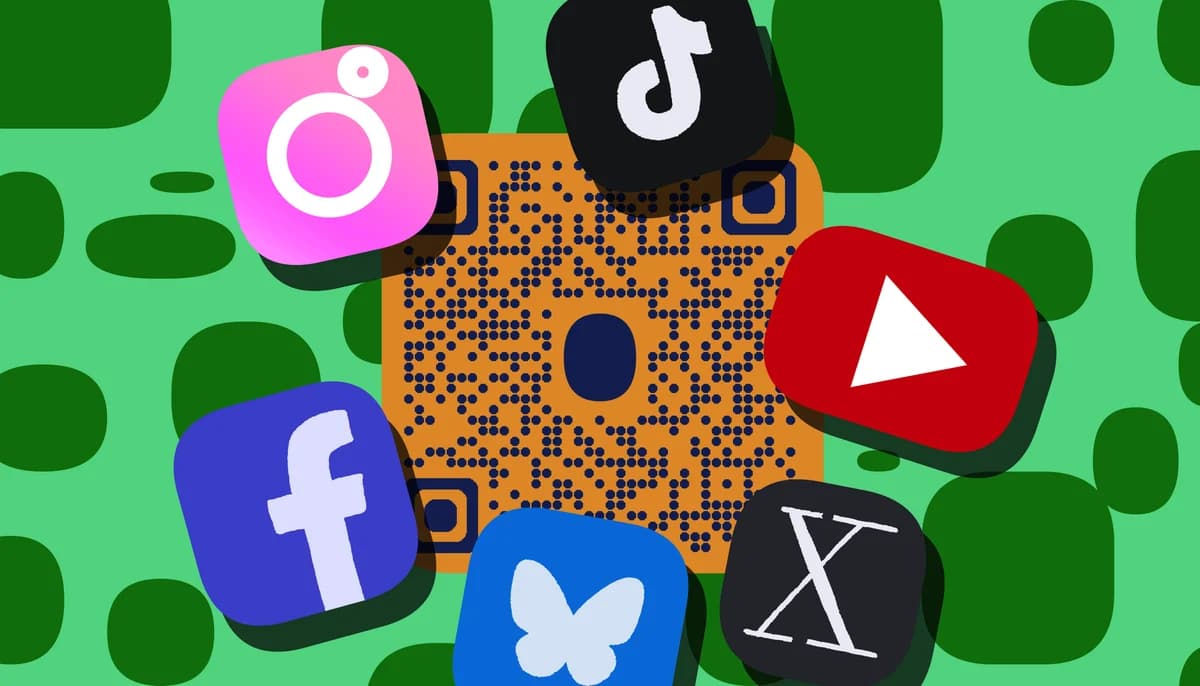
In online spaces, you can just send the page directly, or copy a URL address. But in real world spaces, it can be difficult. However, it can be done easily through the use of QR codes!
In this piece I will go over who you can use QR codes to share various forms of social media, as well as show you where to get the link for each service. So let's dive right in!
What is a QR code?
A QR code is a type of encoded image that can be used as an easy gateway for digital content, like URL web pages, images, certain file types, parcel tracking, contact information, and in this case, various forms of social media.
In the real world, QR codes are nothing but simple 2D images, so they can be placed just about anywhere you can print a picture, like on cards, posters, flyers, stickers, stamps, advertisements, and even in on screen media like TV shows and video games.
How can QR codes be used for social media?
QR codes can be used as a way to provide easy access to your social media presence through physical media. For example; a QR code can be attached to a flyer promoting a local band's upcoming live show. This code can link to an official Youtube or Spotify page showcasing the group's music.
This way, potential fans and audience members for the show can get a feel for the group and decide if the live show is something that they would be interested in. The same code can also be used for the group's other social media pages or even a merch store.
Where to find the URL links
To make a QR code for a social media page using QR code developer, you will need the URL link that the code will direct to. Here's where to find this link on the most popular social media services.
Desktop
If you are using a desktop computer or web browser, all you need to do is copy the URL address in the top bar.
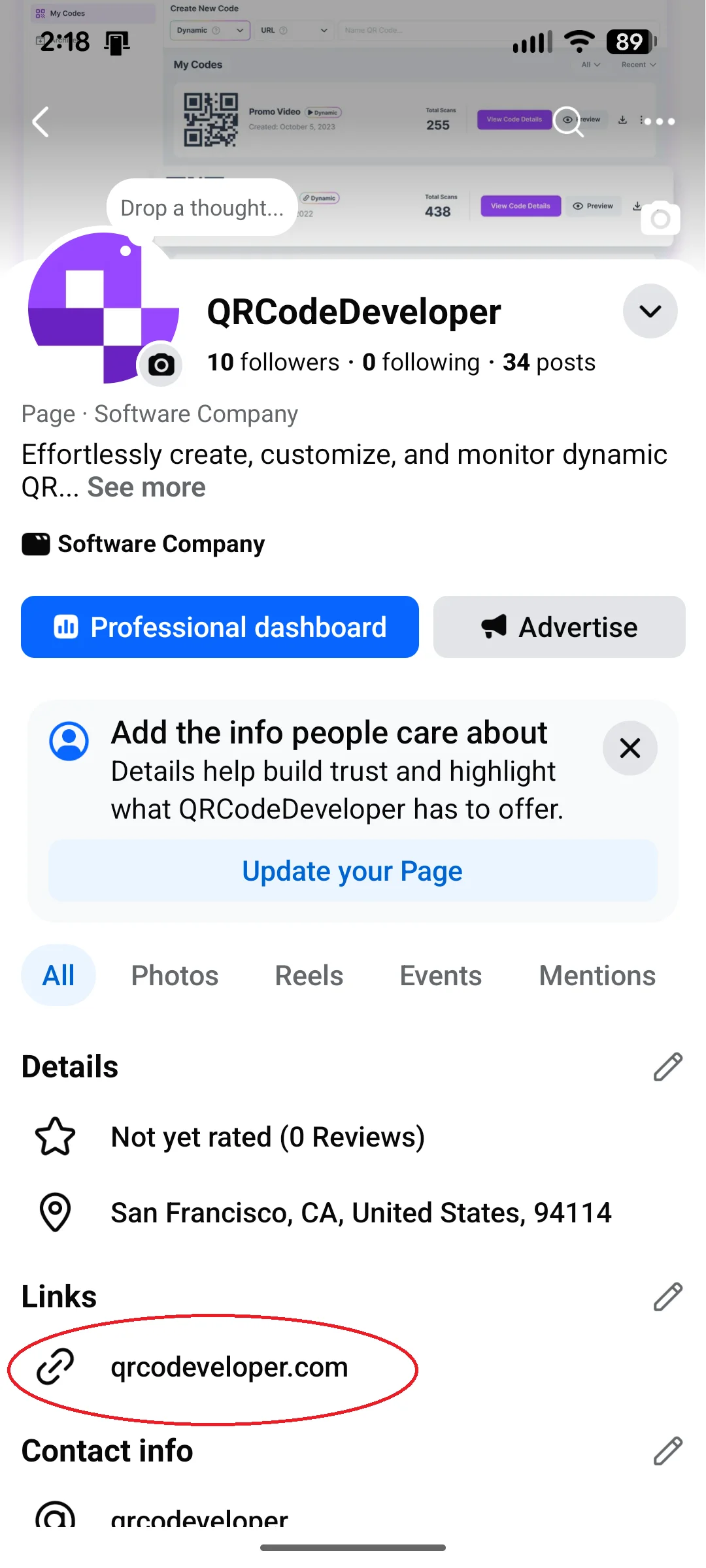
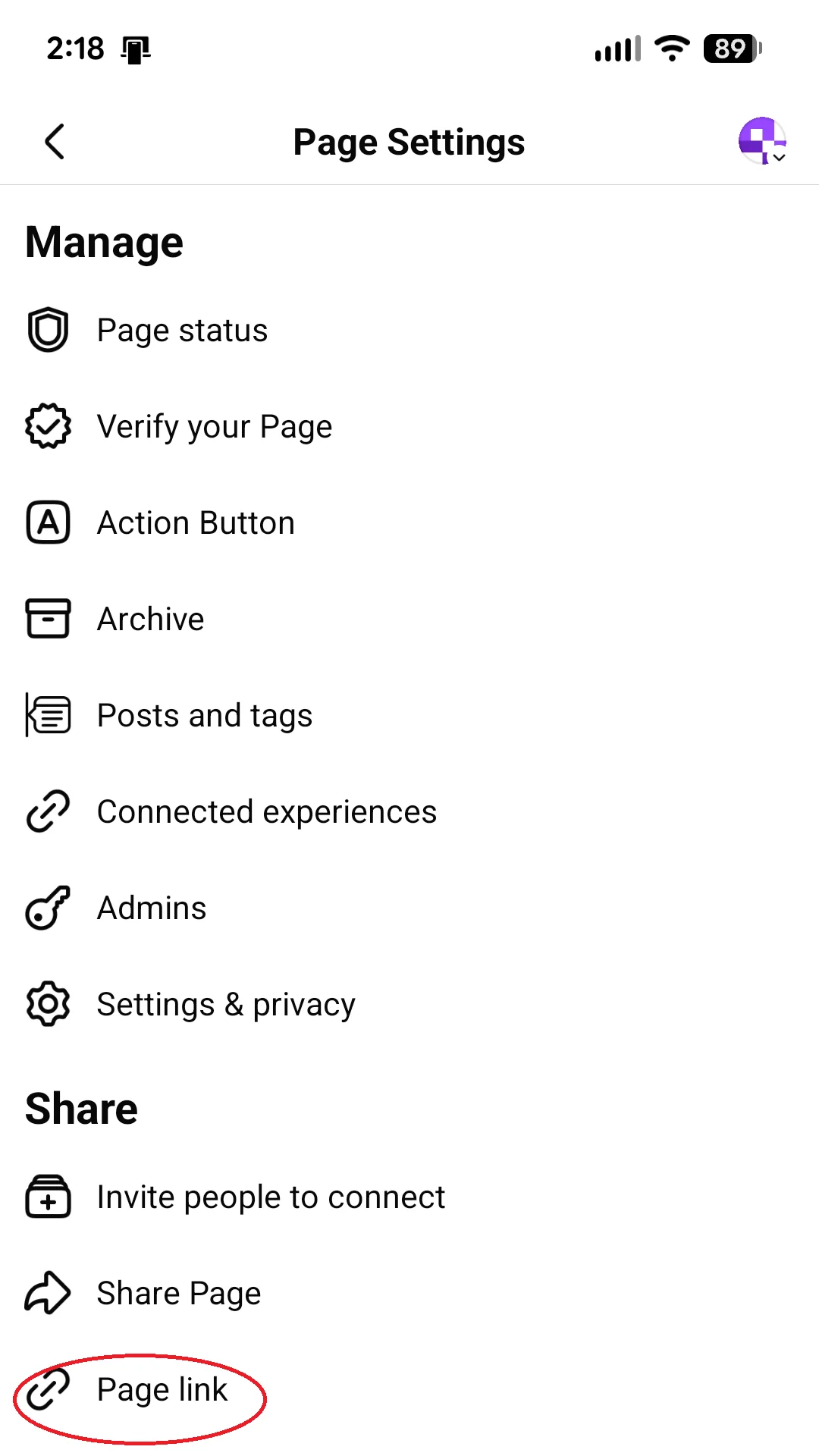
For a Facebook page, go to the page info and copy the URL from Links.
Twitter/X
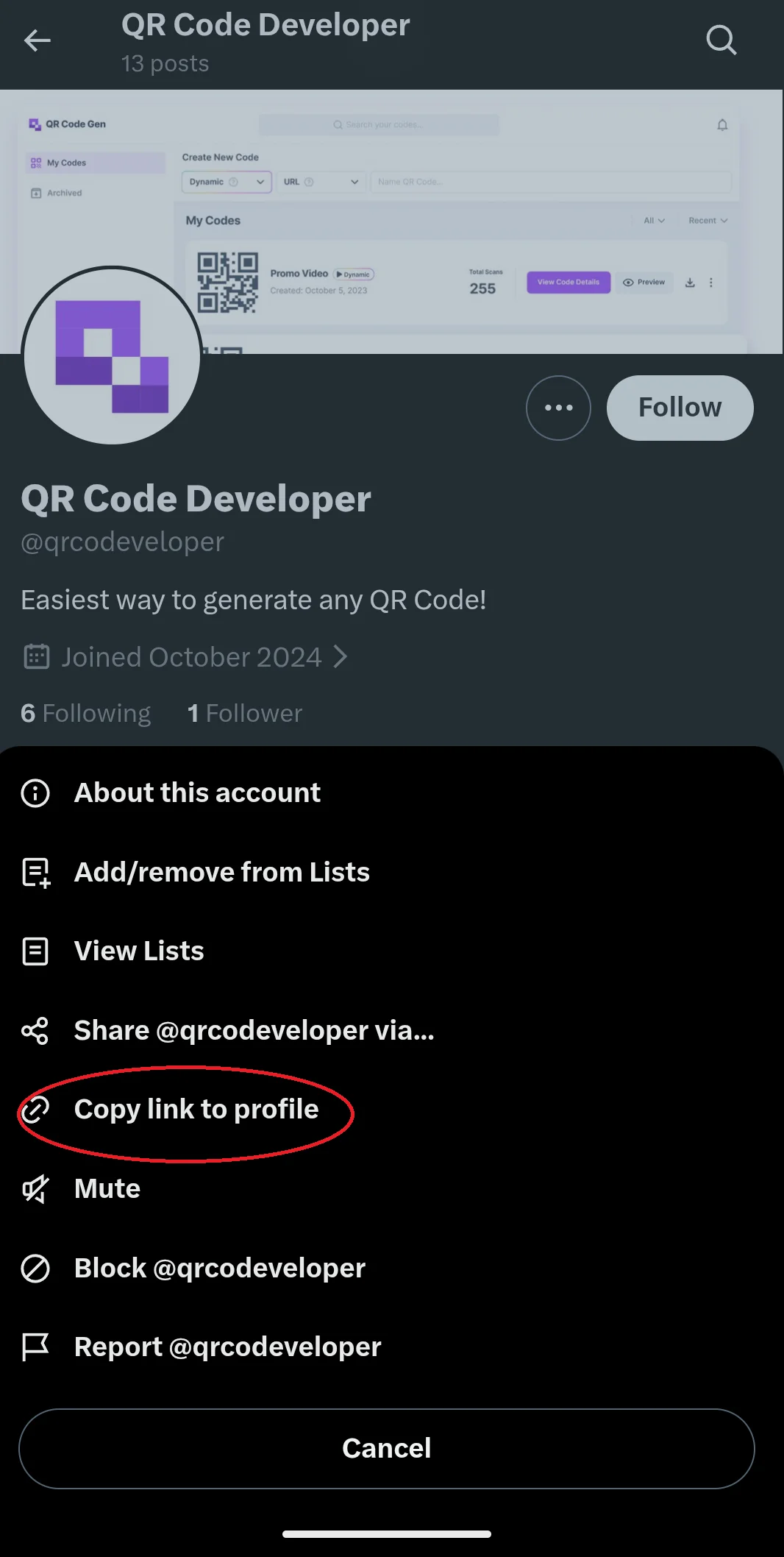
On the Twitter/X page, tap the … button next to the Follow button. Then tap Copy link to profile.
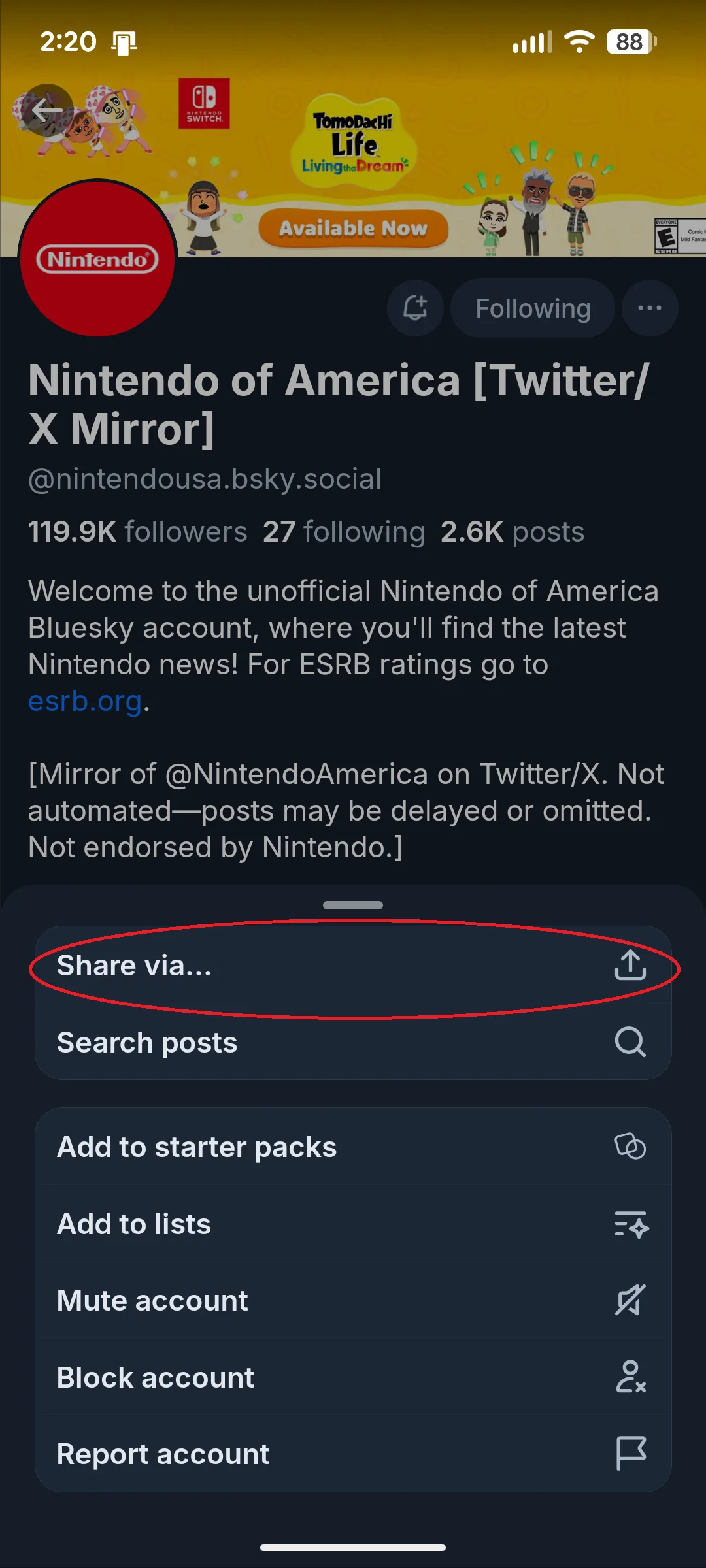
Bluesky
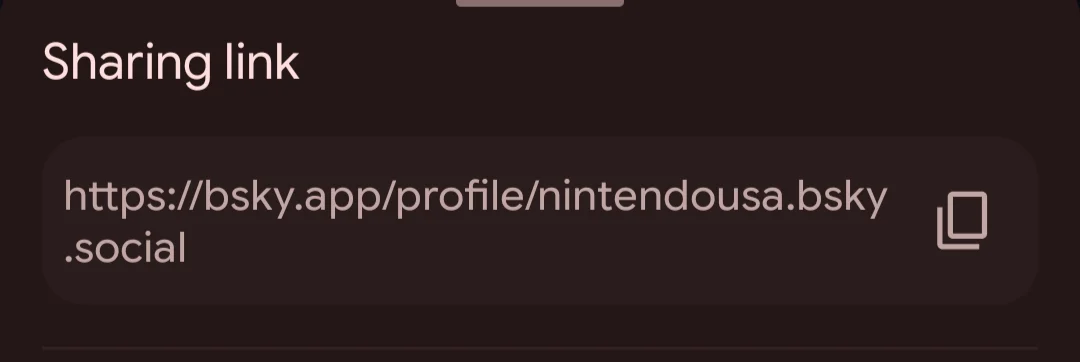
Tap the … button next to the Following button. Then, tap Share Via and copy the link.
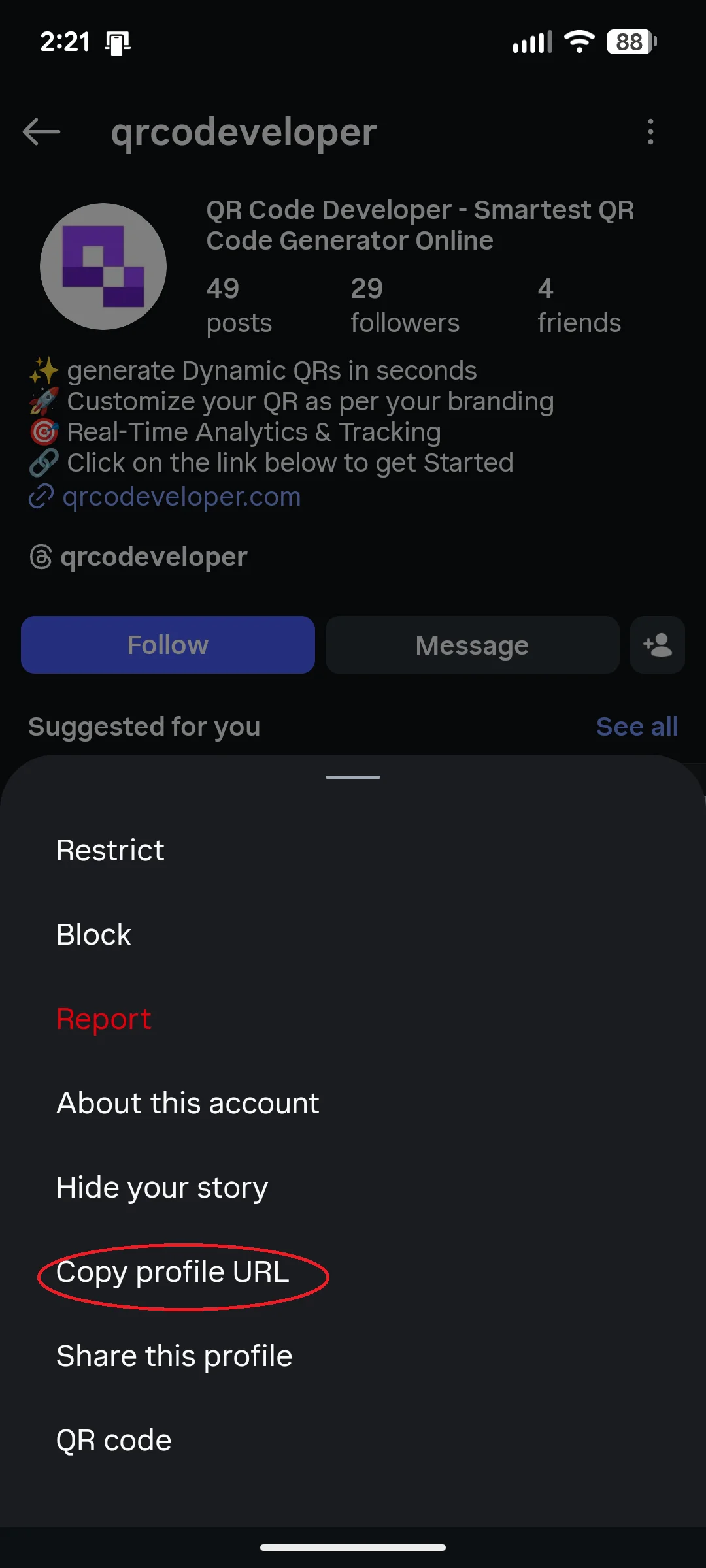
Tap the dots in the top right corner. Then Copy profile URL.
TikTok
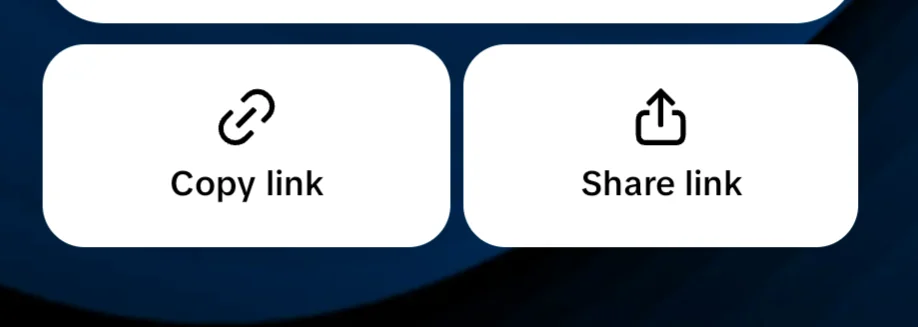
On the account, click on the arrow icon in the top right, then Copy link.

Youtube
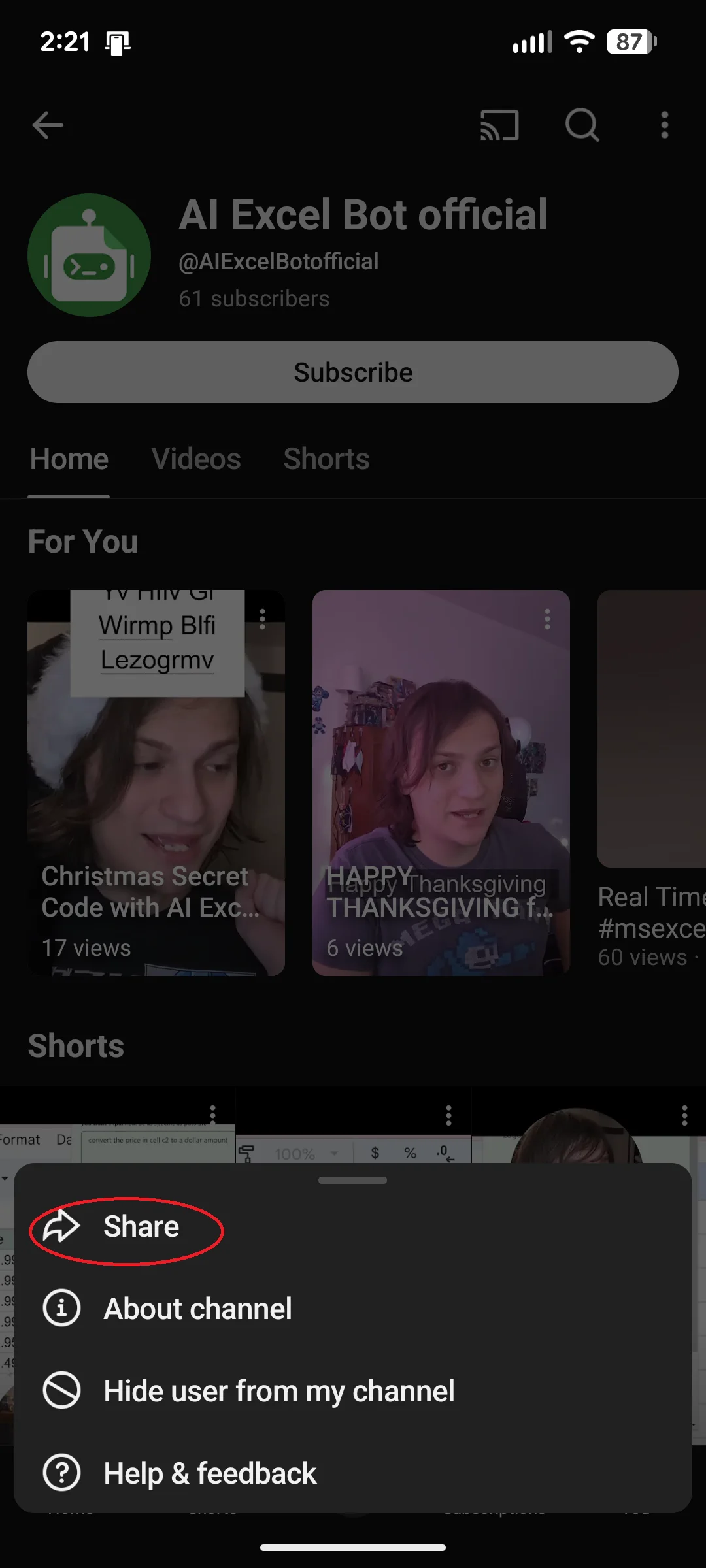
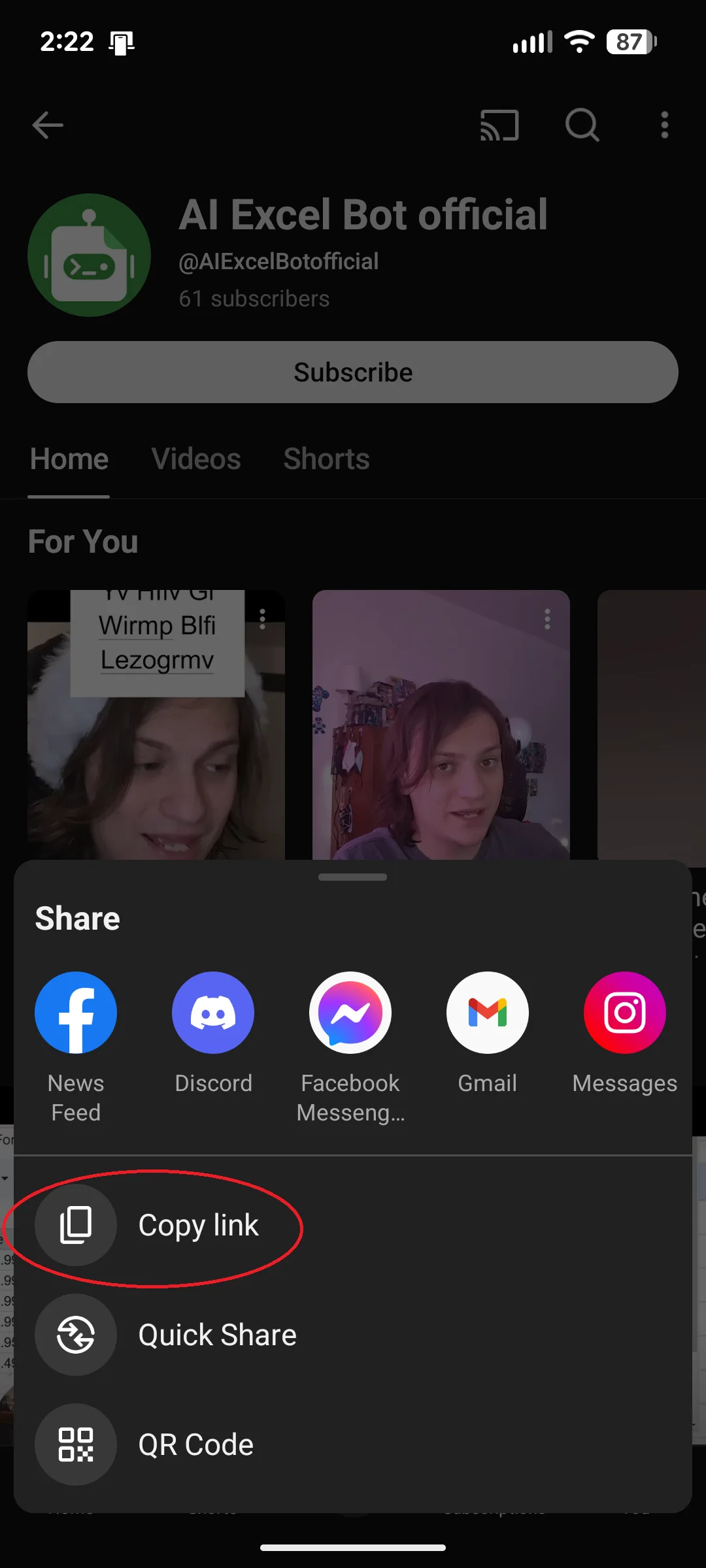
On the channel, tap Share, and then Copy link.
Discord
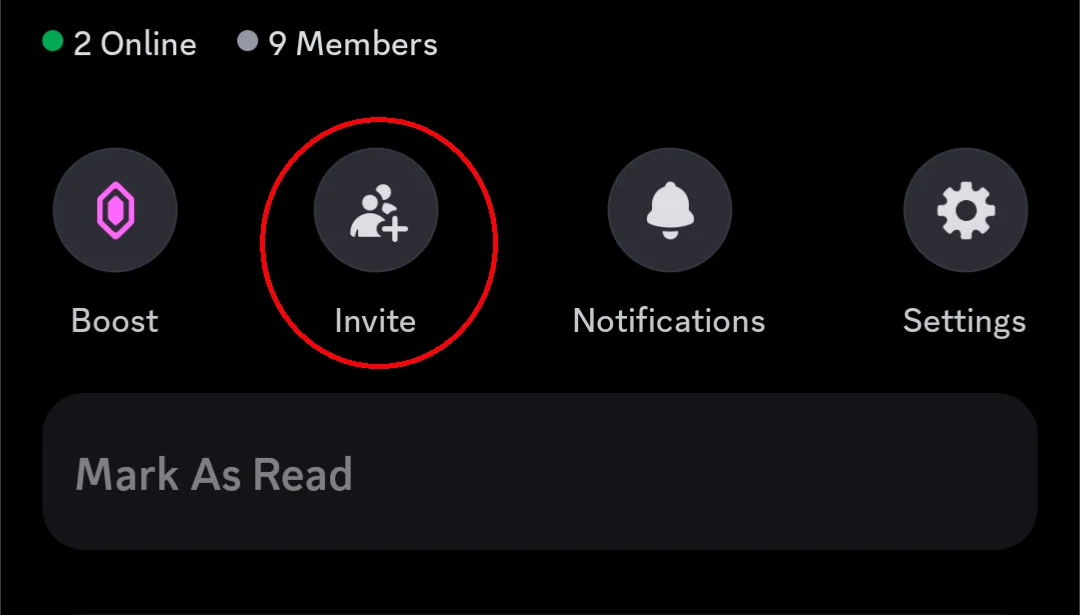
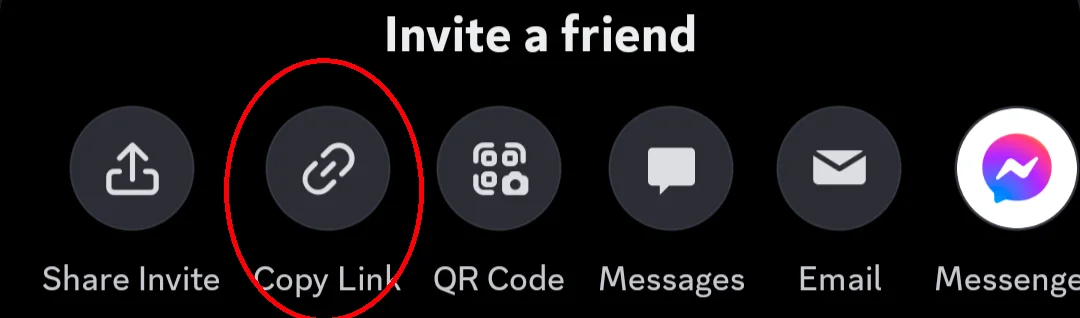
In the server, tap the Invite button and then Copy Link.
How to make a social media QR code
• In QR Code Developer, click on Create Code.
• Select the Website option as your code type.
• Name your code and paste the link into the URL bar.
• Click on the pencil icon in the Preview window to further customize the look of your code.
• Click Generate.
• Test your code on multiple devices.
Benefits of using QR codes
Ease of use
QR codes are both easy to use and easy to make through something like QR Code Developer. Just about every smart phone on the market has a QR code scanner built right in. All you need to do is point the camera at the code and tap the link when it pops up.
QR codes can also be scanned from almost any angle and even when visible damage has been done to the code.
Widely understood
By now, most people with smart phones are at least familiar with QR codes and know how to use them. In many regions, QR code payment is more popular than cash or cards.
Customizable
QR codes can be heavily customized, with unique colors and appearances to fit your needs or branding.
Hands free communication
The usage of QR codes surged during the COVID 19 pandemic since it allowed for people to communicate with each other, access content, and share resources, all without needing to touch each other or even be in the same space.
Trackable
If you use something like QR Code Developer to make your codes, then it's possible to monitor how your codes are used. This can include information like how many scans your code got, where they were scanned, and even on what device they were scanned.
Monitoring code usage
With the tools available on QRCodeveloper, as well as other code generators, you can monitor the usage of any code you create. This can include how many times a code has been scanned, where it has been scanned, on what device, using what browser, and more. With these tools, you can figure out which codes are reaching the most people and where to focus any advertising efforts.
With QRCodeveloper you can monitor:
• Number of scans
• Number of scans by operating system
• Scans by browser
• Scans by country
• Scans by city
• Scans by language
• Unique scans
General tips
Know your audience: If you're certain that most of your intended audience doesn't know how to use QR codes or just don't like them, then don't use them.
Keep instructions clear: Provide clear instructions on how to use and scan QR codes as well as where the codes will redirect to.
Place codes on a flat surface: To make sure that codes are still scannable, only put them on flat surfaces, like walls, tables, posters, or fliers.
Use high contrast: If using custom colors on a code, make sure that the colors are distinct enough from each other to be read as a QR code.
Make sure codes are visible: Don't place codes where patrons are unlikely to see them.
Only use codes when necessary: If an alternative exists that's easier for all parties involved, use that.
Test on multiple devices: Make sure your codes work whether scanned on an Android device, iPhone, tablet, or other device.
Frequently Asked Questions
Do I need to hire someone to make my QR codes?
No. QR codes can be made by yourself for free through a service like QR Code Developer.
Do I need to download anything to scan QR codes?
While QR scanner apps are available for mobile devices, they are not necessary. Most modern smart devices are perfectly capable of scanning codes right from the built-in camera.
What devices can scan QR codes?
Most modern smart devices with both a built-in camera and an internet connection can scan QR codes and access the content within. This includes smart phones, tablets, and even some handheld gaming consoles.
Are QR codes safe?
While there are some risks in using QR codes, they are relatively safe.
Ready to create your QR code?
Generate custom QR codes in seconds - free and easy to use.
Create Free QR Code →