How to Use QR Codes for Giving Tuesday

A QR code gives your Giving Tuesday campaign a bridge between physical materials and your donation page — putting supporters one scan away from giving, no typing required.
Key Takeaways
- Point your QR code directly at your donation landing page, not your homepage — every extra click costs you donors. If you need help building an effective destination, see how QR codes for landing pages can be structured for maximum conversion.
- Use a dynamic QR code so you can update the destination URL if your campaign page changes after materials are already printed.
- Add a clear call-to-action next to the code, such as "Scan to donate now," so people know exactly what will happen.
- Test the scan on multiple devices before your materials go to print or go live.
- Track scan data throughout the campaign so you can shift focus to whichever placement is driving the most engagement.
- Brand the QR code with your nonprofit's colors or logo to build trust and make it look intentional, not like an afterthought.
What stops someone from donating on Giving Tuesday? Usually it is friction — they see your flyer, your social post, or your table at an event, feel moved to give, and then have to remember your website URL later. Later almost never comes. A QR code can help in many ways. Supporters scan with their phone camera, land directly on your donation page, and complete the gift while the motivation is still fresh. Giving Tuesday is one of the biggest charitable giving days of the year, and nonprofits of every size compete for attention.
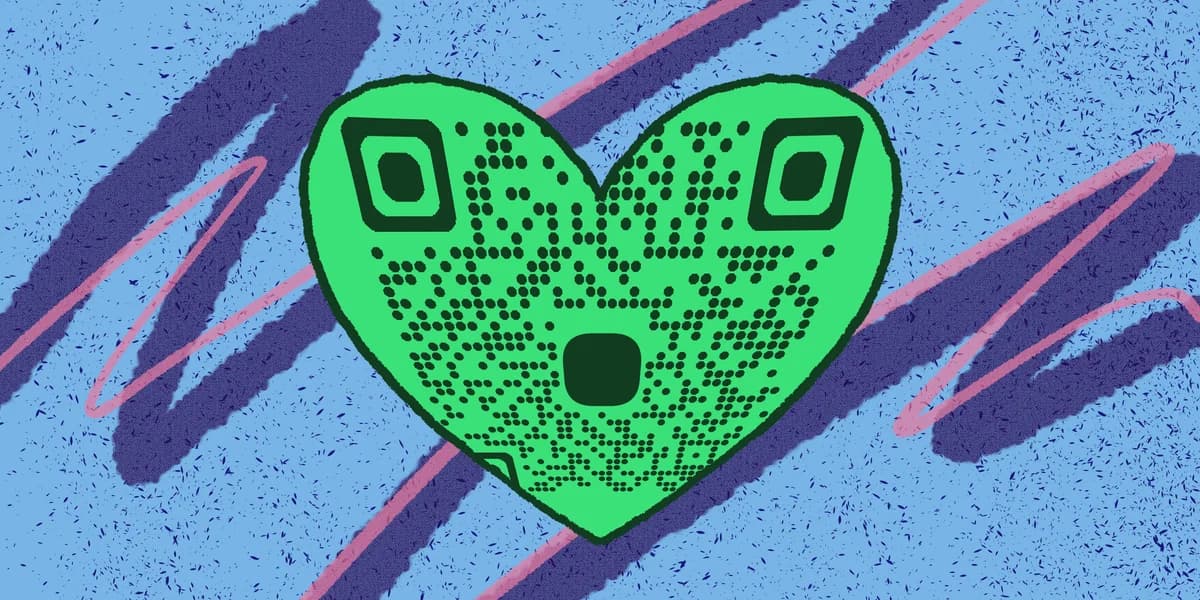
The organizations that convert interest into actual dollars are the ones making it as straightforward as possible to give. Printed posters with a QR code at a community event, a code on a table card at your fundraising dinner, or a scannable graphic on your social media story — each of these removes a step between "I want to give" and "I gave."
QR codes also give you something a plain URL never can: scan data. When you use a dynamic code, you can see how many people scanned, when they scanned, and from which location or material. That intelligence helps you understand which parts of your Giving Tuesday push are actually working, so you can put more effort there in real time or plan smarter next year.
Step-by-step: setting up your Giving Tuesday QR code
Follow these steps to build a QR code that is ready to use across all your Giving Tuesday materials. The whole process takes about ten minutes.
Step 1: Get your donation page URL ready
Before you touch a QR code generator, make sure your donation landing page is live and tested. This should be the exact URL you want donors to land on — ideally a dedicated Giving Tuesday page with a clear headline, a brief explanation of your campaign, and a prominent donate button. If you send people to a generic homepage, you will lose many of them before they find the donate button. Once the URL is confirmed and the page loads correctly on mobile, copy it.
Step 2: Generate your QR code
Head to the and paste your donation page URL into the URL field. Choose "Dynamic QR code" rather than static. A dynamic code stores a short redirect link inside the QR pattern, so if you ever need to change the destination — say your campaign page URL shifts after you have already printed 500 flyers — you can update it in your dashboard without regenerating or reprinting anything. To understand the full difference between your options, static vs dynamic QR codes is worth a quick read before you commit. That flexibility is genuinely valuable during a fast-moving campaign like Giving Tuesday.
Step 3: Customize the design
A plain black-and-white QR code works fine technically, but a branded one builds confidence. Donors who recognize your organization's colors or see your logo in the center of the code are more likely to scan it. Adjust the foreground color to match your brand palette, keeping enough contrast against the background so the code remains scannable. You can also add a small logo or icon in the center. If you want more guidance on this part, the QR code design tips guide covers contrast ratios, safe zones, and logo sizing in detail.
Step 4: Add a call-to-action
Never place a QR code alone without telling people what it does. Text directly above or below the code should say something like "Scan to donate" or "Give now — scan with your phone." This single line of instruction can meaningfully increase the number of people who actually scan. Treat it the same way you would treat a button label on a website: specific and action-oriented beats vague every time.
Step 5: Download at the right resolution
Download your QR code as a PNG or SVG file. For printed materials — posters, flyers, banners, table cards — always use SVG or a high-resolution PNG (at least 1000 x 1000 pixels) so the code stays crisp when scaled up. A blurry or pixelated code will fail to scan. For digital use on social media graphics or email headers, a standard PNG works well. If you are adding the code to a flyer, the how to add a QR code to your flyer guide walks through sizing and placement best practices.
Step 6: Test thoroughly before you publish or print
Scan the code yourself using the built-in camera app on both an iPhone and an Android device. Confirm the destination page loads correctly, that the donation form works on mobile, and that the page looks right on a small screen. Ask a colleague to test it too. Catching a broken link or a poorly formatted mobile page before materials are distributed saves you from running a campaign where the QR code leads nowhere useful.
Step 7: Place the code across your materials
Think about every surface where a potential donor might encounter your Giving Tuesday message. Printed posters in high-foot-traffic areas like coffee shops, libraries, and community centers are strong candidates. Table cards at any fundraising events or dinners work well because people have a natural pause to look around. Social media graphics — even though someone can just tap a link in your bio — benefit from a QR code in Stories or Reels where links are not always clickable. Email newsletters can include the code for recipients who print the email or forward it to someone else. The more placements you cover, the more chances you create.
Step 8: Monitor scans and adjust
Log into your dynamic QR code dashboard during the campaign — not just after it ends. You can see which day had the highest scan volume, which helps you know when to push harder on social media or send a reminder email. If one placement is significantly outperforming others, that tells you where to focus energy for your final Giving Tuesday push. For broader ideas on using QR codes strategically across an event, the how to create event QR codes guide offers useful context. Post-campaign, this data also gives you concrete evidence for your team or board about what worked.
Tips for getting more scans on Giving Tuesday
Getting the QR code built is the first part. Getting people to actually scan it takes a bit more thought. These practical tips help you maximize the number of donors who make it all the way through to giving.
Size matters more than you think. A QR code printed smaller than one inch square is difficult to scan reliably, especially for older donors. On posters and banners, go larger — at least two to three inches — so it is easy to scan from a comfortable distance.
Placement at eye level beats placement at ankle level every time. If you are putting codes on A-frame signs, window clings, or bulletin boards, position them where someone standing naturally can scan without bending down or stretching up.
Create a sense of urgency in the call-to-action text. "Scan to donate today — every dollar is matched until midnight" is more compelling than a generic "Donate here." Giving Tuesday already has a built-in deadline; use it.
Pair the QR code with a short, memorable URL printed beneath it. Some donors prefer to type a URL rather than scan, and offering both options means you capture both types of people on the same printed piece.
If you are running a matching gift campaign, say so loudly right next to the code. Donors who know their gift will be matched are significantly more motivated to act immediately rather than wait.
For event-based scanning, make sure the venue has decent lighting. QR codes are harder to scan in dim or uneven lighting. If you are placing codes on table cards at a dinner with mood lighting, print the code in high contrast and consider a slightly larger size to compensate.
After Giving Tuesday wraps, do not retire the QR code immediately. Keep the destination page live for a few days since some donors will scan materials they took home and give on November 30th or December 1st. Dynamic codes let you swap the destination to a thank-you page once the campaign fully closes.
Frequently Asked Questions
Can I use a QR code to link directly to a PayPal or Venmo donation link?
Yes, any URL works — including payment links for PayPal, Venmo, Cash App, or your own donation processor. Just paste the full payment or donation link into the generator as your destination URL. Make sure to test it on mobile before going live, since payment apps sometimes behave differently when opened via a QR scan versus a direct browser link.
What is the difference between a static and dynamic QR code for a fundraising campaign?
A static QR code has the destination URL baked permanently into the code pattern. Once printed, you cannot change it. A dynamic QR code stores a short redirect, so you can update the destination at any time through your dashboard without touching the printed code. For Giving Tuesday, dynamic is almost always the better choice because campaign URLs sometimes change and you get access to scan analytics. You can read more about the differences in the .
Do donors need a special app to scan a Giving Tuesday QR code?
No. Every modern iPhone and Android phone can scan a QR code using the native camera app — no third-party app required. The donor just opens their camera, points it at the code, and taps the notification that appears. This has been standard on smartphones for several years, so the vast majority of your supporters can scan without any extra steps.
How do I make sure my QR code looks trustworthy to donors?
Branding is the biggest factor. A QR code that uses your nonprofit's colors and includes your logo in the center looks intentional and professional. Pairing it with your organization's name and a clear call-to-action reinforces that it is legitimate. It also helps to print or display your donation page URL in small text near the code so that cautious donors can verify where they are going before they scan.
Can I use the same QR code across all my Giving Tuesday materials?
You can, but using separate dynamic QR codes for different placements — one for your printed flyer, one for your social media graphic, one for your email — lets you see exactly which channel is driving scans. That data is extremely useful for both optimizing the current campaign and planning next year's effort. If tracking by placement is not a priority, a single code across all materials works perfectly well.
Related Guides
Ready to create your QR code?
Generate custom QR codes in seconds - free and easy to use.
Create Free QR Code →