qr code for non profits

Donation pages, volunteer forms, and event check-ins become one scan away instead of a typed-out URL a supporter half-remembers later and never actually visits.
Key Takeaways
- Nearly 47% of Gen Z and Millennial donors already scan QR codes on direct mail to give to causes, per Donorbox, so younger donor segments expect this option.
- A dynamic QR code lets you swap the destination link for each campaign season without reprinting banners, signage, or gala programs.
- The most common nonprofit mistake is linking every code to the same homepage instead of a specific donation, RSVP, or volunteer form tied to that campaign.
Non profits like food banks used to print its donation URL on every flyer, every yard sign, every thank-you letter. Volunteers would tell people at the farmers market table to "just Google us and click donate." Most didn't. By the time someone got home and remembered, the moment had passed. That's the old way, and it's still how a lot of nonprofits operate.

The fix is simpler than most organizations expect. A QR code generated with a free QR code generator on that same flyer or yard sign takes a supporter straight to the donation page, volunteer form, or event RSVP in one scan, no typing, no searching, no losing the moment between "I want to help" and actually helping. Nearly four in five charities already say they use QR codes for fundraising, according to Public Interest Registry's 2025 report, and another 10% are actively testing them.
This guide walks through setting one up, where to place it, and how to avoid the mistakes that make a code useless on print.
How to set up a QR code for your nonprofit
Setting one up takes about ten minutes if you know which link to use and what format fits your material. Here's the process from start to finish.
Step 1: Pick the exact destination link
Decide what action you want the scan to trigger before you generate anything, much like planning an event QR code. A gala invite might link to an RSVP form, a mailer might link straight to a donation page with the campaign name pre-filled, and a volunteer booth might link to a signup sheet. Avoid sending every code to your homepage; that forces the supporter to hunt for the page you actually wanted them to reach.
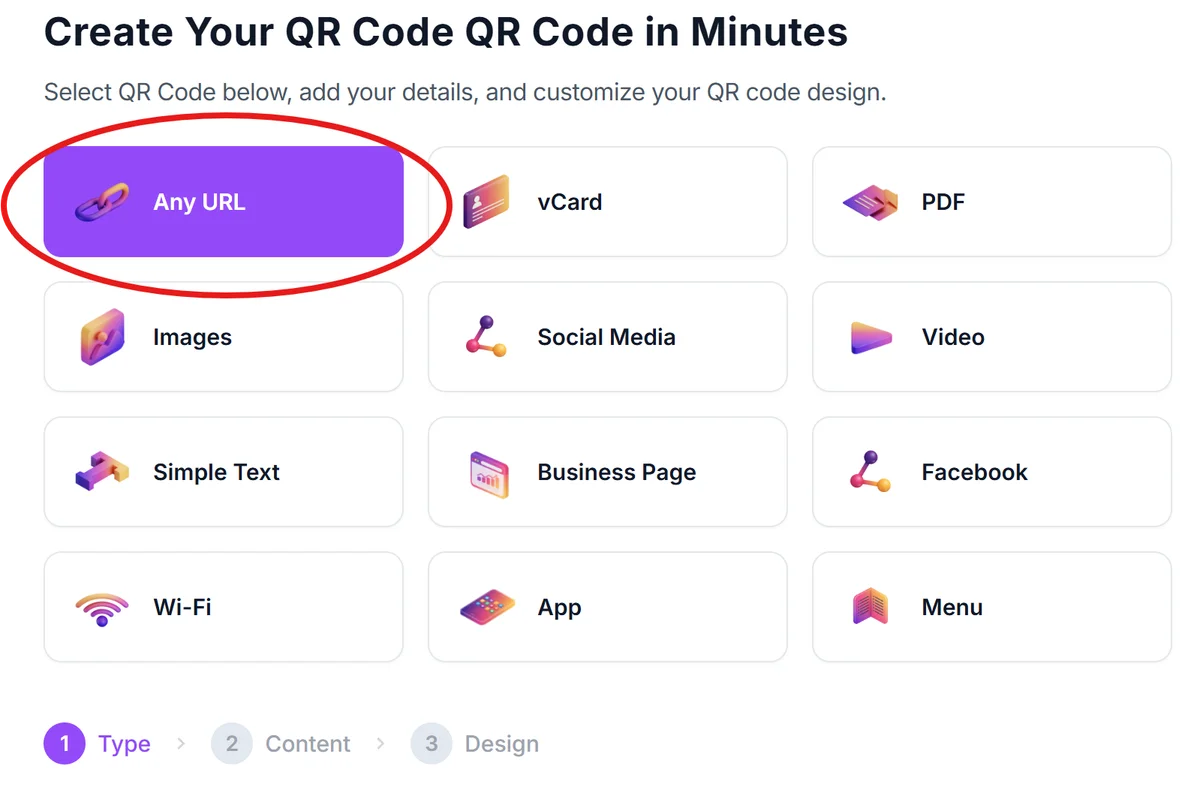
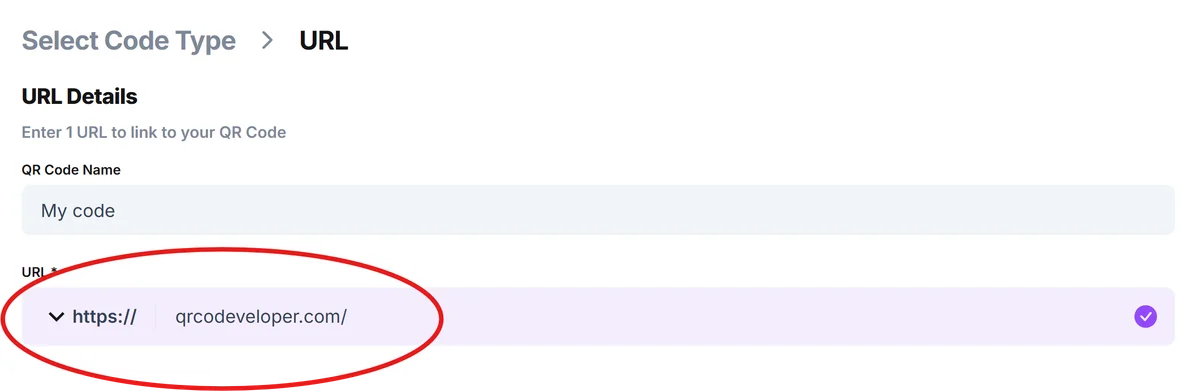
Step 2: Generate the code
Paste that link into the free QR code generator and download it in a high-resolution format suitable for print, not just screen display. If you're printing on brochures, banners, or thank-you letters, request a PDF or vector export so the code stays crisp at any size, similar to how you'd prep a flyer QR code.
Step 3: Choose static or dynamic based on your campaign length
One-time events with a fixed date can use a static code since the link never changes. Ongoing appeals, annual galas, or recurring donation drives benefit from a dynamic code, because you can update the destination each year without printing new materials. See static vs dynamic QR codes for the tradeoffs in more detail.
Step 4: Test on multiple devices before printing in bulk
Scan the code with at least two different phones and camera apps before sending anything to the printer. A code that works fine on your phone might fail on an older Android camera app if the contrast is too low or the code is too small relative to its placement distance.
Step 5: Place it where supporters are already looking
Put the code on the donation table tent, the back of name tags at galas, the bottom of email newsletters, and the corner of event signage. Check-in tables at fundraisers work well too, similar to the process outlined in check-in QR code setups for hotels and short-term rentals.
Placement and design tips for nonprofit codes
A working QR code and a code that actually gets scanned aren't the same thing. These details make the difference at events and on print materials.
Size the code at least 1 inch by 1 inch on printed flyers and at least 3 inches square on banners viewed from a few feet away, so a phone camera can lock on without walking closer.
Add a short call to action next to the code, like "Scan to donate in 10 seconds," instead of leaving a bare code that supporters might assume is decorative.
Use your organization's brand colors sparingly around the code but keep the code itself high-contrast dark-on-light, since low-contrast branded codes are the most common scan failure at galas and outdoor events.
Track scans separately for each campaign material using a dynamic code, so your board can see whether the mailer or the yard sign actually drove more donations.
Frequently Asked Questions
Do QR codes cost money for a nonprofit to use?
Generating a basic code is free with tools like the QR code generator. Costs only come in if you want a dynamic code with scan tracking and editable destinations over time, which some platforms charge a small subscription for.
Can a QR code link directly to a payment page for donations?
Yes. Point the code at your donation processor's hosted checkout page, whether that's a platform like Donorbox, PayPal Giving, or your own site's donate form. Test the full flow from scan to confirmed payment before printing at scale.
Should every campaign use the same QR code or a new one each time?
Use a new dynamic code per campaign or per material type (mailer, banner, name tag) so you can compare scan counts and see which channel performs. Reusing one static code across everything makes it impossible to tell what's working.
Are QR codes safe for donors to scan at events?
Codes from a reputable generator pointing to your own verified domain are safe. To reassure hesitant donors, brief volunteers on the destination link and consider printing the URL in small text beneath the code as a visual confirmation, a practice covered in are QR codes safe.
Related Guides
Ready to create your QR code?
Generate custom QR codes in seconds - free and easy to use.
Create Free QR Code →