QR codes for cooking recipes: Share dishes instantly

Transform handwritten family recipes and cookbook favorites into scannable codes that bring ingredients and instructions to any smartphone.
How QR codes bring recipes to your fingertips
Have you ever found yourself frantically searching through cookbooks or scrolling through saved photos on your phone, all while your onions start burning on the stove? A recipe QR codes solve this kitchen problem by connecting physical recipe cards, cookbooks, or meal planning boards directly to digital instructions that appear instantly on any smartphone.
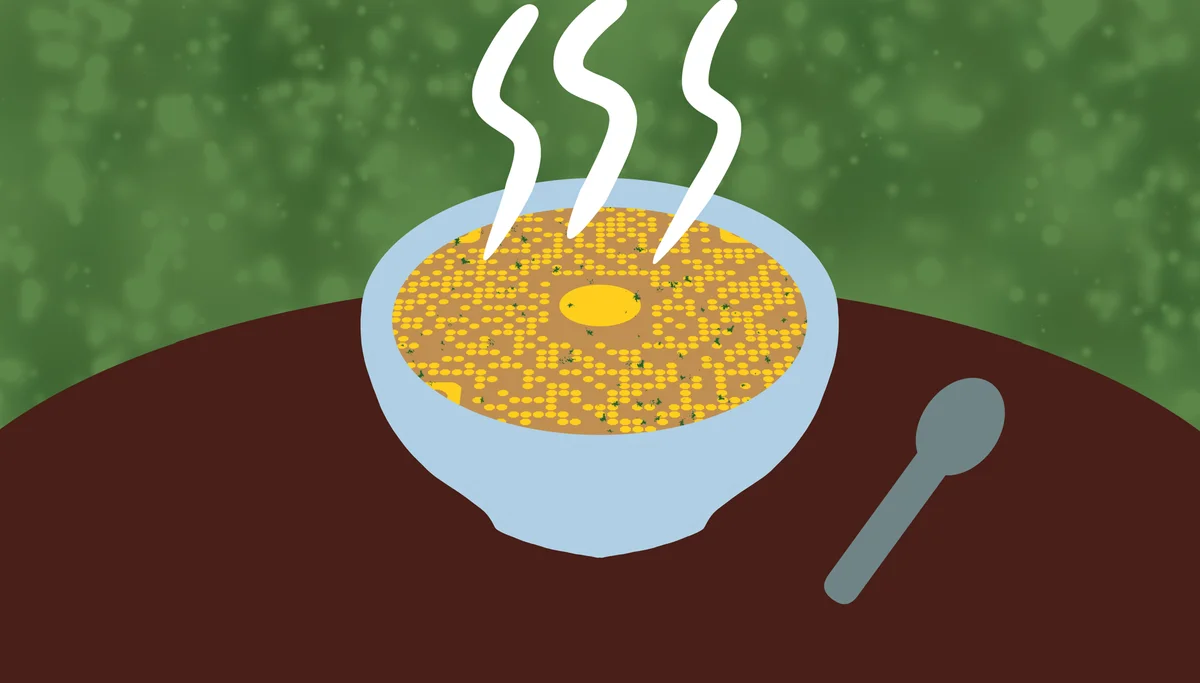
A recipe QR code links to your complete recipe - ingredients, instructions, cooking times, and even photos of the finished dish. When someone scans the code with their phone's camera, they get immediate access to everything they need to recreate your meal, whether it's grandma's secret sauce or your latest Pinterest discovery.
In this guide I will cover how to create recipe QR codes that work for home cooks, meal planners, and anyone who wants to organize their kitchen more efficiently. I'll also also show you how QR Code Developer makes it simple to turn any recipe into a scannable code that works on every smartphone. So let's get our dish started!
Smart ways to share recipes with QR codes
Recipe QR codes work everywhere from family kitchens to professional cooking environments. They solve the common problem of keeping recipes accessible while your hands are busy cooking. Check out our QR code stickers guide for ideas on making your recipe codes permanent and waterproof.
Family recipe preservation
Turn handwritten family recipes into digital codes that preserve cooking traditions while making them easy to share across generations.
Meal planning organization
Add QR codes to your weekly meal planning board so family members can scan and see what's for dinner, including prep instructions.
Cookbook enhancement
Create QR codes for your favorite cookbook recipes and stick them on recipe cards for quick access without flipping through pages.
Cooking class materials
Instructors can provide recipe QR codes on handouts, letting students access detailed instructions and ingredient lists on their phones during class.
Building your recipe QR code collection
Creating recipe QR codes takes just a few minutes and works with any recipe format you prefer.
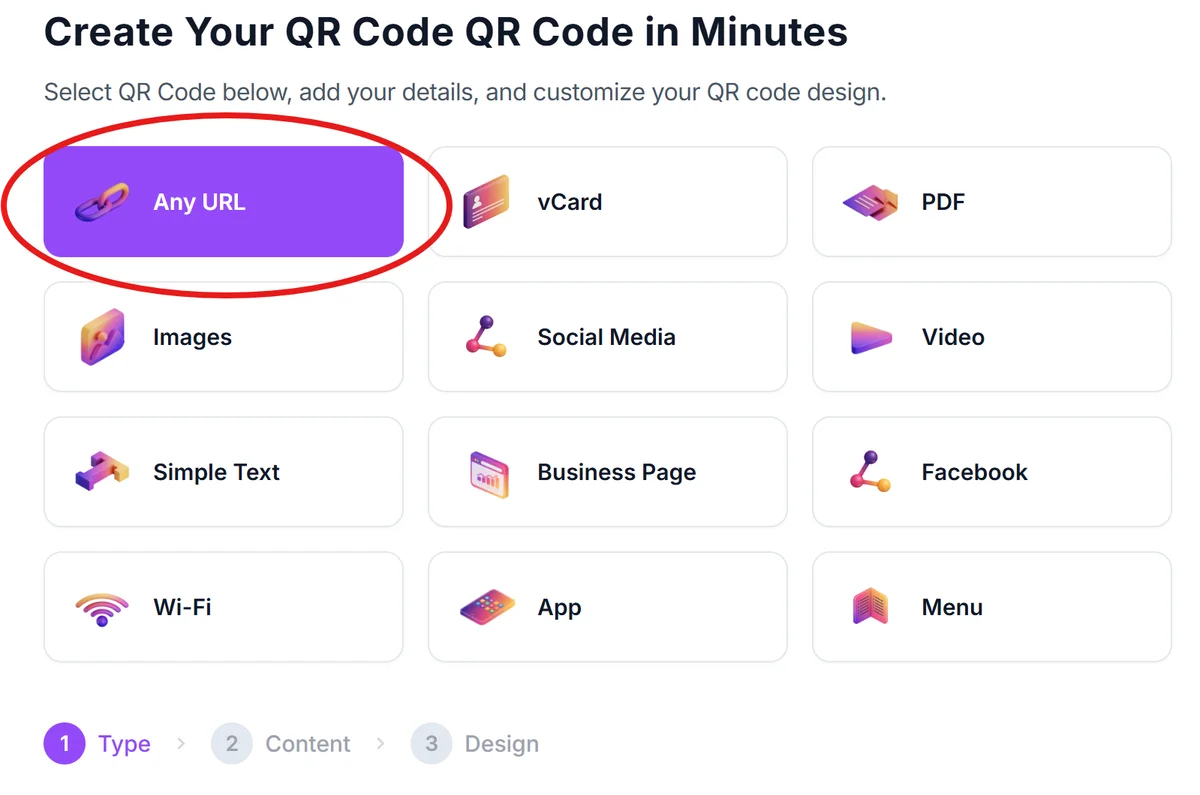
Access the recipe generator
Open qrcodeveloper.com and select the URL QR code option, which works perfectly for linking to any recipe website or document.
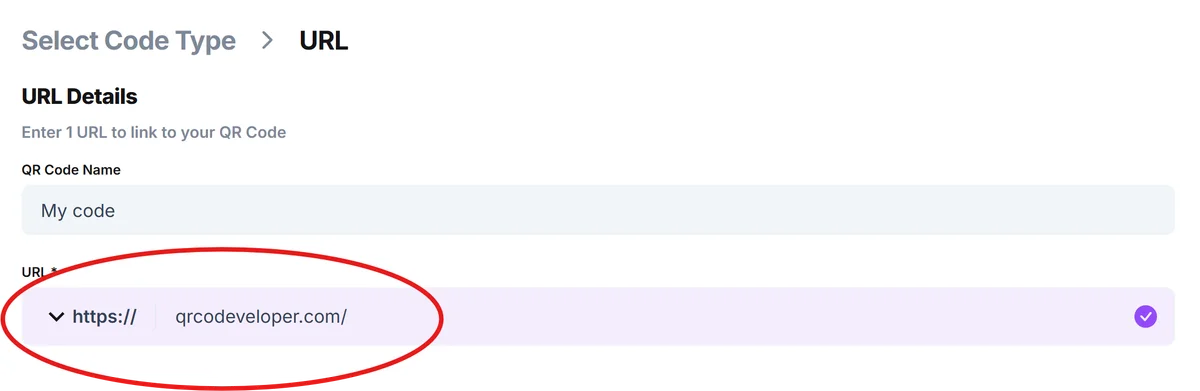
Prepare your recipe link
Upload your recipe to a platform like Google Docs, create a simple webpage, or use recipe-sharing sites like AllRecipes. You can also turn your PDF recipe into a QR code if you have digital recipe files. Copy the shareable link to your complete recipe.
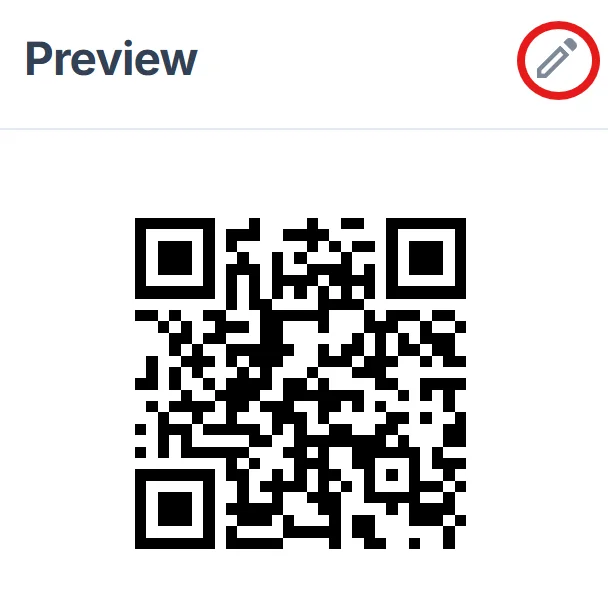
Customize for kitchen use
Click on the pencil icon in the Preview window to further customize your code. Choose high contrast colors (black on white works best) and add a clear label like 'Scan for Recipe' or the dish name to make scanning obvious. For more guidance on creating effective designs, check our QR code design tips.
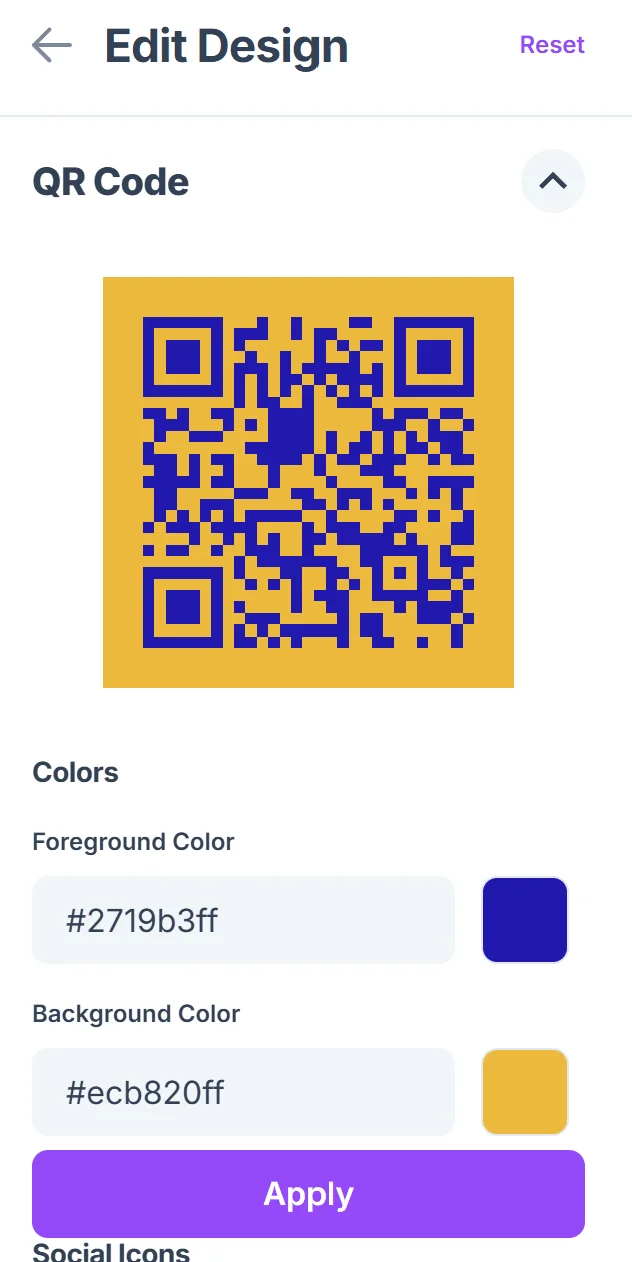
Test in kitchen conditions
Print a test version and scan it from different angles and distances to ensure it works even when your hands might be messy or you're standing back from the counter.
Apply to your cooking materials
Print on waterproof sticker paper or laminate your codes before attaching them to recipe cards, inside cookbook covers, or on your meal planning board.
Recipe QR code best practices for home cooks
These practical tips help ensure your recipe QR codes work reliably in real kitchen environments.
Include cooking times and serving sizes in your QR code labels so people know what to expect before scanning, especially helpful for meal planning
Use waterproof materials or lamination since kitchen environments involve steam, spills, and frequent cleaning that can damage paper codes. Consider dynamic QR codes if you frequently update your recipes, as they allow you to change the linked content without reprinting the code
Create separate QR codes for recipe variations (like gluten-free or vegan versions) rather than cramming everything into one long document
Test your codes with different phones and lighting conditions - kitchen lighting can be dim or create shadows that make scanning difficult
Frequently Asked Questions
What's the best way to store recipes for QR code linking?
Google Docs works great because it's free, easy to edit, and creates shareable links. You can also use recipe websites, personal blogs, or cloud storage with public sharing enabled.
Can I include photos and videos in my recipe QR codes?
Yes, when you link to platforms like Google Docs or recipe websites, you can include step-by-step photos, finished dish images, and even embedded cooking videos.
How do I make recipe QR codes that survive kitchen conditions?
Print on waterproof sticker paper or laminate regular printouts. Avoid placing codes directly above stovetops where steam and heat can damage them.
Do recipe QR codes work without internet?
No, QR codes that link to online recipes require an internet connection. For offline access, consider linking to downloadable PDF recipes that people can save to their phones.
Is it free to create recipe QR codes?
Yes, basic QR code creation is completely free. You only need a way to host your recipe online, which you can do for free with platforms like Google Docs or recipe-sharing websites.
Related Guides
Ready to create your QR code?
Generate custom QR codes in seconds - free and easy to use.
Create Free QR Code →