How universities use QR codes for student engagement and campus operations

Universities face growing pressure to modernize student services while managing budget constraints and increasing enrollment demands across sprawling campuses.
Essential QR code applications for universities
Universities deploy QR codes across multiple touchpoints to address common operational challenges. These applications range from classroom management to campus navigation, each designed to reduce friction in the student experience. Event QR codes represent just one area where institutions see immediate benefits.
Create QR CodeCourse material distribution
Professors add QR codes to syllabi linking directly to reading lists, assignment portals, or supplementary videos. Students access current materials instantly without outdated printed handouts or broken email links, similar to how institutions turn PDFs into QR codes for seamless document sharing.
Campus navigation and wayfinding
QR codes on building directories and signage provide interactive maps, room schedules, and accessibility information. New students and visitors find locations quickly without asking for directions or downloading campus apps.
Event registration and attendance tracking
Student organizations and academic departments use QR codes for seamless event check-ins. Attendees scan to register, receive event updates, and access post-event resources while organizers track participation automatically through check-in QR code systems.
Why campus digitization drives QR code adoption
Students often have to wait in long lines at registration desks, carry physical course packets, and hunt down professors during limited office hours. But they don't have to. It's now possible for them to simply scan a QR code on their syllabus and instantly access digital resources, submit assignments, or join virtual office hours from anywhere on campus.

QR codes bridge the gap between physical campus spaces and digital learning environments. A single scan connects students to course materials, event information, dining menus, or library resources without downloading multiple apps or remembering complex URLs.
In this guide I will cover practical QR code implementations that solve real campus challenges. I'll also show you how institutions use QR Code Developer to create scannable solutions that improve student experience while reducing administrative overhead. So let's get started!
Setting up your first campus QR code system
Creating effective QR codes for your institution requires planning your content strategy before generating codes.
Identify your primary campus challenge
Start with one specific problem like course material access or event registration. Visit qrcodeveloper.com and select the QR code type that matches your needs - URL codes for websites, PDF codes for documents, or contact codes for office hours.
Prepare your destination content
Ensure your linked content is mobile-optimized since students will primarily scan with smartphones. Create clear landing pages with essential information above the fold and fast loading times on campus WiFi.
Design with institutional branding
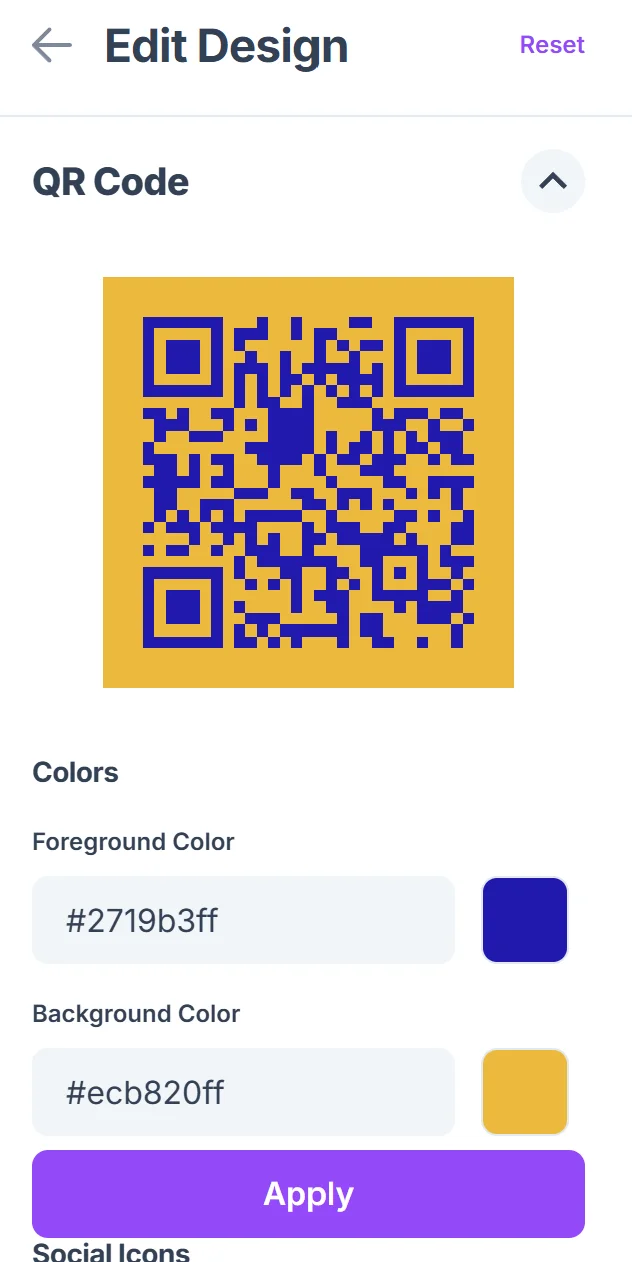
Customize QR code colors to match your university's brand palette and add your logo for recognition. Maintain sufficient contrast for reliable scanning while reinforcing institutional identity across campus touchpoints, following proven QR code design principles.

Pilot test with student focus groups
Test scanning functionality across different devices and lighting conditions common on your campus. Verify that linked content loads properly on both campus WiFi and cellular networks in typical usage locations, ensuring you understand how QR codes work for optimal performance.
Deploy with clear scanning instructions
Place QR codes at eye level with brief instructions like 'Scan for course materials' or 'Access dining menu.' Position codes in high-traffic areas where students naturally pause, such as building entrances or bulletin boards.
Maximizing student adoption and engagement
Get the best results with these tips:
Train faculty and staff on QR code benefits before campus-wide rollout to ensure consistent messaging and troubleshooting support
Include backup access methods like shortened URLs for students who encounter scanning difficulties or prefer manual entry
Monitor scan analytics to identify popular content and underperforming codes, then adjust placement or linked content accordingly
Update linked content regularly to maintain student trust and prevent the 'dead link' experience that reduces future scanning behavior
Create QR code standards for size, placement, and messaging to maintain professional appearance across different departments and buildings
Frequently Asked Questions
How do we ensure QR codes work for students with accessibility needs?
Include alternative access methods like shortened URLs and ensure linked content meets web accessibility standards. Provide QR code descriptions and consider audio cues for visually impaired students.
What's the best way to introduce QR codes to faculty who aren't tech-savvy?
Start with simple use cases like linking to course websites, provide step-by-step creation guides, and offer hands-on training sessions. Show concrete benefits like reduced printing costs and easier content updates.
How much does implementing QR codes across campus cost?
Basic QR code generation is free with tools like QR Code Developer. Main costs involve staff time for content creation and printing new signage. Many institutions see cost savings through reduced printing and administrative efficiency.
How do we track which QR codes students actually use?
Use URL shortening services with analytics or Google Analytics to monitor scan rates and user behavior. Track metrics like scan frequency, peak usage times, and content engagement to optimize placement and content.
Should we require students to download a specific QR scanner app?
No, most modern smartphones have built-in QR scanning in their camera apps. Requiring additional downloads creates barriers to adoption. Focus on codes that work with standard device cameras.
Related Guides
Ready to implement your solution?
Generate custom QR codes for your industry in seconds.
Create Free QR Code →