QR codes for pharmacy medication refills

Enable instant prescription refills and medication access through scannable codes that connect patients directly to pharmacy services.
How pharmacies modernize prescription refills with QR codes
If you've ever picked up medication from a pharmacy before, then you know how frustrating it can be. You have to go in, put in your birthdate, plus a ton of other information, all for a medication you have no choice in taking. Not to mention, the next month, you have to do it all again. However, QR codes can help alleviate this stress and get you to your meds faster.
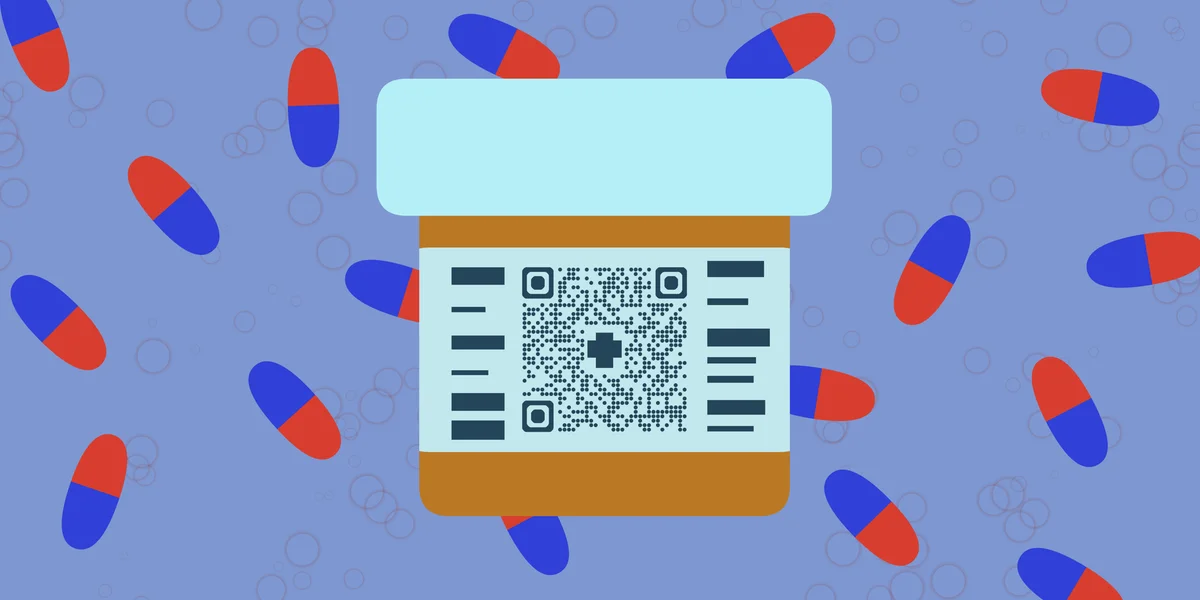
A pharmacy medication refill QR code can connect patients directly to their prescription portal, refill request forms, or pharmacy-specific mobile apps. These codes eliminate the need to make phone calls, reduce wait times, and give patients 24/7 access to their medication information and refill services.
In this guide I will go over how to create QR codes that connect patients to prescription services. I'll also cover different implementation strategies and share tips from pharmacies successfully using QR Code Developer to improve their patient experience. So let's dive right in!
Practical applications for pharmacy QR codes
Pharmacies are implementing QR codes across multiple touchpoints to reduce administrative burden and improve patient satisfaction. These contact information QR codes can connect to various pharmacy services beyond just refills.
Prescription bottle labels
Patients scan codes directly from their medication bottles to request refills, check medication information, or access dosage instructions without calling the pharmacy.
Pharmacy receipt integration
Codes printed on receipts link to patient portals where customers can view their prescription history, set refill reminders, and manage multiple medications.
Waiting area information stations
QR codes on posters or table tents in pharmacy waiting areas provide access to health resources, insurance information, or appointment scheduling systems.
Drive-through service enhancement
Codes displayed at drive-through windows allow patients to submit refill requests while waiting in line, reducing transaction time and improving traffic flow.
Creating medication refill QR codes
Setting up QR codes for pharmacy services requires connecting them to your existing patient portal or prescription management system.
Access the QR generator
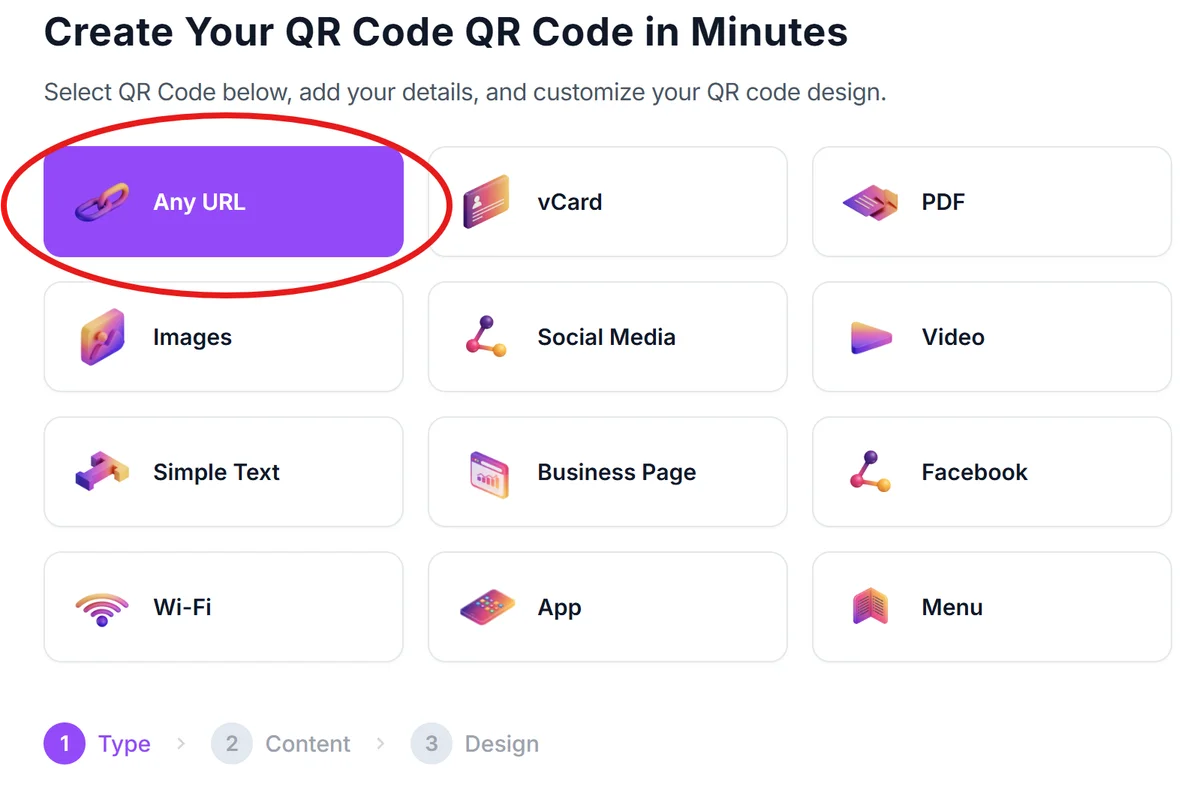
Visit qrcodeveloper.com and select the URL QR code option to create codes that link to your pharmacy's digital services.
Connect to your prescription system
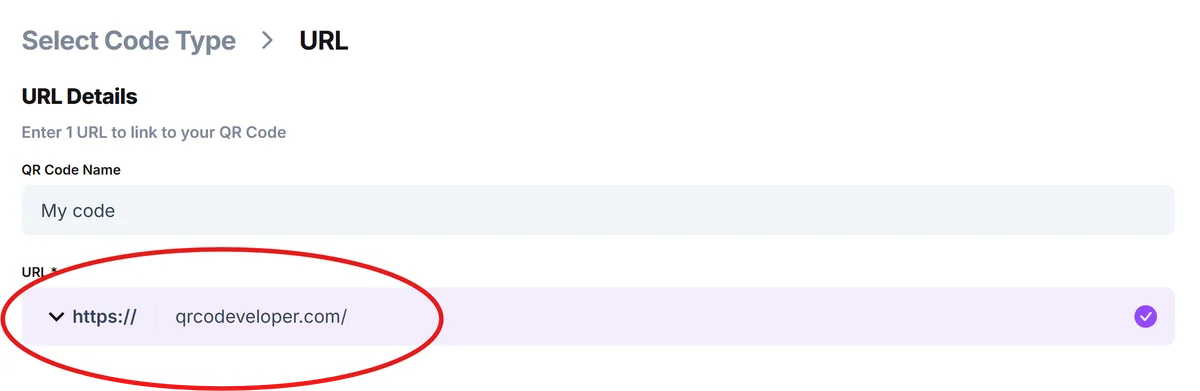
Enter the URL for your pharmacy's patient portal, refill request page, or mobile app download link. Include specific parameters if your system supports direct prescription lookup.
Design for medical environments
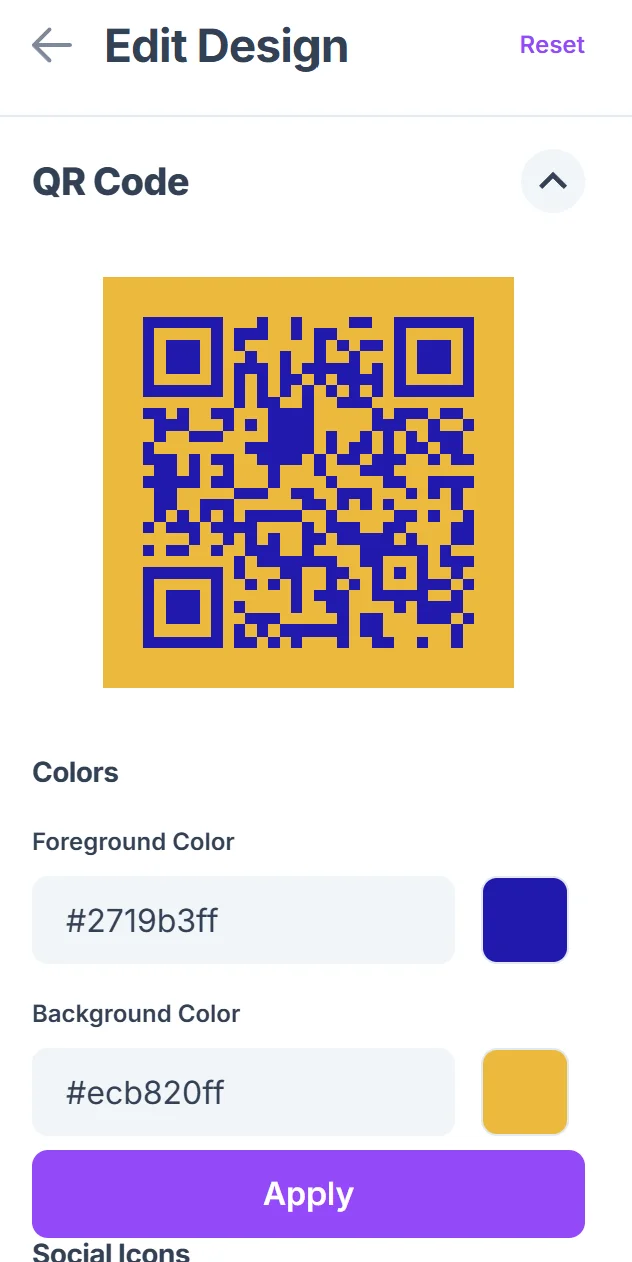
Choose colors that maintain high contrast for easy scanning under pharmacy lighting. Consider adding your pharmacy logo or using brand colors that patients recognize, following QR code design best practices.

Test across patient devices
Verify the QR codes work on both older smartphones and newer devices. Test the scanning experience to ensure patients can easily access their prescription information.
Implement with clear instructions
Add simple text like 'Scan to refill prescriptions' or 'Access your medication portal' near each code. Include backup phone numbers for patients who prefer traditional methods.
Best practices for pharmacy QR implementation
Successful pharmacy QR code deployment requires considering both technical functionality and patient comfort with new technology.
Place codes at multiple touchpoints - prescription bottles, receipts, and waiting areas - so patients can choose their preferred access method
Include fallback options for patients who don't use smartphones, such as printed phone numbers or traditional refill request forms
Test QR codes with different lighting conditions typical in pharmacies, including fluorescent overhead lights and natural window light
Train staff to help patients who are unfamiliar with QR codes, and consider creating simple instruction cards for first-time users
Frequently Asked Questions
Can QR codes work with existing pharmacy management systems?
Yes, QR codes simply link to web pages or apps, so they work with any pharmacy system that has online patient access or mobile capabilities.
How do patients access their specific prescription information through a QR code?
The QR code typically links to your pharmacy's login portal where patients enter their credentials to access their personal prescription data.
Are there privacy concerns with pharmacy QR codes?
QR codes themselves don't contain sensitive information - they just provide a link. Patient data security depends on your existing pharmacy portal's authentication and encryption.
What happens if a patient can't scan the QR code?
Always provide alternative access methods like phone numbers or website URLs printed alongside QR codes for patients without smartphones or scanning difficulties.
Do I need different QR codes for different services?
You can use one QR code that links to your main patient portal, or create specific codes for different functions like refills, appointment scheduling, or medication information.
Related Guides
Ready to create your QR code?
Generate custom QR codes in seconds - free and easy to use.
Create Free QR Code →