QR code generator for hotels - Contactless guest services

Enable contactless hotel operations with QR codes for check-in, menus, WiFi sharing, and guest services that guests can scan from their phones.
How hotels modernize guest services with QR codes
QR code adoption in hotels has surged 433% since 2021, with 87% of full-service restaurants now using QR code menus, according to QRCode.co.uk (citing Guestara Industry Report and Drvn Travel Trends). This highlights the growing importance of QR codes in today's digital landscape. If you're running a hotel, then it would be wise to use QR codes in some way.
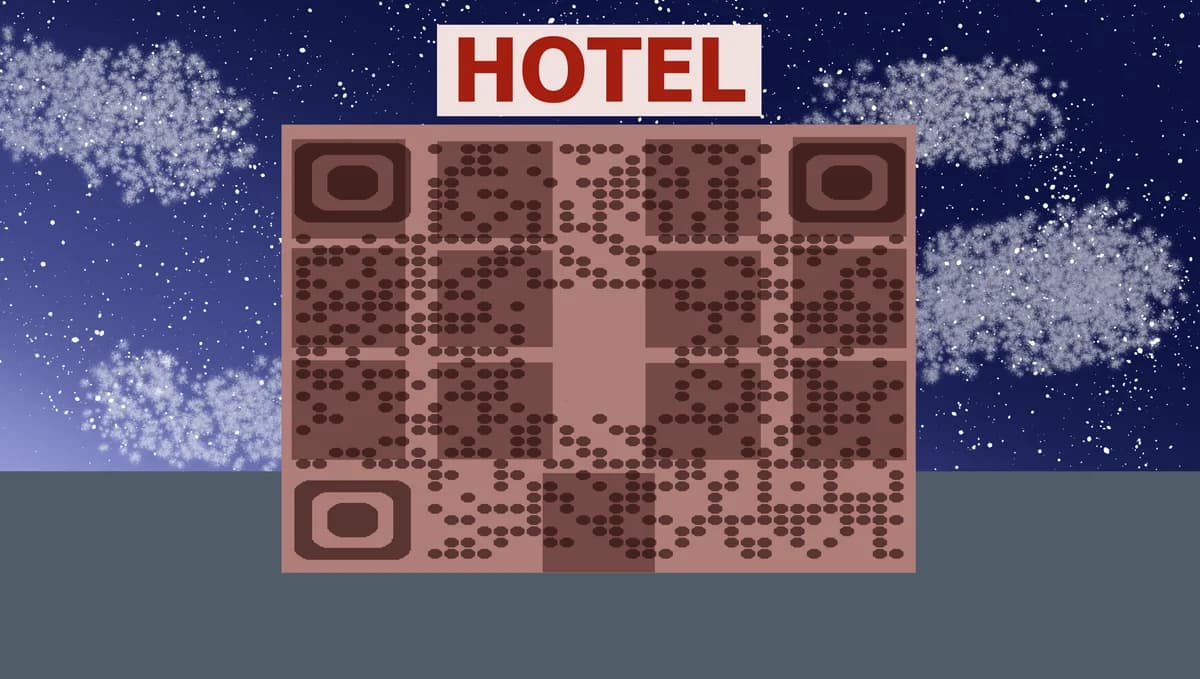
Hotel QR codes connect guests instantly to digital services through their smartphones. Guests can scan a code at the front desk for contactless check-in, access room service menus without touching physical copies, or connect to WiFi without typing complex passwords. These codes bridge the gap between your hotel's physical spaces and digital services.
Throughout this guide I'll show you how to create QR codes for every aspect of hotel operations. You can start with our QR Code Developer to generate codes for check-in processes, or explore our dedicated hotel check-in QR code guide for detailed implementation strategies. So let's get started!
Essential QR code applications for hotel operations
Modern hotels use QR codes to eliminate friction points throughout the guest journey. From arrival to departure, these codes provide instant access to services that traditionally required staff interaction or physical materials. Learn more about WiFi QR codes for seamless internet access.
Contactless check-in and room access
Guests scan a code to complete check-in, receive digital room keys, and access their room information without visiting the front desk.
Digital room service and restaurant menus
Replace physical menus with QR codes that link to current offerings, prices, and ordering systems directly from guests' rooms or dining areas.
Instant WiFi network access
Eliminate the need for guests to type complex passwords by providing QR codes that automatically connect devices to hotel WiFi networks.
Guest services and concierge information
Link to digital concierge services, local attraction guides, spa bookings, and hotel amenity information through strategically placed QR codes.
Setting up QR codes for your hotel property
Creating hotel QR codes requires matching the right code type to each guest service. Start with your most frequently used services and expand from there.
Choose your QR code generator platform
Visit qrcodeveloper.com and select the appropriate QR code type for your hotel service - URL codes for web-based services, WiFi codes for network access, or contact codes for guest services.
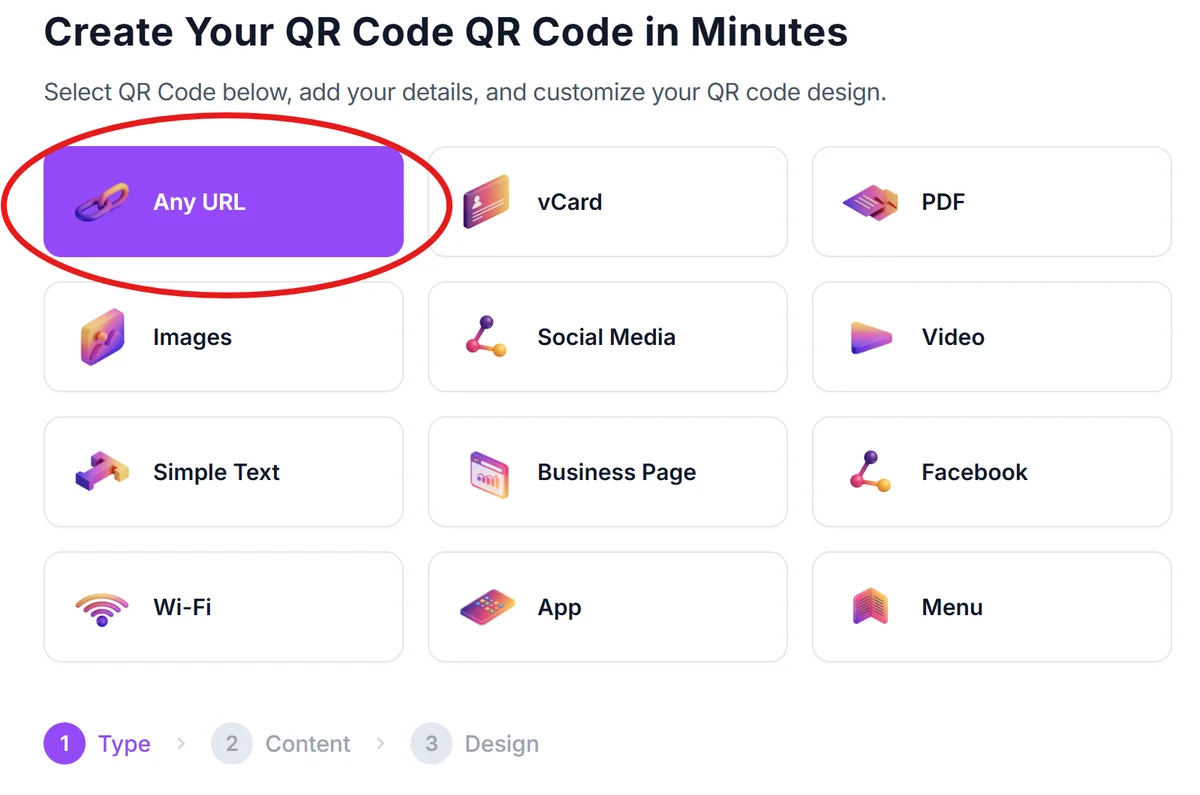
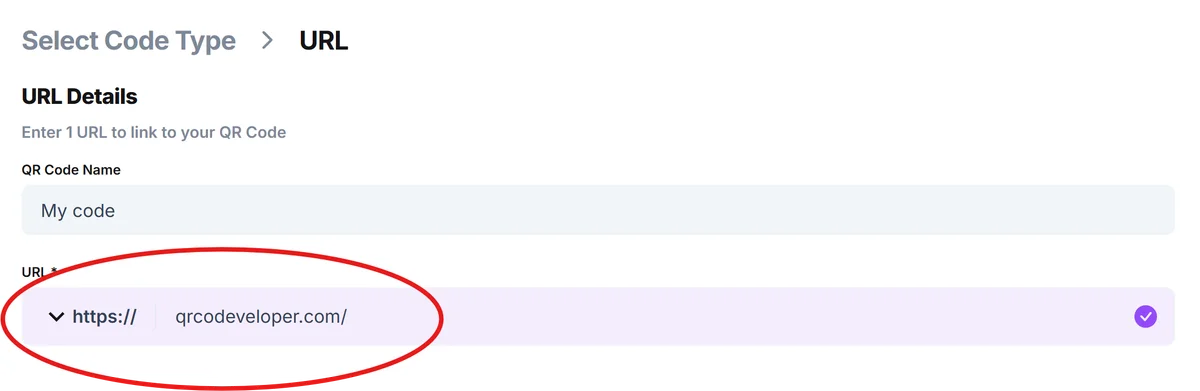
Enter your hotel service information
Input the specific details for each service: website URLs for online check-in, network credentials for WiFi access, or contact information for guest services departments.
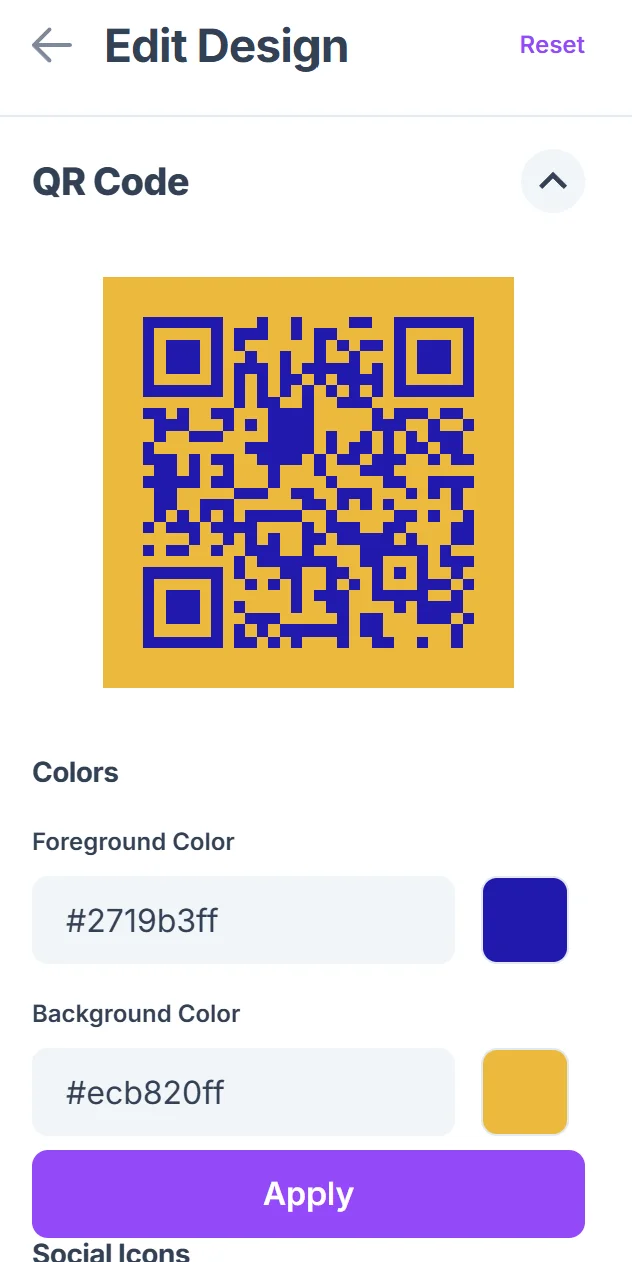
Customize codes with your hotel branding
Click on the pencil icon in the Preview window to further customize your code. Add your hotel logo, match brand colors, and include clear labels that indicate what each QR code provides - 'Scan for Check-in' or 'Room Service Menu' helps guests understand the purpose. Consider our QR code design tips for creating visually appealing codes.

Test codes across different devices
Verify that QR codes work properly on various smartphone models and operating systems before placing them in guest areas or printing on hotel materials.
Place codes strategically throughout your property
Position QR codes at key guest touchpoints: lobby areas for check-in, room doors for WiFi access, dining tables for menus, and elevator areas for general hotel information.
Best practices for hotel QR code implementation
Successful hotel QR code programs focus on guest convenience and staff efficiency. These practices ensure your codes enhance rather than complicate the guest experience.
Include clear instructions next to each QR code explaining what guests will access and why it benefits them - 'Skip the front desk line' or 'Access current menu with prices' provides context. You can also create QR code stickers with instructions for easy placement throughout your hotel.
Use high-contrast colors and adequate sizing for QR codes placed in dimly lit areas like hotel corridors or restaurant tables where ambient lighting may be low
Create backup systems for guests who prefer traditional services - always maintain non-digital alternatives for check-in, menus, and key hotel services
Monitor QR code usage analytics to identify which services guests use most frequently and which codes may need better placement or clearer instructions
Frequently Asked Questions
What types of QR codes work best for hotel operations?
URL QR codes work well for web-based services like online check-in and digital menus, WiFi QR codes provide instant network access, and contact QR codes can store guest services phone numbers and information.
How do I create QR codes for hotel WiFi access?
Use a WiFi QR code generator to encode your network name, password, and security type. Guests can scan the code to automatically connect without typing credentials manually.
Can I track which hotel services guests access through QR codes?
Yes, most QR code generators provide analytics showing scan frequency, timing, and location data to help you understand which services are most popular with guests.
What if guests don't know how to scan QR codes?
Include simple scanning instructions near your QR codes and train front desk staff to assist guests. Most modern smartphones have built-in QR code scanning through their camera apps.
Are hotel QR codes free to create and use?
Basic QR code generation is typically free, including static codes for WiFi access and simple URL links. Advanced features like analytics tracking and dynamic codes may require paid plans.
Related Guides
Ready to create your QR code?
Generate custom QR codes in seconds - free and easy to use.
Create Free QR Code →