QR codes for home improvement projects and contractors

Connect homeowners to project details, product information, and contractor services through scannable codes on materials, business cards, and job sites.
How home improvement professionals use QR codes
According to the National Association of Home Builders, the residential remodeling market generates over $472 billion annually, with contractors handling thousands of product specifications, installation guides, and customer communications across multiple job sites. Workers in this industry could use all the help they can get. Luckily, QRT codes can alleviate much of the burden in terms of marketing and communication.
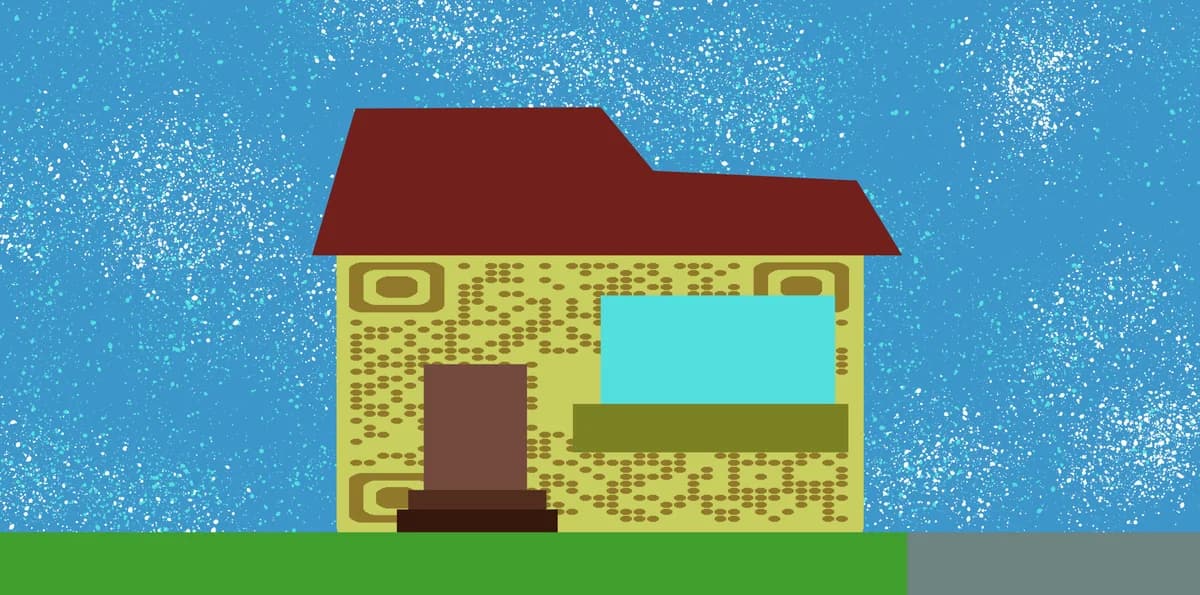
Home improvement QR codes can make it so that contractors can link codes on physical material to product manuals, installation videos, warranty information, or customer portals directly from job sites, business cards, or project materials. Homeowners can then scan these codes to access project timelines, progress photos, or maintenance schedules without searching through paperwork. For sharing visual updates, consider using QR codes for galleries to organize project photos effectively.
In this guide I will go over the practical QR code applications for contractors, remodelers, and DIY enthusiasts. I'll also show you how to create codes that connect your physical work to digital resources, plus share placement strategies that work in construction environments. You'll also find tips for using QR code business cards to stand out in the competitive home improvement market. So let's get this project started!
QR code applications for contractors and DIY projects
Home improvement QR codes solve common communication challenges between contractors and clients while providing instant access to technical information. These codes work particularly well when paired with PDF QR codes for sharing detailed project documents.
Product specification sheets
Link to detailed specs, installation guides, and warranty information for materials used in each room or project phase.
Project progress updates
Share photo galleries, timeline updates, and completion milestones with homeowners who want to track renovation progress.
Maintenance and care instructions
Provide ongoing care guides for new installations like flooring, fixtures, or HVAC systems that homeowners can reference years later. You can also create WiFi QR codes for smart home systems to help clients easily connect their devices.
Contractor portfolio and reviews
Display past work examples and customer testimonials on business cards, truck signage, or yard signs at active job sites.
Creating QR codes for your home improvement business
Building effective QR codes for construction and remodeling requires understanding where and how your clients will scan them.
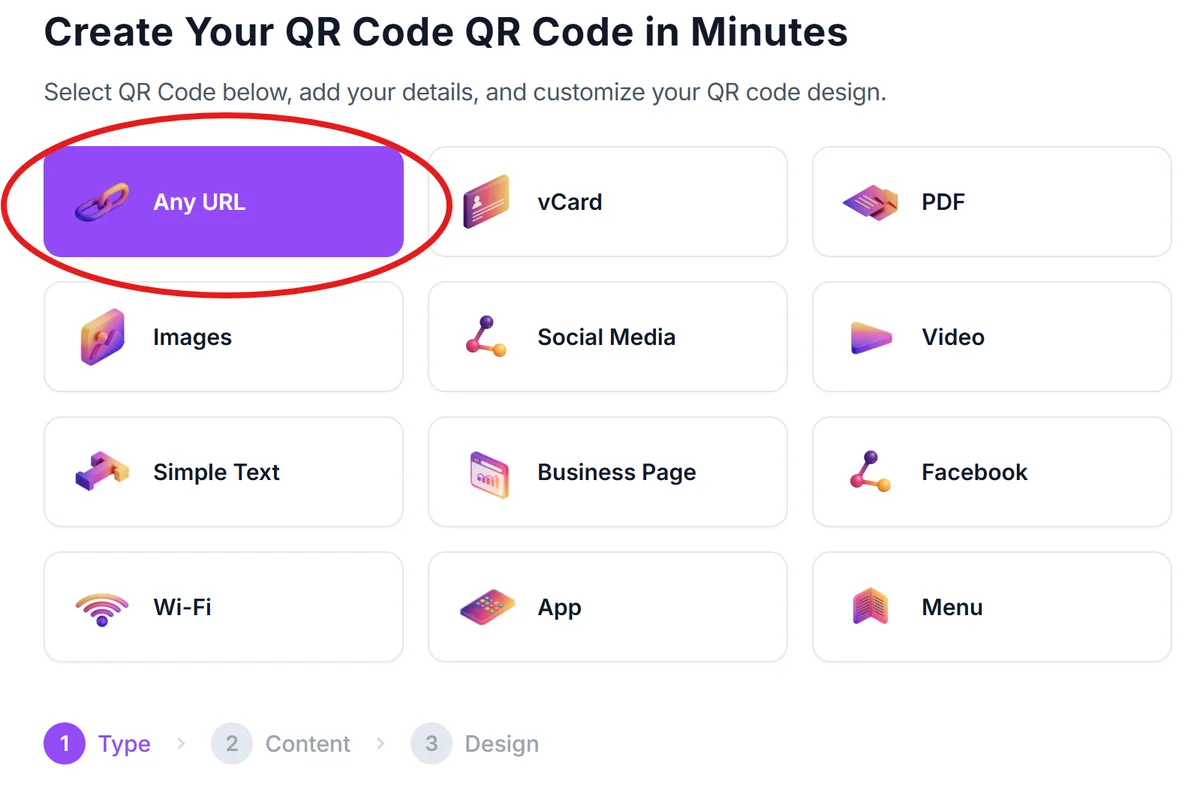
Access the QR code builder
Go to qrcodeveloper.com and select the type of content you want to link - whether it's a website, PDF document, or contact information.
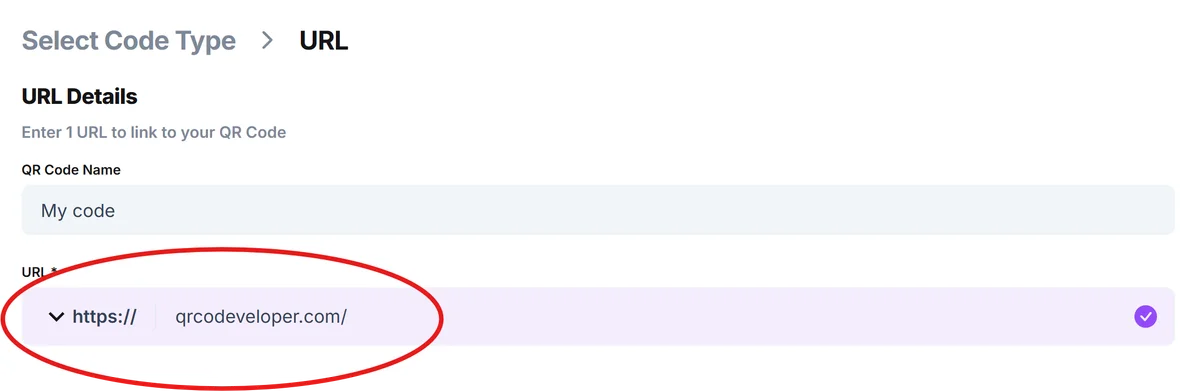
Input your project resource link
Enter the URL for your project gallery, product specification sheet, or business website. For multiple resources, create a simple landing page that organizes all relevant links, or use Linktree QR codes to provide clients with organized access to all your services.
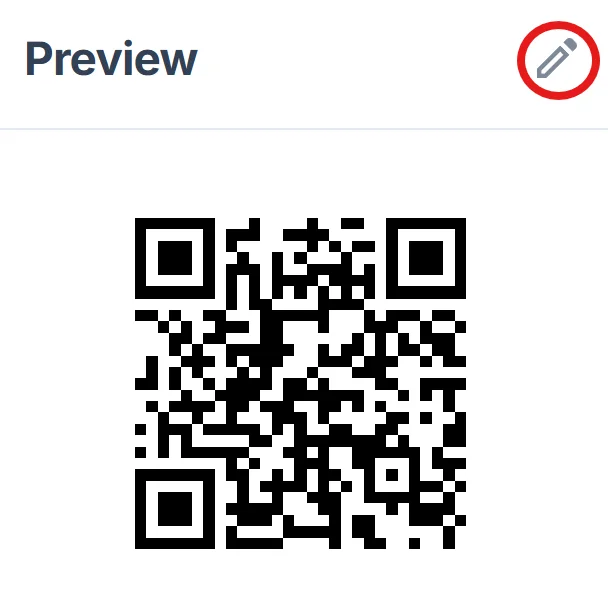
Apply construction-ready design
Click on the pencil icon in the Preview window to further customize your code. Choose high-contrast colors that remain visible on construction materials. Avoid light colors that won't show up on white drywall or pale surfaces.
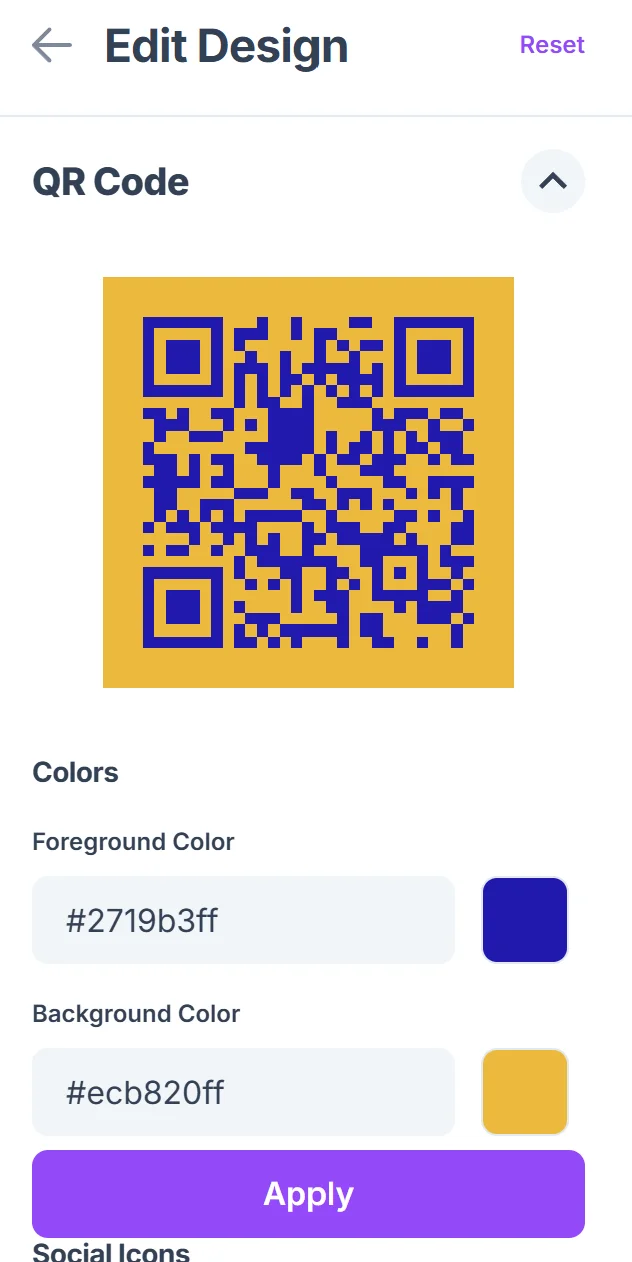
Size for job site visibility
Generate codes large enough to scan from arm's length, especially for codes placed on materials or equipment that workers handle while wearing gloves.
Test in realistic conditions
Scan your codes in various lighting conditions and with dust or debris nearby to ensure they work reliably on active construction sites. Consider using QR code stickers with protective coating for harsh construction environments.
Best practices for construction site QR codes
Construction environments present unique challenges for QR code placement and durability. These strategies help ensure your codes remain functional throughout project timelines.
Protect codes from construction dust and moisture by laminating them or using weatherproof materials, especially for codes that will remain on-site for weeks or months
Place QR codes at eye level in areas where people naturally pause, like near project information boards or material staging areas, rather than on surfaces that get heavy use
Include a brief text description near each code explaining what users will find when they scan, such as 'Scan for flooring care guide' or 'View project timeline'
Create separate codes for different project phases rather than updating a single code, so homeowners can reference specific information even after projects are complete
Frequently Asked Questions
Can QR codes withstand construction site conditions?
Yes, when properly protected. Use laminated codes or weatherproof materials for outdoor placement, and avoid areas with heavy equipment traffic or frequent handling.
What's the best way to share project updates with homeowners?
Create a simple project webpage or photo gallery and link to it with a QR code. Update the page regularly with progress photos and timeline information.
Should I put QR codes on my business cards?
Absolutely. QR codes on contractor business cards can link to your portfolio, customer reviews, or contact information, making it easier for potential clients to learn about your services.
How do I track which QR codes clients are using most?
Use different landing pages for different types of codes (like separate pages for product info vs. project updates) and monitor page traffic to see what information clients value most.
Are QR codes free to create for my contracting business?
Yes, you can create unlimited static QR codes at no cost. These work well for linking to stable resources like your business website or permanent portfolio pages.
Related Guides
Ready to create your QR code?
Generate custom QR codes in seconds - free and easy to use.
Create Free QR Code →