Food delivery QR codes for restaurants and takeout orders

Direct hungry customers to your delivery platform instantly with scannable codes that skip the search and browsing hassle.
QR codes bridge the gap between physical and digital ordering
Food delivery apps now account for over $150 billion in global revenue, yet many customers can still struggle to find their favorite restaurants when they're ready to order. A customer might see your storefront, grab a flyer, or hear about your restaurant from a friend, but then spend several minutes searching through delivery apps or typing in web addresses. However, a simple QR code on a flyer or menu can solve this problem!
Food delivery QR codes can connectyour physical presence directly to your digital ordering system. When someone scans your code, they land immediately on your delivery platform, menu, or ordering page without any searching or typing required. This is similar to how QR codes for landing pages work to drive targeted traffic.
Throughout this guide I'll walk you through creating QR codes that work with popular delivery platforms like DoorDash, Uber Eats, Grubhub, or your own online ordering system. You can also learn about QR code menus for dine-in customers or explore other ways to use QR codes for your business. So let's dive right in!
Smart ways restaurants use delivery QR codes
Food delivery QR codes work anywhere customers might decide to order from you. The key is placing them where people are already thinking about food. Check out our guide on QR code stickers for creative placement ideas.
Storefront windows and doors
Perfect for customers walking by who want to order for later or delivery to their current location.
Takeout bags and packaging
Turn satisfied customers into repeat customers by making reordering effortless for next time.
Local advertising and flyers
Print ads, community boards, and promotional materials that drive direct orders instead of just brand awareness. Consider adding QR codes to your flyers for maximum reach.
Social media posts and stories
Instagram stories, Facebook posts, and other social content that converts followers into actual orders.
Building your food delivery QR code in minutes
Creating a food delivery QR code takes just a few steps once you have your delivery platform URL ready.
Visit the QR code generator
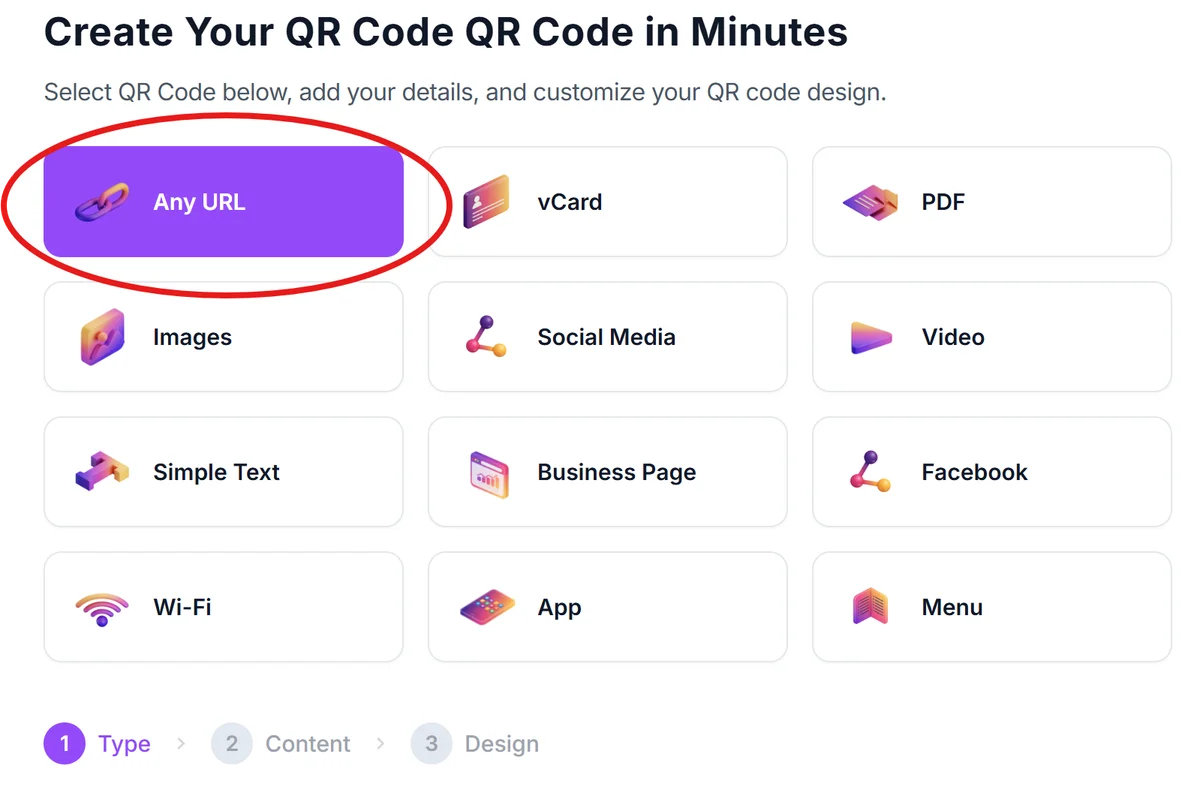
Go to qrcodeveloper.com and select the URL option since you'll be linking to your delivery platform or ordering page.
Enter your delivery platform link
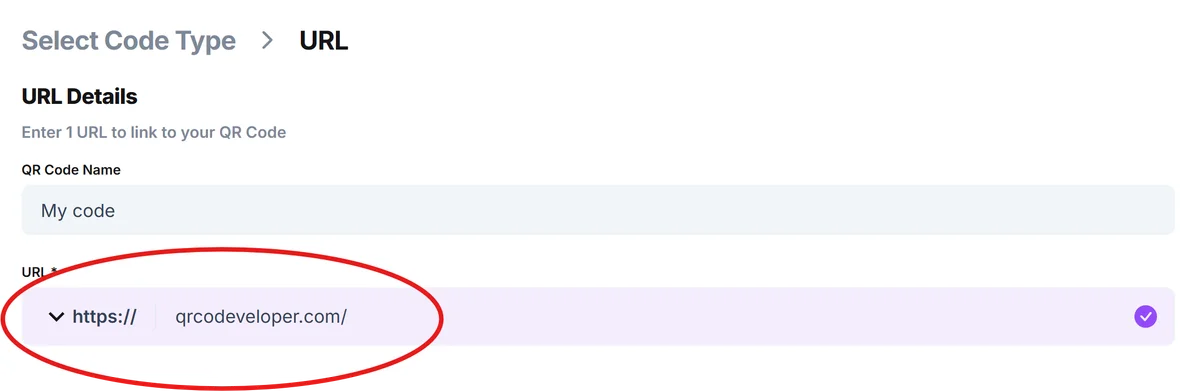
Paste the direct URL to your restaurant on DoorDash, Uber Eats, Grubhub, or your own online ordering system. Make sure the link works and goes directly to your menu.
Customize with your brand colors
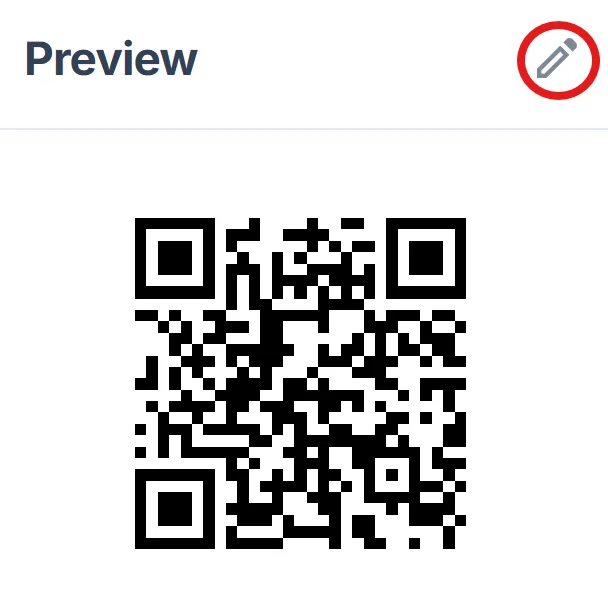
Click on the pencil icon in the Preview window to further customize your code. Match your restaurant's color scheme and add your logo if desired. This helps customers recognize it's from your business and builds trust. Learn more about effective QR code design tips to make your codes more appealing.
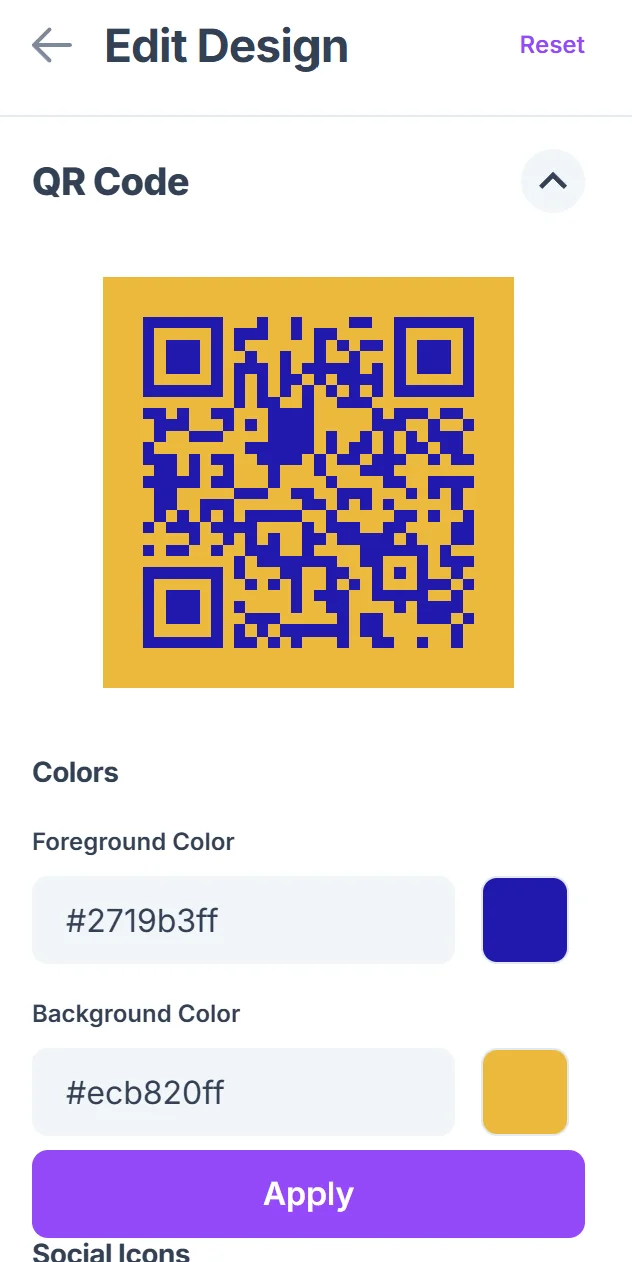
Test the code before printing
Scan your QR code with your phone to ensure it opens the correct page and loads quickly. Test on both iPhone and Android if possible. If you need help scanning, check out our guide on how to scan a QR code from a photo.
Download and deploy strategically
Save your QR code as a high-resolution PNG and place it where hungry customers will see it - storefront, packaging, or marketing materials.
Best practices for maximum delivery orders
The right approach to food delivery QR codes can significantly increase your order volume and customer convenience.
Include clear text like "Scan to Order Delivery" or "Order Online" near your QR code so people know exactly what it does
Place codes at eye level where customers naturally look - avoid putting them too high or too low on windows or doors
Use platform-specific codes if you're on multiple delivery services, or create one that goes to a landing page with all your options
Update your codes if you change delivery platforms or URLs - broken links frustrate customers and lose orders
Frequently Asked Questions
Can I create one QR code that shows all my delivery options?
Yes, you can link to a landing page that lists all your delivery platforms, or use a service like Linktree to show multiple options when scanned.
Do QR codes work with all food delivery apps?
QR codes work with any delivery platform that has a web URL, including DoorDash, Uber Eats, Grubhub, and your own online ordering system.
How do I track how many people scan my delivery QR code?
Many QR code generators offer analytics to track scans. You can also use URL shorteners with tracking or check your delivery platform's referral data.
What size should I make my QR code for storefront windows?
For storefront display, make your QR code at least 2x2 inches so it's easily scannable from a few feet away. Larger is better for window displays.
Are QR codes free to create for food delivery?
Yes, basic QR codes are free to generate. You only pay if you need advanced features like detailed analytics or the ability to change the destination URL later.
Related Guides
Ready to create your QR code?
Generate custom QR codes in seconds - free and easy to use.
Create Free QR Code →