QR code generator for coupons and discounts

Transform paper coupons into trackable, fraud-resistant digital codes that customers can redeem instantly with their smartphones.
Digital coupons through scannable codes
Mobile coupon redemption rates reached 15.2% in 2023, dramatically outperforming traditional paper coupons which average only 0.2% redemption. This massive shift reflects how consumers prefer the convenience of digital discounts over clipping and carrying physical vouchers. One of the ways these coupons can be distributed is through QR codes.
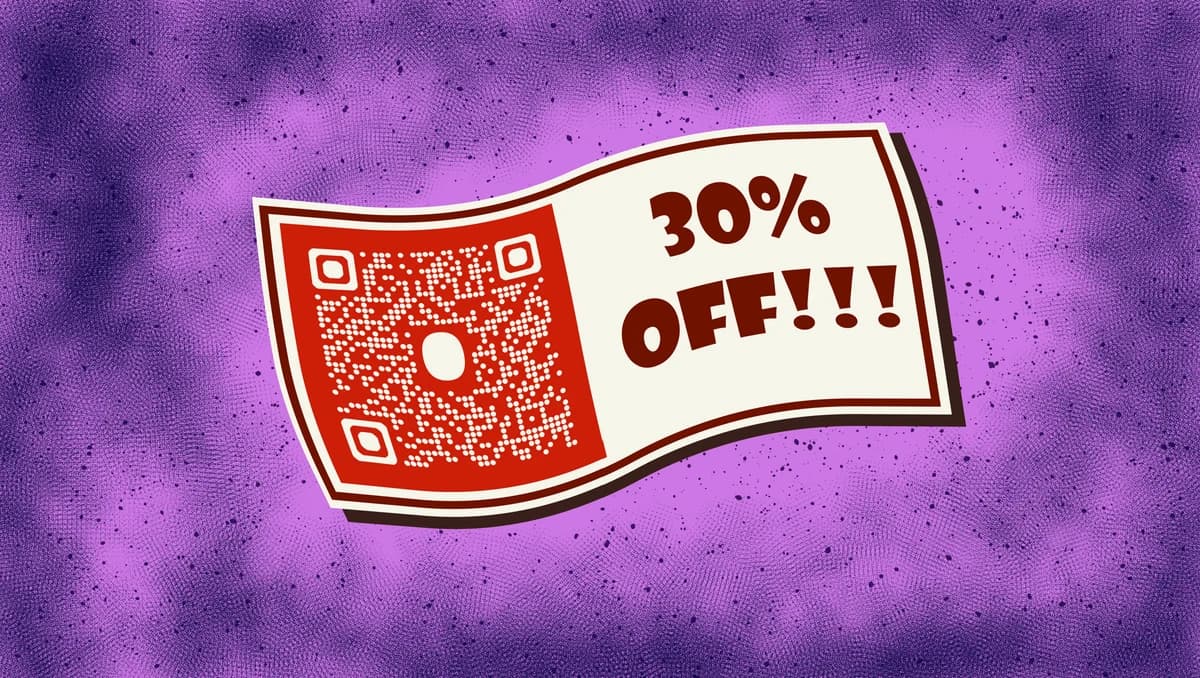
Coupon QR codes bridge the gap between digital promotions and in-store purchases. When customers scan your code, they access discount information, promotional offers, or landing pages where they can claim deals. The codes can link to specific product pages with applied discounts, downloadable coupons, or unique promo codes for online checkout.
In this guide I will cover everything from creating your first coupon QR code to tracking redemption rates and preventing fraud. I'll also go over how QR Code Developer helps businesses create professional coupon codes that drive sales and customer engagement. So let's get started!
Smart coupon distribution strategies
Businesses across industries use coupon QR codes to reduce distribution costs while gaining valuable customer data. These scannable codes work particularly well when you need to track promotion performance or limit redemptions. Check out our restaurant menu QR codes guide for food service specific applications.
Retail store promotions
Display QR codes on window displays, checkout counters, or shopping bags to offer exclusive discounts to in-store customers. Consider using QR code stickers for easy application on various surfaces.
Restaurant happy hour deals
Place codes on table tents or receipts to promote off-peak dining with time-sensitive discount offers.
Event vendor booths
Trade show exhibitors use QR codes to capture leads while offering show-exclusive pricing to booth visitors. Many businesses integrate these codes into their QR code business cards for seamless networking.
Social media campaigns
Include QR codes in Instagram stories or Facebook posts to drive followers to exclusive online discount pages.
Building your coupon QR code
Setting up a coupon QR code takes just a few minutes, but the key lies in choosing the right destination and tracking method for your promotion.
Navigate to the generator
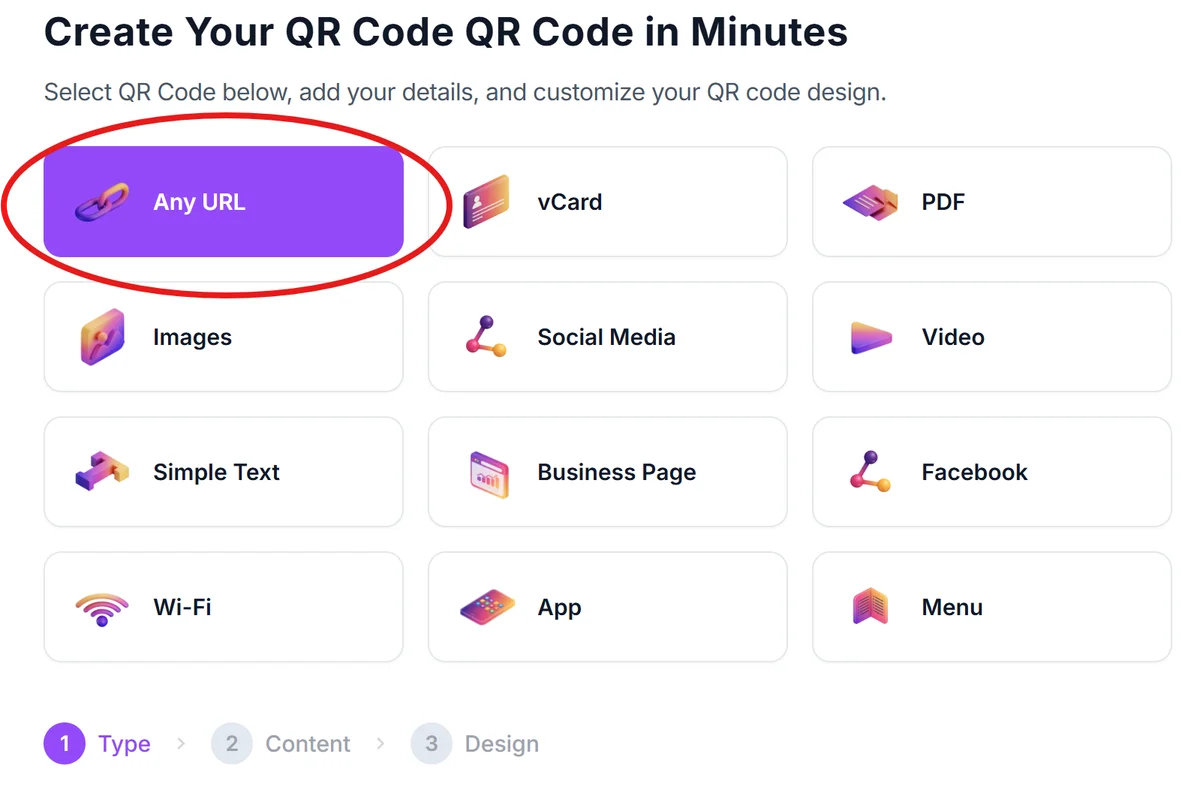
Visit qrcodeveloper.com and select 'URL' as your QR code type since most coupon codes link to promotional landing pages.
Enter your coupon destination
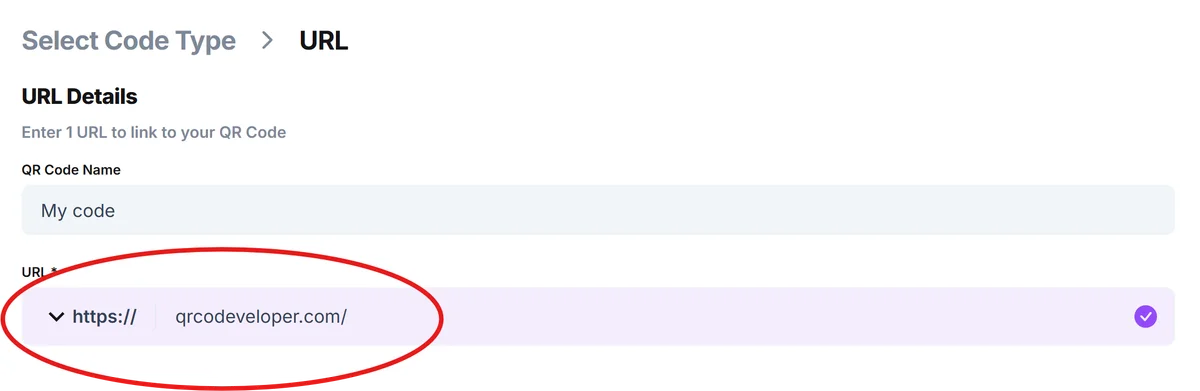
Paste the URL of your discount landing page, online store with applied promo code, or downloadable coupon page. Make sure the link works properly before creating the QR code.
Design for coupon appeal
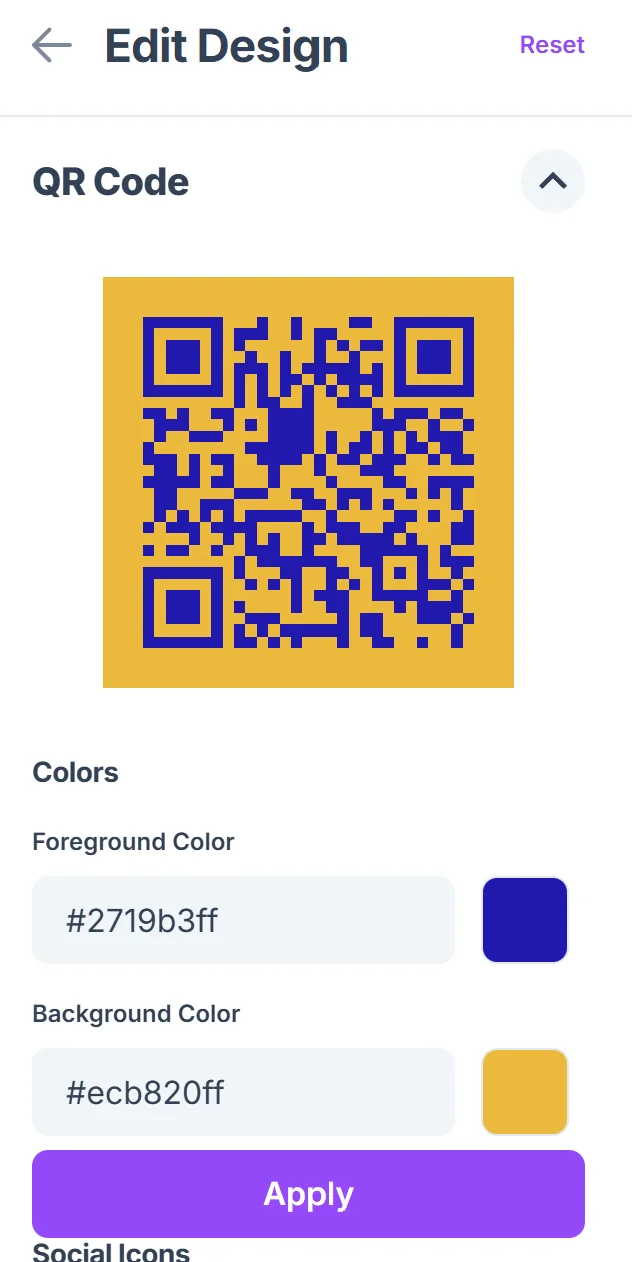
Click on the pencil icon in the Preview window to further customize your code. Choose colors that match your brand and add a clear call-to-action frame like 'Scan for 20% Off' or 'Get Your Discount.' Bright, attention-grabbing colors work well for promotional materials.

Size for your distribution method
Make codes at least 1 inch square for print materials, larger for window displays or billboards. Test scanning distance to ensure customers can easily capture the code.
Track and monitor performance
Set up analytics on your landing page to monitor scan rates, conversion rates, and redemption patterns. This data helps you refine future coupon campaigns.
Maximizing coupon performance
Smart coupon QR code strategy goes beyond just creating the code. These practices help you increase redemption rates while protecting your business from fraud.
Set expiration dates and clearly communicate them both on the QR code display and the landing page to create urgency and prevent indefinite use
Use unique landing pages for each campaign so you can track which QR code placements generate the most conversions and adjust your strategy accordingly. Understanding static vs dynamic QR codes helps you choose the right tracking approach for your campaigns
Include redemption limits in your system - whether it's one use per customer, limited quantity, or time-based restrictions to control costs and prevent abuse
Test your QR codes across different devices and lighting conditions before launching, especially for outdoor displays or areas with challenging lighting
Frequently Asked Questions
Can I track how many people scan my coupon QR codes?
Yes, by using web analytics on your landing page or URL shortening services with tracking features. You can monitor scan rates, conversion rates, and redemption patterns to measure campaign success.
How do I prevent customers from sharing coupon QR codes inappropriately?
Set up unique codes per customer, limit redemptions per device or email address, or use time-sensitive offers. You can also require customer information before revealing the discount code.
What's the best size for coupon QR codes on printed materials?
Make QR codes at least 1 inch (2.5 cm) square for flyers and business cards, larger for posters or window displays. Always test scanning distance - customers should be able to scan from arm's length.
Do coupon QR codes work for both online and in-store redemption?
Absolutely. Link to online discount pages for e-commerce, or create codes that display coupon numbers for in-store use. You can even link to apps or loyalty programs that work across channels.
Are there any costs associated with creating coupon QR codes?
Basic QR code generation is free, but you may want paid features like custom domains, detailed analytics, or dynamic codes that you can update without reprinting materials.
Related Guides
Ready to create your QR code?
Generate custom QR codes in seconds - free and easy to use.
Create Free QR Code →