Christmas QR code generator for holiday events and celebrations

Transform your holiday celebrations with festive QR codes that connect guests to Christmas menus, gift registries, and seasonal content instantly.
Adding holiday magic to QR codes for Christmas celebrations
Christmas party planning can often involve printing dozens of copies of menus, gift exchange rules, and event details. However, hosts can now create a single QR code that guests scan to access everything from holiday playlists to Secret Santa assignments, making celebrations smoother and more interactive!
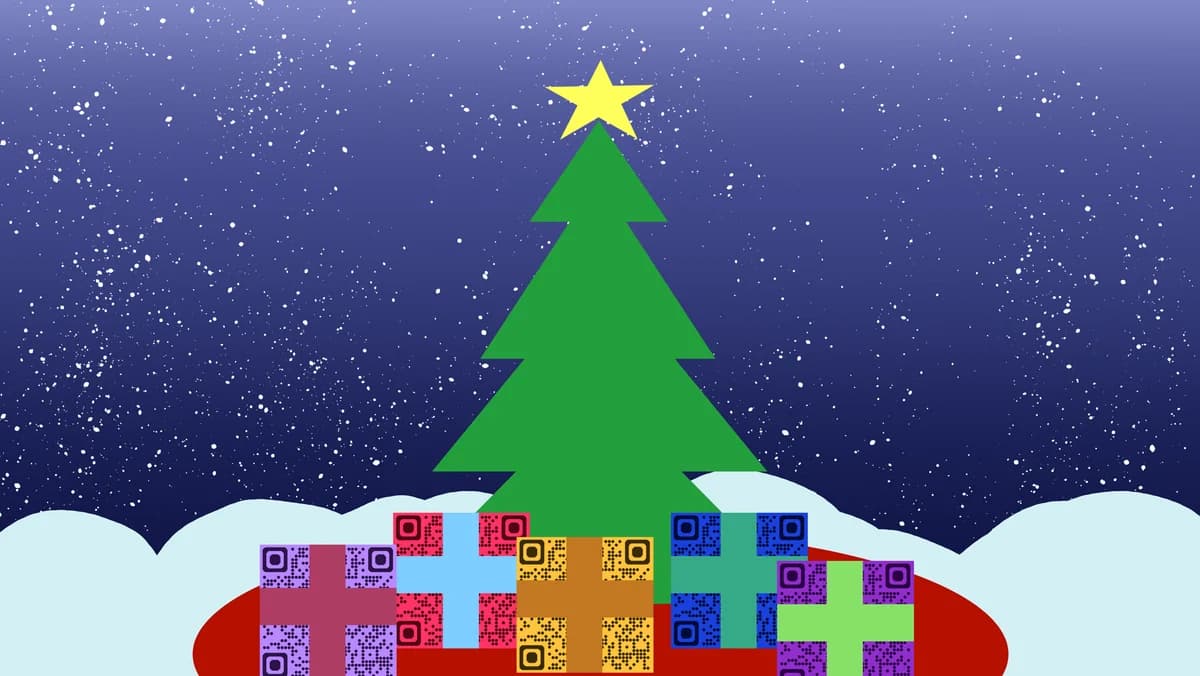
Christmas QR codes serve as digital bridges between your physical holiday events and online content. Whether you're hosting a family gathering, organizing a corporate holiday party, or running a seasonal business promotion, these codes can link to anything from festive menus and gift registries to holiday photo albums and event schedules.
In this guide I will walk you through creating QR codes specifically for Christmas celebrations, from choosing the right content to designing codes that match your holiday aesthetic. I'll also show you how QR Code Developer makes it simple to add festive touches that complement your seasonal branding while ensuring your codes work reliably throughout the busy holiday season. So let's dive right in!
Creative Christmas applications for QR codes
Christmas QR codes solve common holiday hosting challenges while adding interactive elements that guests love. From streamlining gift exchanges to sharing seasonal content, these codes make holiday events more organized and engaging. Consider creating QR code stickers with holiday designs that can be easily applied to various Christmas decorations and materials.
Holiday menu and dietary information
Restaurants and home hosts use QR codes to share Christmas dinner menus, ingredient lists, and dietary accommodations without printing multiple copies, similar to how businesses create QR code menus for regular dining experiences.
Gift exchange coordination
Family gatherings and office parties use QR codes to link to Secret Santa assignments, wish lists, and gift exchange rules that stay updated in real-time.
Christmas event schedules and updates
Event organizers share holiday market schedules, Christmas light tour information, and last-minute event changes through scannable codes, often incorporating them into promotional flyers for maximum visibility.
Seasonal business promotions
Retailers and service providers use Christmas-themed QR codes on holiday displays to direct customers to special offers, loyalty programs, and seasonal catalogs.
Building your festive QR code in minutes
Creating Christmas QR codes combines the functionality of standard QR codes with holiday-themed customization options that make your codes feel seasonal and inviting.
Access the holiday generator
Navigate to qrcodeveloper.com and select the QR code type that matches your Christmas content - URL for websites, PDF for menus, or text for simple messages.
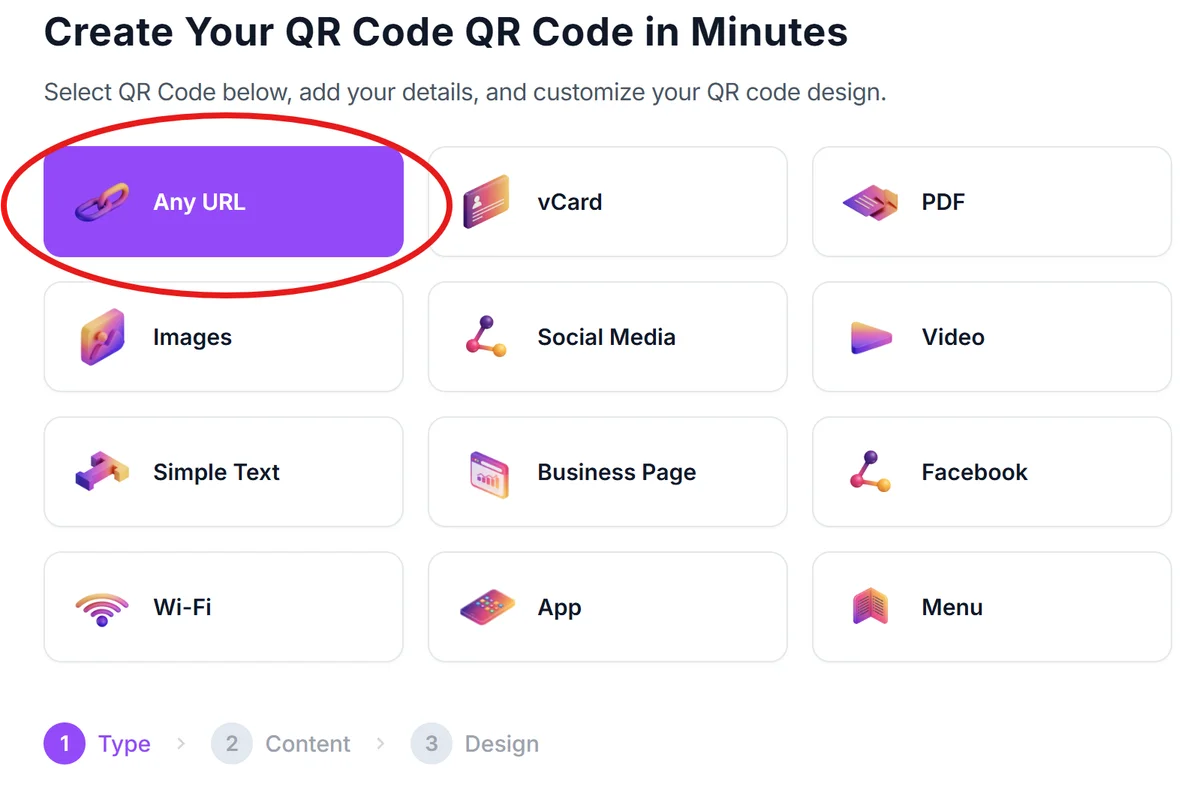
Input your Christmas content
Enter your holiday-specific information such as event website URLs, links to digital menus, Google Drive folders with gift exchange details, or direct links to holiday photo albums. For document sharing, consider how to turn your PDF into a QR code for easy access to holiday schedules and gift lists.
Apply festive customization
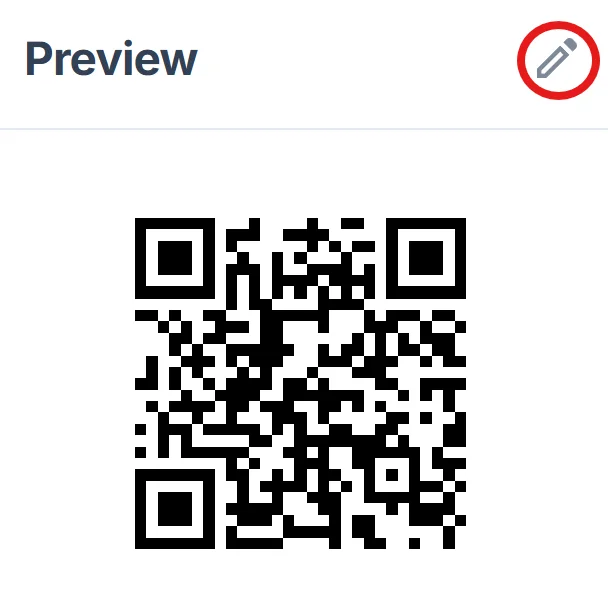
Click on the pencil icon in the Preview window to further customize your code. Choose Christmas colors like deep reds, forest greens, or gold accents. Upload a small holiday logo or icon to the center, and select corner styles that complement your seasonal branding.
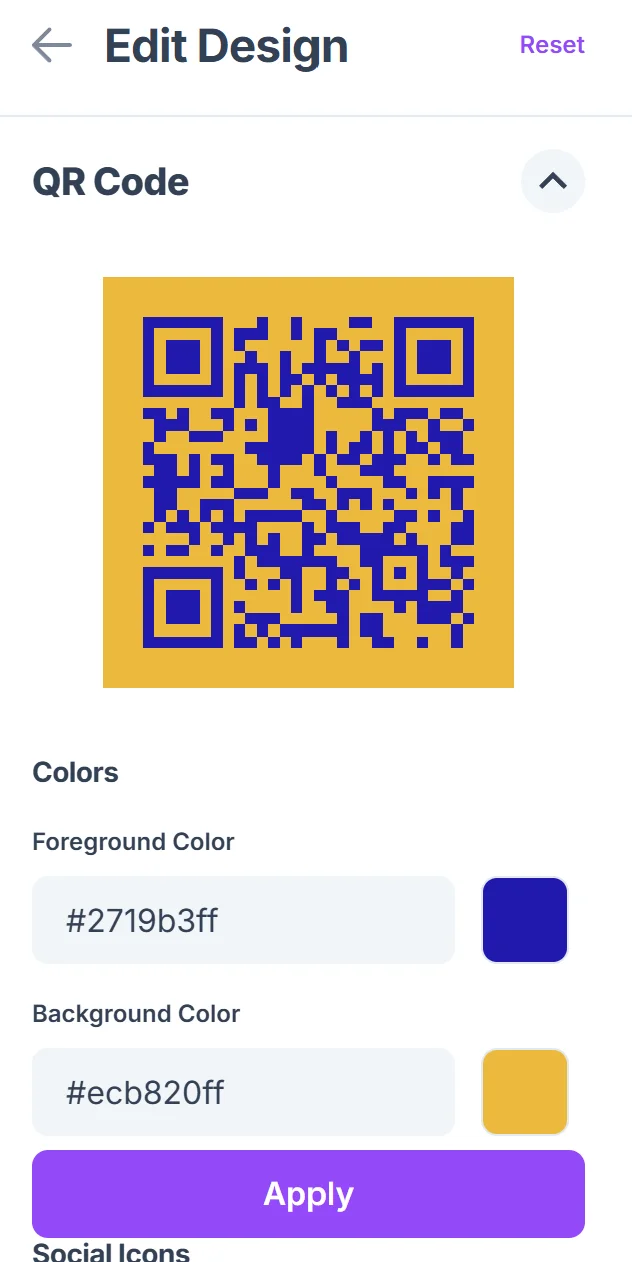
Preview across holiday materials
Test your QR code on different backgrounds typical of Christmas materials - dark green napkins, red tablecloths, or metallic gift wrap to ensure good contrast and scannability.
Generate multiple format options
Download your Christmas QR code in various formats - high-resolution PNG for printed materials, SVG for large displays, and smaller sizes for gift tags or business cards with holiday networking opportunities.
Holiday design and placement strategies
Successful Christmas QR codes balance festive appeal with practical functionality, ensuring guests can easily scan them even in dimly lit holiday settings or crowded party environments.
Choose Christmas colors that maintain strong contrast - dark green codes work well on light backgrounds, while white or light gold codes stand out on darker holiday materials
Size your codes appropriately for holiday lighting conditions - make them at least 1 inch square since many Christmas events have ambient lighting that can make smaller codes harder to scan
Include brief holiday-themed instructions like 'Scan for tonight's Christmas menu' or 'Scan for Secret Santa details' so guests know exactly what festive content they'll access
Place codes in logical holiday locations - near the entrance for event information, on dining tables for menus, or alongside gift exchange areas for coordination details
Frequently Asked Questions
Can I create QR codes with Christmas-specific designs and colors?
Yes, you can customize QR codes with holiday colors like red, green, and gold, and add small Christmas icons or logos to the center while maintaining scannability.
What's the best content to link for Christmas party QR codes?
Popular options include digital menus, gift exchange instructions, holiday photo albums, event schedules, playlist links, and contact information for ride coordination.
Will Christmas QR codes work in dim holiday lighting?
Modern smartphones can scan QR codes in low light, but ensure good contrast between your code and background, and consider making them slightly larger for holiday environments.
How can I update Christmas event information after printing QR codes?
Use dynamic QR codes that let you change the destination content without reprinting. This is especially useful for holiday events where details often change last-minute.
Are there size recommendations for Christmas QR codes on different materials?
For gift tags, use at least 0.75 inches square. For table displays, 1-2 inches works well. For holiday banners or large displays, scale up to 3-4 inches to ensure visibility from a distance.
Related Guides
Ready to create your QR code?
Generate custom QR codes in seconds - free and easy to use.
Create Free QR Code →