QR codes for automotive services and repair shops

Bridge the gap between hands-on automotive work and digital customer communication with scannable codes that connect to service forms, histories, and shop information.
How automotive shops use QR codes for customer service
Waiting for service updates on your vehicle can often involve calling the shop repeatedly or sitting in an uncomfortable waiting room. But not anymore! Now you simply scan a QR code and instantly access your vehicle's service status, estimated completion times, and detailed explanations of recommended repairs.

Automotive service QR codes connect physical vehicle tags, service counters, and paperwork to digital experiences. When a customer drops off their car, they receive a QR code that links to a personalized service portal showing real-time updates, photos of identified issues, and transparent pricing for additional work. Similar to how check-in QR codes work for hotels, these codes streamline the customer experience.
These codes transform how auto shops communicate with customers throughout the service process. From initial intake forms to final pickup notifications, QR Code Developer helps automotive businesses create professional digital touchpoints that build trust and improve customer satisfaction.
Practical applications for auto repair and service
Modern automotive businesses use QR codes to solve communication gaps and paperwork inefficiencies. These codes connect customers to digital services while mechanics focus on repairs. Contact information QR codes also help customers reach the right department quickly.
Service status tracking
Customers scan codes to view real-time repair progress, estimated completion times, and photos of work being performed on their vehicle.
Digital intake forms
Replace clipboard paperwork with QR codes that link to mobile-friendly forms for customer information, vehicle history, and service requests. You can even convert existing PDF forms into QR codes for seamless digital access.
Estimate approvals
Send customers QR codes via text that connect to detailed repair estimates with photos, allowing them to approve additional work remotely.
Maintenance reminders
Place QR codes on service stickers that link to scheduling systems, making it easy for customers to book their next oil change or inspection.
Setting up automotive service QR codes
Creating QR codes for automotive services requires connecting them to the right digital destinations for your workflow.
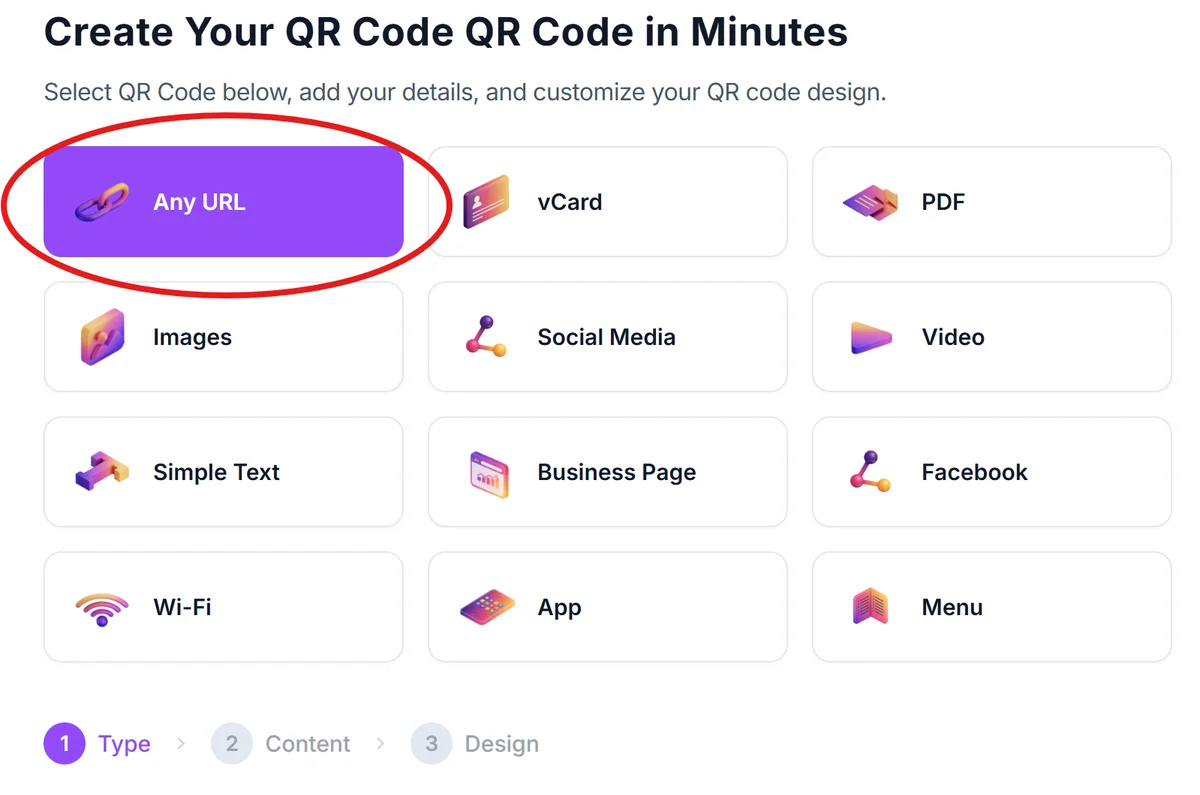
Open the automotive QR generator
Visit qrcodeveloper.com and select the URL option to create codes that link to your service portals, forms, or tracking pages.
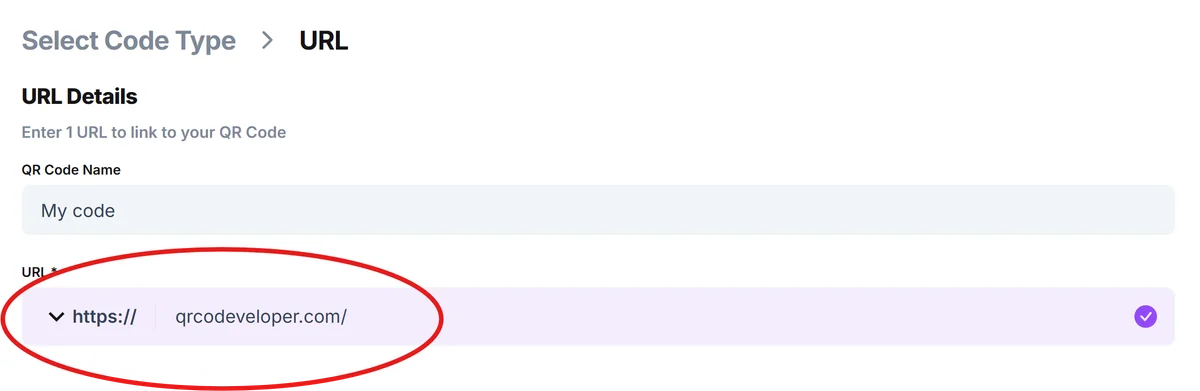
Enter your service destination
Add the URL for your customer portal, intake form, or status tracking page. Many shops use simple web forms or customer management system links.
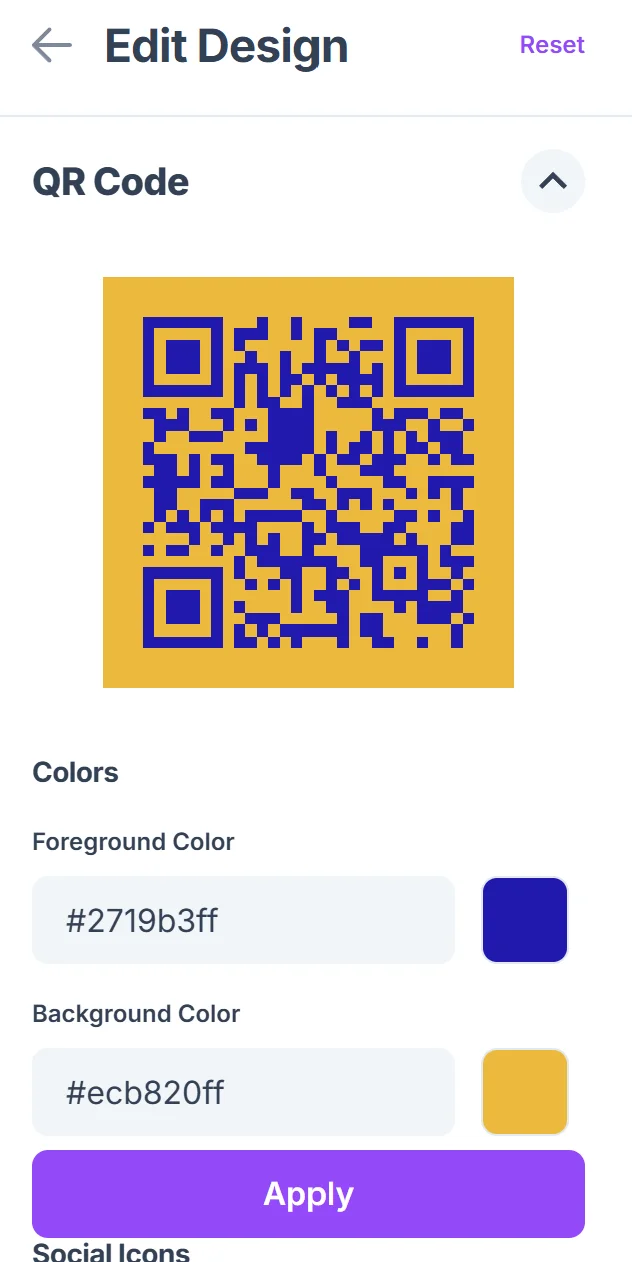
Customize for shop branding
Click on the pencil icon in the Preview window to further customize your code. Add your shop's colors and logo to make the QR code recognizable. Consider using colors that match your service bay or waiting area decor. Follow QR code design best practices to ensure your codes remain scannable while looking professional.

Test with different devices
Scan your codes with various smartphones to ensure they work properly in your shop's lighting conditions and from typical viewing distances.
Print for service applications
Generate high-resolution versions for service tags, counter displays, and customer paperwork. Include brief instructions like 'Scan for service updates' near each code.
Best practices for automotive QR code implementation
Successful automotive QR codes require strategic placement and clear customer communication about their purpose.
Place codes on service tags attached to vehicle keys or dashboards where customers can easily access them when they return for pickup. Consider creating durable QR code stickers that can withstand the automotive shop environment.
Include clear instructions like 'Scan for real-time service updates' or 'Scan to approve additional work' so customers understand the value
Ensure your linked pages work well on mobile devices since customers will primarily scan with smartphones in your parking lot or waiting area
Create backup communication methods by including your direct phone number near QR codes for customers who prefer calling or have scanning difficulties
Frequently Asked Questions
What types of information can automotive QR codes connect to?
QR codes can link to service status pages, digital intake forms, estimate approval systems, appointment scheduling, customer portals, or simple contact information for your shop.
How do I integrate QR codes with my existing shop management software?
Most shop management systems can generate unique URLs for each customer or service order. Use these URLs when creating your QR codes to connect directly to existing workflows.
Should I create unique QR codes for each customer or use general ones?
For service tracking, create unique codes for each customer or work order. For general information like scheduling or contact details, you can use the same QR code across multiple locations.
Where should I place QR codes in my automotive shop?
Place codes on service tags, at the service counter, in waiting areas, on business cards, and in follow-up communications. Avoid placing them in areas with poor lighting or where they might get dirty.
Are QR codes free to create for my automotive business?
Yes, you can create basic QR codes for free. This includes codes for contact information, simple web pages, or links to your existing customer portal or scheduling system.
Related Guides
Ready to create your QR code?
Generate custom QR codes in seconds - free and easy to use.
Create Free QR Code →