QR codes for wine labels: Complete guide for wineries

Wine consumers scan QR codes on bottles 40% more often than other product categories, creating direct connections between your vineyard story and customer experience.
Key Takeaways
- Wine QR codes should link to mobile-friendly content that tells your vineyard's story and provides practical information
- Place codes on back labels or neck hangers to avoid disrupting front label design aesthetics
- Include clear calls-to-action like 'Scan for tasting notes' to encourage customer engagement
- Test codes on various smartphones and lighting conditions before printing thousands of labels
Wine lovers are increasingly seeking deeper connections with the stories behind their bottles, moving beyond traditional label information to discover vineyard histories, winemaking processes, and tasting notes. This shift toward experiential wine consumption has created demand for richer storytelling that simply cannot fit on conventional wine labels. Wineries are responding by turning to QR codes as a bridge between physical bottles and digital narratives that transform every wine purchase into an immersive brand experience.
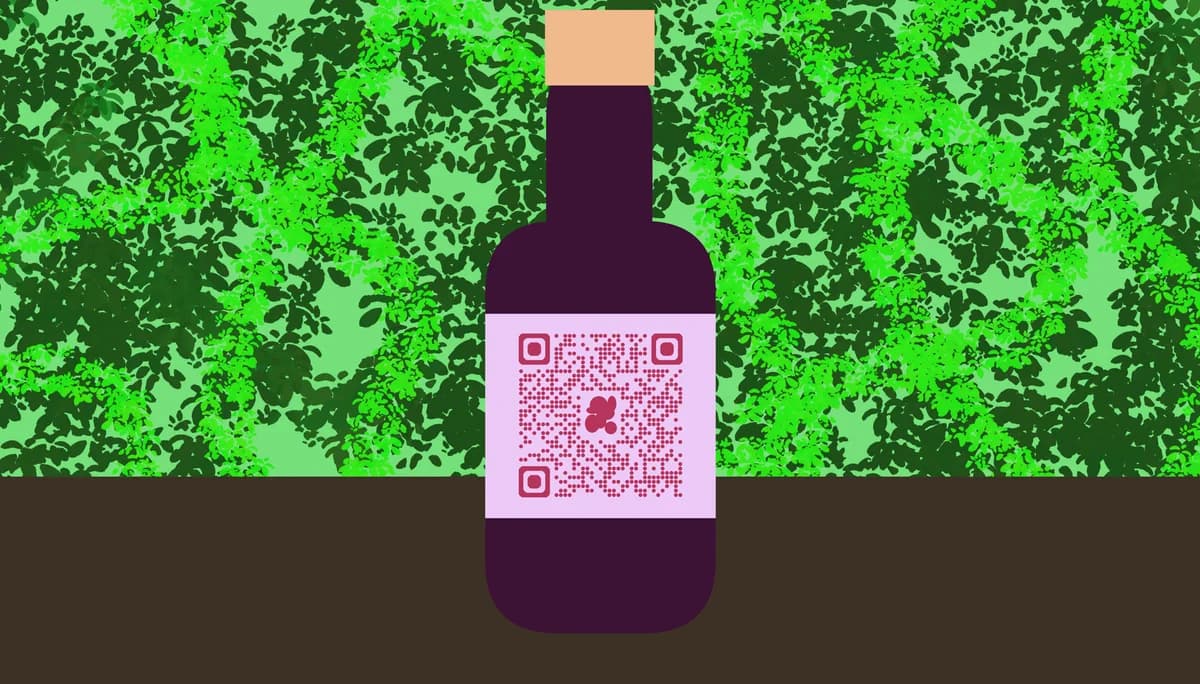
QR codes can provide physical wine bottles with unlimited digital content, far mor than could be printed on a physical label. Customers can access tasting notes, food pairing suggestions, vineyard tours, and purchase histories while standing in the wine aisle or sitting at their dinner table.
In this guide I will walk you through creating effective QR codes for wine labels, from content strategy to technical implementation. I'll also show you how to use QR Code Developer to create professional codes that complement your wine's branding and enhance the customer experience. So let's get started!
Wine QR code content strategies
The content behind your wine QR code determines its success. Wine enthusiasts scan codes expecting valuable information that enhances their drinking experience, not generic marketing messages.
Focus on content that answers common wine consumer questions: What does this wine taste like? What food pairs well with it? What's the story behind this vintage? How should I serve it? Understanding different types of QR codes can help you choose the best format for your wine information.
Tasting notes and technical details
Include detailed tasting notes, alcohol content, vintage information, and serving temperature recommendations. Many wine consumers want to understand what they're drinking and how to serve it properly. Consider adding information about grape varieties, harvest dates, and winemaking techniques for wine enthusiasts who appreciate technical details.
Food pairing suggestions
Provide specific food pairing recommendations beyond generic 'pairs with red meat' suggestions. Include recipes, restaurant recommendations, or seasonal pairing ideas. This content helps customers make purchasing decisions and enhances their wine experience at home.
Vineyard storytelling
Share your winery's history, winemaker philosophy, and vineyard location details. Include photos of the vineyard, harvest process, or winemaking team. You can even turn your PDF wine catalog or vineyard story into a QR code for easy access. This personal connection often influences repeat purchases and brand loyalty, especially for premium wines.
Label design and placement
QR code placement on wine labels requires balancing functionality with aesthetic appeal. Wine purchases are heavily influenced by label design, so codes must complement rather than detract from your visual branding.
Consider your target market's scanning behavior and the typical wine purchasing environment when deciding placement and size.
Back label integration
Most wineries place QR codes on back labels alongside existing text content. This preserves front label aesthetics while providing easy access for interested customers. Size the code large enough to scan easily but small enough to maintain label hierarchy. A 0.75-inch square typically works well for standard wine bottles.
Neck hanger alternatives
Neck hangers offer more space for QR codes and accompanying text without modifying existing label designs. This approach works particularly well for limited releases or special promotions. Include clear instructions like 'Scan for exclusive content' to encourage engagement.
Color and contrast considerations
Ensure sufficient contrast between the QR code and background for reliable scanning. Black codes on white backgrounds work best, but you can incorporate brand colors in the surrounding design. For professional results, consider our QR code design tips to create visually appealing codes. Avoid placing codes over complex backgrounds or textures that might interfere with scanning reliability.
Creating your wine QR codes
Creating wine label QR codes involves choosing the right content destination and generating codes that match your quality standards. Consider whether you need static or dynamic QR codes based on whether you'll want to update the content later. The technical process is straightforward, but planning your content strategy beforehand ensures better results.
Start by organizing your wine information and deciding whether to create individual codes for each wine or use one code that directs to a wine selection page.
Set up your wine information page
Create a mobile-friendly webpage or PDF containing your wine information. Include high-quality photos, detailed descriptions, and contact information. Ensure the page loads quickly on mobile devices since most QR code scans happen on smartphones. Consider creating a simple landing page that links to more detailed information rather than overwhelming visitors with too much content initially.
Generate your QR code
Use a reliable QR code generator to create your codes. Input your webpage URL and customize the code design to match your brand colors if desired. Download high-resolution versions suitable for professional printing. Test the code on multiple devices before sending to your label printer.
Prepare for label printing
Provide your label printer with vector files (SVG or EPS format) for the sharpest reproduction quality. Specify minimum size requirements and ensure the printer understands the importance of maintaining code clarity. Request a proof print and test scan before approving the full print run.
Professional wine QR code practices
These practices help ensure your wine QR codes perform reliably and enhance rather than detract from your brand image.
Create mobile-first content since 95% of QR code scans happen on smartphones - test your landing pages on various screen sizes
Include wine vintage and varietal information in your QR code destination to help customers identify specific bottles
Update QR code content regularly with seasonal pairings, new reviews, or current availability to keep information fresh
Track QR code scans using analytics tools to understand customer engagement and popular content types
Create backup content for discontinued wines - redirect old QR codes to similar current offerings rather than broken links
Frequently Asked Questions
Should each wine have its own QR code or can I use one code for multiple wines?
Individual QR codes work best for specific wine information like tasting notes and vintage details. However, you can use one code that links to a wine selection page if you're featuring multiple wines or want to showcase your complete portfolio. Consider your customers' needs - wine enthusiasts typically want specific information about the bottle they're purchasing.
What's the minimum size for QR codes on wine labels?
A 0.75-inch (19mm) square is the recommended minimum size for wine label QR codes. This ensures reliable scanning while fitting comfortably on standard wine labels. Smaller codes may not scan reliably, especially in dim restaurant lighting or wine cellar conditions.
Can I include QR codes on wine bottle caps or corks?
While technically possible, QR codes on caps or corks are impractical since they become inaccessible once the bottle is opened. Labels and neck hangers provide better accessibility and remain scannable throughout the wine's life. Focus on permanent placement that customers can access before and after purchase.
How do I handle QR codes for limited edition or seasonal wines?
Create specific landing pages for limited releases and update the content when wines sell out. Instead of removing the page, redirect visitors to similar current offerings or your main wine catalog. This prevents broken links and maintains customer engagement even after specific wines are no longer available.
What information should I avoid putting behind QR codes?
Avoid essential information like alcohol content, allergen warnings, or legal requirements that must appear on the physical label. QR codes should provide supplementary content that enhances the wine experience, not replace mandatory labeling information. Focus on storytelling, detailed tasting notes, and pairing suggestions that add value beyond regulatory requirements.
Related Guides
Ready to create your QR code?
Generate custom QR codes in seconds - free and easy to use.
Create Free QR Code →