Video instruction QR codes for training and education

Bridge physical materials with digital video content instantly through scannable codes that connect learners to visual instructions.
Connecting physical materials to video instructions
Assembly manuals often come with confusing diagrams and walls of text that left people frustrated and products half-built. However, a QR code can reduce the frustration by instantly connecting customers to clear video demonstrations, reducing support calls and improving user satisfaction.
A video instruction QR code links directly to educational or training videos when scanned with a smartphone camera. These codes transform static materials like product packaging, training handouts, or equipment labels into interactive learning experiences that show rather than just tell. To understand the fundamentals of how these codes work, explore our comprehensive guide on understanding QR codes.
Throughout this guide I will cover everything you need to know about creating effective video instruction QR codes. I'll also go over how PDF QR codes can complement your video content by providing downloadable reference materials alongside your visual instructions.
Where video instruction QR codes make the biggest impact
Video instruction QR codes solve the gap between written instructions and visual learning. They're particularly valuable when complex procedures need to be demonstrated rather than described. For related applications, check out our guide on YouTube QR codes for broader video sharing strategies.
Product assembly and setup
Manufacturers include QR codes on packaging that link to step-by-step assembly videos, reducing customer confusion and support requests.
Employee training programs
HR departments add QR codes to training materials that connect new hires to video demonstrations of procedures, safety protocols, or software tutorials. These codes can also be integrated into QR code business cards to provide instant access to professional training videos.
Equipment operation guides
Industrial equipment and machinery feature QR codes that link to operation videos, helping workers learn proper usage and maintenance procedures.
Educational worksheets and textbooks
Teachers and publishers embed QR codes in printed materials that connect students to supplementary video lessons and demonstrations. Educational institutions can also enhance their physical spaces by implementing QR codes in museums and similar learning environments.
Building your video instruction QR code
Creating a video instruction QR code requires first hosting your video content, then generating a code that links directly to it.
Upload your instructional video
Host your video on a platform like YouTube, Vimeo, or your company's website. Make sure the video is publicly accessible and the URL is finalized before proceeding to qrcodeveloper.com.
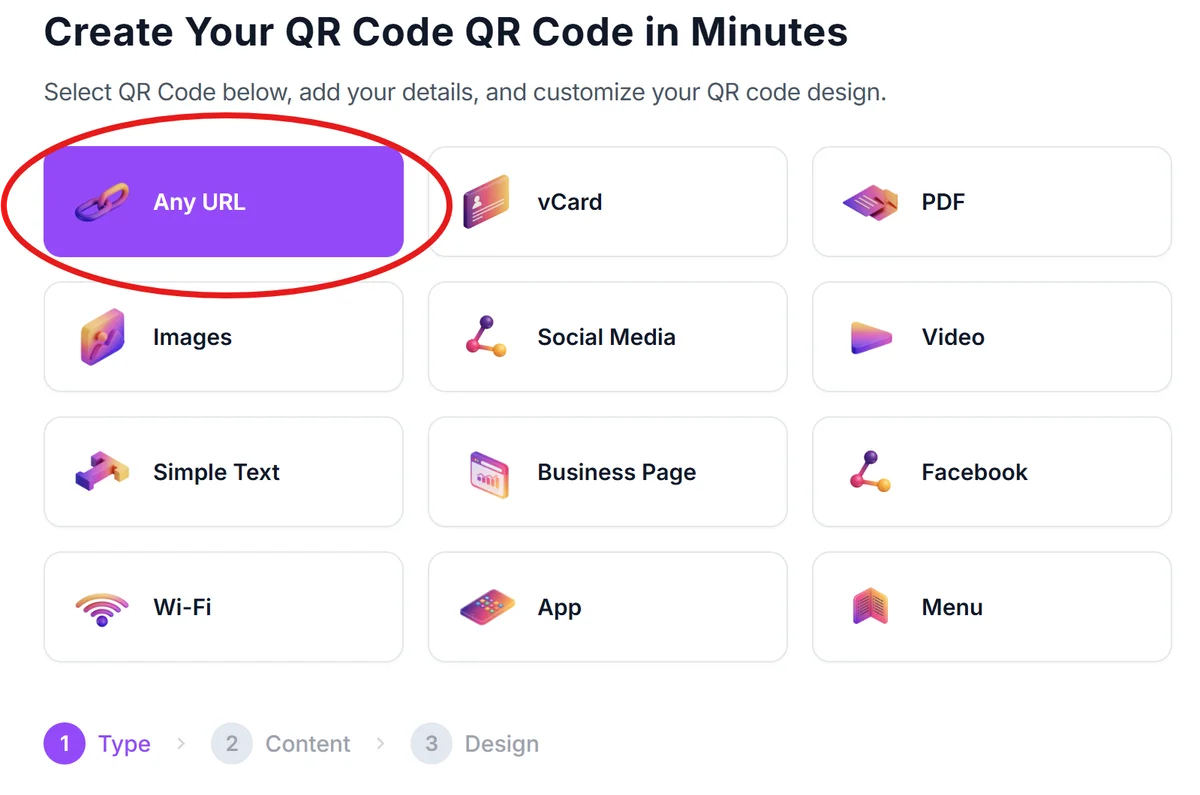
Copy your video's direct link
Get the complete URL of your hosted video. For YouTube videos, use the full youtube.com/watch?v= link rather than the shortened youtu.be version for better compatibility.
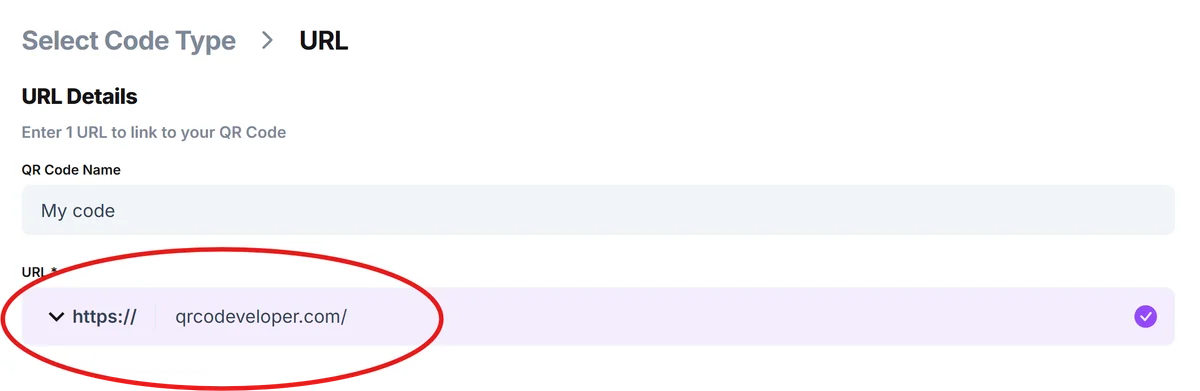
Generate and customize your QR code
Paste your video URL into the generator and customize the appearance to match your materials. Consider adding your company logo or using colors that complement your training materials. For detailed guidance on visual customization, check out our QR code design tips.

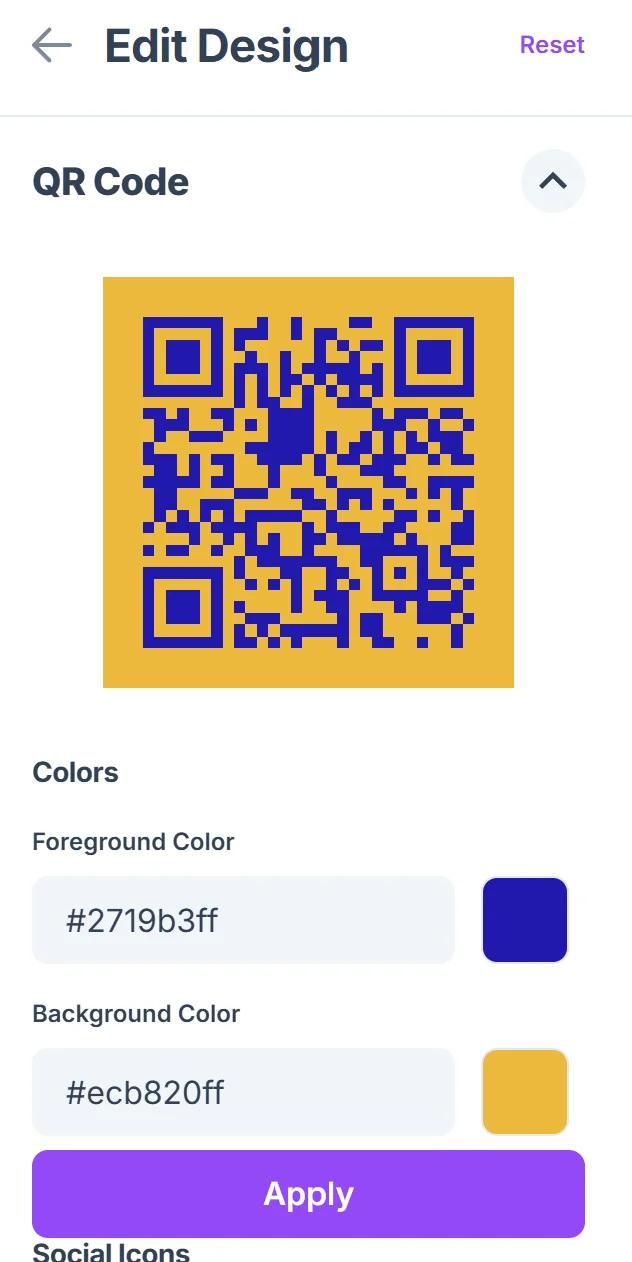
Test across different devices
Scan your QR code with various smartphones and tablets to ensure the video loads quickly and displays properly on different screen sizes.
Add clear scanning instructions
Include text near your QR code like "Scan to watch the setup video" or "Point your camera here for visual instructions" to guide users who may be unfamiliar with QR codes. You can also create physical QR code stickers for easy placement on equipment and materials.
Best practices for instructional video QR codes
Effective video instruction QR codes require thoughtful planning around both the video content and code placement to maximize learning outcomes.
Keep instructional videos under 5 minutes when possible - longer videos can be broken into chapters with multiple QR codes for different sections
Place QR codes at the exact point in your materials where the video instruction is most relevant, such as next to complex diagrams or before challenging steps
Include a backup URL or shortened link alongside your QR code for users who prefer typing or have scanning difficulties
Test your video links regularly to ensure hosted content remains accessible and hasn't been moved or made private
Frequently Asked Questions
What video hosting platforms work best with QR codes?
YouTube, Vimeo, and direct website hosting all work well. YouTube is often preferred for its reliability and mobile optimization, while private hosting gives you more control over access and branding.
Can I track how many people watch my instructional videos through QR codes?
Yes, most video hosting platforms provide analytics showing views, watch time, and engagement. You can also use URL shorteners with tracking features before generating your QR code.
Should I create separate QR codes for different video chapters?
For longer instructional content, yes. Multiple QR codes allow users to jump directly to relevant sections rather than watching entire videos to find specific information.
What if my video content needs to be updated frequently?
Use dynamic QR codes that let you update the destination URL without reprinting materials, or host videos on platforms where you can replace content while keeping the same URL.
Are video instruction QR codes free to create?
Basic QR code generation is free, though you'll need to consider video hosting costs. YouTube is free but includes ads, while private hosting or premium platforms may have monthly fees.
Related Guides
Ready to create your QR code?
Generate custom QR codes in seconds - free and easy to use.
Create Free QR Code →