QR codes for public transport timetables and schedules

Provide instant access to bus, train, and transit schedules with scannable codes that update passengers on delays, routes, and connections.
Making transit information accessible with QR codes
What if passengers could access real-time bus schedules, route maps, and delay notifications, all without downloading another app or memorizing a website URL? Well, they can! Public transport systems worldwide are discovering that QR codes placed at bus stops, train platforms, and transit hubs solve the age-old problem of outdated printed timetables and frustrated commuters checking their phones for schedule information.
Transport timetable QR codes connect passengers directly to live schedule data, route information, service alerts, and connection details. When someone scans the code at a bus stop, they instantly see when the next three buses arrive, any current delays, and alternative routes if needed. The same code can link to different information depending on the stop location, time of day, or service disruptions, similar to how different types of QR codes serve various purposes.
In this guide I'll walk you through creating QR codes that work for different transit scenarios, from simple schedule links to complex systems that integrate with real-time tracking APIs. I'll also go over how transport authorities use dynamic QR codes to update information without reprinting signage, and why placement strategy matters more for transit codes than almost any other application. So let's start our journey!
Where transport timetable QR codes work best
Transit agencies use QR codes to bridge the gap between physical infrastructure and digital information. These codes work particularly well when placed strategically where passengers naturally wait or need schedule information. Consider how QR code design affects scanning success in outdoor transit environments.
Bus stop schedule displays
Replace or supplement printed timetables with codes linking to real-time arrival information, route maps, and service alerts for that specific stop.
Train platform information boards
Provide instant access to departure times, platform changes, delay notifications, and connecting service information at rail stations.
Transit hub wayfinding
Help passengers navigate complex stations by linking to interactive maps, connection guides, and step-by-step directions to different platforms or exits, much like QR codes for Google Maps directions simplify wayfinding.
Route planning assistance
Enable journey planning from specific locations by linking to trip planners pre-filled with the current stop as the starting point, showing all available connections.
Setting up your transport schedule QR code
Creating effective transport timetable QR codes requires thinking beyond basic schedule links to consider real-time data integration and passenger information needs.
Access your QR code generator
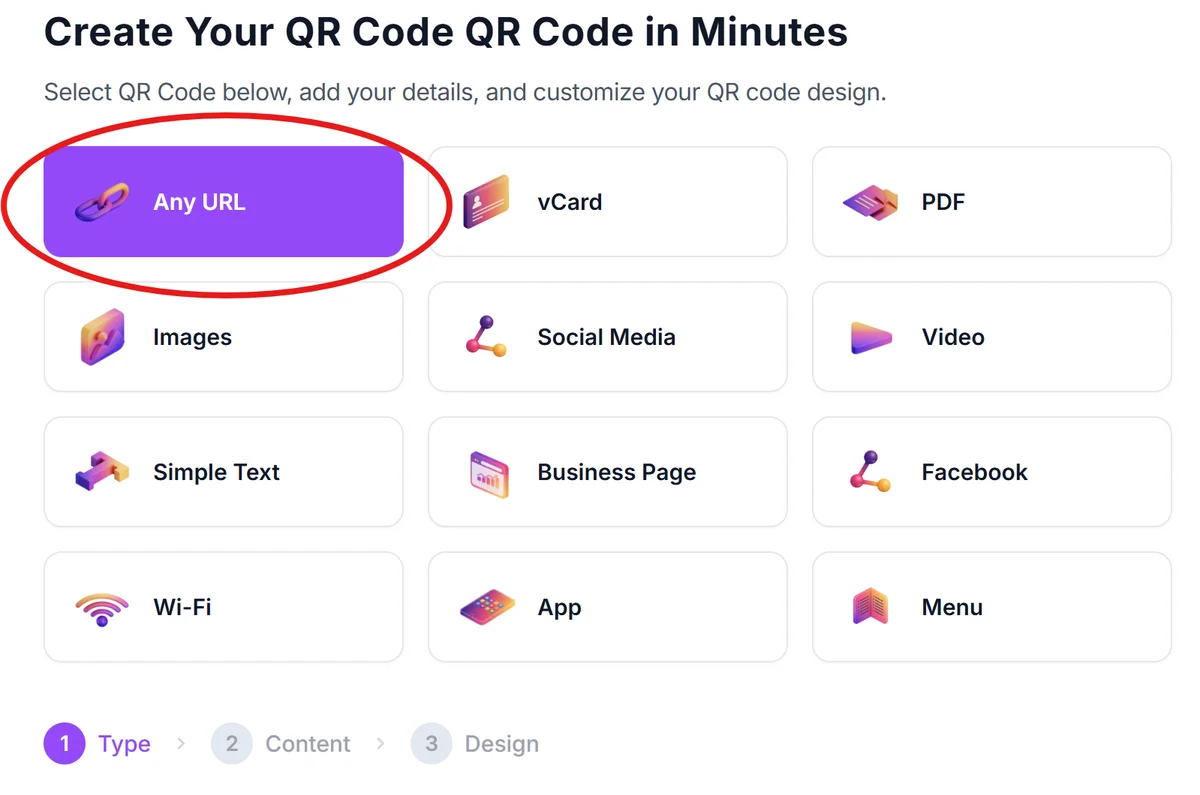
Start by visiting qrcodeveloper.com and selecting the URL option, which works best for linking to schedule pages, transit apps, or real-time tracking systems.
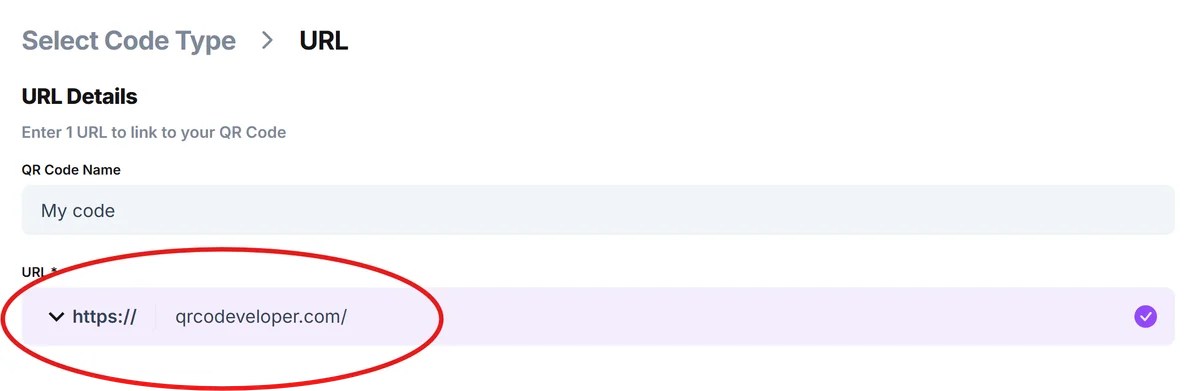
Enter your schedule destination
Input the URL for your transit schedule page, real-time tracking system, or mobile-optimized timetable. For stop-specific information, use URLs that include stop IDs or route parameters to show relevant data immediately. Consider creating a dedicated QR code landing page optimized for mobile viewing.
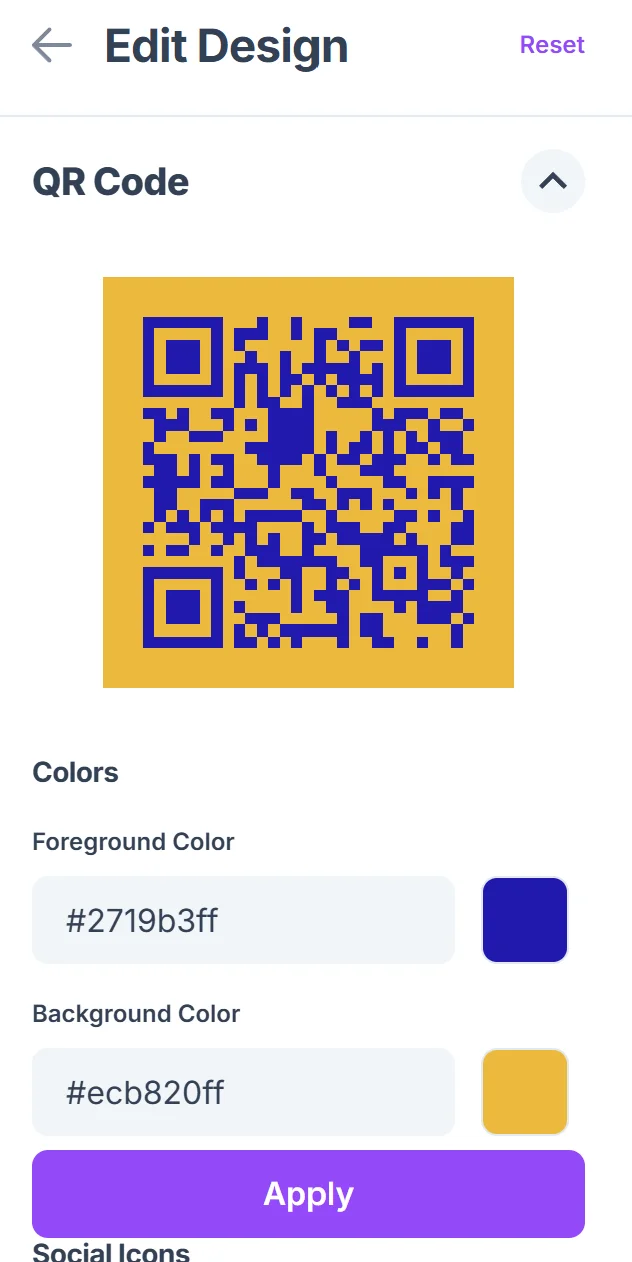
Design for weather resistance
Click on the pencil icon in the Preview window to further customize your code. Choose high contrast colors and ensure your QR code remains scannable in various lighting conditions. Consider that transit codes often face sun exposure, rain, and varying ambient light throughout the day. For physical installations, explore durable QR code stickers designed for outdoor use.

Include clear scanning instructions
Add text like 'Scan for live schedules' or 'Get real-time arrivals' near your QR code. Transit passengers may be in a hurry, so clear instructions help them understand the code's purpose quickly.
Test across different devices and conditions
Verify your QR code works on various smartphones and in different lighting conditions typical of your transit environment. Test during peak hours when passengers are most likely to use the codes.
Best practices for transit QR code deployment
Successful transport QR codes require careful consideration of placement, durability, and the specific information passengers need at different points in their journey.
Position codes at natural waiting areas where passengers have time to scan, such as covered bus stops or platform seating areas, rather than in high-traffic walkways where people are rushing.
Use weather-resistant materials and protective covers for outdoor installations, ensuring codes remain scannable through rain, snow, and UV exposure over extended periods.
Link to mobile-optimized pages that load quickly on cellular networks, as transit areas often have variable signal strength and passengers expect immediate access to schedule information.
Consider time-sensitive information carefully - if your QR code links to a PDF timetable rather than real-time data, make sure it's current and includes clear effective dates to avoid passenger confusion.
Frequently Asked Questions
Can QR codes work for real-time transit tracking?
Yes, QR codes can link directly to real-time tracking systems, mobile apps, or web pages showing live arrival times. The code itself doesn't contain the real-time data, but connects passengers to systems that do.
How do I create different codes for different bus stops?
Generate separate QR codes for each stop location, linking to URLs that include stop-specific parameters or IDs. This ensures passengers see information relevant to their exact location rather than general system information.
What happens if the transit schedule changes?
If you link to dynamic web content or real-time systems, schedule changes update automatically. For static PDF schedules, you'll need to update the linked content and potentially regenerate the QR code if the URL changes.
Do QR codes work well in outdoor transit environments?
Yes, with proper design and placement. Use high contrast, ensure adequate size for scanning distance, protect from weather, and place codes where passengers have good lighting and time to scan comfortably.
Are transport timetable QR codes free to create?
Basic QR codes linking to schedule information are free to generate. You only pay for hosting the schedule content or any premium features in your transit tracking system, not for the QR codes themselves.
Related Guides
Ready to create your QR code?
Generate custom QR codes in seconds - free and easy to use.
Create Free QR Code →