QR codes for study materials and educational resources

Share textbooks, notes, videos, and assignments instantly with scannable codes that work from any device.
How QR codes transform educational resource sharing
Backpacks can become weighed down by heavy text books, making the commuting experience super uncomfortable for students. However, modern technologies, like QR codes, can help to make backpacks lighter by making educational materials accessible online.
QR codes can connect students directly to educational content through their smartphones. Teachers can create these codes to link to PDFs, Google Drive folders, YouTube playlists, online textbooks, or any digital resource students need for class. Instead of emailing links or writing URLs on whiteboards, educators simply display a QR code that students can scan instantly.
This approach works particularly well for hybrid learning environments where students move between physical and digital spaces. In this guide, I'll walk you through the practical applications and show you how to create codes that make educational resources more accessible. You can also explore our PDF QR code guide for specific document sharing strategies. So let's get this lesson started!
Common study material QR code applications
Educational QR codes solve the persistent problem of getting the right resources to students at the right time. They work especially well when combined with QR codes on flyers for campus announcements and study groups.
Digital textbook access
Link directly to online textbook chapters, eliminating the need for students to search through course management systems or remember complex URLs.
Lecture note distribution
Share comprehensive notes, slides, and supplementary materials immediately after class, ensuring students have access to complete information while it's fresh.
Assignment submission portals
Connect students directly to Google Classroom, Canvas, or other submission platforms without requiring them to navigate through multiple login screens. This approach works similarly to QR codes for online surveys where quick access reduces barriers to participation.
Study group coordination
Link to shared documents, meeting schedules, and collaborative workspaces where students can coordinate group projects and study sessions.
Creating QR codes for your study materials
Building QR codes for educational content takes just a few minutes and immediately makes your resources more accessible to students.
Access the QR code generator
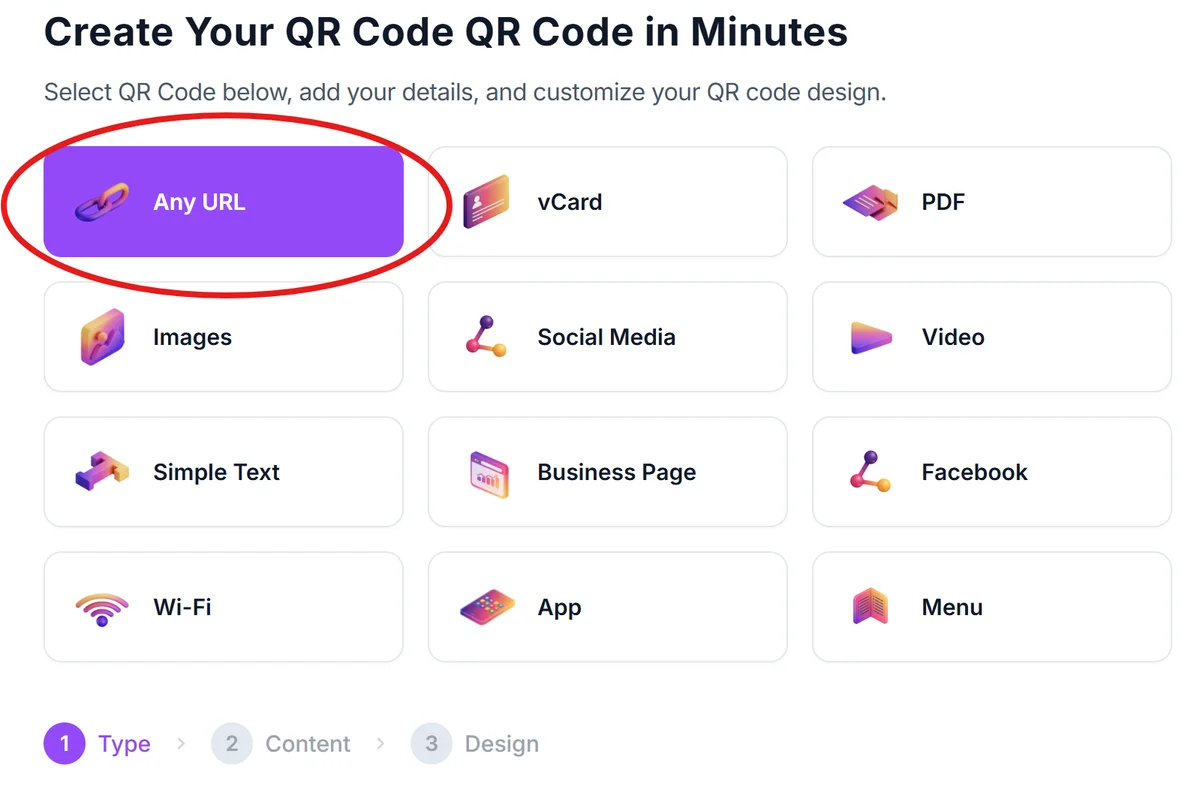
Visit qrcodeveloper.com and select the URL option to create a link-based QR code for your study materials.
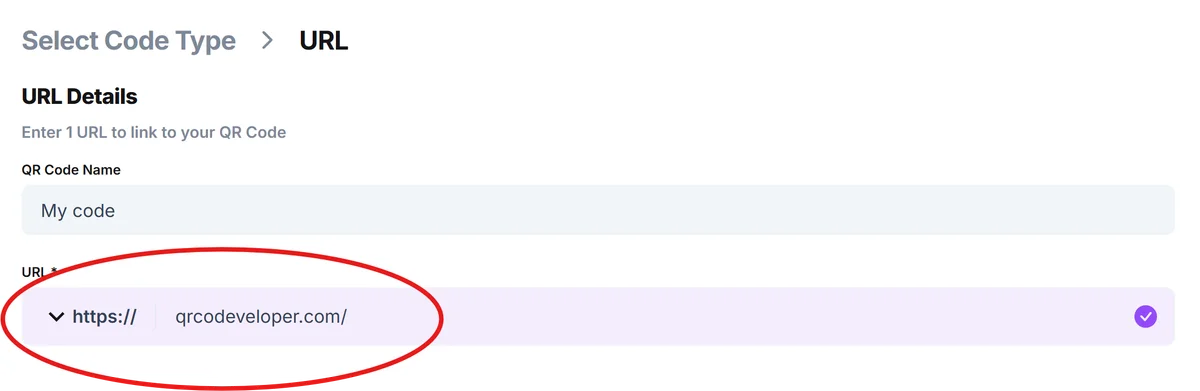
Enter your resource URL
Paste the direct link to your study materials - this could be a Google Drive folder, Dropbox link, course website, or any online educational resource you want to share.
Add educational branding
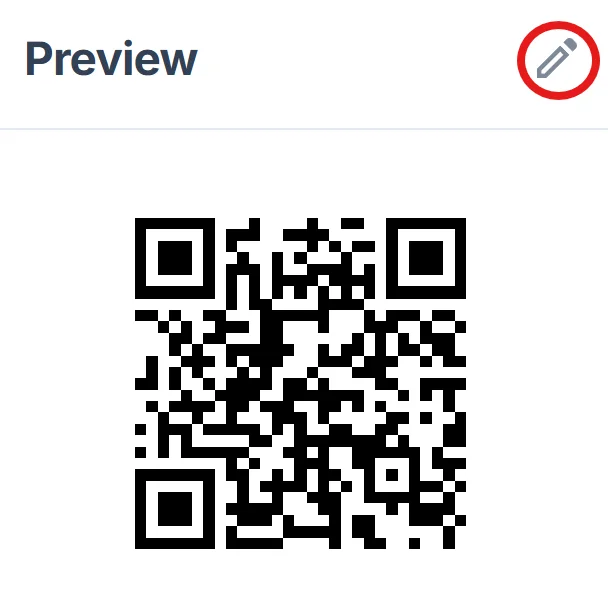
Click on the pencil icon in the Preview window to further customize your code. Customize the QR code with your school colors or course theme. Consider adding your institution's logo to make the code instantly recognizable to students. Learn more about effective visual design in our QR code design tips guide.
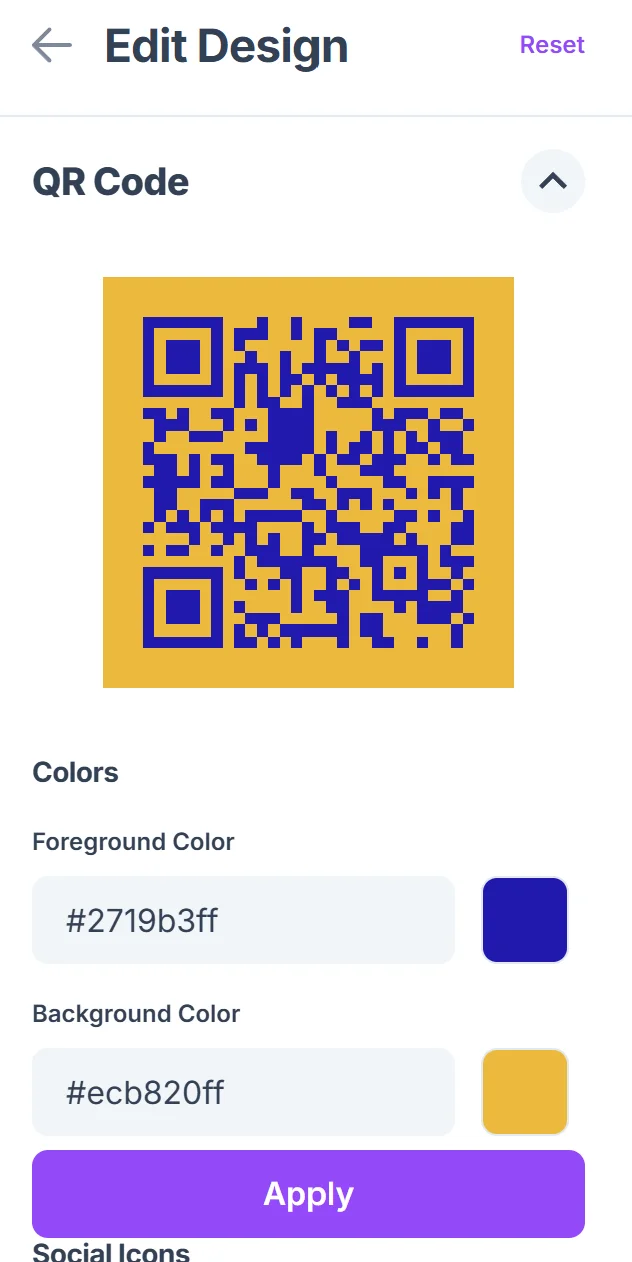
Test with student devices
Scan the code with different smartphones to ensure it works reliably across iOS and Android devices, as students use various phone models and QR code scanning apps.
Distribute through multiple channels
Add the QR code to your syllabus, course handouts, presentation slides, and classroom posters so students can access materials whenever they need them.
Best practices for educational QR codes
These strategies help ensure your study material QR codes actually improve the learning experience rather than creating additional barriers.
Include clear labels next to each QR code explaining what students will find when they scan - 'Week 3 Reading Materials' or 'Assignment Rubric' removes guesswork. Understanding different types of QR codes can help you choose the most appropriate format for your educational content.
Test your links regularly, especially if you use cloud storage services that might change sharing permissions or if institutional systems update their URLs
Create backup access methods by including shortened URLs alongside QR codes, giving students alternatives if they have scanning difficulties
Consider the scanning environment when sizing codes - hallway posters need larger codes than handouts, and ensure adequate lighting where codes will be displayed
Frequently Asked Questions
Can I update study materials without creating new QR codes?
Yes, as long as you keep the same URL. Update the content in your Google Drive folder or course website, and the QR code will automatically link to the new materials.
What's the best way to share QR codes with online students?
Include QR codes in PDF handouts and presentation slides. Online students can screenshot the code and scan it from their computer screen using their phone's camera.
Should I create separate QR codes for each assignment?
It depends on your organization system. One code linking to a well-organized folder works for ongoing resources, while individual codes work better for specific assignments with due dates.
Do students need special apps to scan educational QR codes?
Most modern smartphones have built-in QR code scanning through their camera apps. Students with older phones can download free QR code scanner apps from their app store.
Are there any costs for creating study material QR codes?
Basic QR code generation is free. You only pay for hosting if you use premium cloud storage services or want advanced tracking features to see how often students access materials.
Related Guides
Ready to create your QR code?
Generate custom QR codes in seconds - free and easy to use.
Create Free QR Code →