QR code generator for street signs and public wayfinding

Transform static street signs into interactive information hubs that connect residents and visitors to maps, local services, and navigation tools.
How QR codes modernize street signs and public wayfinding
Over 60% of the global population now owns a smartphone, yet most street signs still function the same way they did decades ago - providing only basic directional information. QR codes on street signs bridge this gap by connecting physical locations to digital resources instantly.
Street sign QR codes work by linking physical signage to online content that helps people navigate, discover local information, or access municipal services. When someone scans the code with their phone, they might access interactive maps, local business directories, emergency contact information, or real-time transit updates specific to that location. Understanding the different types of QR codes helps determine which format works best for your street signage needs.
Cities worldwide are adopting this technology to make their streets smarter and more accessible. Throughout this guide I'll show you how to create effective QR codes for street signs using QR Code Developer, plus share best practices for outdoor placement and weather resistance. So let's start our trip!
Smart applications for street sign QR codes
Street sign QR codes solve real navigation and information challenges that residents and visitors face daily. These codes can connect people to Google Maps directions or comprehensive local resources depending on the location's needs.
Interactive neighborhood maps
Provide detailed maps showing local businesses, parks, public facilities, and points of interest that aren't visible from the street corner.
Transit and parking information
Link to real-time bus schedules, subway maps, parking availability, or bike-share station locations for that specific area. You can also create WiFi QR codes to provide free public internet access at transit stops.
Municipal service access
Connect residents to city services like permit applications, utility payments, or neighborhood meeting schedules relevant to that district.
Emergency and safety resources
Provide instant access to emergency contacts, hospital locations, police station information, or evacuation routes specific to that neighborhood.
Creating QR codes for your street signage
Building QR codes for street signs requires consideration of both the digital destination and physical durability requirements.
Visit the QR code generator
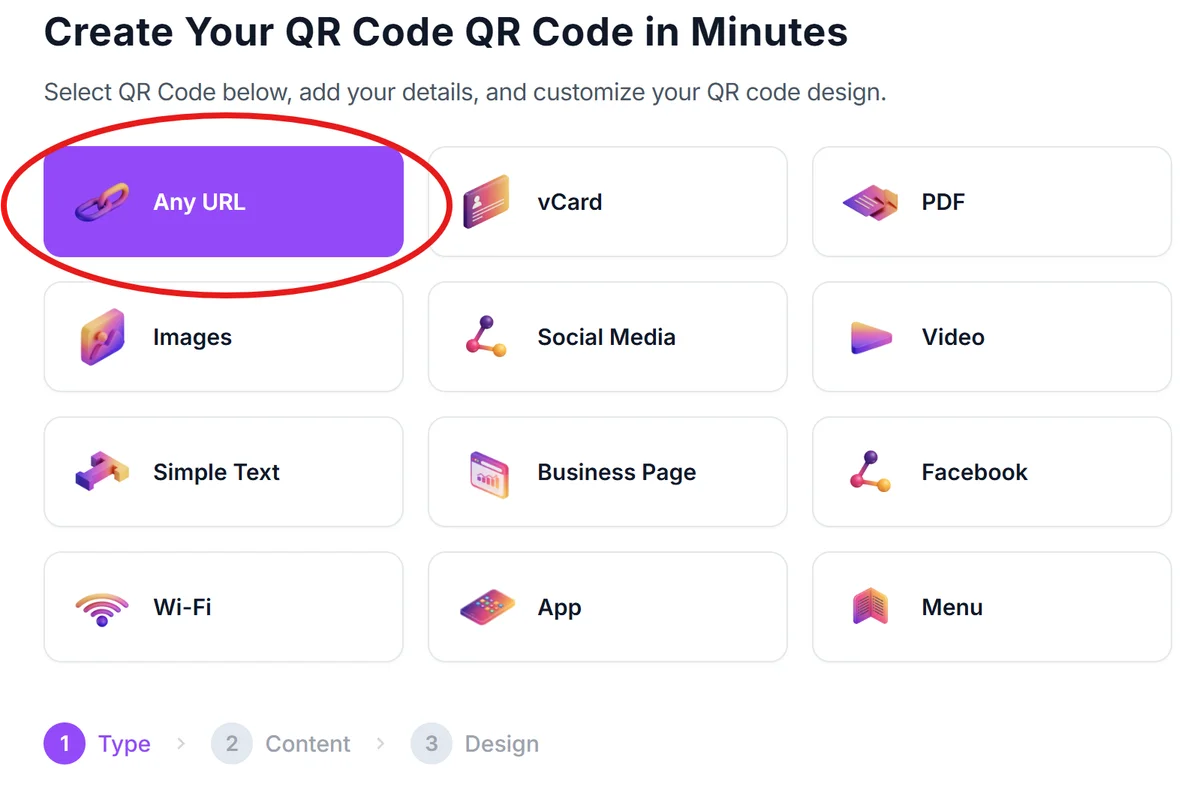
Go to qrcodeveloper.com and select the URL option to link to your chosen destination - whether that's a custom landing page, Google Maps location, or municipal website.
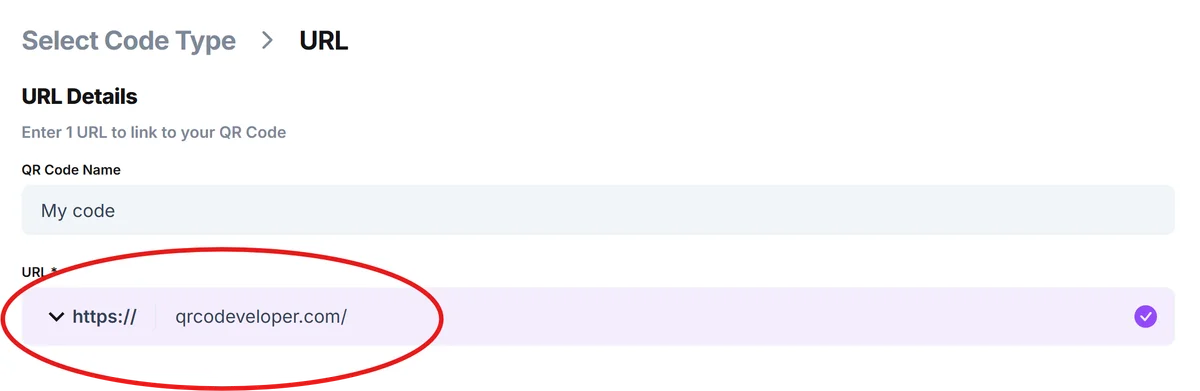
Enter your location-specific URL
Input the web address for your street-specific content. This could be a Google Maps link, a custom page with local information, or a municipal services portal filtered for that neighborhood.
Design for outdoor visibility
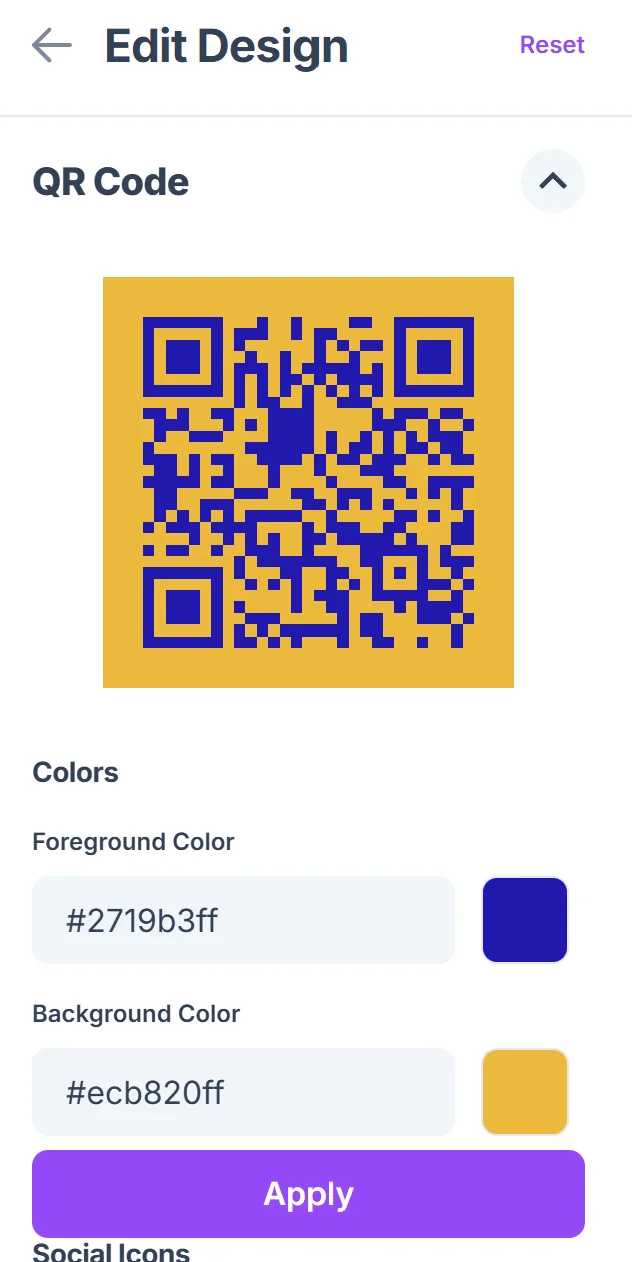
Click on the pencil icon in the Preview window to further customize your code. Choose high contrast colors and ensure the QR code will be at least 2 inches square when printed. Avoid light colors that won't show up well in various lighting conditions. Follow proven QR code design tips to maximize readability in outdoor environments.

Add location context
Include text near the QR code explaining what people will find when they scan - 'Scan for local businesses' or 'Get directions and transit info' helps increase scan rates.
Test before installation
Print a test version and scan it from various distances and angles to ensure it works reliably before committing to permanent signage installation.
Best practices for outdoor QR code placement
Outdoor QR codes face unique challenges from weather, lighting, and viewing angles that indoor codes don't encounter.
Position codes at eye level (4-6 feet high) and ensure they're readable from at least 3 feet away - people need space to hold their phones at scanning distance. Consider creating durable QR code stickers that can withstand weather conditions for temporary or pilot installations.
Use weather-resistant materials and UV-stable inks to prevent fading. Laminated codes or etched metal signs last longer than basic printed stickers
Include clear instructions like 'Point camera here' with an arrow, since not everyone is familiar with QR code scanning
Create mobile-friendly landing pages that load quickly on cellular connections and work well on small screens
Frequently Asked Questions
What information should street sign QR codes link to?
Focus on location-specific, actionable information like local business directories, transit schedules, parking information, or municipal services for that area. Avoid generic city websites that don't help people with immediate needs.
How do I make QR codes weather-resistant for outdoor use?
Use UV-resistant inks, laminate printed codes, or consider etched metal or ceramic options for permanent installations. Test materials in your local climate before large-scale deployment.
What size should QR codes be on street signs?
Minimum 2 inches square for codes scanned from 3-4 feet away. For signs viewed from further distances or by moving pedestrians, go larger - 3-4 inches square works better.
Do I need permission to add QR codes to existing street signs?
Yes, modifications to public street signs typically require municipal approval. Contact your city's public works or transportation department before adding codes to existing signage.
Can I track how many people scan street sign QR codes?
Yes, use URL shorteners with analytics or create dedicated landing pages with tracking. This data helps you understand which locations see the most engagement and improve your content accordingly.
Related Guides
Ready to create your QR code?
Generate custom QR codes in seconds - free and easy to use.
Create Free QR Code →