Registration QR code generator - Simplify event sign-ups

Connect attendees instantly to your registration forms with scannable codes that eliminate typing and reduce sign-up friction.
How registration QR codes work for events and services
What if you could eliminate the biggest barrier to event registration - the tedious process of typing long URLs on mobile devices? Well, you can! Registration QR codes can solve this exact problem by connecting potential attendees directly to your sign-up forms with a simple scan. Instead of asking people to remember website addresses or search for registration pages, you put instant access right in their hands.
A registration QR code links directly to any sign-up form, whether it's hosted on Eventbrite, Google Forms, Typeform, or your own website. When someone scans the code with their phone camera, they're immediately taken to your registration page where they can complete their sign-up without any additional steps or navigation.
Throughout this guide, I'll show you how to create effective registration QR codes using QR Code Developer and share strategies that increase conversion rates. I'll also go over how these codes integrate with popular registration platforms and learn placement techniques that maximize scans, similar to strategies used for QR codes for landing pages.
Registration QR code applications across industries
Registration QR codes work particularly well when people need to sign up while they're already engaged with your content or physically present at a location. These codes bridge the gap between initial interest and completed registration. Learn more about similar applications in our event QR codes guide.
Conference and workshop registration
Event organizers place QR codes on promotional materials, booth displays, and speaker presentations to capture interest immediately when attendees are most engaged. These codes can also be integrated into flyers for maximum reach.
Fitness class and gym membership sign-ups
Gyms and studios use QR codes on mirrors, equipment, and promotional flyers to let people register for classes or memberships without interrupting their workout flow.
Volunteer opportunity registration
Nonprofits include QR codes in newsletters, on volunteer fair tables, and community bulletin boards to make signing up for volunteer shifts quick and accessible.
Educational program enrollment
Schools and training centers use registration QR codes on course catalogs, campus signage, and information sessions to capture student interest while they're exploring options. For digital materials, they often convert course information into PDF QR codes for easy access.
Building registration QR codes that convert
Creating registration QR codes involves more than just linking to a form - you need to consider the user experience from scan to completed sign-up.
Navigate to your QR generator
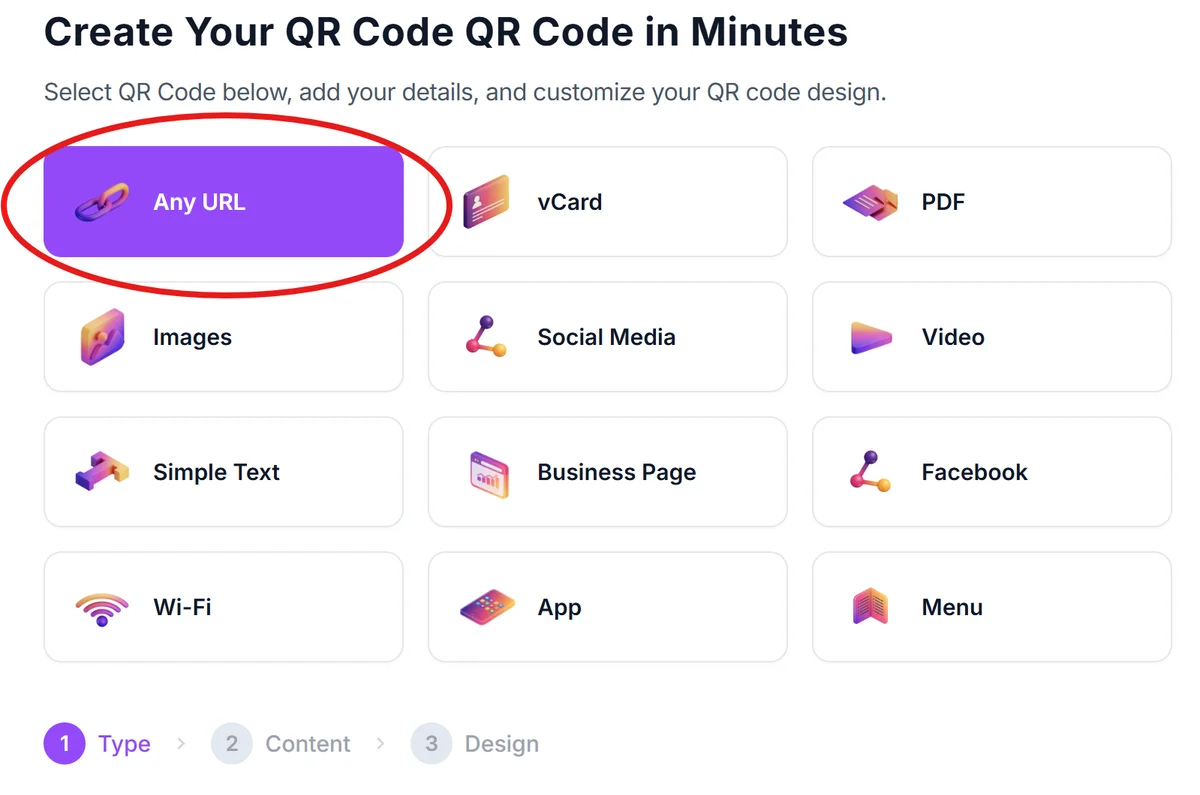
Visit qrcodeveloper.com and select 'URL' as your QR code type since registration forms are accessed through web links.
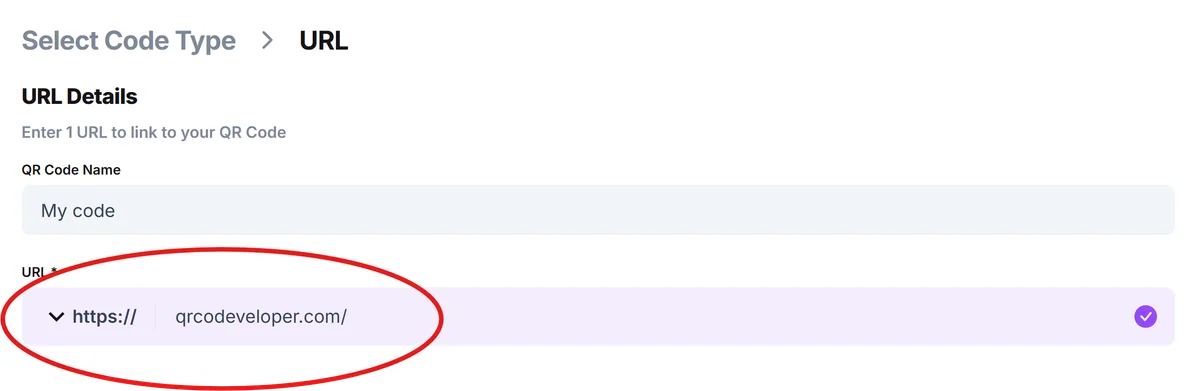
Input your registration form URL
Copy the direct link to your registration form from platforms like Eventbrite, Google Forms, Typeform, or your website's sign-up page. Make sure the link goes directly to the form, not a general landing page.
Customize for mobile optimization
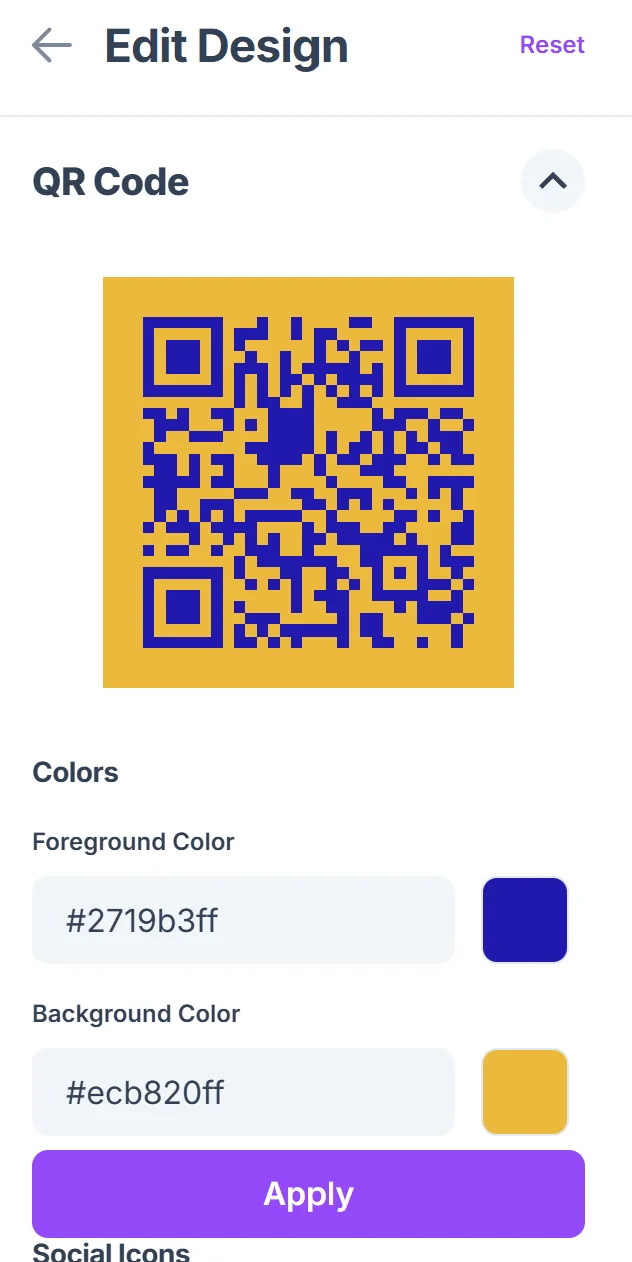
Click on the pencil icon in the Preview window to further customize your code. Choose colors that contrast well with your placement background and ensure the QR code will be large enough to scan easily. Consider that most people will scan with their phones, so test readability at your intended print size.

Test the complete registration flow
Scan your QR code with multiple devices to verify it loads quickly and the registration form displays properly on mobile screens. Complete a test registration to identify any friction points.
Create clear context around the code
Add compelling text near your QR code that explains what people will get when they scan - 'Scan to register for the workshop' or 'Sign up for volunteer shifts' gives people a clear reason to take action. Consider incorporating these into QR code stickers for versatile placement options.
Best practices for registration QR code success
The difference between QR codes that get ignored and ones that drive registrations often comes down to strategic placement and clear communication about what happens after scanning. Understanding QR code design principles can significantly improve scan rates and user engagement.
Place registration QR codes at decision-making moments - on speaker bio slides, next to event descriptions, or at the end of compelling presentations when interest is highest
Include urgency indicators like 'Limited spots available' or 'Early bird pricing ends soon' near your QR code to motivate immediate action rather than 'I'll do it later' thinking
Test your registration form's mobile experience thoroughly since QR code users will complete sign-up on their phones - long forms or complex navigation kill conversion rates
Track which QR code placements generate the most registrations by creating unique codes for different locations, then focus your efforts on the highest-performing spots
Frequently Asked Questions
Can I use registration QR codes with any sign-up platform?
Yes, registration QR codes work with any platform that provides a direct URL to your form - Eventbrite, Google Forms, Typeform, Mailchimp, or custom registration pages on your website.
How do I track registrations that come from QR code scans?
Most registration platforms show referral sources in their analytics. You can also create unique registration URLs for different QR code placements to track which locations drive the most sign-ups.
What's the best size for registration QR codes on printed materials?
Aim for at least 1 inch (2.5 cm) square for reliable scanning. If people will scan from further away, like on banners or posters, make them larger - 2-3 inches square works well for display materials.
Do registration QR codes work offline or need internet connection?
QR codes themselves don't need internet to scan, but since they link to online registration forms, users need an internet connection to complete the sign-up process.
Is there a limit to how many people can register through one QR code?
No, QR codes can handle unlimited scans. The only limits would come from your registration platform's capacity or any registration caps you've set for your event or service.
Related Guides
Ready to create your QR code?
Generate custom QR codes in seconds - free and easy to use.
Create Free QR Code →