How to add a QR code to a physical ticket or badge

Physical tickets and badges become powerful digital gateways when equipped with QR codes that connect attendees to instant information, exclusive content, and memorable experiences.
Key Takeaways
- QR code size should be at least 1 inch (2.5cm) square for reliable scanning on tickets and badges
- High contrast between the QR code and background ensures readability under various lighting conditions
- Test your QR codes with multiple devices and scanning apps before printing large quantities
- Include a brief text description near the QR code explaining what attendees will find when they scan
Event organizers report that 78% of attendees prefer digital interactions over traditional paper-based processes at conferences, concerts, and networking events. This shift toward digital engagement has made QR codes an essential aspect of any in person event.
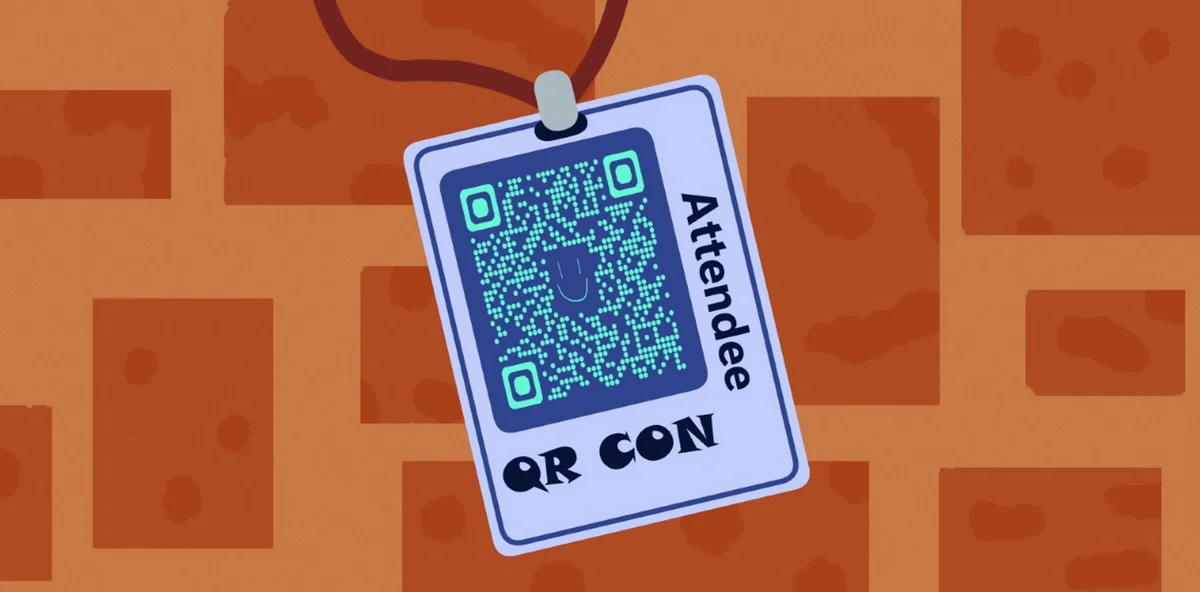
Adding QR codes to tickets and badges creates instant connections to event schedules, speaker information, exclusive content, networking platforms, and post-event resources. Instead of carrying multiple pieces of paper or remembering website URLs, attendees can access everything they need with a simple scan.
In this guide I will take you through the complete process of integrating QR codes into your physical tickets and badges. I'll also cover design placement, content strategies, and technical implementation using QR Code Developer to ensure your codes work flawlessly across different scanning devices and lighting conditions. So let's get started!
Design and placement considerations
The physical constraints of tickets and badges require careful planning for QR code integration. Unlike digital displays where you can adjust sizing instantly, printed materials demand precision from the start.
Successful QR code placement balances visibility with overall design aesthetics while maintaining the functional requirements for reliable scanning.
Size and positioning guidelines
Your QR code needs sufficient size to be scannable but shouldn't dominate the entire design. The minimum recommended size is 1 inch (2.5cm) square, though 1.5 inches (3.8cm) provides better reliability across different smartphone cameras. Position the code where it won't interfere with essential text like attendee names, event details, or branding elements. Corner placement often works well, leaving the center area for primary information.
Color and contrast requirements
QR codes require high contrast to function properly. Black codes on white backgrounds provide the best scanning reliability, but you can use other color combinations as long as the contrast ratio is sufficient. Avoid light colors on light backgrounds or dark colors on dark backgrounds. If your ticket or badge uses colored backgrounds, consider adding a white border around the QR code to ensure proper contrast.
Material and printing considerations
Different printing materials affect QR code readability. Glossy surfaces can create glare that interferes with scanning, while very textured materials might blur the code's sharp edges. Matte finishes generally provide the best scanning experience. If you're using lanyards or badge holders, ensure the QR code remains visible and accessible without removing the badge from its holder. For additional durability, consider using QR code stickers that can withstand wear and handling throughout multi-day events.
Implementation methods and tools
Creating and integrating QR codes into your ticket and badge designs requires the right tools and workflow. The process varies depending on whether you're designing from scratch or adding codes to existing templates.
Professional results come from understanding both the technical requirements and design software capabilities that work with your specific printing setup.
Generating your QR codes
Start by determining what content your QR code will link to - this might be an event schedule, networking platform, or exclusive content area. Use a reliable QR code generator that produces high-resolution images suitable for printing. Generate your code as a vector format (SVG) or high-resolution PNG (at least 300 DPI) to ensure crisp printing results. Test the generated code with multiple devices before proceeding to design integration.
Design software integration
Most professional design software like Adobe InDesign, Illustrator, or even Canva can import QR code images. Place the QR code as you would any other graphic element, ensuring it maintains its square proportions and doesn't get stretched or distorted. Create a separate layer for the QR code so you can easily adjust its position without affecting other design elements.
Batch processing for multiple codes
If you need unique QR codes for each ticket or badge (such as individual attendee check-ins), you'll need a batch generation approach. Many QR code generators offer bulk creation features, or you can use mail merge functionality in design software to automatically place different codes on each ticket. This approach works well for event QR codes that need individual tracking.
Content strategies for maximum impact
The content behind your QR code determines whether attendees will scan once and forget or become engaged participants throughout your event. Strategic content planning creates value that extends beyond the physical event itself. Understanding the different types of QR codes available can help you choose the most effective format for your specific event needs.
Consider the attendee journey from arrival to post-event follow-up when designing your QR code destinations and content structure.
Pre-event engagement content
Link to event schedules, speaker bios, venue maps, or pre-event networking platforms. This content helps attendees prepare and builds anticipation. Include practical information like parking details, dress codes, or what to bring. Consider creating a mobile-friendly landing page that consolidates all pre-event information in one easily accessible location.
During-event functionality
QR codes on badges can facilitate networking by linking to digital business cards, LinkedIn profiles, or contact exchange platforms. For sessions or workshops, codes can link to real-time polls, Q&A platforms, or supplementary materials. Consider linking to live social media feeds or photo sharing platforms where attendees can contribute content and see event highlights.
Post-event value extension
The relationship doesn't end when the event concludes. QR codes can link to session recordings, presentation slides, attendee directories, or feedback surveys. This extended value encourages attendees to keep their tickets or badges as references, extending your event's impact and providing opportunities for future engagement.
Professional implementation strategies
These practical insights will help you avoid common pitfalls and create QR codes that work reliably across different scenarios and devices.
Always print test samples before full production runs - QR codes that work on screen don't always translate perfectly to physical printing
Include a short text description like 'Scan for event schedule' near your QR code so attendees know what to expect
Create backup plans for attendees without smartphones by including essential information directly on the ticket or badge
Use URL shorteners for complex web addresses to create simpler QR codes that are easier to scan and less prone to errors
Consider the scanning environment - outdoor events need codes that work well in bright sunlight, while indoor venues might have challenging lighting conditions
Frequently Asked Questions
What's the smallest size I can make a QR code on a ticket or badge?
The absolute minimum is 0.8 inches (2cm) square, but I recommend at least 1 inch (2.5cm) for reliable scanning. Smaller codes become difficult to scan, especially in poor lighting or with older smartphones.
Can I use colored QR codes on my tickets and badges?
Yes, but maintain high contrast between the code and background. Dark blue on white, black on yellow, or other high-contrast combinations work well. Avoid light colors on light backgrounds or similar color tones that reduce contrast.
How do I handle attendees who don't have smartphones?
Always include essential information directly on the ticket or badge as backup. You can also provide the URL in text form near the QR code, or have staff available with tablets or printed materials for attendees who need assistance.
Should I use the same QR code on all tickets or unique codes for each attendee?
It depends on your goals. Use the same code for general information like event schedules or venue details. Use unique codes when you need individual tracking, personalized content, or attendee-specific information like digital business cards.
What happens if my QR code gets damaged or partially covered?
QR codes have built-in error correction that allows them to function even when up to 30% of the code is damaged or obscured. However, significant damage or covering will prevent scanning, so protect codes from excessive wear and avoid placing them where they'll be frequently handled or bent.
Related Guides
Ready to create your QR code?
Generate custom QR codes in seconds - free and easy to use.
Create Free QR Code →