QR codes for successful PR campaigns and media outreach

Connect print and digital PR materials instantly while tracking journalist engagement and media coverage in real-time.
How QR codes transform modern PR campaigns
PR professionals can often face a constant challenge: how to connect their printed press releases and announcements with rich digital content that journalists actually wanted to access. However, with QR codes that gap between physical materials and online resources disappears instantly, creating a direct bridge that transforms any printed PR piece into a gateway for comprehensive digital storytelling.
QR codes solve this challenge by creating instant connections between physical PR materials and digital assets. When you place a QR code on a press release, media kit, or event invitation, journalists can immediately access high-resolution images, video content, executive bios, company backgrounders, and contact information without typing lengthy URLs or searching through email attachments.
In this guide I will go over how to integrate QR codes into your PR strategy effectively. I'll show you specific applications that work for different campaign types, from product launches to crisis communications. You'll also learn about tracking capabilities that help measure media engagement - something traditional press materials simply can't provide. For broader applications, check out our guide on event QR codes which complements many PR activities. So let's get this campaign started!
Strategic PR applications for QR codes
Modern PR campaigns require seamless integration between traditional outreach and digital storytelling. QR codes make this connection effortless while providing valuable analytics. Here are the most effective applications I've seen work for PR professionals, including techniques that work well with QR code business cards for networking events.
Press kit accessibility
Include QR codes on press releases that link to comprehensive media kits with high-res photos, logos, executive headshots, and company fact sheets. You can even turn your PDF media kit into a QR code for instant access. Journalists get everything they need instantly.
Event media credentials
Print QR codes on media badges or event programs that provide instant access to speaker bios, presentation slides, press room materials, and real-time event updates.
Product launch campaigns
Add QR codes to product announcements linking to demo videos, technical specifications, pricing information, and embargo details all in one organized digital space. For video content, consider creating YouTube QR codes for easy access to product demonstrations.
Crisis communication tracking
Use QR codes in crisis response materials to direct stakeholders to updated statements, FAQ pages, and official company responses while tracking who accesses information and when.
Building your PR campaign QR code strategy
Creating effective PR QR codes requires strategic thinking about your audience's workflow and information needs. Here's my step-by-step approach:
Access your QR generator platform
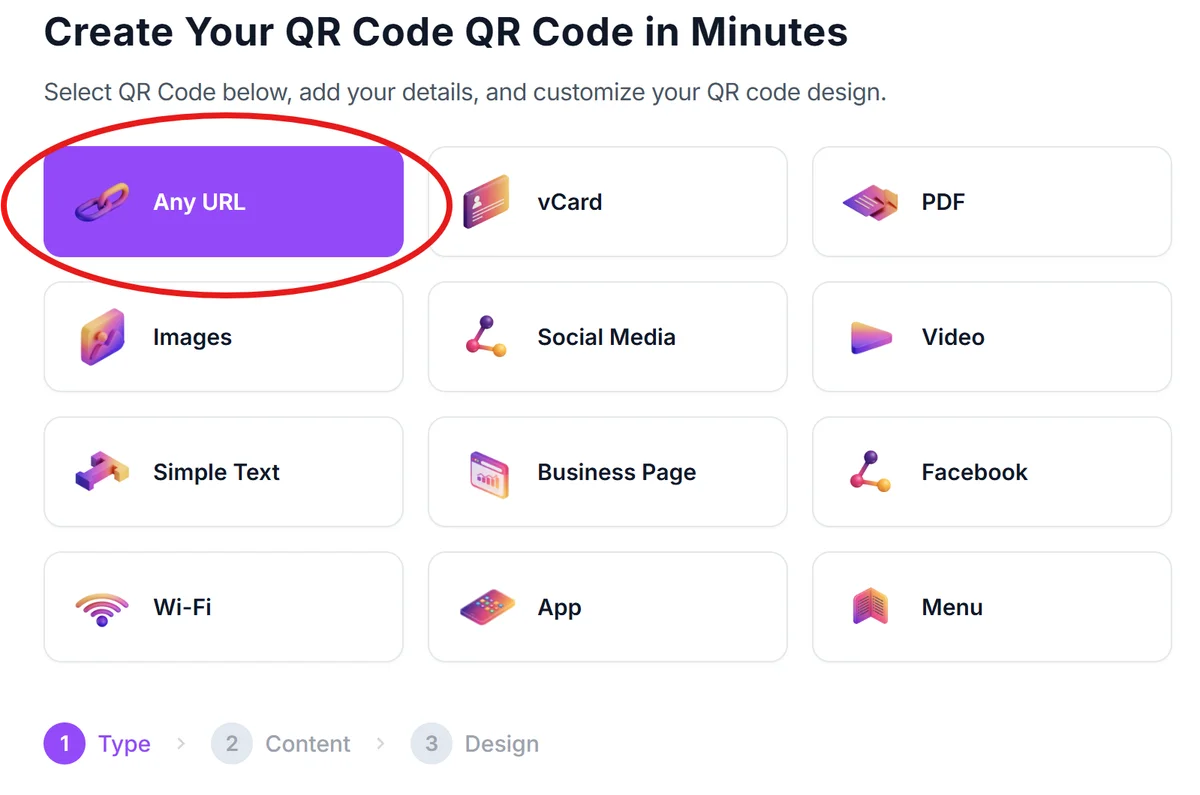
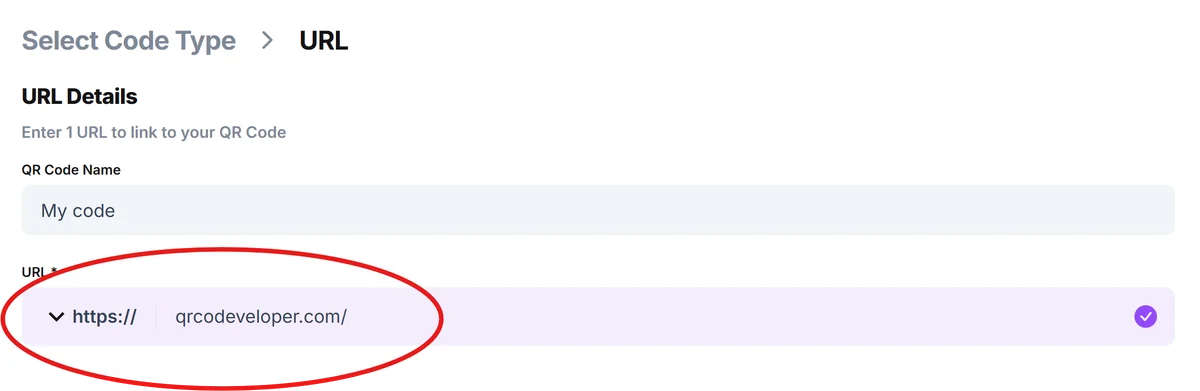
Visit qrcodeveloper.com and select the URL option to create codes that link to your press materials or landing pages.
Prepare your press hub destination
Set up a dedicated landing page with all relevant PR materials organized clearly. Include press releases, media kits, executive bios, high-resolution images, and contact information for follow-up questions.
Brand your codes for credibility
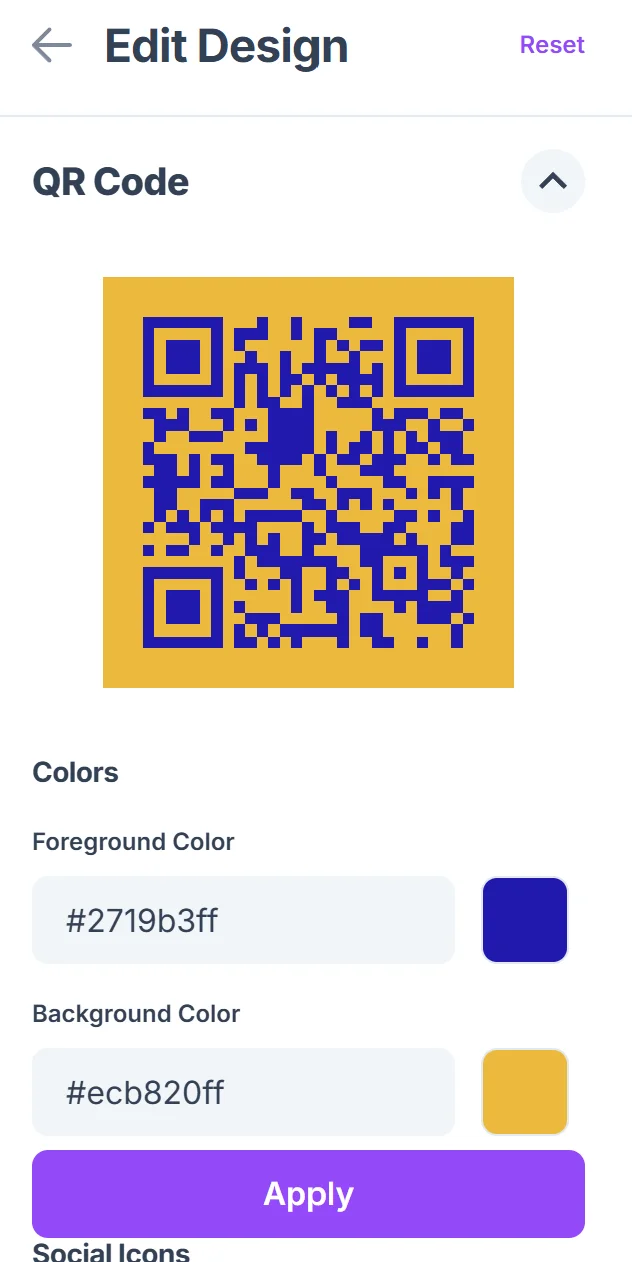
Click on the pencil icon in the Preview window to further customize your code. Customize your QR code with your company colors and logo. Professional appearance builds trust with journalists and makes your materials instantly recognizable as official company communications. Learn more about effective QR code design principles to maximize visual impact.

Test across media workflows
Scan your codes using different devices and ensure your landing page loads quickly on mobile. Most journalists will scan using smartphones, so mobile optimization is crucial for usability.
Deploy with clear context
Place codes on press materials with descriptive text like 'Scan for complete media kit' or 'Access high-res images and videos.' Clear instructions increase scan rates and journalist engagement.
PR-specific QR code best practices
After working with numerous PR campaigns, I've identified key strategies that significantly improve journalist engagement and campaign tracking:
Create campaign-specific landing pages rather than linking directly to your main website - journalists need focused, relevant information without distractions or navigation confusion
Include embargo information and usage guidelines directly on your QR code destination page to ensure journalists understand any restrictions on timing or content usage. Consider creating dedicated QR code landing pages that are optimized specifically for media professionals
Set up tracking analytics to monitor scan rates, geographic locations, and time stamps - this data helps you understand which media outlets are engaging and when stories might break
Keep your QR code destinations updated throughout the campaign lifecycle, especially for ongoing stories where new developments, statements, or supporting materials become available
Frequently Asked Questions
Can I track which journalists or media outlets scan my PR QR codes?
While QR codes provide scan analytics including location and timing data, they don't identify specific individuals for privacy reasons. However, you can track geographic patterns and correlate scan data with media coverage timing to understand engagement.
Should I use different QR codes for different media outlets or campaigns?
Yes, creating unique QR codes for different campaigns or media segments allows you to track performance more precisely. You can measure which approaches work best and tailor future outreach accordingly.
What's the best size for QR codes on press materials?
For press releases and printed materials, aim for at least 1 inch square. On business cards or smaller materials, 0.8 inches works, but test scanning distance. Larger is always better for reliability.
How do I ensure my QR codes work internationally for global PR campaigns?
QR codes work universally, but ensure your landing pages load quickly worldwide and consider language localization. Test your codes in target markets and verify mobile compatibility across different regions.
Are there any costs associated with using QR codes in PR campaigns?
Basic QR code generation is free, including tracking analytics for scan counts and locations. You'll need to factor in costs for landing page hosting and any premium tracking features you might want to add.
Related Guides
Ready to create your QR code?
Generate custom QR codes in seconds - free and easy to use.
Create Free QR Code →