Poster Engage QR codes for interactive print campaigns

Bridge print and digital marketing with QR codes that transform static posters into interactive touchpoints for deeper audience engagement.
Making posters interactive with QR code technology
Print advertising generates $41 billion annually worldwide, yet many posters offer no way to measure engagement or guide viewers to next steps. Traditional posters rely entirely on visual impact and hope viewers remember key details later. However, a simple QR code can solve this problem!
QR codes can solve this disconnect by creating instant pathways from physical displays to digital experiences. When viewers scan your QR code, they immediately access websites, videos, contact forms, social media profiles, or any online content that supports your poster's message. This connection happens in seconds, capturing interest while viewers are actively engaged with your poster.
The applications extend far beyond simple website links. Museums use these codes to provide audio tours, retailers connect shoppers to product catalogs, and event organizers share registration forms. Throughout this guide I'll walk you through creating QR codes that make your posters work harder and provide measurable results for your campaigns.
Smart ways to connect poster viewers with digital content
The most effective poster QR codes create clear value for viewers while supporting your marketing goals. These codes work best when they offer something viewers can't get from the poster alone. Consider how event QR codes can complement your poster strategy for comprehensive campaigns.
Product demonstration videos
Retail posters link to product demos, tutorials, or customer testimonials that showcase features viewers can't see in static images.
Event registration and information
Concert, conference, and community event posters connect directly to ticket sales, schedules, or detailed event information.
Contact and booking forms
Service business posters link to appointment scheduling, quote requests, or contact forms that capture leads immediately.
Social media and reviews
Restaurant and retail posters connect to Instagram profiles, Google Reviews, or customer photo galleries that build social proof.
Building QR codes that bring posters to life
Creating poster QR codes requires balancing visual design with functionality. The code needs to be large enough for easy scanning while fitting naturally into your poster layout.
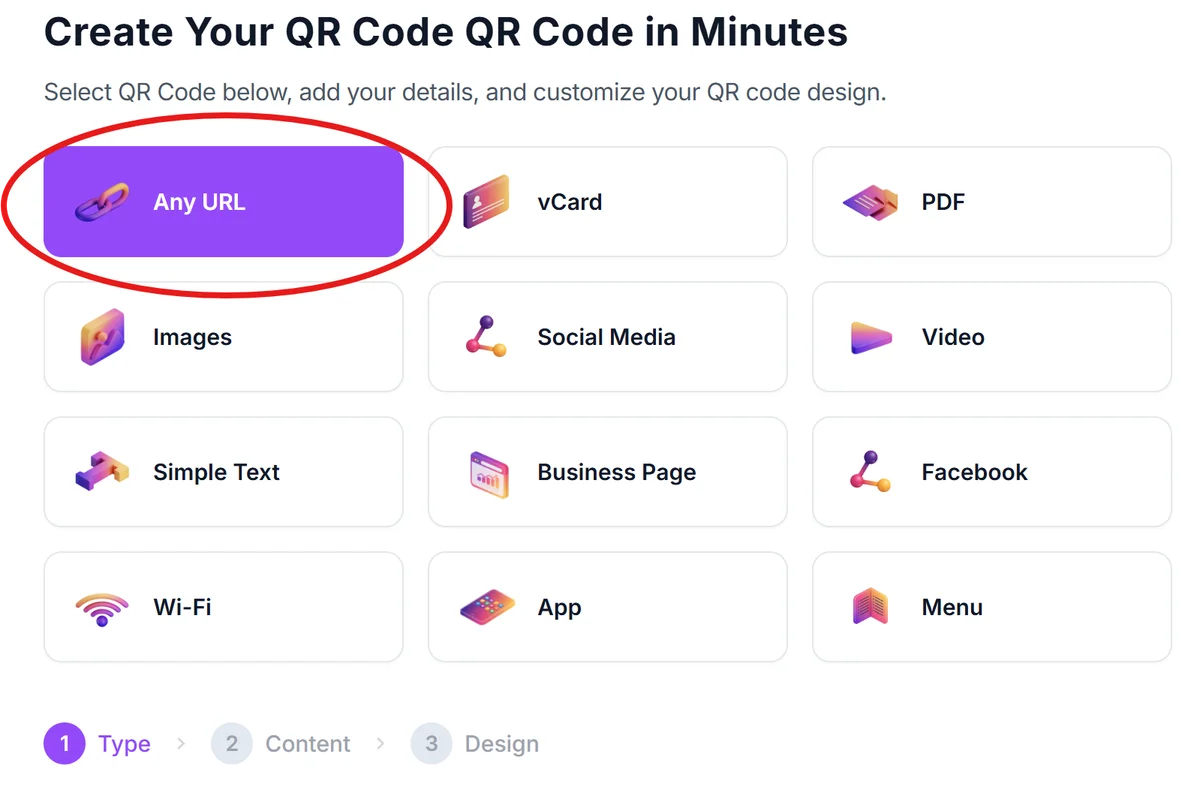
Navigate to your QR generator
Go to qrcodeveloper.com and select the content type that matches your poster's goal - URL for websites, vCard for contact info, or WiFi for network access.
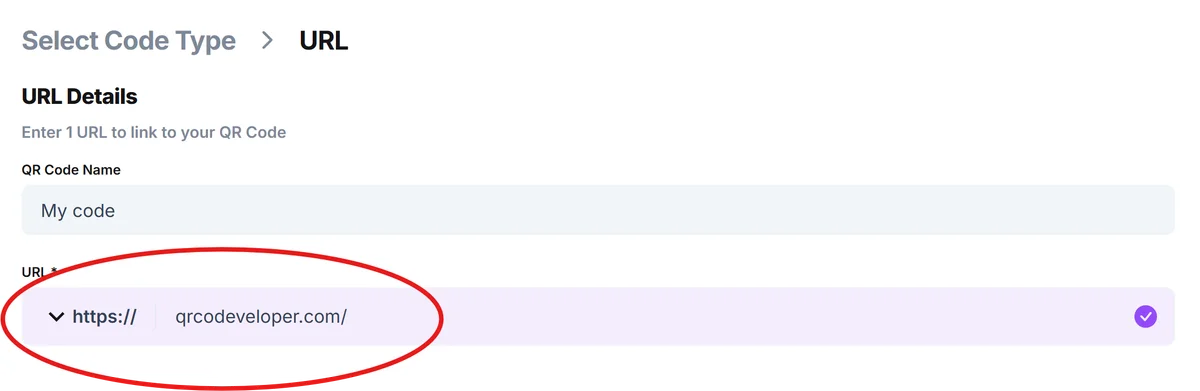
Input your destination content
Enter the specific URL, contact information, or text you want viewers to access. For posters, this is typically a landing page, registration form, or social media profile.
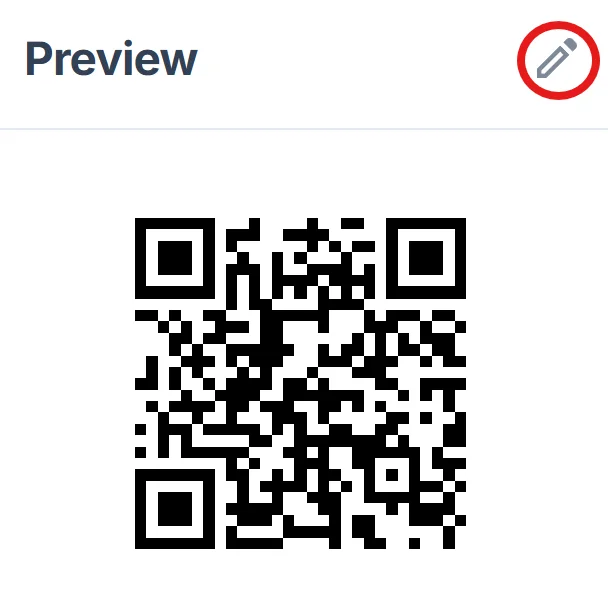
Customize for poster integration
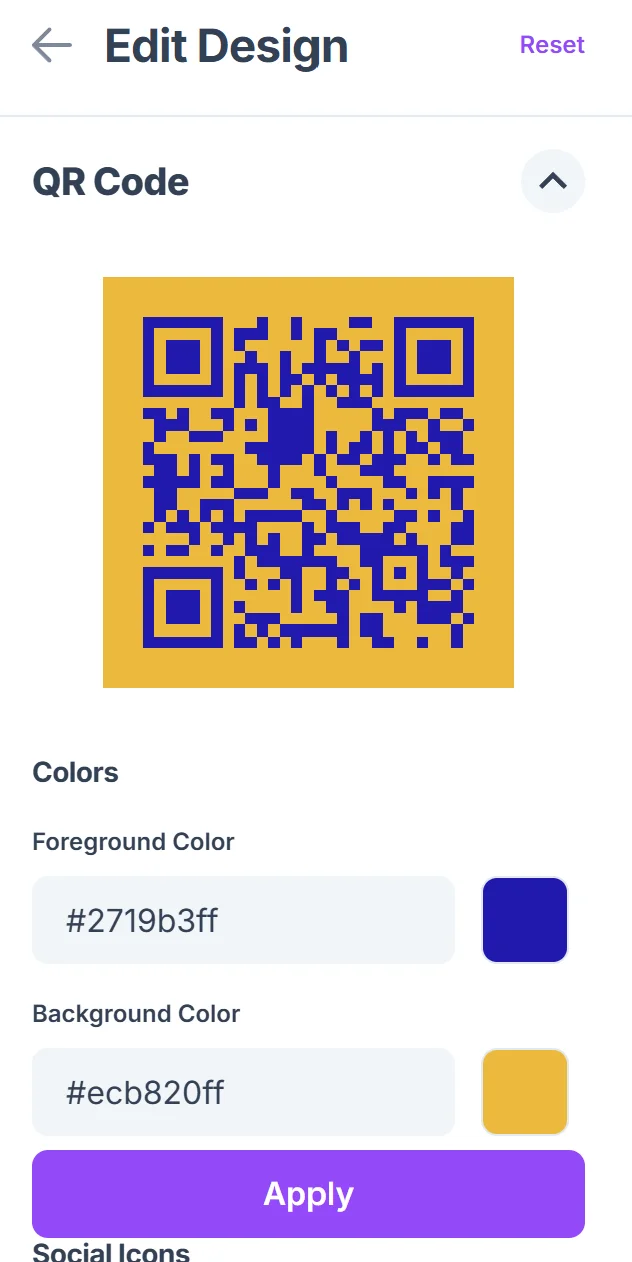
Click on the pencil icon in the Preview window to further customize your code. Choose colors that complement your poster design while maintaining high contrast for scanning. Consider adding your logo to the center if it doesn't interfere with code readability, following QR code design best practices.
Size for poster placement
Download your QR code at high resolution (at least 300 DPI) and size it appropriately for your poster dimensions. Codes should be minimum 1 inch square for reliable scanning.
Test in poster context
Print a test version and scan from typical viewing distances. Verify the code works with different lighting conditions and smartphone cameras before final printing.
Design strategies for poster QR code success
Successful poster QR codes balance visual appeal with practical scanning requirements. These design considerations help ensure your codes perform well in real-world poster environments.
Position QR codes in the lower third of posters where viewers naturally look for next steps, but avoid corners where printing issues or damage are most likely to occur.
Include clear call-to-action text like 'Scan for menu' or 'Get tickets here' so viewers understand what they'll access before scanning.
Maintain adequate white space around your QR code - at least four times the width of one square module to ensure reliable scanning across different devices.
Choose poster locations with good lighting and avoid placing codes where shadows, reflections, or weather damage could interfere with scanning functionality.
Frequently Asked Questions
What size should QR codes be on posters?
QR codes should be at least 1 inch (2.5 cm) square for reliable scanning. For posters viewed from greater distances, increase the size proportionally - codes viewed from 6 feet away should be roughly 2-3 inches square.
Can I track how many people scan my poster QR codes?
Yes, when you use URL QR codes that link to your website or landing page, you can track scans through Google Analytics or your website's analytics platform. This provides valuable data about poster performance and engagement.
What colors work best for poster QR codes?
High contrast combinations work best - dark codes on light backgrounds or vice versa. While you can customize colors to match your brand, ensure sufficient contrast exists for reliable scanning across different lighting conditions.
Will QR codes work on outdoor posters?
QR codes work well on outdoor posters when protected from direct weather damage. Use weather-resistant printing materials and consider UV-resistant inks to prevent fading that could affect scanning reliability.
How do I make sure people know what the QR code does?
Always include descriptive text near your QR code explaining what viewers will access. Phrases like 'Scan for menu,' 'Get event details,' or 'Watch product demo' set clear expectations and increase scan rates.
Related Guides
Ready to create your QR code?
Generate custom QR codes in seconds - free and easy to use.
Create Free QR Code →