QR codes for online courses and educational content

Bridge the gap between physical marketing and digital learning with scannable codes that connect students to your courses instantly.
How educators use QR codes to promote online courses
Online education revenue reached $185 billion globally in 2023, yet many educators still struggle to connect their offline marketing efforts with digital course platforms. Students often see flyers, business cards, or brochures but don't quite know what to do with them, or simply forget about them once they get home.

Online course QR codes can solve this problem by creating an instant bridge between physical touchpoints and digital learning platforms. When someone scans your course QR code, they'll be taken directly to your enrollment page, course preview, or learning management system without typing long URLs or searching through course catalogs.
Throughout this guide I'll show you how to create effective QR codes for your educational content, from individual course promotions to comprehensive learning platforms. I'll also go over placement strategies that work well with educational flyers and other marketing materials. So let's get started!
Smart ways to connect students with digital learning
Course creators and educational institutions use QR codes to reduce enrollment friction and track marketing effectiveness. These codes work particularly well when combined with QR code business cards for networking events and conferences.
Conference and workshop promotion
Speakers at educational conferences include QR codes on presentation slides or handouts, allowing attendees to instantly access follow-up courses or detailed resources. Many also create event QR codes for conference-specific materials.
Print advertising campaigns
Training companies add QR codes to magazine ads, direct mail pieces, and educational brochures to track which marketing channels drive the most course enrollments. Some even convert their course catalogs to PDF QR codes for easy sharing.
Campus and library displays
Universities place QR codes on bulletin boards, library displays, and student center materials to promote continuing education programs and professional development courses.
Instructor networking materials
Independent educators include QR codes on business cards and email signatures to share their course catalog with potential students they meet at professional events.
Creating QR codes for course enrollment and access
Setting up course QR codes takes just a few minutes and can significantly boost your enrollment rates from offline marketing efforts.
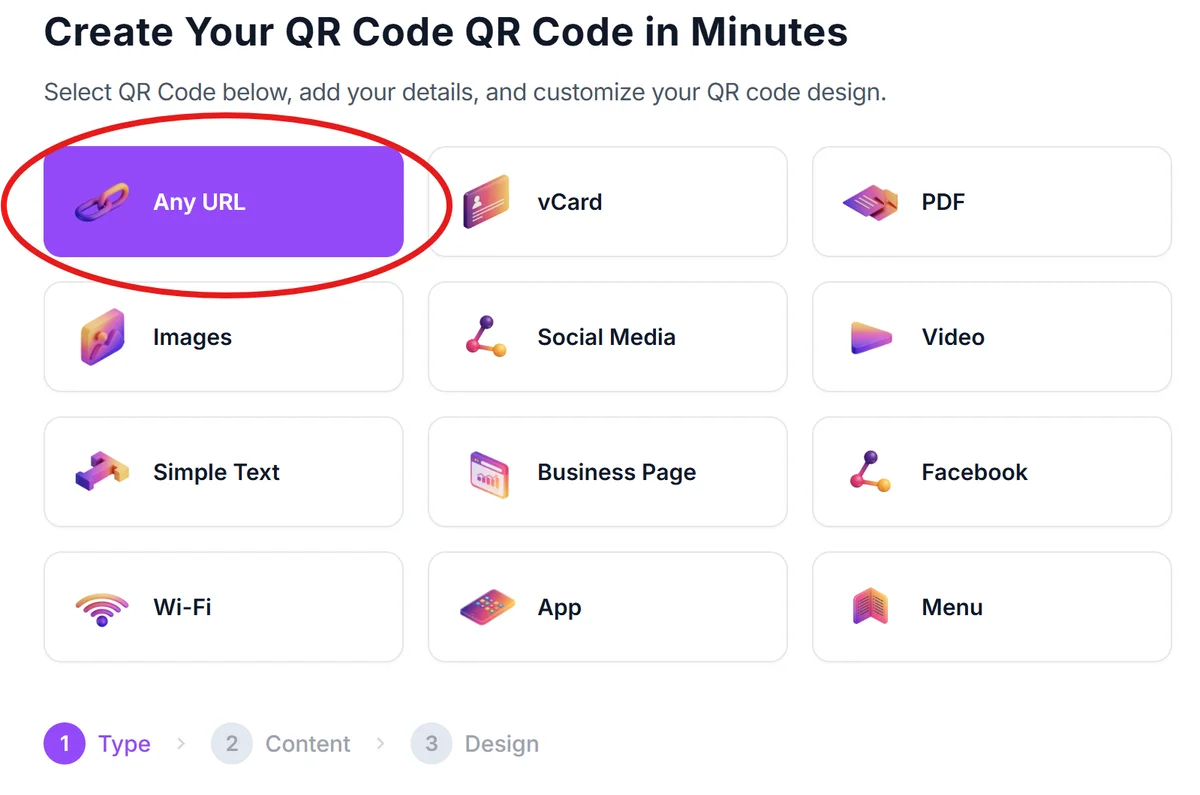
Access the QR code generator
Visit qrcodeveloper.com and select the URL option to create a link-based QR code for your course.
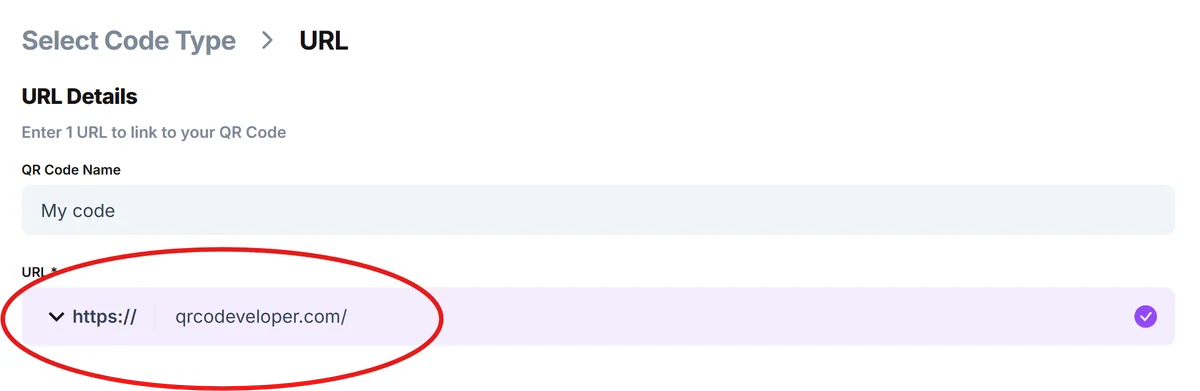
Enter your course or enrollment URL
Paste the direct link to your course landing page, enrollment form, or learning management system login. Use the specific URL where you want students to land, not your general website homepage.
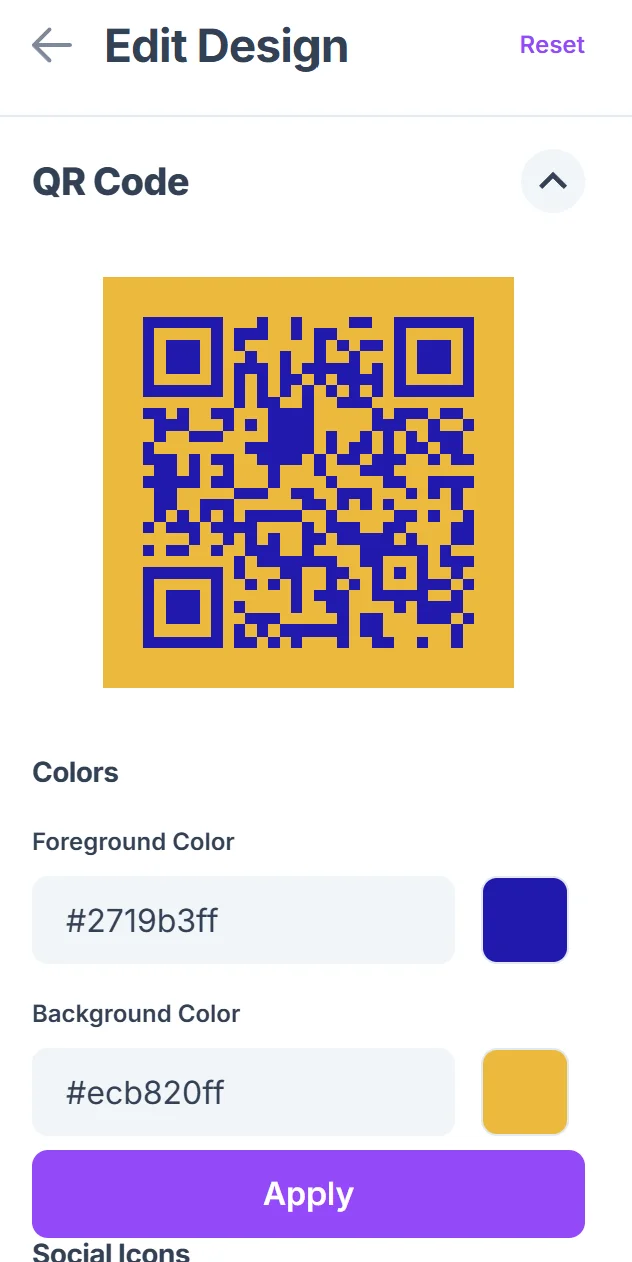
Customize for educational branding
Click on the pencil icon in the Preview window to further customize your code. Choose colors that match your institution or personal brand. Consider adding your logo to build trust and recognition, especially important for educational content where credibility matters.

Test across different devices
Scan your QR code with both iOS and Android devices to ensure it works properly. Test the entire enrollment flow from scan to course access to identify any friction points.
Track performance and placement
Create different QR codes for different marketing materials to track which promotional channels drive the most course sign-ups and adjust your strategy accordingly.
Best practices for educational QR code campaigns
These strategies help maximize scan rates and course enrollments from your QR code marketing efforts.
Include clear call-to-action text like 'Scan to enroll' or 'Access course preview' near your QR code so people understand what they'll find when they scan
Size your QR codes appropriately for the viewing distance - larger codes for posters and banners, smaller ones for business cards and handouts
Place QR codes on materials where people have time to scan, such as waiting areas, library displays, or take-home resources rather than quickly-viewed presentations
Create mobile-friendly landing pages since most people will scan with their phones - ensure your enrollment process works well on small screens
Frequently Asked Questions
Can I use QR codes for free course previews and paid enrollments?
Yes, you can create separate QR codes for different purposes - one linking to free preview content and another for direct enrollment or payment pages.
How do I track which marketing materials drive the most course sign-ups?
Create unique QR codes for each marketing piece (flyers, business cards, ads) and use URL tracking parameters or separate landing pages to measure performance.
What's the best way to display QR codes on educational presentations?
Place QR codes on slides that will be displayed long enough for scanning, include them in handout materials, and consider having a dedicated 'resources' slide at the end of your presentation.
Do QR codes work well for promoting online courses to older students?
While adoption varies, many older learners are comfortable with QR codes, especially when you provide clear instructions and context about what they'll find when scanning.
Can I update where my QR code points without reprinting materials?
With dynamic QR codes, you can change the destination URL without reprinting. This is helpful for updating course links or switching between enrollment periods and waitlists.
Related Guides
Ready to create your QR code?
Generate custom QR codes in seconds - free and easy to use.
Create Free QR Code →