QR code generator for medical record access

Healthcare providers create instant digital links to patient portals, test results, and medical documents with secure QR codes.
How medical QR codes connect patients to their health data
Healthcare facilities across the country are increasingly adopting QR code systems to replace traditional paper-based medical record sharing, driven by the need for instant access to patient information during emergencies.

A medical record QR code can connect patients and healthcare providers to specific health information through a simple smartphone scan. When scanned, these codes can direct users to patient portals, lab results, medication lists, emergency contact information, or secure document repositories. The technology works particularly well for patients who need quick access to their medical history during appointments, emergency situations, or when visiting specialists.
Healthcare facilities of all sizes are implementing QR code systems to reduce administrative burden and improve patient experience. In this guide I'll walk you through how to create these codes using QR Code Developer and share the security considerations that make them suitable for sensitive medical information. So let's get started!
Where healthcare providers use medical record QR codes
Medical practices, hospitals, and healthcare systems deploy QR codes across various touchpoints to improve information flow and patient engagement. These applications range from routine appointment management to emergency medical situations. Similar to how contact information QR codes simplify data sharing, medical QR codes eliminate the friction between patients and their health data.
Patient portal access cards
Hospitals print QR codes on patient ID cards or discharge papers, allowing instant access to test results, appointment scheduling, and billing information without remembering complex login credentials. Similar to QR code business cards, these medical cards provide instant digital access to important information.
Emergency medical information
Elderly patients and those with chronic conditions carry QR codes linking to emergency medical profiles containing allergies, current medications, emergency contacts, and critical health conditions for first responders.
Specialist referral documents
Primary care physicians include QR codes on referral paperwork that connect specialists to relevant patient history, previous test results, and treatment notes, reducing duplicate testing and improving care coordination.
Prescription and lab result pickup
Pharmacies and laboratories use QR codes on pickup notifications, allowing patients to view their results or prescription details before arriving, streamlining the pickup process and reducing wait times.
Creating secure QR codes for patient records
Building medical record QR codes requires attention to both functionality and security compliance. The process involves connecting your QR code to HIPAA-compliant systems while maintaining user-friendly access.
Access the QR code generator
Visit qrcodeveloper.com and select the URL option, as most medical record systems use web-based patient portals or secure document links.
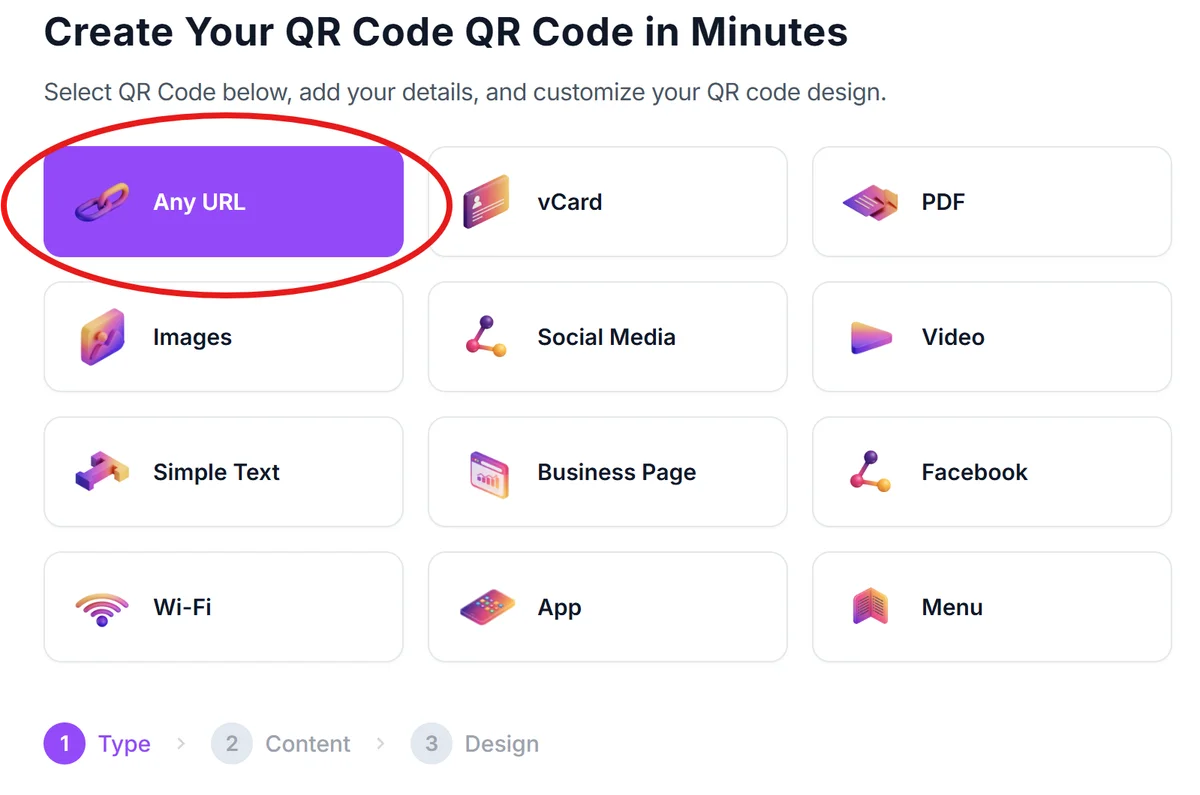
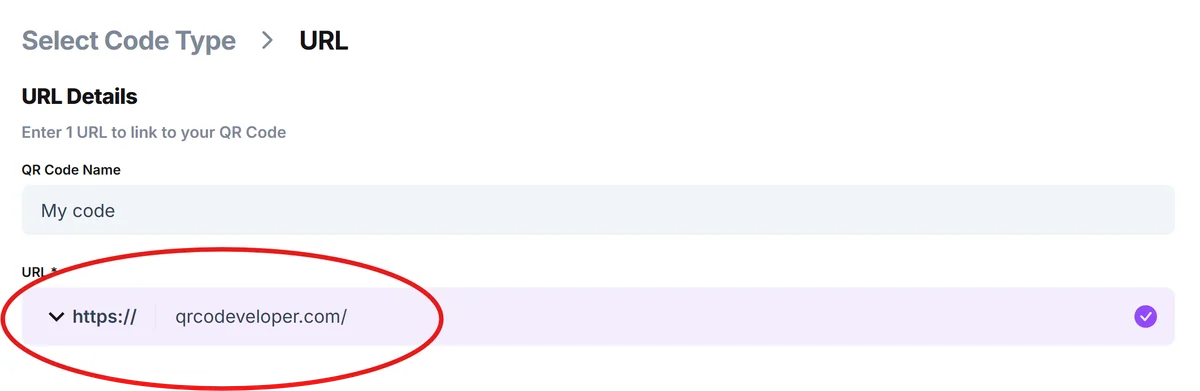
Enter your secure medical portal URL
Input the direct link to your patient portal login page, specific patient record, or secure document repository. Ensure the URL uses HTTPS encryption and connects to HIPAA-compliant systems.
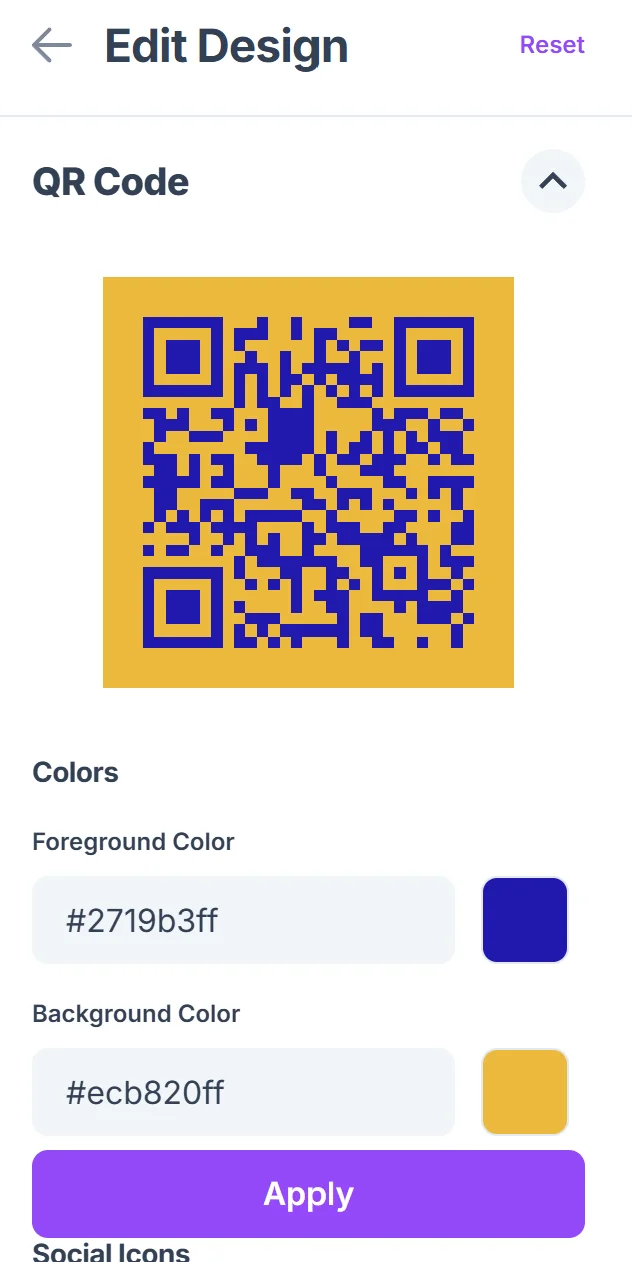
Customize for medical use
Choose colors that align with your healthcare brand while maintaining high contrast for easy scanning. Consider adding your medical practice logo or a medical cross symbol to help patients identify the code's purpose. Follow QR code design best practices to ensure optimal scanning performance.

Test across devices and scenarios
Scan your QR code using different smartphones and in various lighting conditions to ensure reliability. Test the login process to verify patients can access their information without technical difficulties.
Implement with clear instructions
Place the QR code on patient materials with simple scanning instructions and include alternative access methods for patients who may not be comfortable with smartphone technology.
Best practices for medical QR code security
Medical QR codes handle sensitive patient information, requiring extra attention to security protocols and patient privacy protection. These practices help maintain HIPAA compliance while providing convenient access. Healthcare providers should also understand GDPR compliance for QR codes when handling international patient data.
Always link to HTTPS-secured websites and ensure your patient portal meets HIPAA compliance standards before creating QR codes that access protected health information
Include clear privacy notices near QR codes explaining what information patients will access and how their data is protected when they scan the code
Regularly audit and update QR code links to ensure they remain functional and secure, especially after system updates or changes to your patient portal infrastructure
Provide alternative access methods alongside QR codes, such as phone numbers or website URLs, to accommodate patients who cannot or prefer not to use smartphone scanning technology
Frequently Asked Questions
Are QR codes for medical records HIPAA compliant?
QR codes themselves don't store patient data - they're simply links to your existing HIPAA-compliant systems. As long as the destination (your patient portal or document system) meets HIPAA requirements, the QR code maintains compliance.
Can I create QR codes that work without internet access?
Medical record QR codes typically require internet connectivity to access online patient portals or cloud-based systems. However, you can create codes linking to downloadable PDFs for offline access to basic medical information.
How do I ensure elderly patients can use medical QR codes?
Provide clear, large-print instructions with visual guides showing how to scan QR codes. Always include alternative access methods like phone numbers or direct website addresses for patients who prefer traditional methods.
What happens if a patient loses their QR code?
Since QR codes are just convenient links to your existing systems, patients can still access their records through traditional login methods. You can easily generate replacement QR codes or provide new cards with updated codes.
Do I need special software to create medical QR codes?
No special medical software is required. Standard QR code generators work perfectly for creating links to your existing patient portal or medical systems. The security comes from your destination system, not the QR code itself.
Related Guides
Ready to create your QR code?
Generate custom QR codes in seconds - free and easy to use.
Create Free QR Code →