QR codes with logos for enhanced brand recognition

Combine your company logo with QR codes to maintain brand consistency while providing instant digital access to customers.
How branded QR codes strengthen your marketing
Have you ever hesitated to scan a plain black-and-white QR code because you weren't sure if it was legitimate? If only there was a quick way to verify if it was legit or see what service it would connect to. Logo QR codes solve this trust problem by combining your brand's visual identity with digital functionality, giving customers the confidence they need to engage with your business.
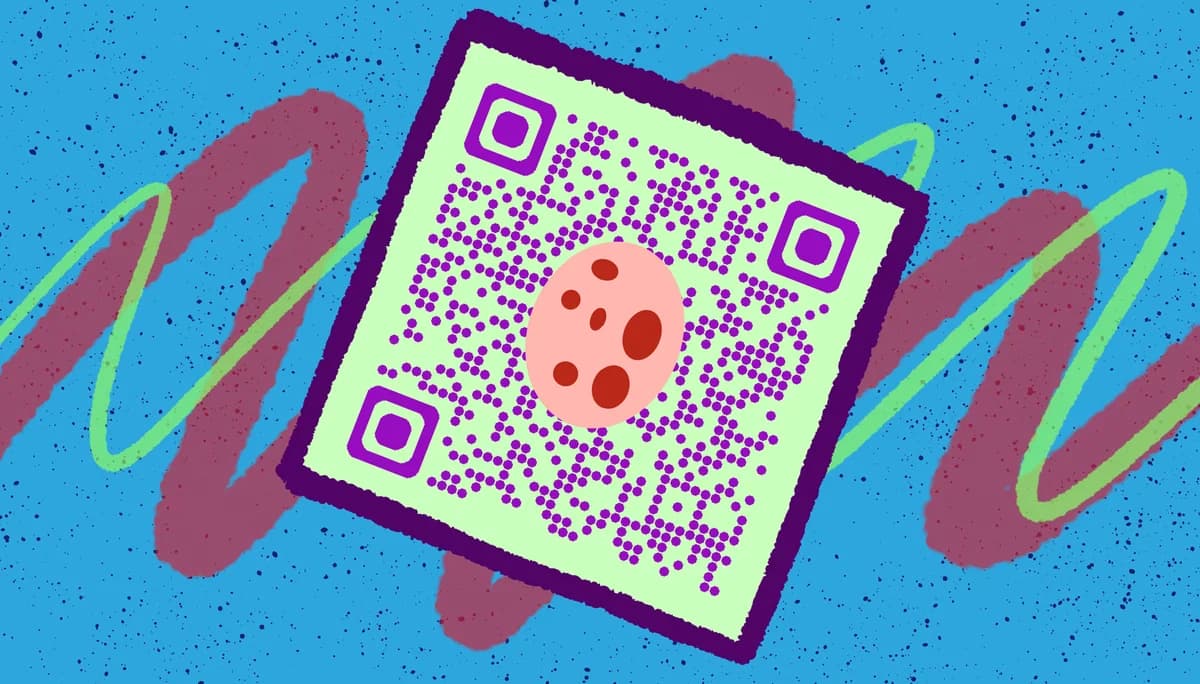
A logo QR code embeds your company logo or brand mark directly into the center of a traditional QR code design. The QR code's error correction capability allows for this customization without compromising scan functionality, creating a professional marketing tool that maintains your brand identity while providing instant digital access.
Whether you're adding QR codes to business cards, product packaging, or marketing materials, incorporating your logo creates immediate brand association. In this guide I will go over the technical requirements and design principles that make logo QR codes both scannable and visually appealing, plus I'll show you how to create them using QR Code Developer. For more insights on effective QR code design principles, explore our QR code design tips. So let's dive right in!
Smart ways businesses use logo QR codes
Logo QR codes work best when they need to convey both functionality and trust. Companies across industries use them to maintain brand consistency while providing digital access points. For inspiration on different QR code applications, check out our QR code business cards guide.
Product packaging and labels
Food brands, cosmetics companies, and manufacturers add logo QR codes to packaging for product information, authenticity verification, or customer support access.
Professional networking materials
Business cards, conference badges, and trade show displays use logo QR codes to share contact information while reinforcing brand recognition.
Restaurant table tents and menus
Restaurants place branded QR codes on tables and printed menus to direct customers to digital menus, ordering systems, or loyalty programs. Learn more about implementing QR code menus for your restaurant business.
Retail store displays and signage
Brick-and-mortar stores use logo QR codes on window displays, product shelves, and checkout areas to connect customers with online catalogs, reviews, or exclusive offers. Consider creating QR code stickers for easy placement on various surfaces throughout your store.
Creating your branded QR code in minutes
The process requires balancing visual appeal with technical functionality. Here's how to create a logo QR code that scans reliably across different devices and lighting conditions.
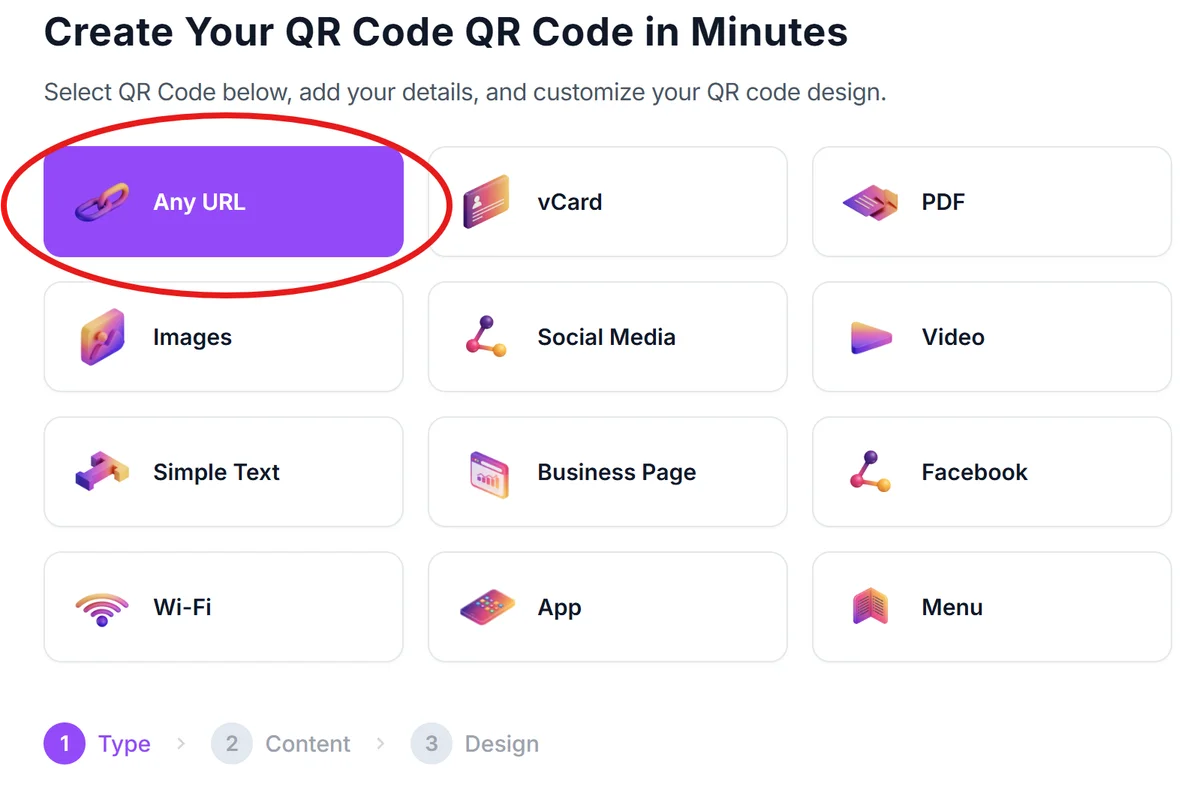
Access the logo QR generator
Visit qrcodeveloper.com and select the QR code type that matches your content - URL, contact info, WiFi, or other options.
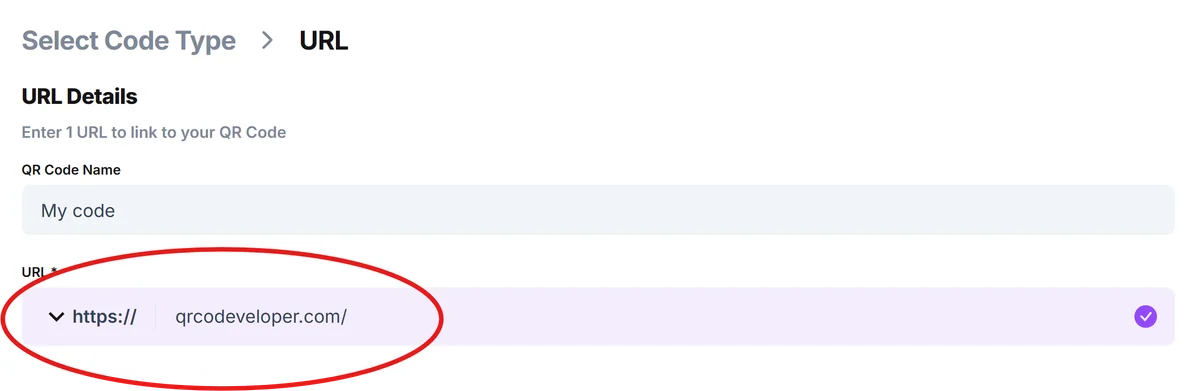
Input your destination content
Enter your website URL, contact information, or other data that users will access when scanning. Test this link or information separately to ensure it works correctly.
Upload your logo file
Choose a high-resolution logo file (PNG or JPG) with a transparent or solid background. Square logos work best, and the file should be at least 200x200 pixels for crisp results.
Adjust logo size and positioning
Set your logo to cover no more than 25% of the QR code's total area. Position it centrally and ensure adequate contrast between the logo and QR code background.
Test scan functionality thoroughly
Download your logo QR code and test it with multiple smartphone cameras and QR scanning apps. Try different distances and lighting conditions to verify consistent performance. For comprehensive testing guidance, check our article on secure QR code scanners.
Design principles for scannable logo QR codes
The key to successful logo QR codes lies in balancing brand visibility with technical requirements. These guidelines help ensure your branded codes scan reliably while looking professional.
Keep your logo size under 25% of the total QR code area - larger logos can interfere with the scanning pattern and reduce reliability across different smartphone cameras
Use high-contrast colors between your logo and the QR code background, avoiding logos that blend into the pattern or create visual confusion for scanning algorithms
Choose simple, bold logo designs over detailed graphics - fine lines, small text, or intricate patterns may not display clearly when scaled down to QR code dimensions
Test your logo QR codes at the actual size they'll be printed or displayed, as codes that scan well on screen may have issues when reduced for business cards or labels
Frequently Asked Questions
Will adding a logo make my QR code harder to scan?
Not if done correctly. QR codes have built-in error correction that allows for up to 30% of the code to be covered without affecting scannability. Keep logos under 25% of the total area for best results.
What file format should I use for my logo?
PNG files with transparent backgrounds work best, followed by high-resolution JPG files. Avoid low-resolution images or logos with busy backgrounds that might interfere with scanning.
Can I use any logo design in my QR code?
Simple, bold designs work better than detailed graphics. Logos with clean lines, solid colors, and minimal text elements maintain clarity when scaled down to QR code dimensions.
How do I know if my logo QR code will scan properly?
Test your code with multiple smartphone cameras and scanning apps before finalizing. Try different lighting conditions and distances to ensure consistent performance across various scenarios.
Are logo QR codes free to create?
Yes, you can create basic logo QR codes for free. Premium features like analytics tracking, custom colors, and bulk generation may require a paid plan depending on your needs.
Related Guides
Ready to create your QR code?
Generate custom QR codes in seconds - free and easy to use.
Create Free QR Code →