QR codes for language learning resources and classroom activities

Bridge physical textbooks with digital content through scannable codes that connect students to pronunciation guides, vocabulary practice, and interactive exercises.
How QR codes transform language education
Language learning transforms from passive memorization to active engagement when students can instantly access authentic pronunciation, interactive exercises, and multimedia content with a simple scan. QR codes can help out by eliminating the gap between traditional learning materials and digital resources, creating immediate pathways to rich audio-visual content that supports multiple learning styles. This technology turns any printed worksheet or textbook page into a gateway for immersive language practice.
Language learning QR codes work by encoding URLs that lead to specific educational content - whether it's a pronunciation recording, vocabulary flashcards, grammar tutorials, or cultural context videos. Students scan the code with their smartphones and instantly access supplementary materials that reinforce what they're studying in class or at home.
This approach works particularly well for language learning because it addresses multiple learning styles simultaneously. Teachers can use QR Code Developer to create codes that link to everything from native speaker recordings to virtual cultural experiences, making language learning more immersive and accessible.
Practical applications for language teachers and learners
Language educators are discovering creative ways to make their lessons more interactive and accessible. These PDF QR codes and multimedia links help students practice pronunciation, access cultural content, and review materials at their own pace.
Pronunciation practice stations
Teachers place QR codes next to vocabulary words that link to native speaker recordings, helping students hear correct pronunciation and practice speaking skills independently.
Cultural immersion resources
Codes that connect to videos, music, or virtual tours of countries where the target language is spoken, providing cultural context that enhances language comprehension. Teachers can easily create YouTube QR codes to link directly to authentic cultural content and native speaker videos.
Interactive homework assignments
Students scan codes to access online quizzes, flashcard sets, or conversation practice apps that complement their textbook exercises and track their progress. These interactive elements work well when combined with QR codes for online surveys to gather feedback on learning preferences.
Multilingual parent communication
Schools use QR codes to provide translated versions of important documents, homework instructions, or progress reports for parents who speak different languages.
Building your language learning QR code library
Creating educational QR codes requires thoughtful planning about what content will best support your students' learning goals.
Select your educational platform
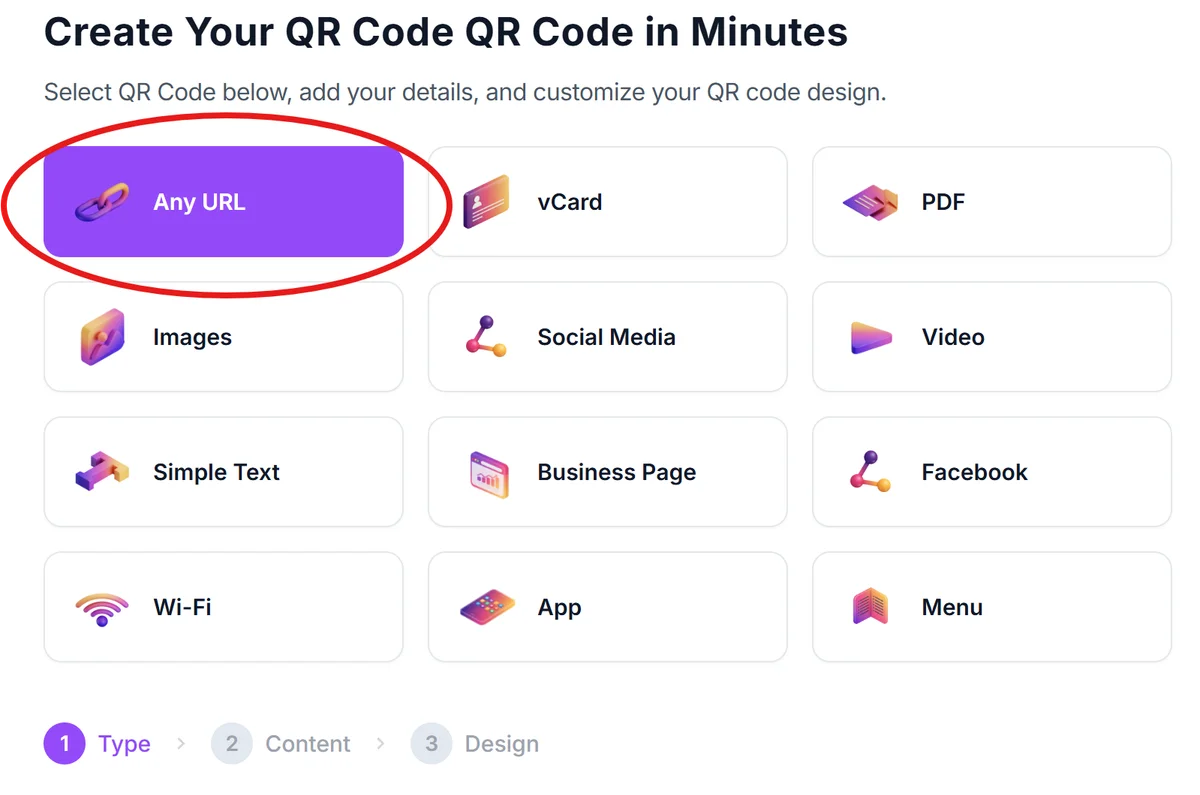
Visit qrcodeveloper.com and choose the URL option. Decide whether you'll link to existing resources like YouTube videos, Google Drive files, or language learning apps, or create new content specifically for your QR codes.
Organize your content by skill level
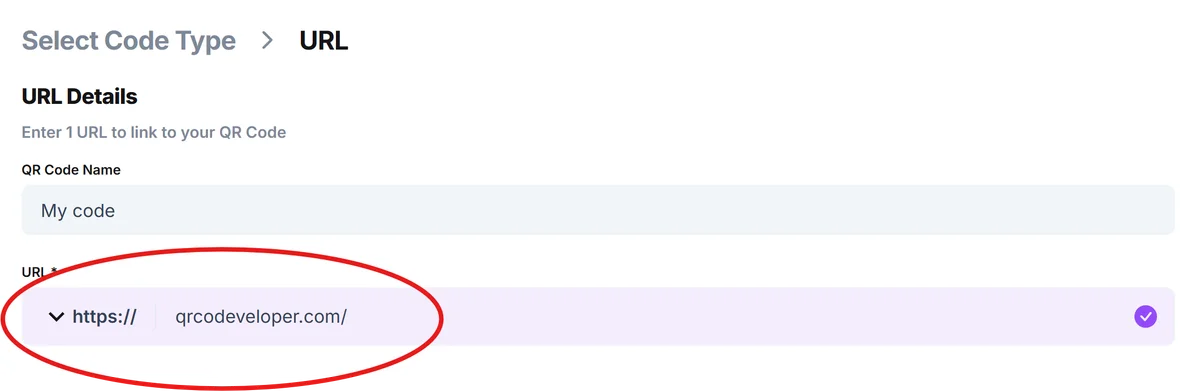
Enter the URL for your language resource - this could be a pronunciation recording, vocabulary practice set, grammar explanation video, or cultural content. Group similar resources together for easier classroom management.
Design for classroom visibility
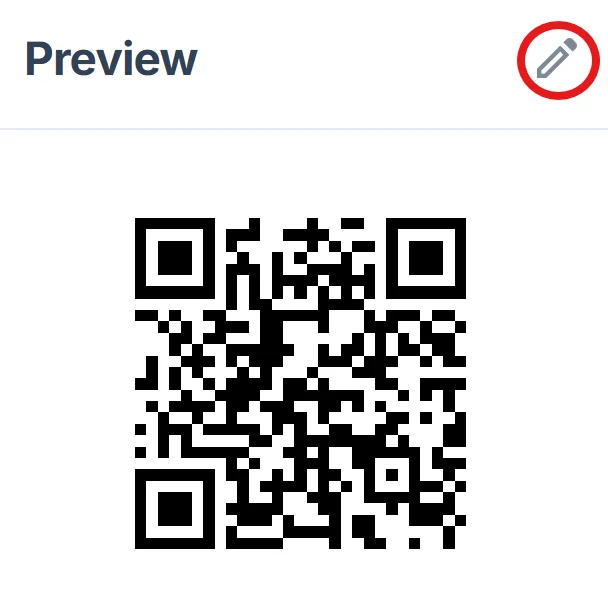
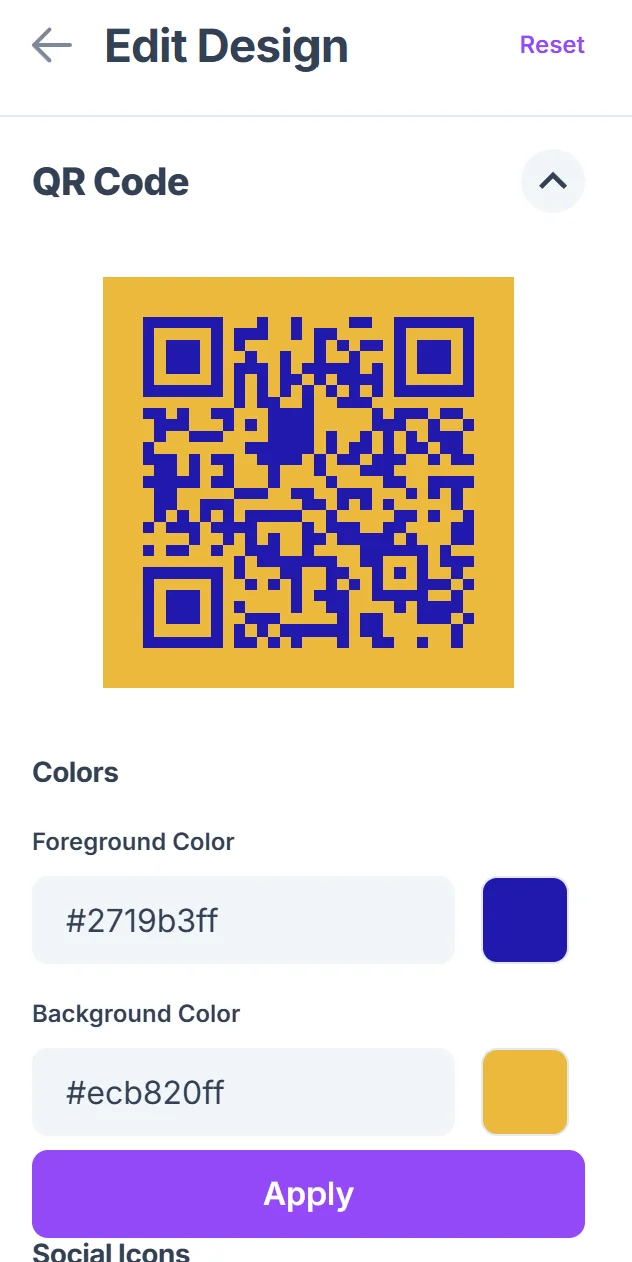
Click on the pencil icon in the Preview window to further customize your code. Customize your QR code with colors that match your teaching materials or language theme. Add descriptive text like 'Scan for pronunciation' or 'Cultural video' so students know what to expect before scanning. Consider following QR code design best practices to ensure your codes are both functional and visually appealing.
Test with student devices
Before distributing, test your codes with the same types of devices your students use. Check that linked content loads quickly and works well on mobile screens, especially for video or audio content.
Create scanning instructions
Prepare simple instructions in both the target language and students' native language. Include these alongside your QR codes, especially for younger learners or those new to scanning technology. You might also want to create QR code stickers with instructions for easy placement around the classroom.
Maximizing engagement with scannable language resources
Successful language learning QR codes require strategic placement and thoughtful content curation to keep students motivated and learning effectively.
Place QR codes at natural stopping points in lessons where students need additional practice or clarification, rather than overwhelming them with too many codes at once
Create codes that link to content slightly below students' current level for confidence building, and others that challenge them to stretch their abilities
Use consistent visual cues and labeling systems so students quickly understand what type of content each code contains - audio, video, practice exercises, or cultural information
Track which codes students scan most frequently to identify popular resources and areas where students need the most support, then create additional content for those topics
Frequently Asked Questions
What types of language learning content work best with QR codes?
Audio pronunciations, vocabulary flashcards, short instructional videos, cultural content, and interactive quizzes perform exceptionally well. Content that's 2-5 minutes long tends to maintain student attention while providing meaningful practice opportunities.
How do I create QR codes for content I don't have online yet?
Start by uploading your content to platforms like Google Drive, YouTube, or educational apps like Quizlet. Once you have shareable links, you can create QR codes that direct students to these resources. Many teachers record pronunciation guides using their phones and upload them to Google Drive for easy sharing.
Can I track which students are using the QR code resources?
While basic QR codes don't track individual usage, you can use platforms like Google Classroom or educational apps that provide analytics when students access linked content. Some teachers create simple check-in forms that students complete after scanning to track engagement.
What if students don't have smartphones or reliable internet access?
Always provide alternative access methods like shortened URLs or direct links that students can type in. Consider partnering with your school's technology department to provide device lending programs, or create QR code stations using classroom tablets or computers.
Are there any costs involved in creating language learning QR codes?
Basic QR code generation is free, and you can link to free educational content like YouTube videos, Google Drive files, or free language learning websites. The main investment is time spent curating or creating quality educational content that supports your curriculum goals.
Related Guides
Ready to create your QR code?
Generate custom QR codes in seconds - free and easy to use.
Create Free QR Code →