QR codes for in-store promotions and retail campaigns

Bridge the gap between digital marketing and physical retail experiences with instant promotional access.
How retailers use QR codes for in-store promotions
Retail foot traffic has become increasingly challenging to convert into sales, with e-commerce claiming 15.6% of total retail sales and growing each year. Physical stores need compelling reasons to get customers through their doors and engaged with products once they arrive. Luckily, QR codes can help out here!
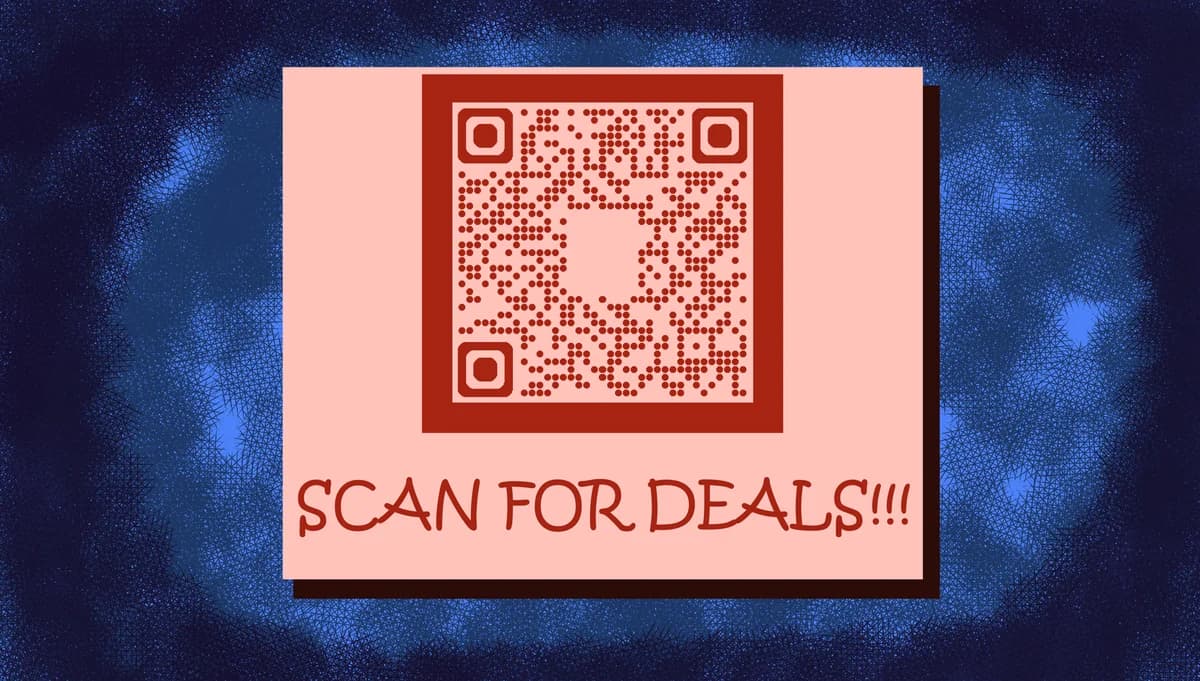
In-store promotional QR codes create instant connections between your physical displays and digital offers. Customers can scan codes on product tags, window displays, or promotional materials to access exclusive discounts, detailed product information, or special deals available only to in-store shoppers. Similar to how restaurants use QR code menus, retailers can provide instant access to digital content.
Retailers can transform their promotional strategies by placing these codes strategically throughout their stores. In this article I will go over the most effective promotional QR code techniques, from discount distribution to event promotion within retail spaces. So let's dive right in!
Promotional QR code strategies that drive sales
Smart retailers are using promotional QR codes to solve specific customer engagement challenges. These applications work particularly well when combined with QR code stickers for easy placement throughout the store.
Flash sale notifications
Place codes near high-traffic areas to instantly notify customers about limited-time offers or clearance events happening in specific store sections.
Loyalty program enrollment
Position codes at checkout counters or entrance displays to make joining your rewards program as simple as a quick scan during their shopping experience. This approach works similarly to contact information QR codes for capturing customer details efficiently.
Product demonstration bookings
Electronics and furniture stores use codes to let customers schedule one-on-one product demos or consultations without waiting for available staff.
Seasonal promotion access
Holiday displays and seasonal merchandise areas feature codes that reveal special pricing or bundle deals exclusive to in-store shoppers.
Building your promotional QR code campaign
Creating promotional QR codes requires thinking beyond just the discount - you're designing an entire customer experience that starts with the scan.
Choose your promotional platform
Visit qrcodeveloper.com and decide whether you're linking to your website's promotion page, a special landing page, or a direct discount code redemption system.
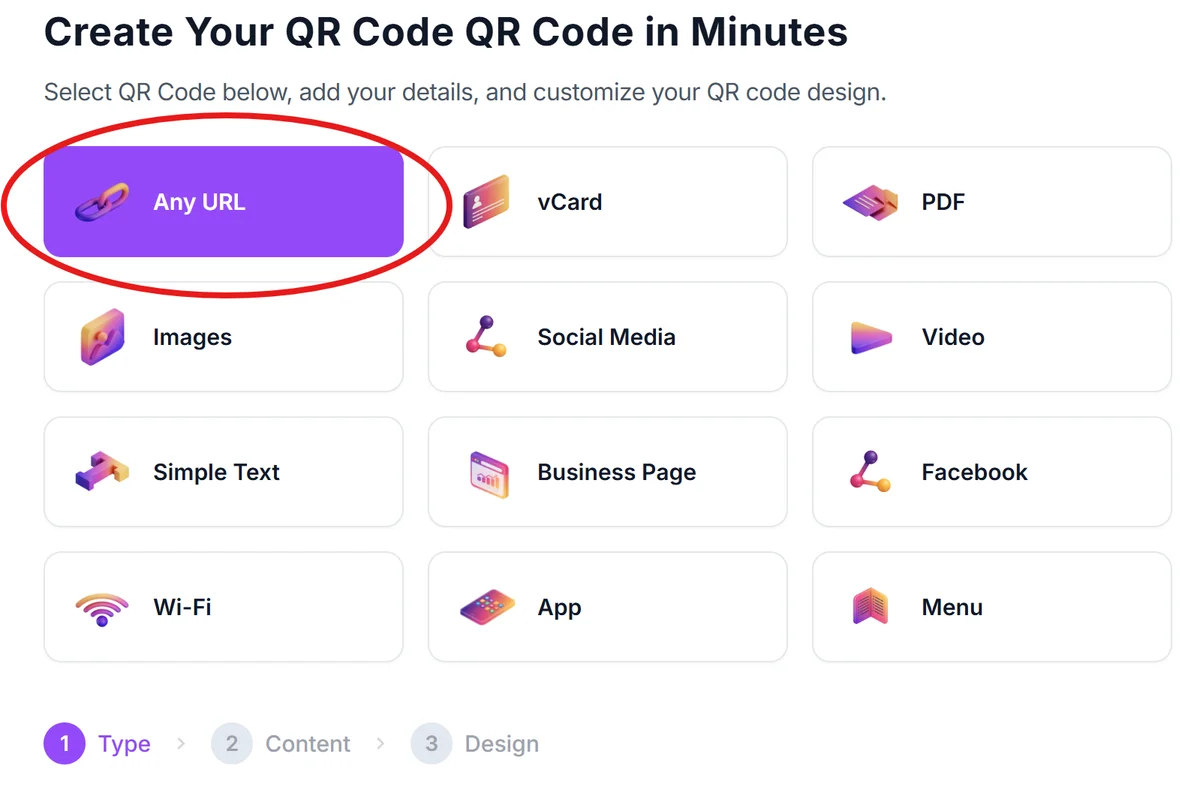
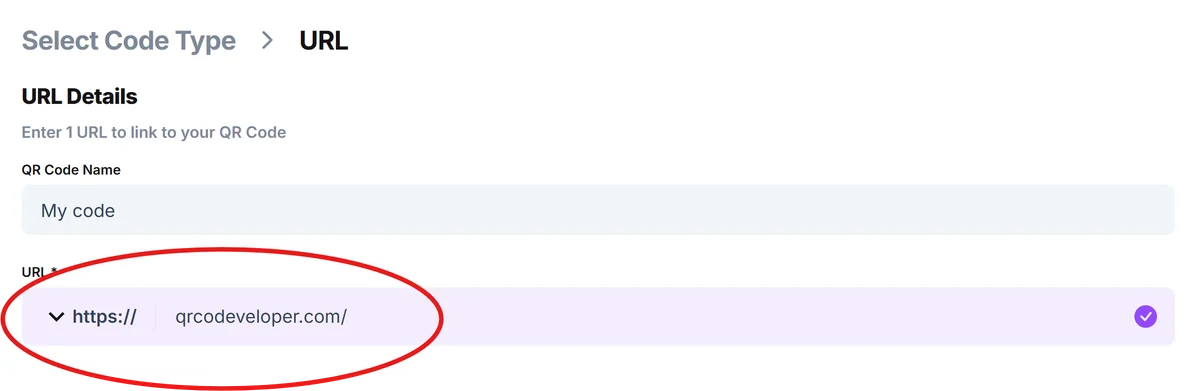
Enter your promotional URL or content
Input the web address where customers will land after scanning. This could be a special offers page, a discount code reveal, or a form to claim their promotion.
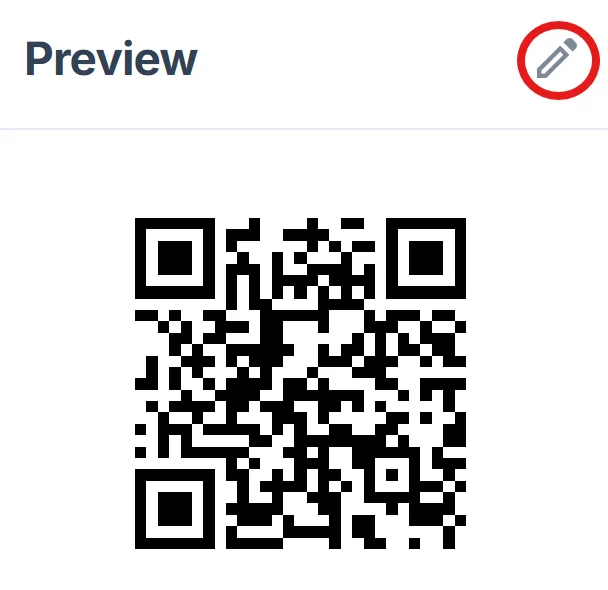
Design for your store environment
Click on the pencil icon in the Preview window to further customize your code. Customize colors to match your brand and ensure the code will be visible against your typical display backgrounds. Consider high contrast for easy scanning in various lighting conditions. For design inspiration, check out our QR code design tips to create visually appealing codes.
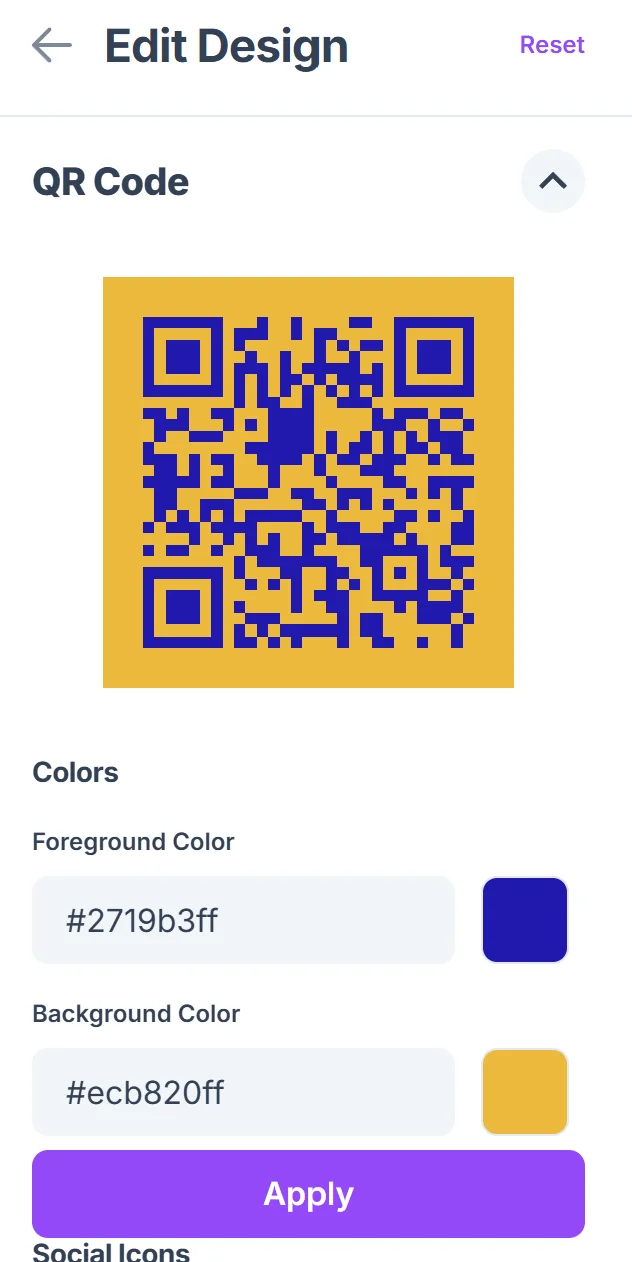
Plan your placement strategy
Test the codes at different locations in your store. Window displays catch foot traffic, while checkout area codes capture customers already committed to purchasing. You can also create QR codes for landing pages that provide detailed promotion information.
Track and measure results
Set up analytics to monitor scan rates and conversion from different code locations. This data helps you refine placement and promotional offers for maximum impact.
Maximizing promotional QR code performance
The difference between successful promotional QR codes and ignored ones often comes down to strategic implementation and clear value communication.
Include clear call-to-action text like 'Scan for 20% off' or 'Exclusive in-store deal' so customers know exactly what they're getting before they scan
Position codes at eye level and ensure they're large enough to scan easily - at least 2x2 inches for most smartphone cameras to read reliably. For customers who need help, provide guidance on how to scan a QR code from a photo if they're having trouble with direct scanning.
Create urgency with time-limited offers that expire within hours or days, encouraging immediate action rather than 'I'll scan this later' mentality
Test your promotional landing pages on mobile devices since 100% of QR code traffic comes from smartphones - slow loading pages kill conversions
Frequently Asked Questions
How do I track which promotional QR codes are performing best?
Use unique URLs for each code location and monitor traffic through Google Analytics or your website's built-in analytics. This shows you which store areas generate the most scans and conversions.
What's the best size for promotional QR codes in retail displays?
Aim for at least 2x2 inches for codes viewed from arm's length, and scale up to 4x4 inches or larger for codes that customers will scan from further away, like window displays.
Can I change the promotion without reprinting the QR codes?
Yes, if you use dynamic QR codes that link to a webpage you control. You can update the promotional content, pricing, or offers on your website without changing the physical codes.
How do I prevent promotional QR codes from being shared online?
Consider using location-based restrictions or time-limited offers. You can also create promotions that require showing the scanned offer to staff, making sharing less useful to non-customers.
Are promotional QR codes free to create and use?
Basic QR code generation is free, and you can create as many promotional codes as needed. The main costs come from printing and any promotional platforms or analytics tools you choose to use.
Related Guides
Ready to create your QR code?
Generate custom QR codes in seconds - free and easy to use.
Create Free QR Code →