How QR Codes are used for Toys and Games

Key Takeaways
- QR codes can provide instructions, supplemental content, and companion experiences for toys and games.
- Tabletop games use QR codes for instructional videos, story content, and companion apps.
- Video games can hide QR codes in-world as rewards or promotional teasers.
- Alternate reality games (ARGs) use QR codes to bridge physical and digital experiences.
- QR codes are easy to use, widely understood, customizable, and trackable, making them a valuable tool for toy and game makers.
Toys and games are great! Whether you're a kid staging epic battles with your action figures and play sets, or a grown up having a game night with friends and family. I'm sure we all have fond memories like this, both new and old.
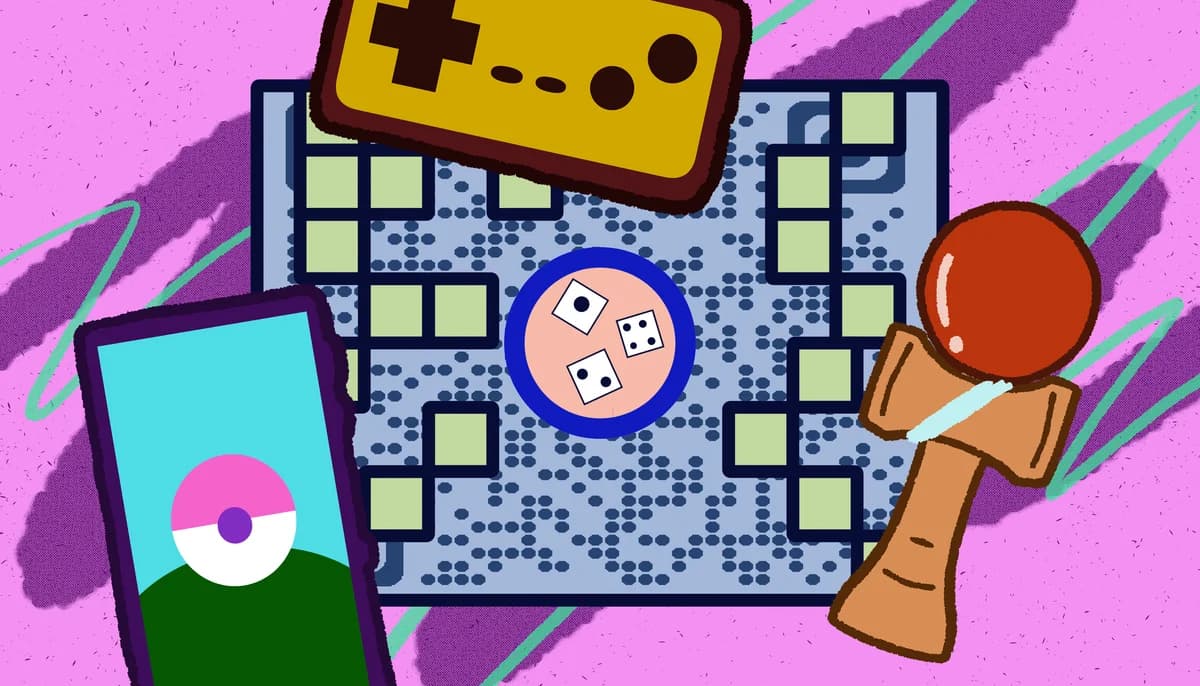
But did you know that toy and game makers have been using new technologies to enhance the experience? One such way they're doing this is through the use of QR codes.
In this piece I will take you though the many different ways toy and game makers can and have used QR codes to improve the experience and create lasting memories. I will cover traditional toys, board games, video games, and alternate reality games.
So let's get the game started!
What is a QR code?
A QR code is an encoded image containing data stored in monochrome squares or dots. These codes can be scanned by a smart device, like a phone or a tablet, in order to access a variety of online and digital content, including web addresses, social media links, images, text documents, contact information, and much more.
QR codes have become ubiquitous in modern society and can be found on stickers, flyers, posters, advertisements, cards, and even in on screen media like TV shows, movies, and video games.
They're easy to make through a service like QR Code Developer, are trackable, widely understood by the general public, and can be placed just about anywhere you could display an image.
How can QR codes be used with toys?
For toys, QR codes can be used to provide additional information relating to each piece. This could be instructions on how the toy works, which are paramount for things like model kits, LEGO sets, and Transformers.
They can also be used to provide supplemental material for the toy. This can be through something like a companion app that interacts with the toy, a web page displaying and showing off all the other toys in the line, or a video series about the storyline of the toy.
For example: a super hero action figure line can include a QR code on the box that takes customers to a website where they can watch the series the toy is from.
This practice can be especially useful for blind box and gashapon (capsule) toys, which have become increasingly popular in the last few years, to allow customers to keep track of which toy they got and what others they may need.
How can QR codes be used with tabletop games?
Probably the best use for QR codes in a tabletop game would be to provide an instructional video on how the game works. Paper instructions are great and should still be included in each game, but some players may find it more helpful to see a video of the game in action before they play.
Like toys, tabletop games can also use QR codes for supplementary material, like story videos, specialized timers, or companion apps. Popular games like X-COM, Mansions of Madness, and 15 Minute Heist have all done this to great success.
How can QR codes be used in video games?
It's possible to sneak a QR code in a game world that players can find on their own, scan, and be rewarded with exclusive content. This is exactly what game developer Remedy did with their 2021 remaster of Alan Wake.
The game features three hidden QR codes scattered throughout the levels which, when scanned, link to a series of videos teasing the then upcoming Alan Wake 2. This practice gives gamers a sense of accomplishment and provides developers a way to promote upcoming projects.
How can QR codes be used in alternate reality games?
Alternate reality games, or ARGs, are a relatively new phenomenon that combine game-like elements with real world experiences. Perhaps the most famous example would be Pokemon Go, where players venture out into the real world to find, capture, and battle Pokemon.
ARGs can make great use of QR codes, as they already serve as a bridge between physical media and digital spaces. QR codes can also turn any piece of media into an ARG.
For example: A web series can hide a QR code in the background of a video. When scanned, the code can link to a web address where the player will then need to solve a puzzle in order to obtain more information on the game's story.
This art form can provide a more individualized experience to the audience, making them an active participant, rather than a passive observer, thus creating a more memorable experience.
How to make a QR code for a URL link
• In QR Code Developer, click on Create Code.
• Select the Website option as your code type.
• Name your code and paste the link into the URL bar.
• Click on the pencil icon in the Preview window to further customize the look of your code.
• Click Generate.
• Test your code on multiple devices.
Benefits of using QR codes in toys and games
Ease of use: QR codes are both easy to use and easy to make through something like QR Code Developer. Just about every smart phone on the market has a QR code scanner built right in. All you need to do is point the camera at the code and tap the link when it pops up. QR codes can also be scanned from almost any angle and even when visible damage has been done to the code.
Widely understood: By now, most people with smart phones are at least familiar with QR codes and know how to use them. In many regions, QR code payment is more popular than cash or cards.
Customizable: QR codes can be heavily customized, with unique colors and appearances to fit your needs or branding.
Hands free communication: The usage of QR codes surged during the COVID 19 pandemic since it allowed for people to communicate with each other, access content, and share resources, all without needing to touch each other or even be in the same space.
Trackable: If you use something like QR Code Developer to make your codes, then it's possible to monitor how your codes are used. This can include information like how many scans your code got, where they were scanned, and even on what device they were scanned.
Monitoring code usage
With the tools available on QR Code Developer, as well as other code generators, you can monitor the usage of any code you create. This can include how many times a code has been scanned, where it has been scanned, on what device, using what browser, and more. With these tools, you can figure out which codes are reaching the most people and where to focus any advertising efforts.
With QR Code Developer you can monitor:
• Number of scans
• Number of scans by operating system
• Scans by browser
• Scans by country
• Scans by city
• Scans by language
• Unique scans
General tips
Know your audience: If you're certain that most of your intended audience doesn't know how to use QR codes or just don't like them, then don't use them.
Keep instructions clear: Provide clear instructions on how to use and scan QR codes as well as where the codes will redirect to.
Place codes on a flat surface: To make sure that codes are still scannable, only put them on flat surfaces, like walls, tables, posters, or fliers.
Use high contrast: If using custom colors on a code, make sure that the colors are distinct enough from each other to be read as a QR code.
Make sure codes are visible: Don't place codes where patrons are unlikely to see them.
Only use codes when necessary: If an alternative exists that's easier for all parties involved, use that.
Test on multiple devices: Make sure your codes work whether scanned on an Android device, iPhone, tablet, or other device.
Frequently Asked Questions
Q: Do I need to hire someone to make my QR codes?
A: No. QR codes can be made by yourself for free through a service like QR Code Developer.
Q: Do I need to download anything to scan QR codes?
A: While QR scanner apps are available for mobile devices, they are not necessary. Most modern smart devices are perfectly capable of scanning codes right from the built-in camera app.
Q: What devices can scan QR codes?
A: Most modern smart devices with both a built-in camera and an internet connection can scan QR codes and access the content within. This includes smart phones, tablets, and even some handheld gaming consoles.
Q: Are QR codes safe?
A: While there are some risks in using QR codes, they are relatively safe.
Ready to create your QR code?
Generate custom QR codes in seconds - free and easy to use.
Create Free QR Code →