QR codes for employee hours tracking and time management

Generate scannable QR codes that let employees clock in and out instantly from any smartphone.
Why businesses choose QR codes for time tracking
How much time do your employees spend fumbling with time clocks, hunting for punch cards, or waiting in line to clock in? Traditional time tracking methods can create conflict during shift changes and often lead to inaccurate records when employees forget to clock out or round their times. Luckily, QR codes are here to help!
Hours tracking QR codes can solve these problems by connecting employees directly to your time management system through their smartphones. When scanned, these codes can automatically log clock-in times, capture GPS locations, and even prompt employees to select their specific job sites or departments.
This approach works particularly well for businesses with multiple locations, remote workers, or teams that move between different work sites throughout the day. In this guide I'll show you how to create QR codes that connect to your existing time tracking platform and explore the various ways companies are using them to improve payroll accuracy. So let's clock in!
Real-world applications for hours tracking QR codes
Companies across different industries are discovering creative ways to use QR codes for time management. These scannable solutions address common workplace challenges while providing managers with better oversight. Learn more about implementing digital solutions in our QR code business applications guide.
Construction and field work sites
Workers scan codes posted at different job sites to log their location and hours automatically. This prevents time theft and ensures accurate project billing.
Retail and restaurant shifts
Staff members scan QR codes at their workstations to clock in without sharing devices or waiting for access to a central time clock during busy periods.
Healthcare and nursing facilities
Nurses and caregivers scan codes when entering different patient rooms or care areas, creating detailed records of time spent with each patient for billing and compliance.
Remote and hybrid employees
Distributed teams use QR codes to log hours from home offices or client locations, providing managers with real-time visibility into work schedules and project time allocation.
Setting up your employee time tracking system
Creating QR codes for hours tracking requires connecting your codes to a time management platform that can process the scan data and log employee hours accurately.
Access the QR code generator
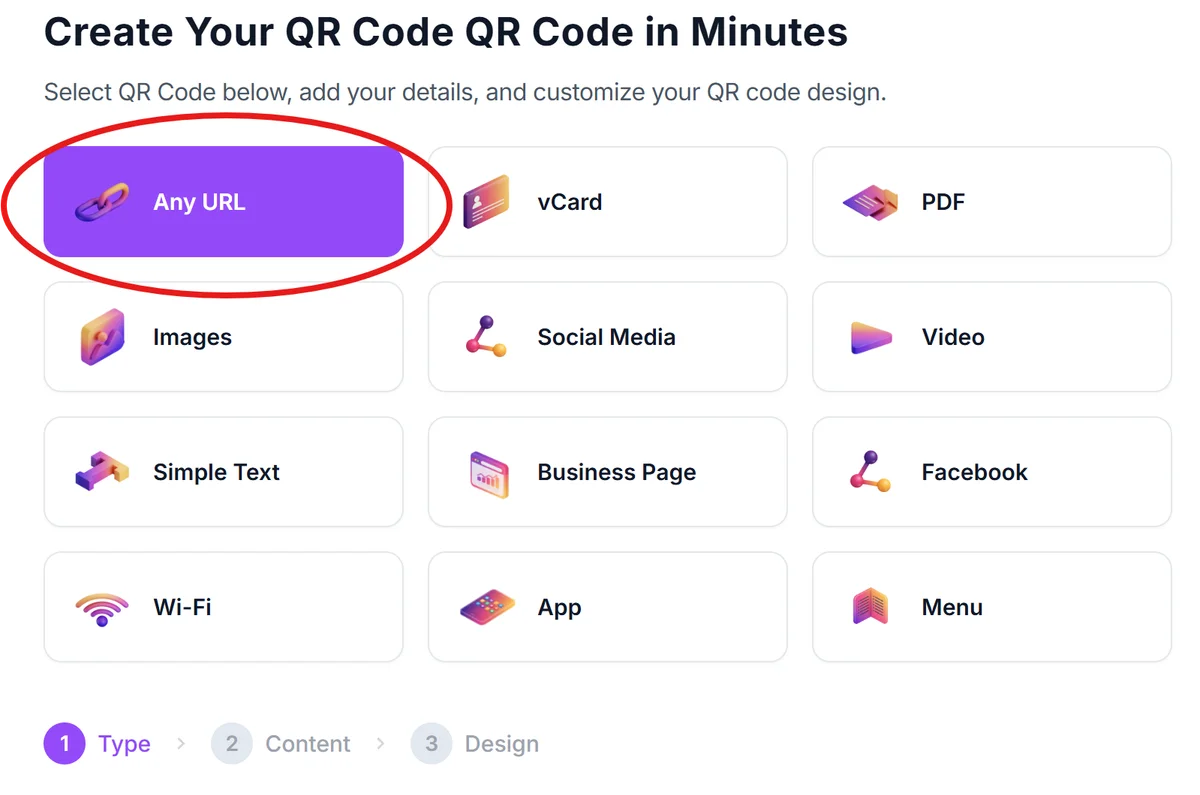
Visit qrcodeveloper.com and select the URL QR code option to create codes that link to your time tracking system.
Configure your time tracking URL
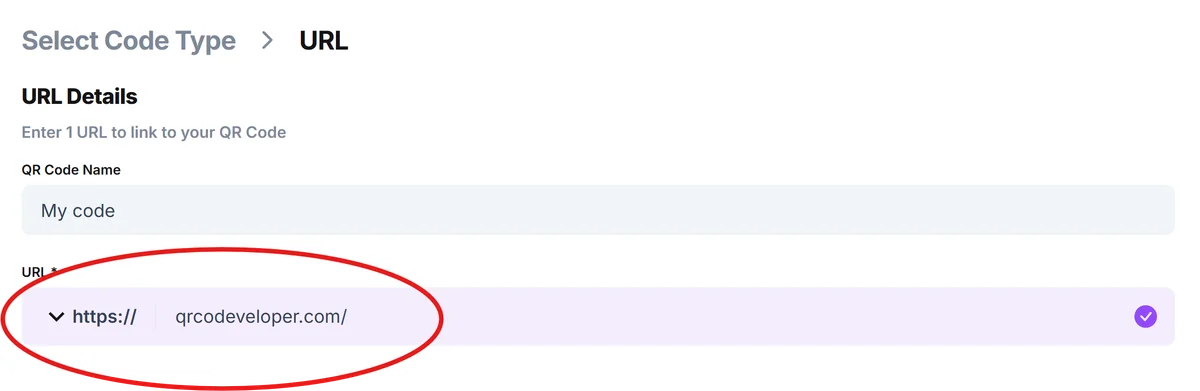
Enter the web address of your time tracking platform's mobile interface or employee portal. Include any necessary parameters like location codes or department identifiers in the URL.
Brand your QR codes for recognition
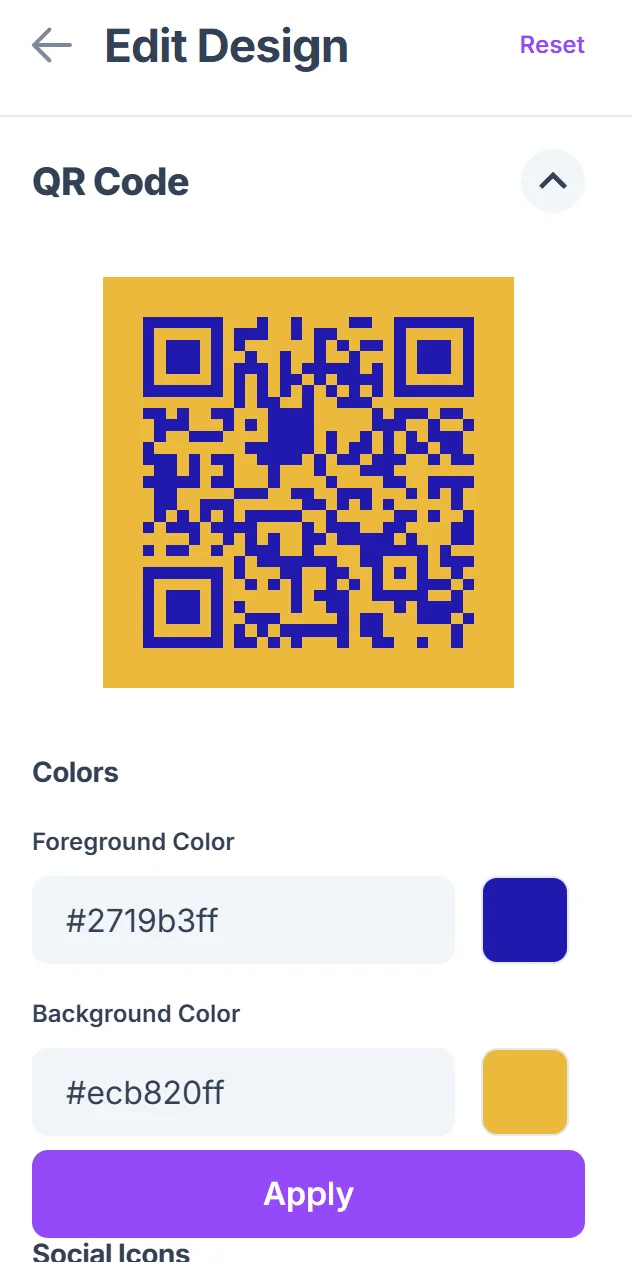
Click on the pencil icon in the Preview window to further customize your code. Add your company logo and use brand colors so employees can easily identify official time tracking codes. Include clear text labels like 'Scan to Clock In' below each code. For design inspiration, check out our QR code design tips.

Print and position strategically
Create weatherproof versions for outdoor job sites and laminated copies for high-traffic areas. Place codes at natural entry points where employees typically begin their shifts. Consider using QR code stickers for easy placement on various surfaces.
Train staff on the new process
Demonstrate the scanning process during team meetings and provide backup instructions for employees who might have smartphone issues or need alternative clock-in methods.
Best practices for accurate time logging
Successful QR code time tracking systems require careful planning and clear policies to ensure accurate records and employee compliance.
Create separate QR codes for clock-in and clock-out to prevent accidental double-entries and provide clear visual cues for employees about which action they're performing
Include location-specific information in your QR code URLs so you can track which employees are working at which sites without requiring additional manual data entry
Post backup contact information near each QR code for employees who experience technical difficulties or smartphone issues during critical clock-in periods
Set up automatic notifications when employees scan codes outside of their scheduled shifts to catch potential time tracking errors or unauthorized overtime before payroll processing
Frequently Asked Questions
Can QR codes work with existing payroll software?
Yes, most modern payroll systems offer web-based employee portals that work perfectly with QR codes. The codes simply direct employees to your existing time tracking interface through their smartphones.
What happens if an employee doesn't have a smartphone?
You should always maintain alternative clock-in methods like traditional time clocks or manual timesheets as backup options for employees without smartphones or during technical issues.
How do I prevent employees from scanning codes remotely?
Many time tracking platforms include GPS verification features that confirm employees are physically present at the work location when they scan the QR code.
Can I track different job sites with separate QR codes?
Absolutely. Create unique QR codes for each location or department that include specific identifiers in the URL parameters, allowing your system to automatically log the correct work site information.
Are QR code time tracking systems secure?
When connected to legitimate time tracking platforms with proper authentication, QR codes are secure. Always use HTTPS URLs and ensure your time tracking system requires employee login credentials.
Related Guides
Ready to create your QR code?
Generate custom QR codes in seconds - free and easy to use.
Create Free QR Code →