QR code generator for fundraising campaigns and donations

Connect donors to your cause instantly with QR codes that link to donation pages, campaign details, and contribution tracking systems.
How nonprofits accept donations with QR codes
What if you could turn any physical space into a donation opportunity? Traditional fundraising relies on people remembering to visit your website later or carrying cash to events. But you can only interact with so many people personally, and less and less folks are carrying cash. QR codes can help by letting supporters contribute immediately where and they are and whenever they want.
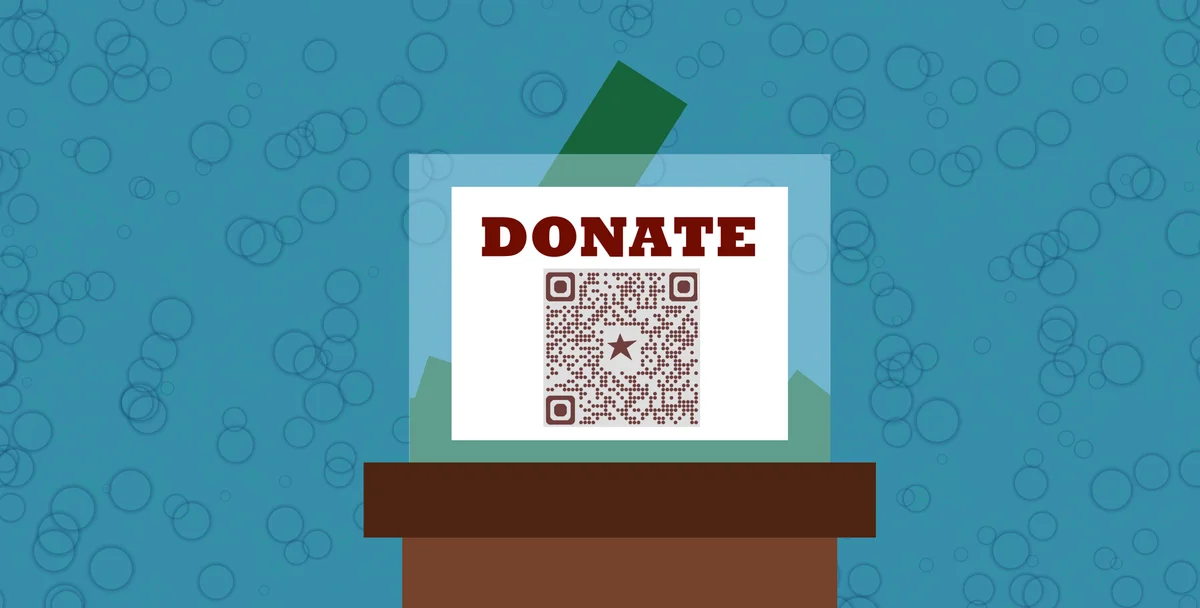
A fundraising QR code connects potential donors directly to your donation page, campaign information, or contribution platform with a simple smartphone scan. Whether someone sees your flyer on a coffee shop bulletin board or meets your volunteer at a community event, they can donate within seconds without typing URLs or searching for your organization online.
In this guide I will cover everything from creating donation QR codes to placing them strategically for maximum impact. I'll also go over how organizations use event QR codes to coordinate fundraising activities and track campaign performance across different locations and materials. So let's get this journey started!
Fundraising scenarios where QR codes drive results
QR codes solve the biggest challenge in fundraising: the gap between someone wanting to help and actually making a donation. They work particularly well in situations where people are inspired but don't have time to research your organization later. Consider adding QR codes to your flyers to make printed materials more interactive.
Event fundraising booths
Volunteers at community events, farmers markets, or festivals can direct supporters to donation pages without handling cash or processing cards on-site.
Direct mail campaigns
Printed newsletters, postcards, and appeal letters can include QR codes that link to specific campaign pages with personalized donation amounts. You can even turn your PDF appeals into QR codes for easy sharing.
Social media integration
Instagram stories, Facebook posts, and printed social media displays can feature QR codes that bypass platform donation limitations.
Memorial and tribute donations
Funeral programs, memorial services, and tribute events can include QR codes for immediate donations in someone's honor without disrupting the ceremony.
Building your donation QR code campaign
Creating effective fundraising QR codes requires connecting the right donation platform with clear messaging about your cause:
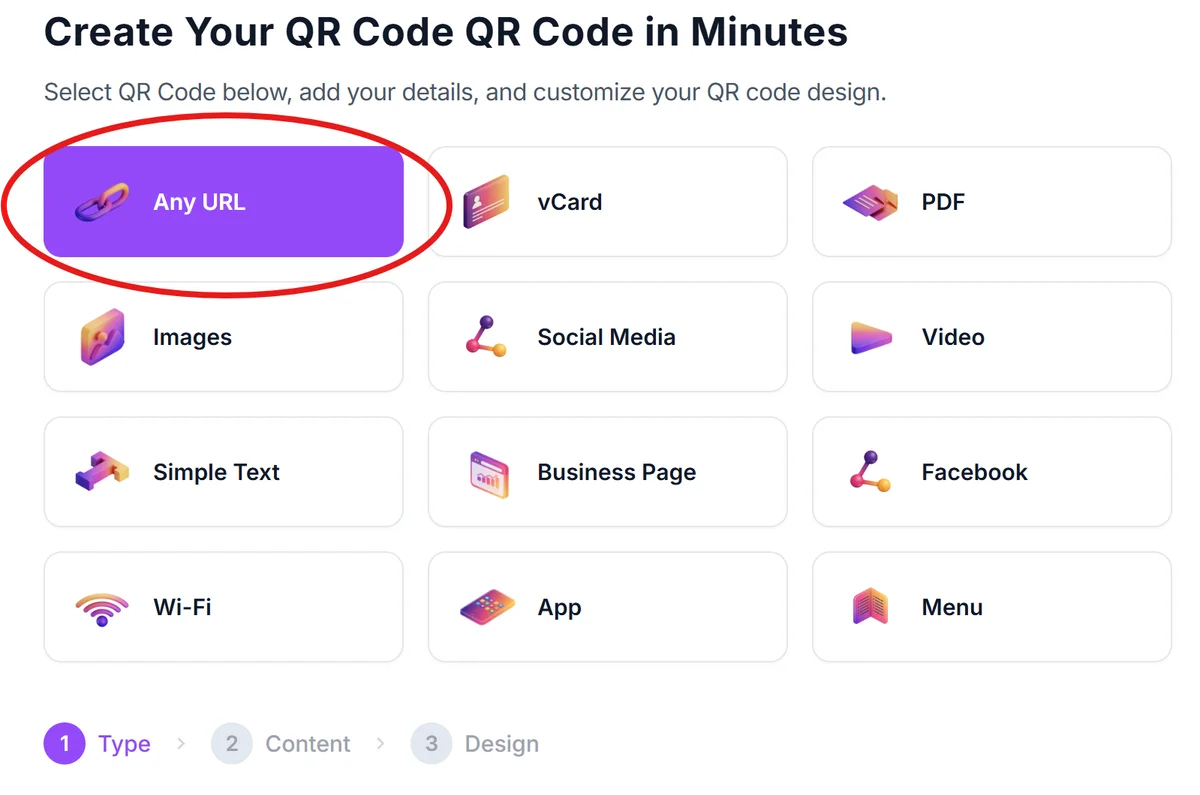
Access the QR generator platform
Visit qrcodeveloper.com and select the URL QR code option since most donation platforms work through web links.
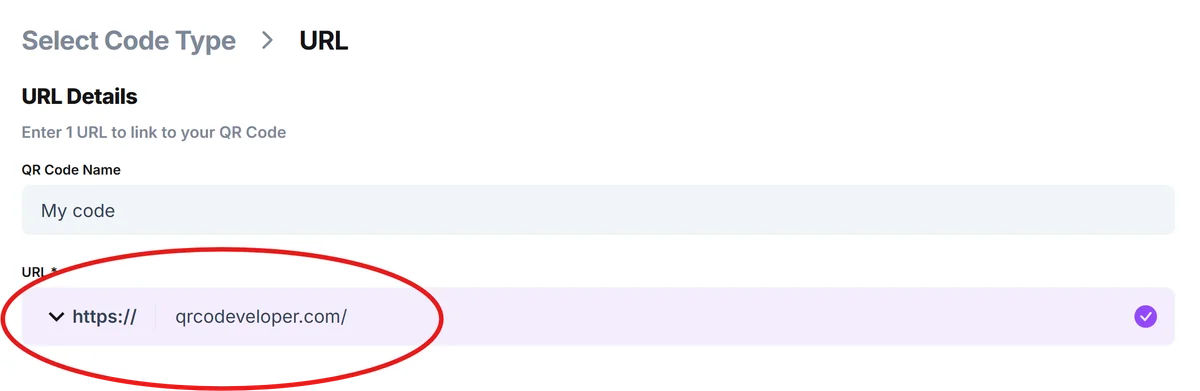
Enter your donation page URL
Input the direct link to your donation form, whether it's on your website, GoFundMe, JustGiving, or another fundraising platform. Test this link first to ensure it loads quickly on mobile devices.
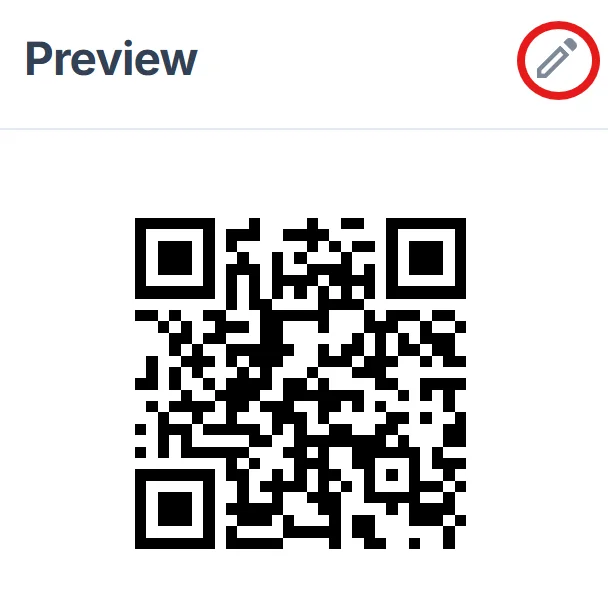
Brand the code with your organization colors
Click on the pencil icon in the preview window to further customize your code. Donors are more likely to scan codes that look professional and match your other materials. Learn more about effective QR code design principles to maximize engagement.
Create campaign-specific versions
Generate different QR codes for different campaigns or events. This allows you to track which materials and locations drive the most donations through your analytics.
Test the donation flow completely
Scan your QR code and complete a small test donation to ensure the entire process works smoothly on both iPhone and Android devices.
Maximizing donations through strategic QR code placement
The placement and presentation of your fundraising QR codes can significantly impact donation rates. Here's what successful nonprofits have learned:
Include compelling context near the QR code, like 'Scan to donate $25 and provide meals for a family of four.' Specific impact statements motivate action better than generic 'donate now' messages.
Size your QR codes appropriately for the viewing distance. Codes on business cards can be smaller, while those on banners or yard signs need to be at least 2 inches square for easy scanning.
Place QR codes at natural stopping points where people have time to scan, such as waiting areas, checkout counters, or information tables rather than high-traffic walkways.
Create separate landing pages for QR code traffic that load quickly and get straight to the donation form without requiring navigation through your full website menu structure.
Frequently Asked Questions
Can I track donations that come through my QR code?
Yes, most donation platforms provide analytics showing traffic sources. You can also create unique donation page URLs for different QR codes to track which materials and locations generate the most contributions.
What's the best donation platform to link my QR code to?
Choose platforms your supporters already trust, like PayPal, Venmo, or established fundraising sites. Make sure the platform works well on mobile devices since that's how people will access it after scanning.
Should I include suggested donation amounts with my QR code?
Yes, specific amounts like '$10 provides school supplies for one child' perform better than open-ended requests. People appreciate knowing the impact of different contribution levels.
How do I make sure people trust my fundraising QR code?
Include your organization name, logo, and a brief description of what the donation supports right next to the QR code. Professional design and clear branding increase scan rates significantly.
Can I use the same QR code for multiple fundraising campaigns?
While possible, separate QR codes for different campaigns help you track performance and tailor the donation experience to each specific cause or event you're promoting.
Related Guides
Ready to create your QR code?
Generate custom QR codes in seconds - free and easy to use.
Create Free QR Code →