QR code generator for easy donations and nonprofit fundraising

Connect supporters directly to your donation page with scannable codes that eliminate typing barriers and boost giving rates.
How donation QR codes transform fundraising
What if you could turn every poster, flyer, and event display into a direct path to donations? Well, as it turns out, they can! Donation QR codes bridge the gap between seeing a cause and actually contributing, removing the friction that often stops well-intentioned supporters from following through. Learn more about adding QR codes to your flyers for maximum impact.
A donation QR code links directly to your fundraising page, payment processor, or donation platform. When someone scans the code with their smartphone, they're taken straight to a secure donation form where they can contribute immediately. No typing URLs, no searching for your organization online, no losing momentum between interest and action. Understanding QR code safety helps build donor confidence in your campaigns.
Throughout this guide, I'll show you how to create effective donation QR codes using QR Code Developer and share strategies that successful nonprofits use to increase their donation rates. I'll also go over how these codes work alongside other fundraising tools like event QR codes for comprehensive campaign management. So let's dive right in!
Smart ways nonprofits use donation QR codes
Donation QR codes work in situations where traditional fundraising methods fall short. They're particularly powerful when you need to capture spontaneous giving moments or when people can't easily access your website. Here's how organizations are using them effectively, and you can learn more about creating compelling promotional materials in our QR code flyer guide.
Event fundraising tables
Display QR codes at registration tables, silent auctions, and information booths where people learn about your cause but don't have cash on hand. Consider creating event QR codes for comprehensive fundraising campaigns.
Direct mail campaigns
Include QR codes in newsletters and fundraising letters to give recipients an instant way to donate without visiting a computer.
Community presentations
End speaking engagements and awareness presentations with a QR code slide that lets audience members donate while your message is fresh in their minds.
Volunteer appreciation events
Give existing supporters an easy way to make additional contributions during volunteer recognition ceremonies and thank-you gatherings.
Setting up your donation QR code
Creating a donation QR code takes just a few minutes, but the setup process varies depending on your fundraising platform. Here's how to get it right:
Access your donation platform
Log into your fundraising platform (like GoFundMe, JustGiving, or your nonprofit's donation page) and locate the shareable link for your campaign. Visit qrcodeveloper.com to start creating your QR code.
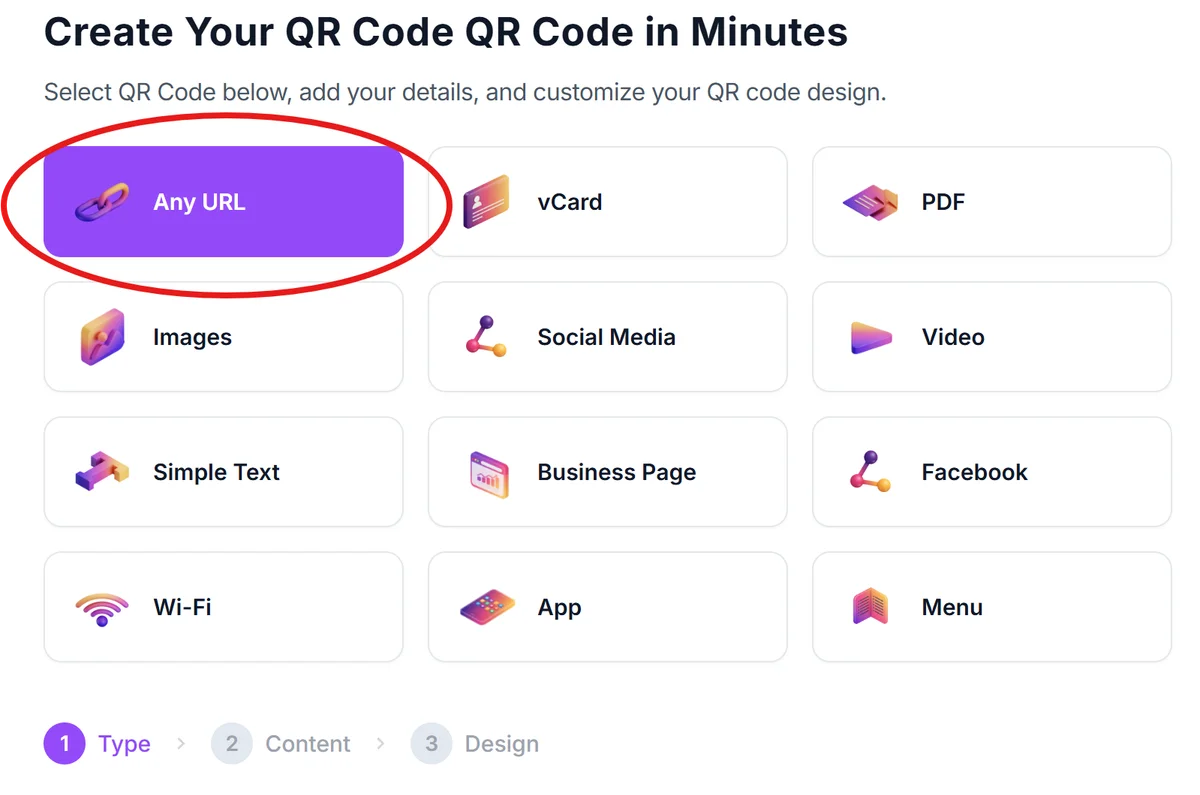
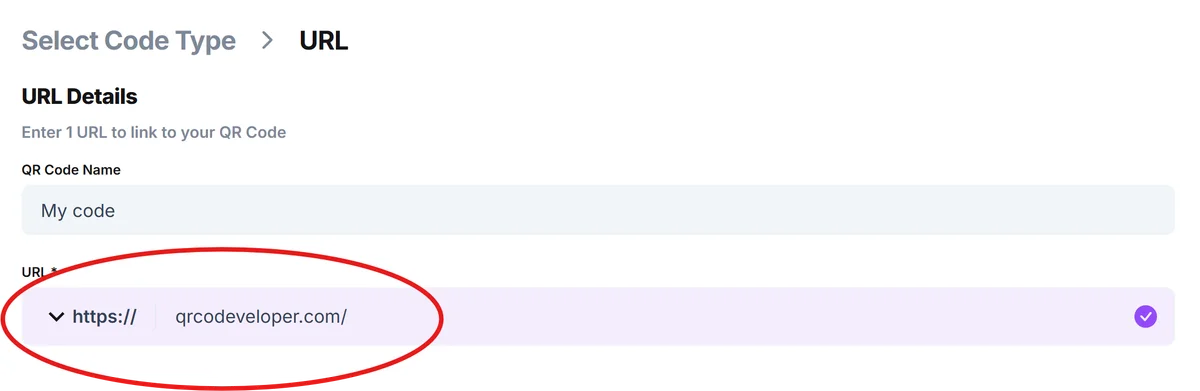
Copy your donation page URL
Copy the complete URL of your donation page. Make sure it's the direct link to your campaign, not your organization's homepage, so donors land exactly where they need to give.
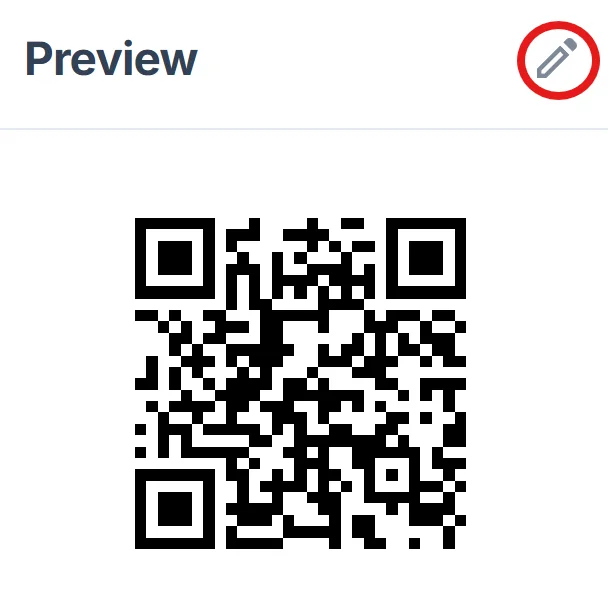
Customize for visibility
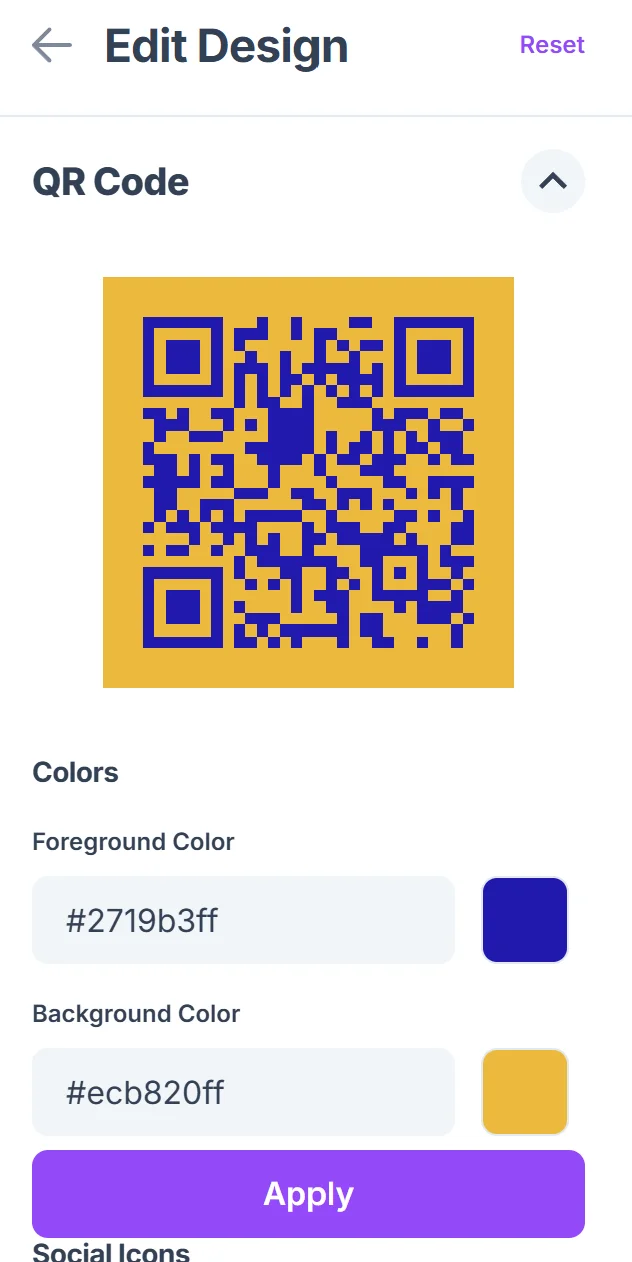
Click on the pencil icon in the Preview window to further customize your code. Choose high-contrast colors that will show up clearly on your printed materials. Add your organization's logo or colors to build trust and brand recognition with potential donors. Our QR code design guide offers tips for creating visually appealing codes.
Test the donation flow
Scan your QR code with multiple devices to ensure it loads quickly and the donation process works smoothly. Test with both iPhone and Android devices since your supporters will use various phones.
Add clear instructions
Include text like 'Scan to donate' or 'Support our cause' near your QR code so people understand what will happen when they scan it.
Maximizing donations with strategic QR code placement
The success of your donation QR code depends heavily on where and how you display it. These strategies will help you capture more donations:
Place QR codes at eye level and ensure they're large enough to scan from 3-4 feet away - people shouldn't have to get uncomfortably close to your display. You can also create QR code stickers for flexible placement options at events and venues.
Include a brief description of your cause directly next to the QR code so people know what they're supporting before they scan
Use QR codes alongside traditional donation methods rather than replacing them entirely - some people prefer cash, checks, or online giving
Track which QR code placements generate the most donations by creating separate codes for different locations and monitoring their performance
Frequently Asked Questions
Do donation QR codes work with all fundraising platforms?
Yes, donation QR codes work with any platform that provides a shareable URL, including GoFundMe, JustGiving, DonorBox, and custom nonprofit websites with donation forms.
How do I track donations that come through QR codes?
Most fundraising platforms show you traffic sources in their analytics. You can also create unique campaign URLs for different QR code locations to see which placements perform best.
Can I update my donation link without reprinting QR codes?
With dynamic QR codes, you can change the destination URL without reprinting. This is useful if you switch fundraising platforms or update your donation page.
Are donation QR codes secure for processing payments?
The QR code itself just contains a link - security depends on your chosen donation platform. Stick with established, secure platforms that handle payment processing properly.
What's the best size for printing donation QR codes?
Print QR codes at least 1.5 inches square for close-up scanning, or 3+ inches for scanning from a distance. Test your printed codes before your event or campaign launch.
Related Guides
Ready to create your QR code?
Generate custom QR codes in seconds - free and easy to use.
Create Free QR Code →