QR codes for delivery tracking and package management

Generate tracking QR codes that instantly connect customers to real-time delivery status updates without typing long tracking numbers.
How delivery tracking QR codes work for shipping
Most consumers want real-time delivery tracking updates, yet they can often struggle with typing long tracking numbers into shipping websites. Many customers screenshot tracking numbers or bookmark carrier pages just to avoid the hassle of manual entry. However, there is a better way. With QR codes!
A delivery tracking QR code aleviates much of the hassle by encoding your tracking URL directly into a scannable code. When customers scan it with their phone, they instantly access their package's current status, location, and estimated delivery time without typing anything. The QR code can link to the carrier's tracking page, your custom tracking portal, or even a branded landing page with additional order details.
Creating these codes takes just minutes with QR Code Developer, andou can generate tracking QR codes for individual packages or create templates that automatically populate with tracking information. Many businesses also use these codes on shipping labels, email confirmations, and customer portals to improve the post-purchase experience.
Real-world applications for tracking QR codes
Delivery tracking QR codes solve the universal problem of customers losing or mistyping tracking numbers. From small businesses to major retailers, these codes make package monitoring effortless. For additional shipping solutions, explore our guide on QR codes for parcel tracking.
E-commerce shipping confirmations
Online stores include QR codes in shipping notification emails, letting customers scan to instantly check delivery progress without searching through email threads. This approach works similarly to how businesses use QR code business cards to share contact information instantly.
Physical shipping labels
Carriers and businesses print QR codes directly on package labels, allowing recipients to scan and track deliveries even when they don't have the original tracking number. Just like QR code stickers, these labels need to be durable and scannable even in various weather conditions.
Customer service efficiency
Support teams share QR codes during phone calls or chat sessions, eliminating the need to spell out long tracking numbers and reducing customer frustration.
Warehouse and fulfillment operations
Distribution centers use tracking QR codes on internal documentation, helping staff quickly access shipment details and update delivery statuses throughout the fulfillment process.
Setting up delivery tracking QR codes
Building tracking QR codes requires just your carrier's tracking URL and the specific tracking number. Most shipping platforms support QR code integration once you know the URL structure.
Open the QR generator
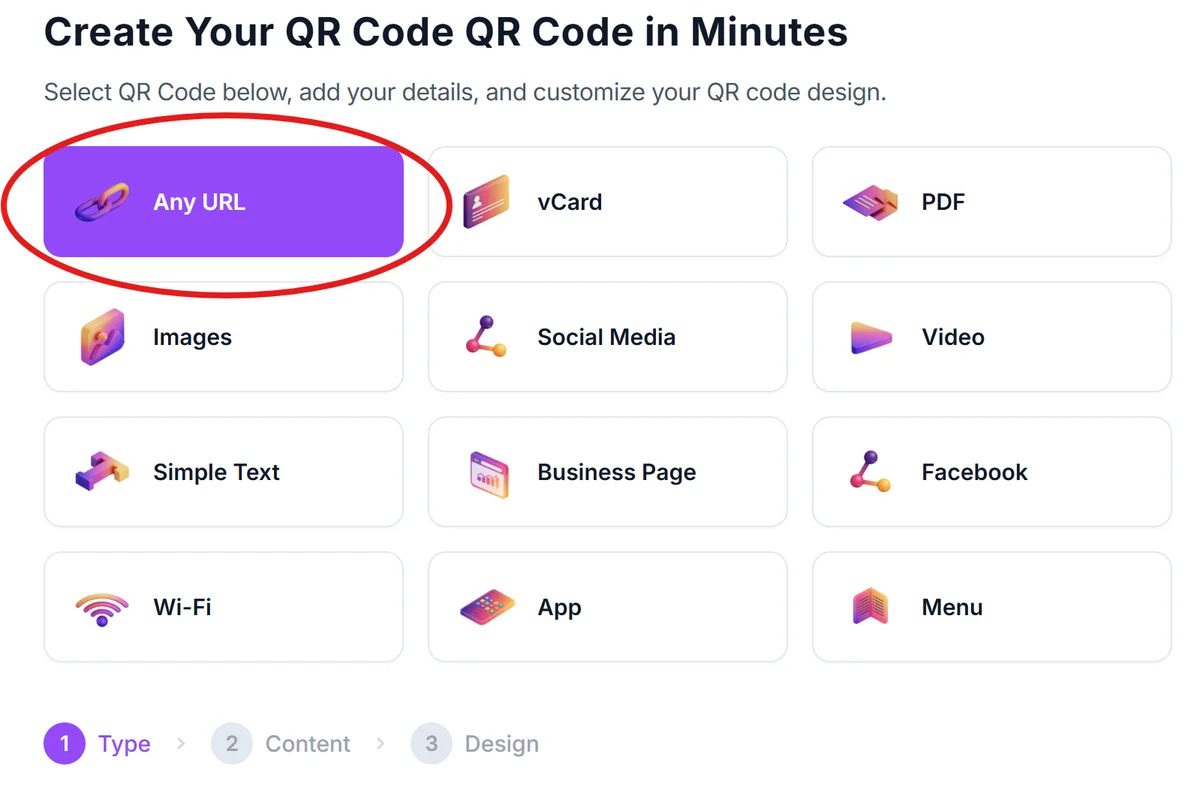
Visit qrcodeveloper.com and select the URL option to create a link-based QR code for your tracking system.
Build your tracking URL
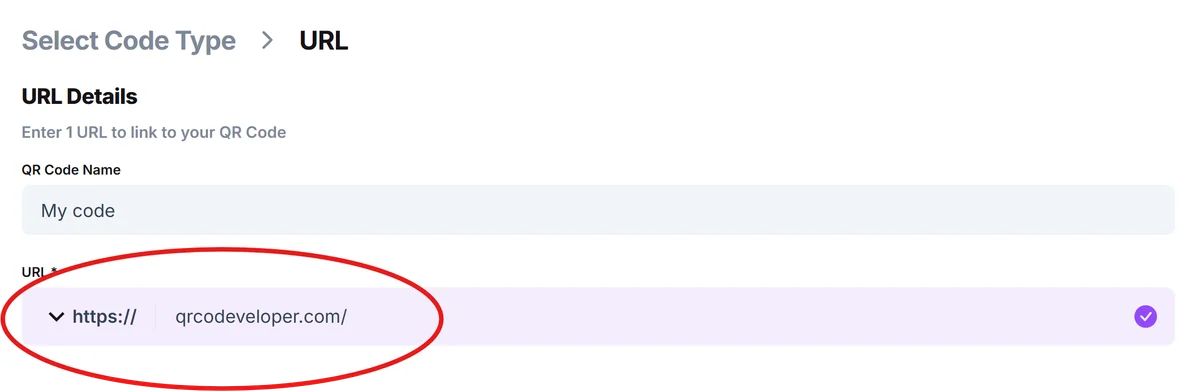
Combine your carrier's tracking base URL with the specific tracking number. For example: 'https://tools.usps.com/go/TrackConfirmAction?qtc_tLabels1=YOUR_TRACKING_NUMBER' for USPS packages. Then, in QR Code Developer, paste the tracking link into the URL bar.
Customize the QR design
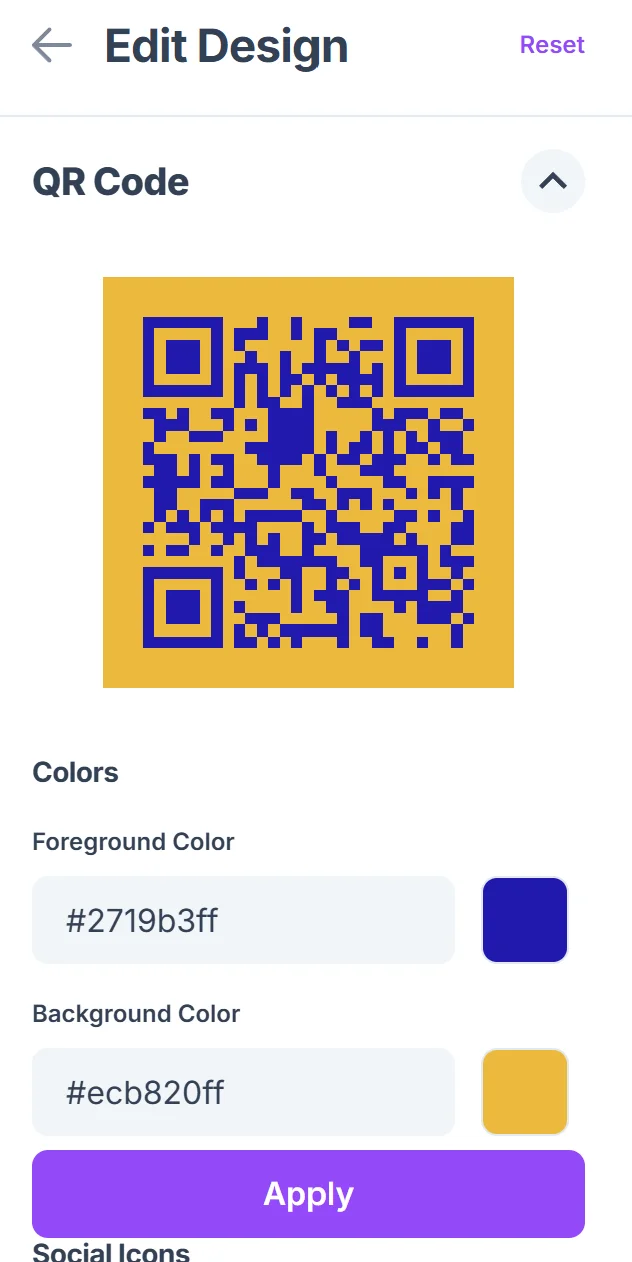
Click on the pencil icon in the Preview window to further customize your code. Add your brand colors and logo to match your shipping materials. Consider using colors that contrast well with shipping labels for better scanning reliability. Follow our QR code design tips to ensure optimal readability.

Test across devices
Scan the QR code with different smartphones to ensure it properly opens the tracking page and displays accurate delivery information.
Integrate into your workflow
Add the QR code to shipping labels, email templates, or customer portals. For high-volume operations, consider automating QR generation through your shipping software's API.
Best practices for shipping QR codes
Effective tracking QR codes balance functionality with user experience. These strategies help ensure your codes work reliably across different devices and shipping scenarios.
Size QR codes appropriately for your shipping labels - aim for at least 1 inch square to ensure reliable scanning even on smaller packages or when labels get slightly damaged during transit. Understanding the different types of QR codes can help you choose the most appropriate format for your tracking needs.
Include clear instructions like 'Scan to track your package' near the QR code, especially for customers who might not immediately understand what the code does.
Test your tracking URLs regularly to catch any changes in carrier website structures that might break the links, particularly after shipping partner system updates.
Consider creating branded landing pages that display tracking information alongside your company logo and customer service contact information for a more professional experience.
Frequently Asked Questions
Can I create one QR code that works for multiple tracking numbers?
No, each QR code needs to contain a specific tracking URL with the unique tracking number. However, you can create templates that make generating individual codes faster for high-volume shipping.
Do tracking QR codes work with all shipping carriers?
Most major carriers like UPS, FedEx, USPS, and DHL support URL-based tracking that works with QR codes. You'll need to use each carrier's specific tracking URL format.
How do I add tracking QR codes to automated shipping emails?
Most e-commerce platforms and shipping software allow you to insert dynamic QR codes into email templates using tracking number variables and QR generation APIs.
What happens if the tracking number becomes invalid?
The QR code will still scan, but users will see an error message on the carrier's website indicating the tracking number isn't found or has expired.
Are there any costs for generating tracking QR codes?
Basic QR code generation is free, though some advanced features like analytics tracking or API integration may require paid plans depending on your volume needs.
Related Guides
Ready to create your QR code?
Generate custom QR codes in seconds - free and easy to use.
Create Free QR Code →