QR codes for data storage and secure information sharing

Store contact details, documents, and business information in scannable codes that work offline and protect sensitive data.
How QR codes work as portable data containers
Carrying business cards, contact sheets, and product specifications can often mean bulky folders and constant reprinting. But there's a better way! Now professionals can embed complete datasets directly into QR code business cards that work without internet connections and update automatically when scanned.
Data storage QR codes function as digital containers that hold structured information like contact details, product specifications, inventory data, or document links. When scanned, they instantly transfer this information to smartphones, tablets, or scanning devices without requiring manual data entry or file downloads.
In this guide I will cover how to create secure data storage QR codes for business use. I'll also show you practical applications and walk through the process using QR Code Developer to build codes that protect your information while making it easily accessible. So let's dive right in!
Business applications for data storage QR codes
Organizations across industries use data storage QR codes to replace manual information transfer and reduce errors in data collection. These codes solve problems with outdated contact information, lost documents, and inefficient data sharing processes. Learn more about different types of QR codes for various business needs.
Contact information sharing
Sales teams embed complete contact cards with phone numbers, emails, addresses, and social profiles. Recipients scan once to add all details to their contacts automatically.
Product specification sheets
Manufacturers attach QR codes to equipment that contain technical specs, warranty information, installation guides, and troubleshooting resources for field technicians.
Emergency response data
Medical facilities and safety teams store critical information like emergency contacts, medical conditions, building layouts, and evacuation procedures in scannable codes.
Inventory and asset tracking
Warehouses and IT departments embed asset tags, serial numbers, maintenance schedules, and location data in QR codes attached to equipment and products.
Building secure data storage QR codes
Creating data storage QR codes requires choosing the right information format and security settings for your specific needs.
Select your data format
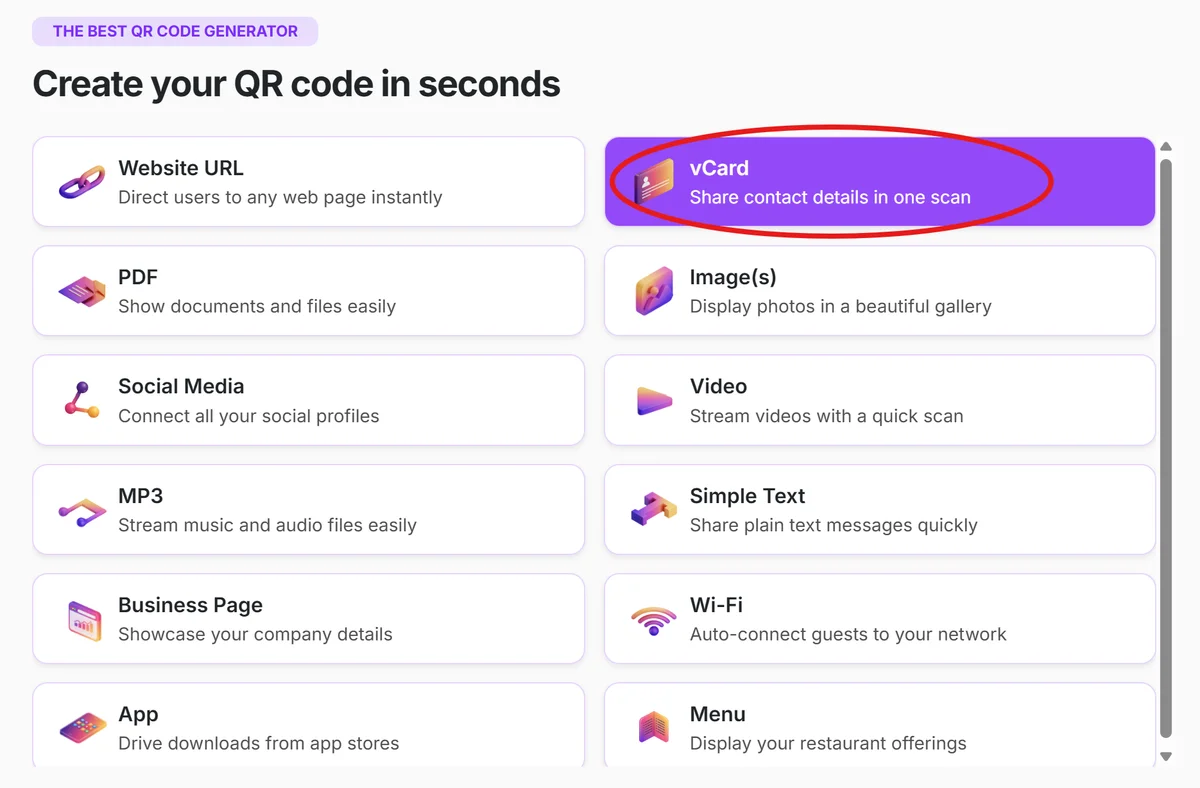
Visit qrcodeveloper.com and choose the data type you want to store - contact information (vCard), plain text, or structured data formats.
Input your information
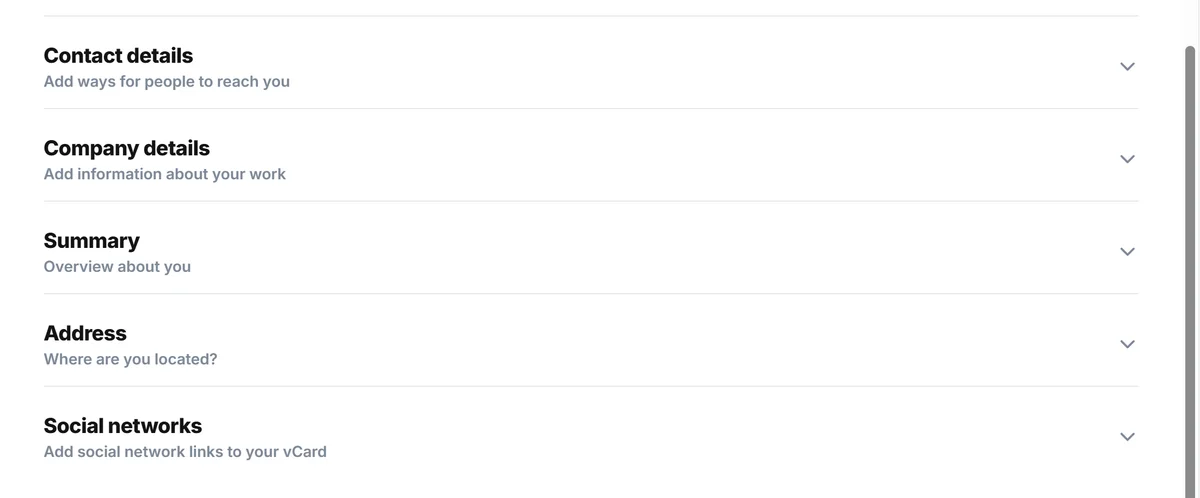
Enter the specific data you want to embed. For contact cards, include name, title, phone, email, and company. For technical specs, organize information in clear, scannable formats.
Configure security settings
Choose static QR codes for sensitive data that shouldn't be tracked, or dynamic codes if you need to update information later while maintaining the same physical code.
Test data integrity
Scan your QR code with multiple devices to verify all information transfers correctly and appears properly formatted in contact apps or text displays.
Deploy with context
Print codes at appropriate sizes for scanning distance and include brief labels explaining what data the code contains to encourage scanning.
Security and efficiency best practices
Protecting sensitive information while maintaining easy access requires careful planning of your data storage QR code implementation. Understanding QR code safety is essential for business applications.
Limit sensitive information in static codes since they can't be updated once printed. Use dynamic codes for information that might change or need security updates.
Test scanning distances and lighting conditions where your codes will be used. Data-heavy QR codes become more complex and may require closer scanning distances.
Include data validation in your workflow to prevent errors when information gets transferred to contact management systems or databases.
Consider backup access methods for critical information since QR codes can be damaged or become unscannable in certain environments.
Frequently Asked Questions
How much data can a QR code actually store?
QR codes can store up to 4,296 alphanumeric characters, which is enough for detailed contact information, product specifications, or structured data sets. However, more data creates more complex codes that may be harder to scan.
Are data storage QR codes secure for business information?
Static QR codes offer reasonable security since the data is embedded directly in the code pattern. However, avoid including highly sensitive information like passwords or financial data in any QR code format.
Can I update the information in my data storage QR code?
Static QR codes cannot be updated once created. Dynamic QR codes allow you to change the destination or linked content, but the core embedded data remains fixed.
What happens if someone scans my data storage QR code?
The scanner's device will display the embedded information or prompt them to add it to their contacts, notes, or appropriate app. No personal information about the scanner is collected.
Do data storage QR codes work without internet?
Yes, static data storage QR codes work completely offline since all information is embedded in the code pattern itself. This makes them reliable for field use and emergency situations.
Related Guides
Ready to create your QR code?
Generate custom QR codes in seconds - free and easy to use.
Create Free QR Code →