Cvent QR Code Generator for event registration and check-in

Boost event attendance with scannable codes that take guests straight to your Cvent registration page.
How Cvent events benefit from QR code registration
47% of event professionals use QR codes to improve operational efficiency and attendee engagement, according to Upmetric. This highlights the growing importance of QR codes in today's digital landscape.

A Cvent QR code solves many problems by turning any Cvent event registration page into a scannable code. Attendees simply point their phone camera at the code and land directly on your registration form - no typing required. This works whether you're promoting corporate conferences, trade shows, webinars, or networking events through the Cvent platform, similar to other event QR code strategies.
Throughout this guide, I'll show you exactly how to create effective Cvent QR codes using QR Code Developer, plus share placement strategies that actually drive registrations. I'll also cover how these codes work alongside other event QR code strategies to create a smoother attendee experience. So let's get this party started!
Smart ways event planners use Cvent QR codes
Event professionals are finding creative ways to reduce registration friction and increase attendance through strategic QR code placement. These codes work particularly well when you need to drive traffic to specific Cvent event pages quickly. Here's how different types of events benefit from QR codes on promotional materials:
Conference booth displays
Trade show exhibitors place QR codes on booth banners and table displays, letting visitors register for follow-up sessions or product demos without interrupting conversations.
Corporate training sessions
HR teams include QR codes in internal newsletters and break room posters, making it simple for employees to sign up for professional development workshops. These codes work especially well when combined with QR codes on promotional flyers distributed throughout the office.
Networking event invitations
Professional associations add QR codes to email signatures and LinkedIn posts, allowing members to register for meetups with a quick scan. Many also incorporate these codes into their QR code business cards for networking events.
Webinar promotion campaigns
Marketing teams embed QR codes in social media graphics and print advertisements, driving immediate registrations for virtual events and product launches.
Building your Cvent event QR code
Creating a QR code for your Cvent event takes just a few minutes and requires no technical expertise. The key is having your Cvent registration URL ready and choosing the right customization options for your audience.
Access your QR code generator
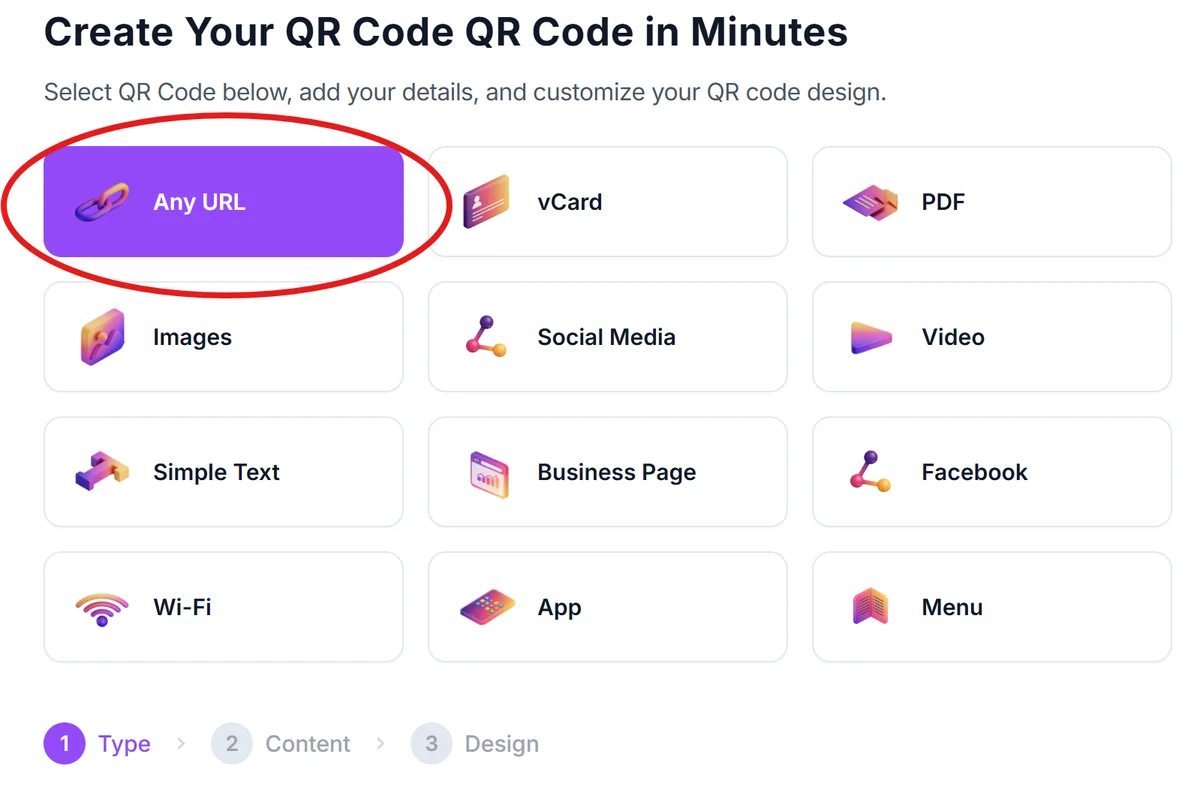
Navigate to qrcodeveloper.com and select 'URL' as your QR code type. This option works perfectly for Cvent registration pages since you'll be directing people to a web address.
Copy your Cvent registration link
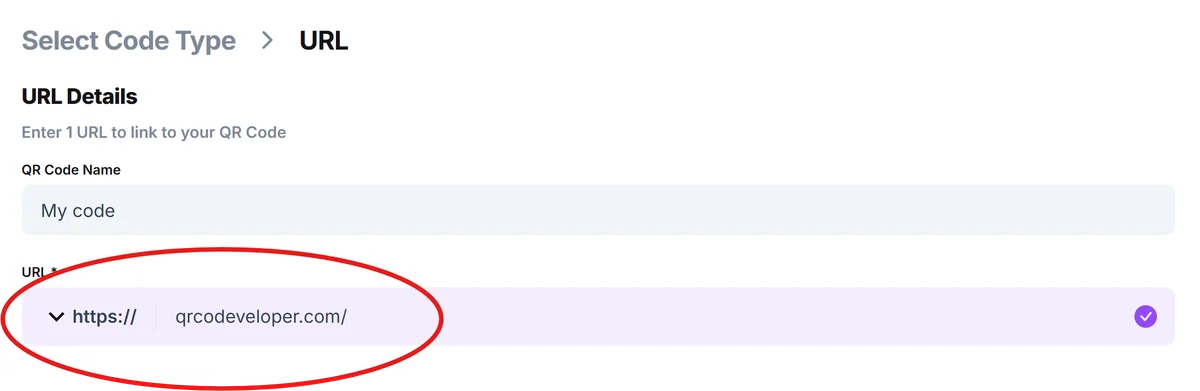
Log into your Cvent account, open your event, and copy the public registration URL. This is the link attendees normally click to register - it typically starts with your organization's Cvent subdomain. You can create your QR code using our free QR code generator.
Customize your code appearance
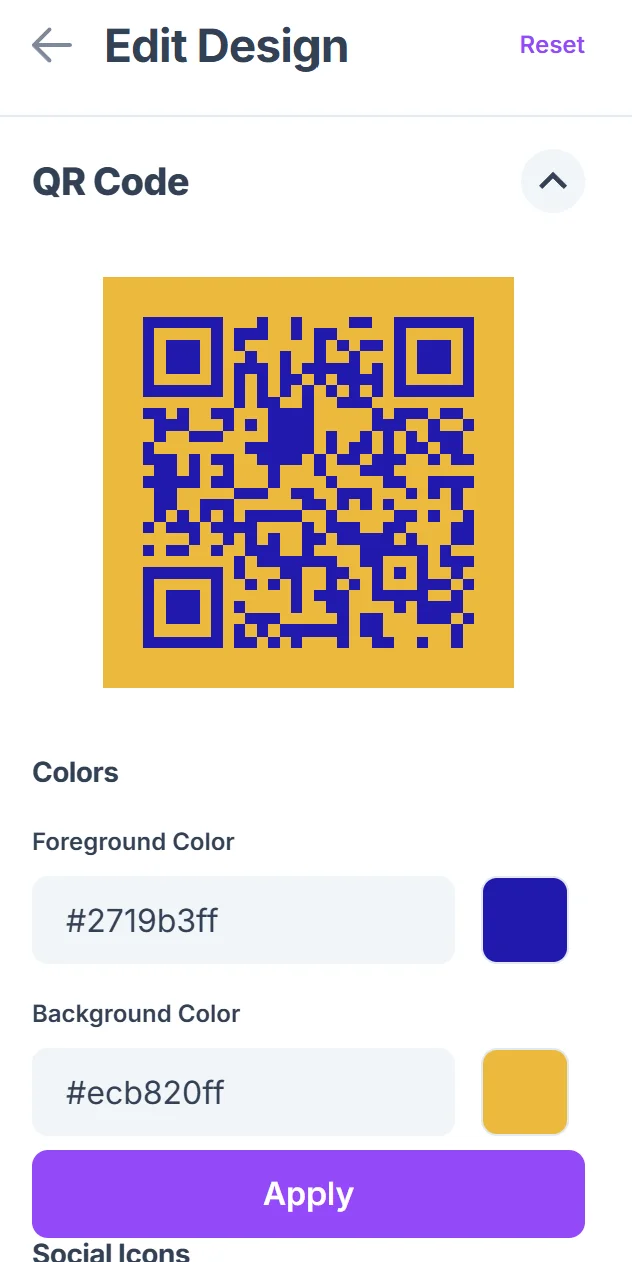
Click on the pencil icon in the Preview window to further customize your code. Add your event colors and logo to match your branding. Consider using high contrast colors for better scanning reliability, especially if you'll print these codes on materials that might be viewed in varying lighting conditions.

Test across different devices
Before distributing, scan your QR code with both iPhone and Android devices to ensure it opens your Cvent page correctly. Test from different distances and lighting conditions that match where attendees will encounter the code.
Download in appropriate formats
Save high-resolution versions for print materials and standard resolution for digital use. Having both ensures your codes remain scannable whether they appear on business cards or large banners.
Maximizing registration rates with QR placement
The success of your Cvent QR code depends heavily on strategic placement and clear messaging. Here are proven tactics that event planners use to drive more registrations:
Include a clear call-to-action like 'Scan to Register' or 'Reserve Your Spot' near every QR code - people need to know exactly what happens when they scan
Size your codes appropriately for the viewing distance: business card codes should be at least 1 inch square, while poster codes need to be 2-3 inches for reliable scanning. For more detailed guidance, check out our QR code design tips.
Place codes at eye level whenever possible and ensure adequate lighting - poorly lit QR codes create frustration and missed registrations
Test your codes on both dark and light backgrounds during design phase, as some color combinations make scanning difficult even when they look visually appealing
Frequently Asked Questions
Do QR codes work with all Cvent registration pages?
Yes, QR codes work with any public Cvent registration URL. As long as attendees can access your event page through a web browser, a QR code will direct them there successfully.
Can I track how many people register through my QR code?
Cvent's built-in analytics will show you registration sources, but you can also use URL parameters or UTM codes in your registration link to track QR code performance specifically.
What happens if I need to change my Cvent event details after creating the QR code?
Changes to your event details within Cvent won't affect your QR code since it points to the same registration URL. However, if Cvent changes your registration URL, you'll need to generate a new QR code.
Will older phones be able to scan my Cvent QR code?
Most smartphones from 2018 or newer can scan QR codes with their built-in camera apps. For events targeting audiences with older devices, consider including the registration URL as text alongside your QR code.
Are there any costs for creating QR codes for Cvent events?
Basic QR code generation is free and includes customization options like colors and logos. You only pay for advanced features like detailed analytics or bulk code generation if your events require them.
Related Guides
Ready to create your QR code?
Generate custom QR codes in seconds - free and easy to use.
Create Free QR Code →