Business QR code landing pages for customer engagement

Connect customers instantly to branded mobile experiences that capture leads, share information, and drive conversions.
How business QR codes bridge physical and digital marketing
What if you could turn every business card, flyer, or storefront into a direct pathway to customer conversion? As it turns out, you can! Business QR codes with custom landing pages eliminate the friction between seeing your business and taking action, creating instant connections that traditional marketing can't match.
A business QR code links directly to a mobile-optimized landing page designed specifically for your company. Instead of sending customers to your main website where they might get lost, you create focused experiences that guide visitors toward specific actions - whether that's scheduling a consultation, downloading a brochure, or making a purchase.
In this guide I'll show you how to create professional business QR codes that work with custom landing pages, turning every physical touchpoint into a digital opportunity. You'll also want to explore our QR code business cards guide for specific applications in networking and professional settings. So let's dive right in!
Business applications that drive real results
Business QR codes work across every industry and customer touchpoint. The key is matching the landing page content to where and how customers encounter your code. For comprehensive networking applications, check out our contact information QR codes guide.
Service appointment booking
Restaurants, salons, and professional services use QR codes on business cards and storefront signage to direct customers to booking calendars, eliminating phone tag and capturing appointments 24/7.
Product catalog and ordering
Retail businesses place QR codes on shelf tags and displays, linking to detailed product pages with specifications, reviews, and direct purchase options that work even when staff isn't available.
Lead generation campaigns
B2B companies use QR codes in trade show materials and print ads, directing prospects to landing pages that offer valuable resources in exchange for contact information.
Customer feedback collection
Service businesses place QR codes on receipts and table tents, linking to feedback forms that capture reviews while the experience is fresh in customers' minds.
Building your business QR code and landing page
Creating an effective business QR code requires both the technical setup and strategic thinking about what happens after the scan.
Access the QR generator platform
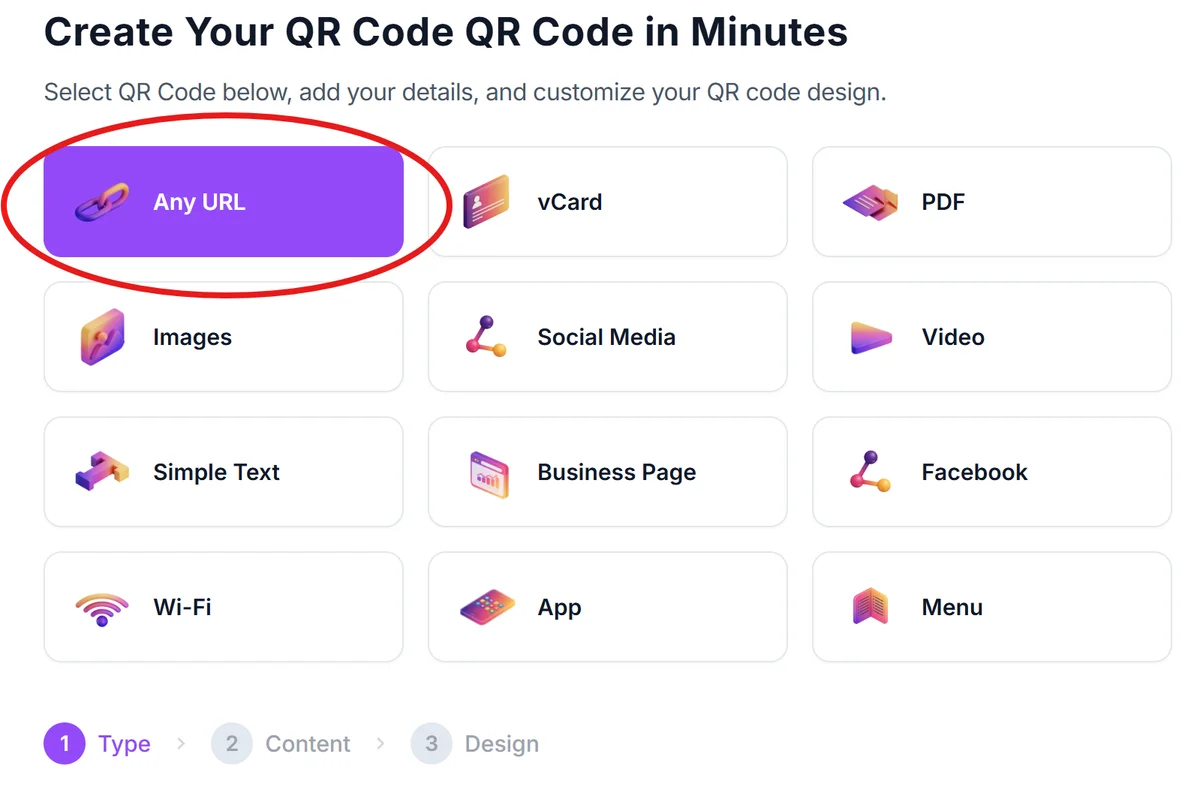
Visit qrcodeveloper.com and select the URL QR code option. This gives you the flexibility to link to any landing page you create.
Build your dedicated landing page
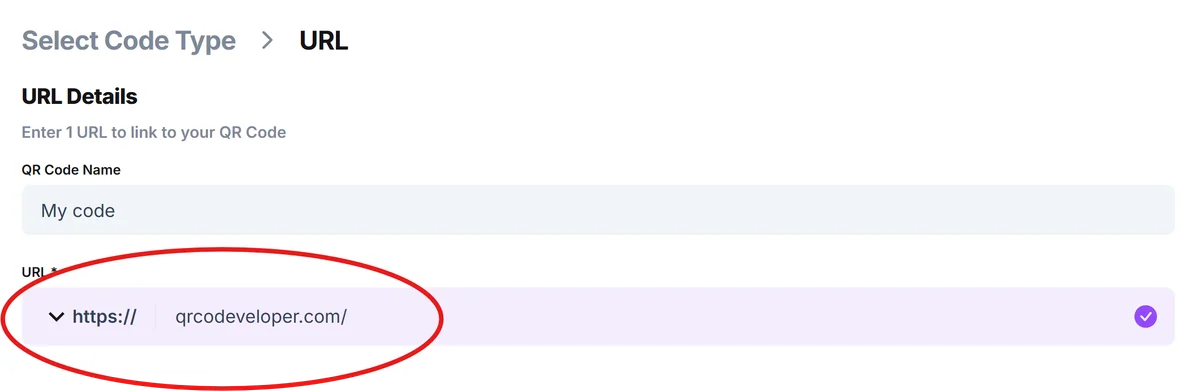
Create a mobile-optimized landing page with a clear value proposition, simple navigation, and a single primary call-to-action. Keep the URL short and memorable for easy typing if needed. Then, paste the link into the URL bar on QR Code Developer.
Configure your business branding
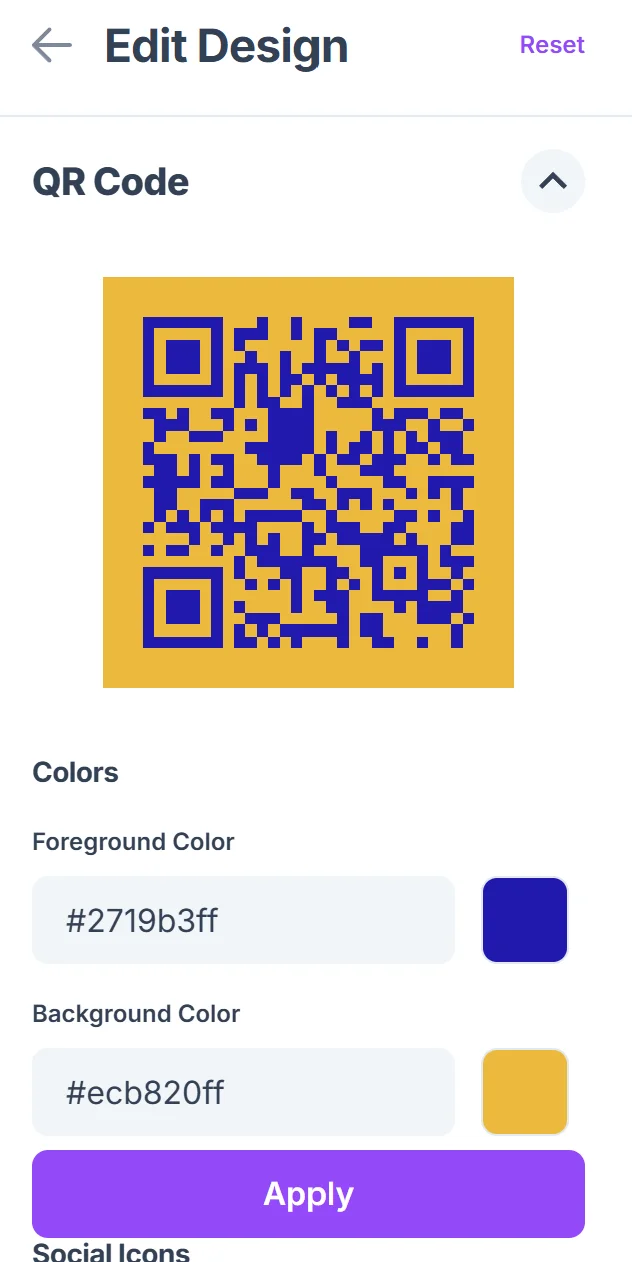
Click on the pencil icon in the Preview window to further customize your code. Customize the QR code with your brand colors and add your company logo to the center. Ensure the design maintains scannability while reflecting your professional image.

Test across customer scenarios
Scan your QR code using different devices and in various lighting conditions that match where customers will encounter it. Verify the landing page loads quickly and displays correctly on mobile screens.
Deploy with tracking enabled
Add UTM parameters to your landing page URL to track QR code performance in Google Analytics. Place codes strategically where your target customers naturally look for information.
Professional design and conversion strategies
The difference between a QR code that gets ignored and one that drives business results lies in the details of design and user experience.
Design your landing page mobile-first with thumb-friendly buttons and readable text without zooming. Most QR code scans happen on smartphones, so desktop-optimized pages create immediate friction.
Include a clear headline that connects to where the customer found your QR code. If it's on a business card, lead with your elevator pitch. If it's at a trade show, reference the event or your booth.
Add social proof elements like customer testimonials, client logos, or review snippets to build trust immediately. First-time visitors need reassurance that scanning your code was worth their time.
Provide a backup option for customers who can't scan QR codes. Include a short URL or simple instructions, especially when targeting demographics less comfortable with mobile technology.
Frequently Asked Questions
Do I need a separate landing page for my business QR code?
Yes, dedicated landing pages convert much better than sending QR code scanners to your homepage. Create focused pages that match the context where customers encounter your code.
How can I track which QR codes are performing best?
Use UTM parameters in your landing page URLs and set up goals in Google Analytics. You can also create different landing pages for different QR code placements to track performance by location.
What size should I make my business QR code for printing?
Aim for at least 1 inch square for business cards and 2-3 inches for flyers or posters. The scanning distance should be roughly 10 times the code width, so larger codes work better for wall displays.
Can I update my landing page after creating the QR code?
Absolutely. As long as you keep the same URL, you can update your landing page content anytime. This flexibility lets you run seasonal campaigns or update offers without reprinting materials.
Are there any costs involved in creating business QR codes?
Basic QR code generation is free, but you'll need web hosting for your landing page. Many businesses use existing website hosting or free platforms like Google Sites for simple landing pages.
Related Guides
Ready to create your QR code?
Generate custom QR codes in seconds - free and easy to use.
Create Free QR Code →