QR codes for board games: digital content and enhanced gameplay

Bridge physical and digital gaming experiences with scannable codes that deliver instant access to rules, tutorials, and bonus content.
How QR codes transform modern board gaming
While most people assume complex board games need lengthy setup explanations that bog down game night, the real barrier isn't complexity—it's poor rule communication. Modern games actually benefit from richer mechanics, but players get frustrated fumbling through dense rulebooks when they should be discovering the game's depth through play. Luckily, QR codes can help in major ways!
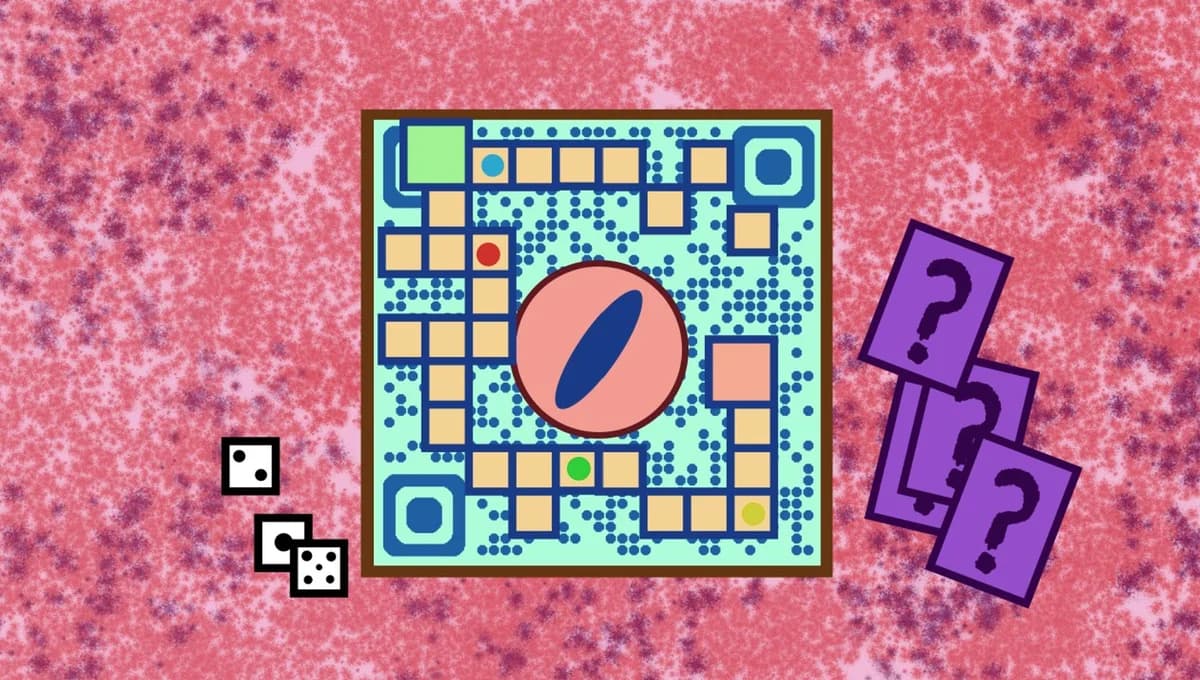
QR codes solve this problem by connecting physical game components to digital resources instantly. Players can scan a code on the box, rulebook, or game board to access video tutorials, interactive rule explanations, bonus scenarios, or community content. This bridges the gap between traditional tabletop gaming and modern digital expectations.
In this guide I'll show you how to create QR codes that make your board games more accessible and engaging. We'll also explore how QR Code Developer can help you add digital layers to any gaming experience, whether you're a game designer, publisher, or enthusiastic player creating house rules. So let's start the game night!
Creative ways to enhance your board games
QR codes open up endless possibilities for enriching gameplay beyond what fits in a physical box. Game creators and players alike can use them to solve common gaming frustrations. Learn more about QR codes on toys and games for broader applications.
Quick-start tutorial videos
Link to 3-minute gameplay videos that get players started immediately, saving 30+ minutes of rule reading and confusion.
Interactive rule clarifications
Connect to FAQ pages or forums where players can find answers to specific rule disputes that come up during play.
Bonus content and expansions
Provide access to additional scenarios, character sheets, or mini-expansions in PDF format that extend the game's replay value.
Community scorekeeping
Link to online forms or apps where players can track their wins, compare strategies, or join tournaments with other fans.
Setting up QR codes for your board game
Creating board game QR codes takes just a few minutes, but the planning makes all the difference. Here's how to set them up effectively:
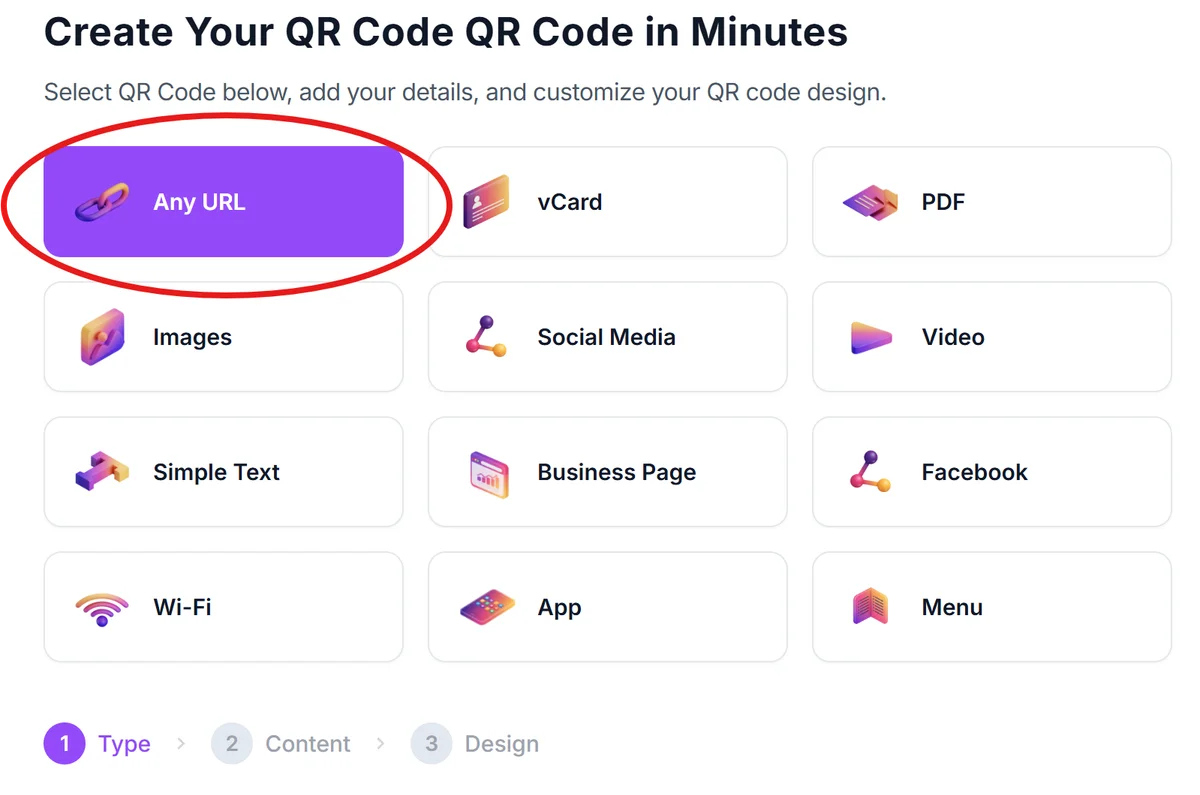
Visit the QR code generator
Go to qrcodeveloper.com and select the URL option to link to your digital content.
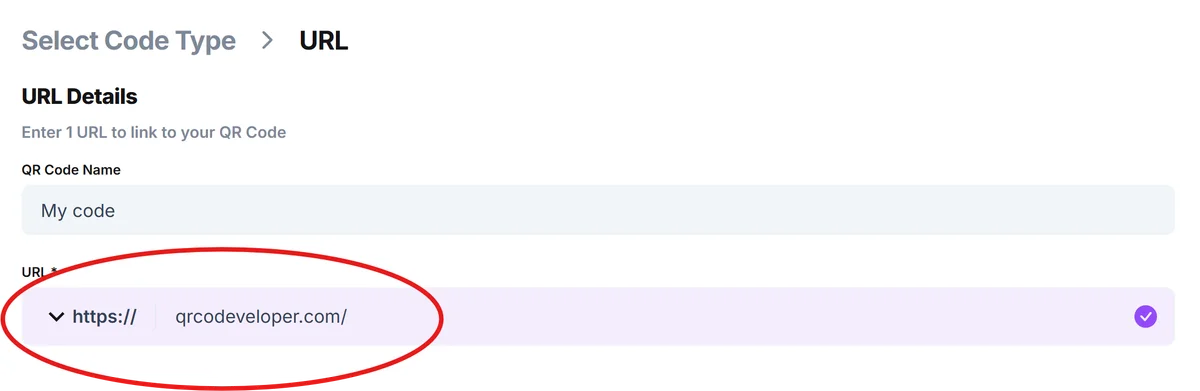
Enter your game content URL
Paste the link to your tutorial video, rule PDF, or game companion website. Make sure the content loads quickly on mobile devices.
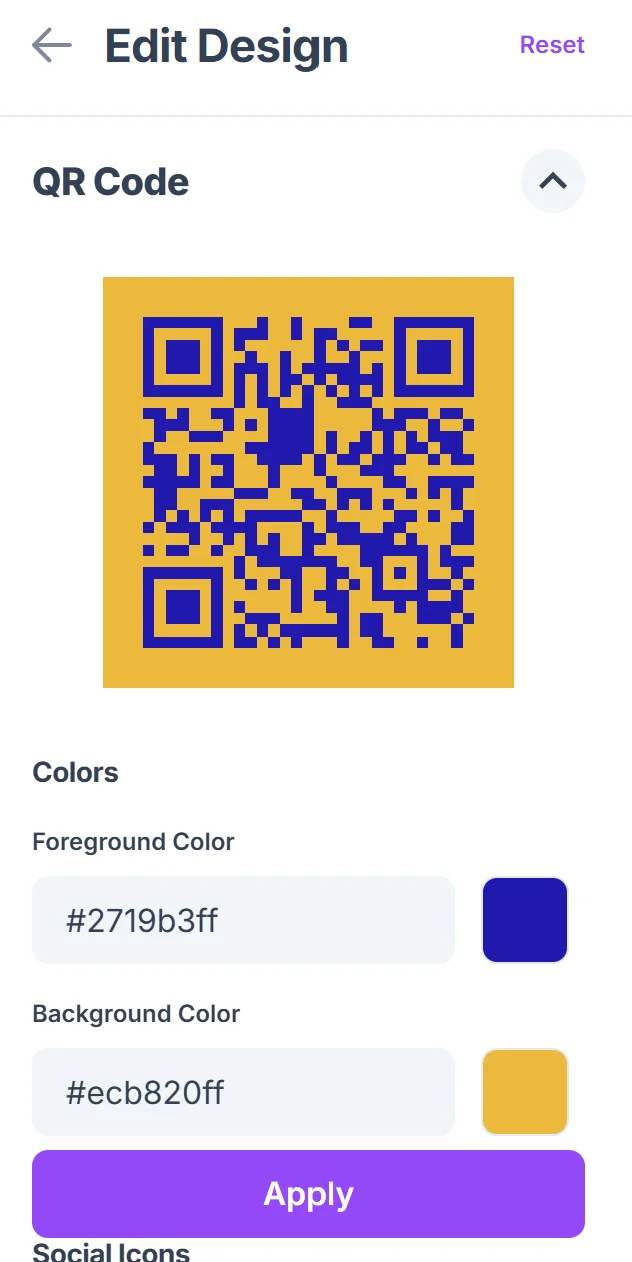
Customize for your game theme
Click on the pencil icon in the Preview window to further customize your code. Match your QR code colors to your game's artwork and add your game logo to maintain brand consistency across all materials. Learn more about QR code design best practices for optimal visual integration.

Test with different devices
Scan your code with various phones and tablets to ensure it works reliably during game night when lighting might not be perfect.
Place strategically on game components
Add codes to rulebook covers, game boxes, or reference cards where players naturally look when they need help.
Best practices for gaming QR codes
These tips will help your QR codes enhance gameplay rather than interrupt it:
Keep linked content mobile-friendly since most players will scan with their phones during game sessions. Consider using dynamic QR codes so you can update content without reprinting materials
Use high contrast colors for QR codes that will be scanned under various lighting conditions at game tables
Create separate codes for different types of content (rules, videos, expansions) so players find exactly what they need
Test scan reliability from arm's length since players won't want to lean over the game board awkwardly
Frequently Asked Questions
Can I add QR codes to games I don't own the rights to?
You can create QR codes linking to your own content about any game, like house rules or strategy guides, but avoid reproducing copyrighted materials.
What's the best size for QR codes on game components?
Aim for at least 1 inch square for reliable scanning. Smaller codes work but can be frustrating when players are excited to keep playing.
Should I include QR codes on every game piece?
Less is more. Focus on key locations like rulebooks, quick reference cards, and game boxes where players naturally look for help.
Do QR codes work without internet during game night?
QR codes require internet to access linked content, so consider downloadable PDFs or offline-capable web apps for reliable access.
Are there free options for creating board game QR codes?
Yes, you can create basic QR codes for free and upgrade later if you need analytics or custom designs for professional game publishing.
Related Guides
Ready to create your QR code?
Generate custom QR codes in seconds - free and easy to use.
Create Free QR Code →