QR codes for bill payments and customer payment collection

Generate scannable payment codes that let customers pay bills instantly with their mobile devices.
How QR codes transform bill payment collection
QR code payment market size was USD 12.54 billion in 2024 and is projected to reach USD 61.73 billion by 2033, at a CAGR of 20.0% from 2025 to 2033, according to Grand View Research. This highlights the growing importance of QR codes in today's digital landscape.
Bill payment QR codes bridge this gap by connecting your invoices directly to mobile payment platforms. When customers scan the code, they're taken straight to a payment page with all the details pre-filled - no typing account numbers, no searching for payment portals, no phone calls to clarify amounts.
In this guide I will cover everything you need to know about creating effective payment QR codes. I'll also show you how QR Code Developer makes it simple to generate professional payment codes that work with any billing system. So let's dive right in!
Smart payment scenarios for QR codes
Payment QR codes work particularly well when customers need to pay specific amounts or reference particular account details. They're especially valuable for recurring bills where customers appreciate the convenience. QR codes on business cards can also include payment links for service providers.
Utility and service bills
Electric, water, internet, and phone companies use QR codes on paper bills to direct customers to secure payment portals with account information pre-loaded.
Medical and dental practices
Healthcare providers include payment QR codes on statements and receipts, making it easy for patients to pay co-pays and outstanding balances from their phones.
Property management and rent collection
Landlords and property managers add QR codes to rent notices and lease documents, allowing tenants to pay rent through their preferred mobile payment app.
Professional services invoicing
Consultants, freelancers, and small businesses include payment QR codes on invoices to reduce payment delays and make it convenient for clients to pay immediately.
Building your bill payment QR code
Creating a payment QR code requires connecting your billing system or payment processor to generate the right URL structure for your customers.
Set up your payment link structure
Start by visiting qrcodeveloper.com and gather the payment URL from your billing system - this might be from PayPal, Square, Stripe, or your bank's business portal.
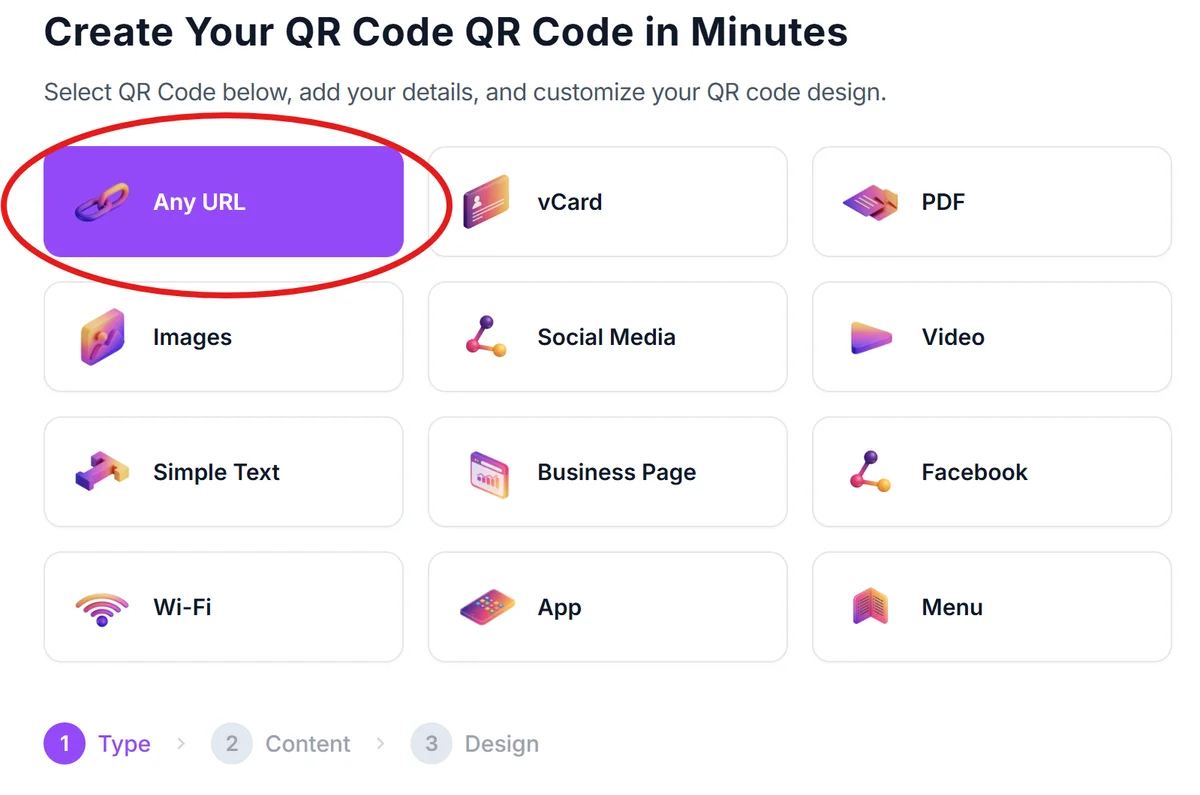
Include customer and amount details
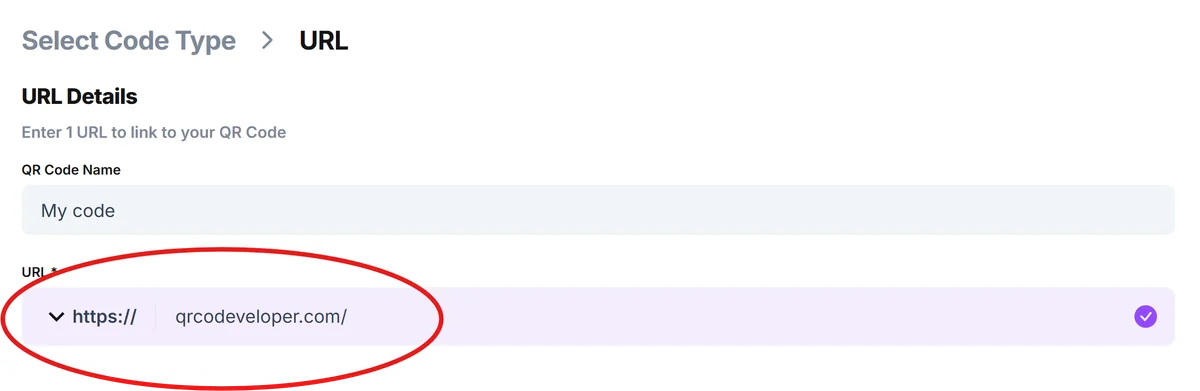
Add parameters to your payment URL that pre-fill customer account numbers, invoice numbers, and payment amounts so customers don't have to enter this information manually. Afterwards, paste the link into the URL bar in QR Code Developer.
Design for bill integration
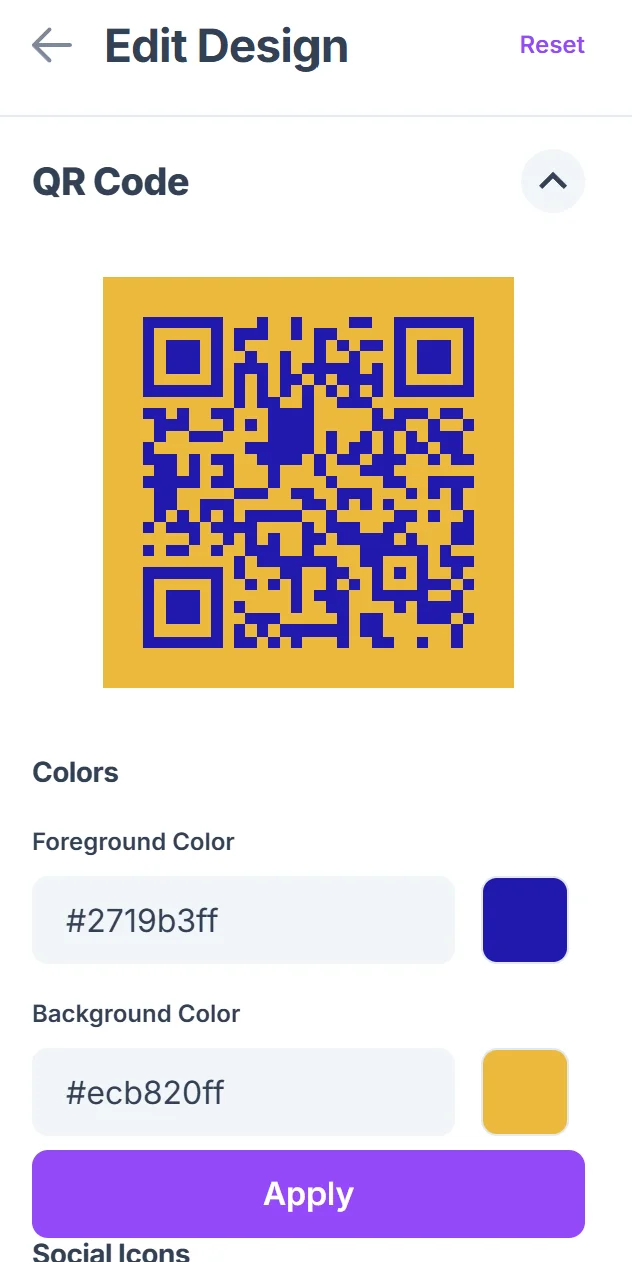
Click on the pencil icon in the Preview window to further customize your code. Choose colors and styling that match your existing bill design and ensure the QR code stands out clearly on both printed and digital statements. For guidance on visual appeal, check out our QR code design tips.

Test payment flow completely
Scan your QR code with different devices to verify it opens the correct payment page with all information populated accurately before adding it to customer bills.
Monitor payment completion rates
Track how many customers use the QR code versus other payment methods to measure effectiveness and identify any technical issues that need addressing.
Payment QR code best practices
Successful payment QR codes need to balance security, convenience, and clarity. Here's what I've learned works best:
Always include clear instructions next to your QR code explaining what happens when customers scan it - many people are still cautious about scanning unknown codes for financial transactions. Understanding QR code safety helps build customer confidence.
Use high contrast colors and ensure your QR code is large enough to scan easily from printed bills - aim for at least 1 inch square on paper documents
Test your payment QR codes regularly to catch any changes in your payment processor's URL structure or mobile app updates that might break the connection
Include alternative payment methods alongside your QR code since not all customers are comfortable with mobile payments or may have older phones that can't scan codes reliably
Frequently Asked Questions
Are payment QR codes secure for collecting bill payments?
Yes, when properly implemented. The QR code itself just contains a URL - the actual payment processing happens through your secure payment processor using the same encryption as their regular checkout pages.
Can I create different QR codes for different bill amounts?
Absolutely. You can generate unique QR codes for each customer bill with pre-filled amounts, account numbers, and invoice details to make payments completely seamless.
What payment platforms work with QR codes?
Most major payment processors including PayPal, Square, Stripe, and many banking platforms support URL parameters that work with QR codes. Check your payment processor's documentation for specific formatting.
How do customers know the QR code is legitimate?
Include your business name and logo near the QR code, use your official website domain in the payment URL, and provide clear instructions about what the code does to build customer confidence.
Can I track which customers pay using QR codes?
Yes, most payment processors provide analytics showing which payment methods customers use. You can also use unique tracking parameters in your QR code URLs to monitor usage specifically.
Related Guides
Ready to create your QR code?
Generate custom QR codes in seconds - free and easy to use.
Create Free QR Code →