QR code generator for archives and historical collections

Bridge physical and digital archives with scannable codes that instantly connect visitors to historical documents, metadata, and collection information.
Connecting physical archives to digital collections with QR codes
26.95 million QR code scans were recorded worldwide in 2023, representing a 433% surge over the previous two years, according to QRCodeChimp. This highlights the growing importance of QR codes in today's digital landscape.

Archive QR codes create instant bridges between physical collections and their digital counterparts. A simple scan connects researchers, students, and visitors to high-resolution images, detailed metadata, transcriptions, and contextual information about historical materials. Instead of handling fragile documents or waiting for staff assistance, users access comprehensive digital resources immediately through dynamic QR codes that can be updated as collections grow.
In this guide I will go over how archives, libraries, and museums use QR codes to make collections more accessible. I'll also show you practical applications from finding aids to exhibit labels, plus step-by-step instructions for creating codes that connect your physical holdings to digital resources. You can also find tips specific to museum applications and archival best practices. So let's dive right in!
Archive applications that benefit from QR code integration
Archives use QR codes to solve access problems that have persisted for decades. From rare book rooms to photograph collections, these codes make materials discoverable without compromising preservation standards. PDF QR codes work particularly well for digitized documents and finding aids.
Finding aids and collection guides
Replace printed finding aids with QR codes that link to searchable digital guides. Researchers scan codes to access detailed collection descriptions, folder lists, and search functions, similar to how galleries use QR codes to provide detailed artwork information.
Manuscript and rare book displays
Museum visitors scan codes next to display cases to view high-resolution images, transcriptions, and historical context about manuscripts, letters, and rare books without handling originals.
Photograph and image collections
Historical societies use QR codes on photo displays to provide access to full-resolution images, photographer information, dates, and related photographs from the same collection or time period. These codes work similarly to wedding photo QR codes but focus on historical documentation and preservation.
Oral history and audio archives
Libraries create QR codes that link directly to audio recordings, interview transcripts, and biographical information about oral history subjects, making these resources discoverable during physical visits.
Building QR codes for archive collections
Creating archive QR codes requires careful planning to ensure long-term accessibility and proper metadata connections. The process involves preparing digital resources first, then generating codes that provide meaningful access points.
Access the QR code generator
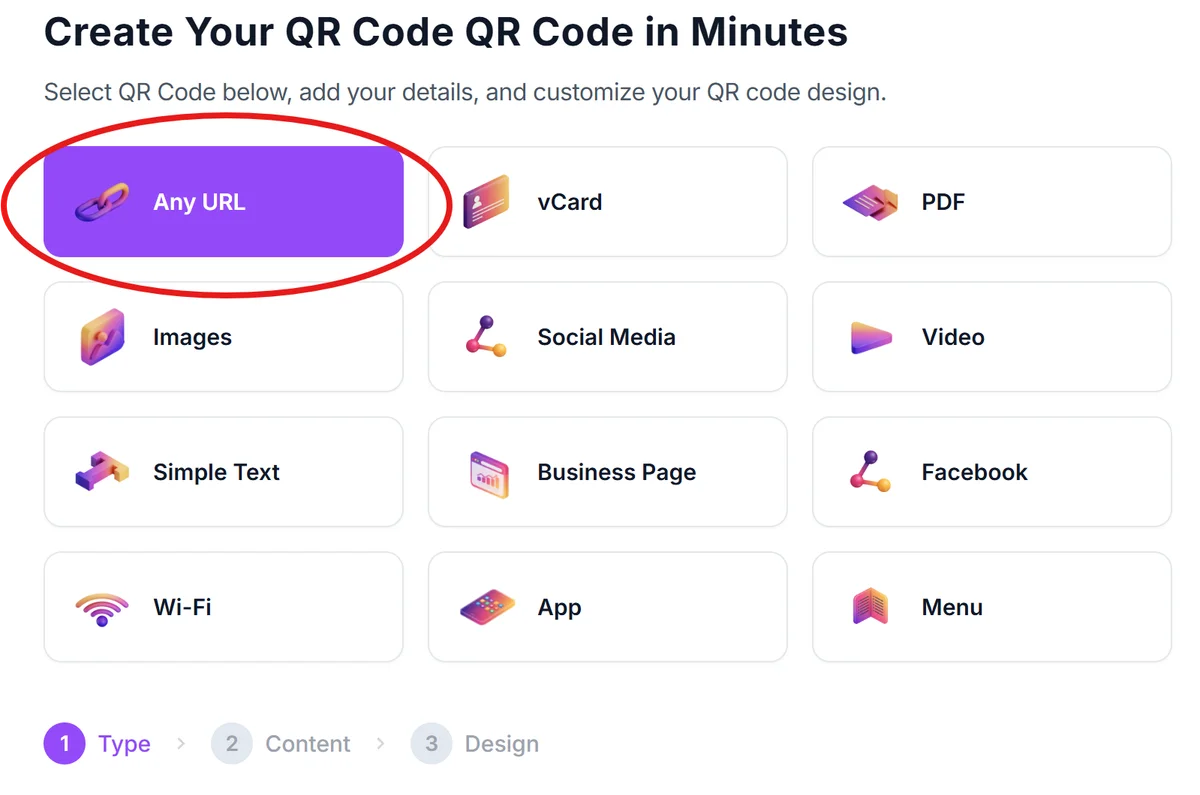
Visit qrcodeveloper.com and select the URL option. This works best for archives since you'll typically link to digital collection pages, finding aids, or document viewers.
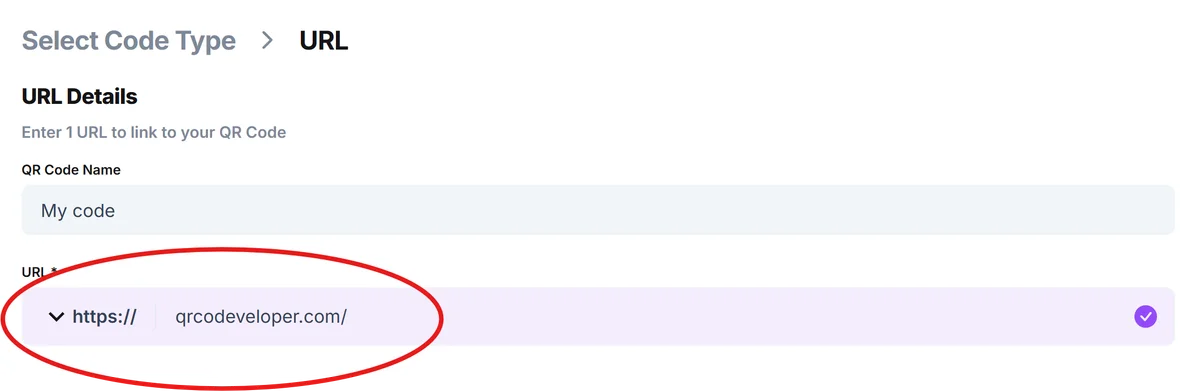
Enter your digital collection URL
Paste the link to your digital archive page, finding aid, or document viewer. Ensure the URL leads directly to the specific collection or item rather than a general archive homepage for better user experience.
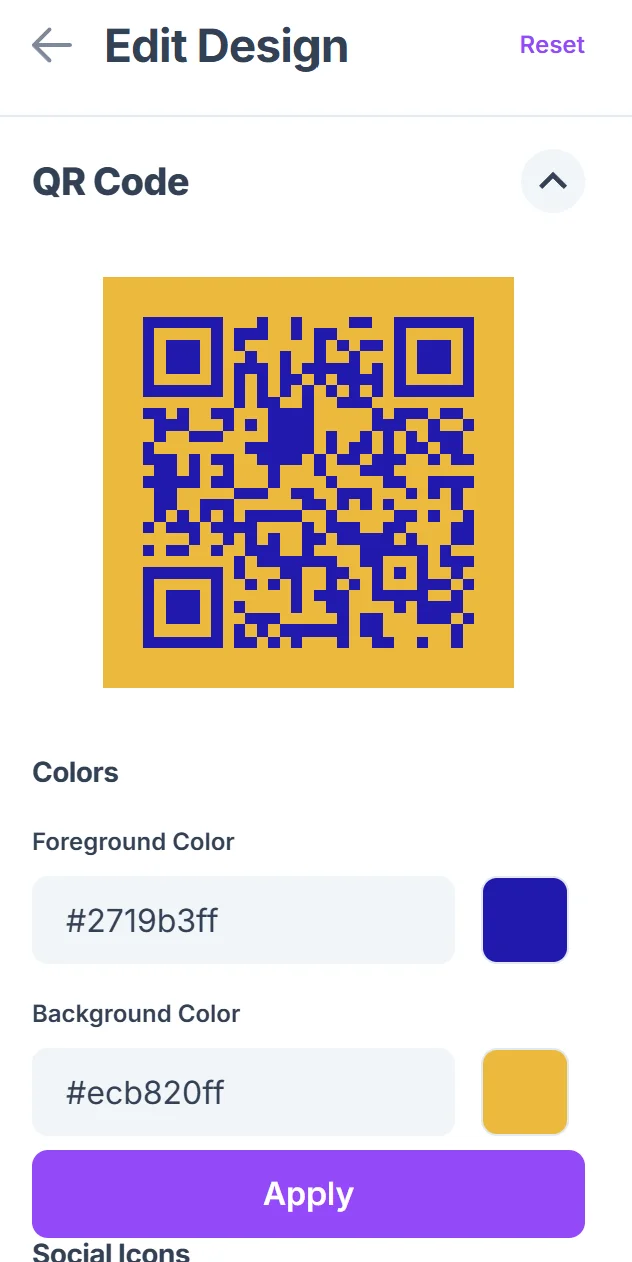
Add archival identification
Click on the pencil icon in the Preview window to further customize your code. Customize the QR code with your institution's colors and add a frame that includes collection information like 'Smith Family Papers, 1892-1945' or 'View Digital Collection' to provide context before scanning.

Test access on multiple devices
Verify the QR code works on various smartphones and tablets, and that the linked content displays properly on mobile devices. Check that images load quickly and text remains readable on smaller screens. Consider using secure QR code scanners for testing to ensure visitor safety.
Generate durable labels for physical placement
Download high-resolution versions for printing on archival-quality materials. Consider lamination or protective covers for codes placed in high-traffic areas or near valuable collections.
Archive-specific QR code best practices
Successful archive QR codes require different considerations than typical marketing applications. Focus on long-term sustainability, clear attribution, and preservation-friendly placement. Understanding QR code design principles helps ensure codes remain functional and visually appropriate for institutional settings.
Include collection identifiers and dates in QR code frames so users understand what they're accessing before scanning, especially important for historical materials where context matters
Place codes strategically near but not on archival materials - use nearby display cases, walls, or stands to avoid any potential damage to original documents or artifacts
Create mobile-friendly landing pages with large text and high-contrast images since many archive users may have visual accessibility needs or use older devices
Maintain backup URLs and consider using dynamic QR codes for major collections, allowing you to update digital links without reprinting physical codes as your digital systems evolve
Frequently Asked Questions
Can QR codes work with existing archive management systems?
Yes, QR codes link to any web-accessible content. Most digital archive systems like ArchivesSpace, Omeka, or CONTENTdm provide public URLs that work perfectly with QR codes.
How do I handle QR codes for restricted or sensitive materials?
Link QR codes to description pages rather than full documents for restricted materials. Include access information and contact details for researchers who need special permissions.
What's the best size for QR codes in archive settings?
Use at least 1-inch squares for reading room applications and 2-inch squares for public display areas. Larger codes work better in spaces where people might scan from a distance.
Should I use static or dynamic QR codes for archives?
Dynamic codes work better for major collections since you can update URLs as digital systems change. Static codes are fine for stable resources like published finding aids.
Are there costs involved in creating archive QR codes?
Basic QR code generation is free. You might have costs for printing archival-quality labels or if you choose premium features like custom branding or detailed analytics tracking.
Related Guides
Ready to create your QR code?
Generate custom QR codes in seconds - free and easy to use.
Create Free QR Code →