Website QR code generator: Create QR codes for any website

Bridge the gap between offline marketing and online content with QR codes that instantly connect people to your websites.
How website QR codes connect offline and online experiences
Typing long URLs on mobile keyboards cab be quite the barrier between seeing an ad and visiting a website. Business cards can sit in wallets, flyers can get tossed without action, and countless potential customers give up rather than manually enter web addresses. However, this problem can be eliminated with QR codes!
A website QR code contains a URL that opens directly in the user's browser when scanned. Whether you're sharing your homepage, a specific product page, a contact form, or a special landing page, these codes make the jump from physical materials to digital content instant and effortless.
In this guide I will cover everything you need to know about creating effective website QR codes. I'll also show you practical applications across different industries, walk through the creation process using QR Code Developer, and share strategies that actually drive scans and conversions. So let's dive right in!
Smart ways businesses use website QR codes
Website QR codes solve the fundamental problem of getting people from physical touchpoints to digital destinations. They work particularly well when placed strategically where people have their phones ready and motivation to learn more. Consider how QR code business cards have transformed networking by making contact sharing instant.
Real estate property marketing
Agents place QR codes on yard signs and flyers that lead to virtual tours, photo galleries, and detailed property information pages.
Restaurant table tents and receipts
Link to online ordering systems, loyalty program signups, or feedback forms right when customers are engaged with your brand.
Retail product displays
Connect shoppers to detailed product specifications, reviews, or exclusive online offers that aren't available in-store.
Event promotion materials
Drive traffic from posters, banners, and printed materials to registration pages, schedules, or exclusive event content.
Creating website QR codes that work every time
The process is straightforward, but getting the details right makes the difference between codes that get scanned and ones that get ignored.
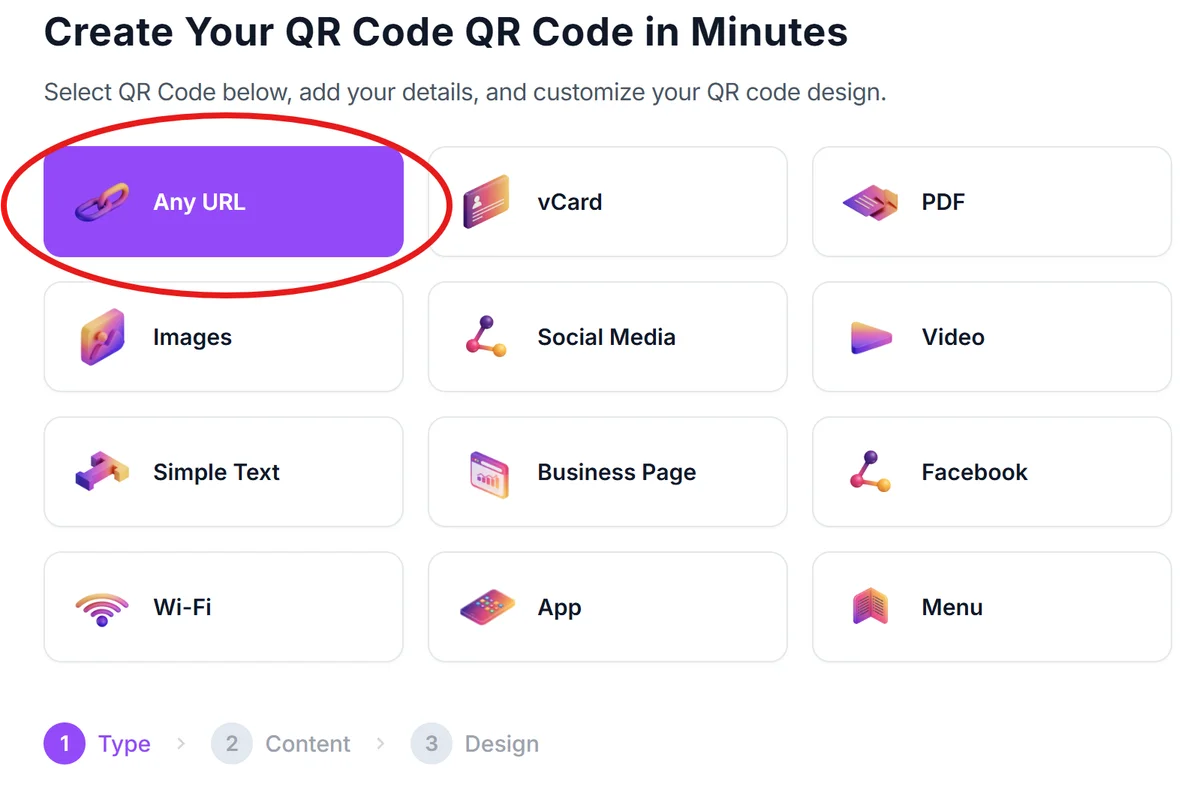
Access the website QR generator
Visit qrcodeveloper.com and select 'URL' as your QR code type. This works for any website link you want to share.
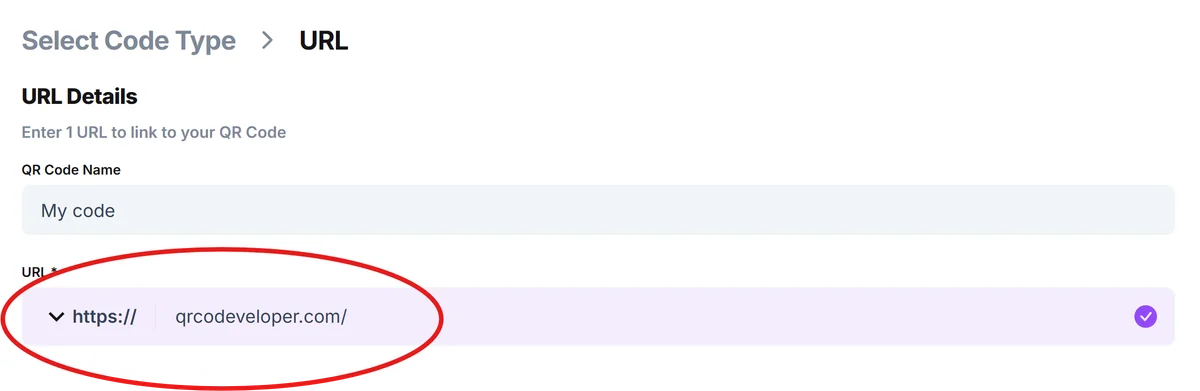
Enter your complete website URL
Paste the full URL including 'https://' - this ensures the link works properly when scanned. Double-check for typos since users will notice broken links immediately.
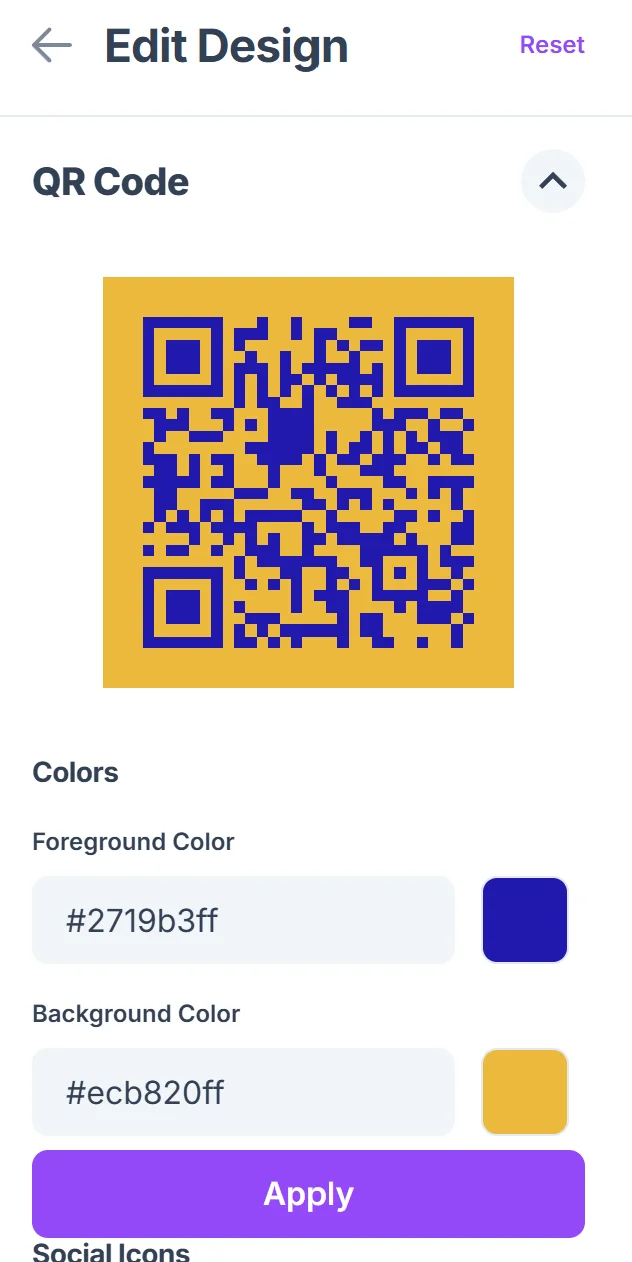
Customize for your brand context
Choose colors that match your marketing materials and add your logo if the QR code represents your brand. Keep contrast high for reliable scanning, following proper QR code design principles.

Test across different devices
Scan your QR code with both iPhone and Android devices to ensure it opens correctly. Test the mobile experience of your destination page too, and consider using one of the most secure QR code scanners for verification.
Size appropriately for placement
Download in high resolution for print materials. A 1-inch square minimum works for most applications, but go larger for viewing distances over 3 feet.
Best practices for website QR code success
Creating the QR code is just the beginning. These strategies help ensure people actually scan your codes and have a positive experience when they do.
Always include a clear call-to-action near your QR code explaining what people will find when they scan - 'Scan for virtual tour' works better than just 'Scan here'
Make sure your destination website loads quickly and looks great on mobile devices since most scans happen on phones
Place codes where people naturally pause and have time to scan - checkout counters, waiting areas, and table settings work better than high-traffic walkways
Track performance by creating unique QR codes for different locations or campaigns, then double down on the placements that generate the most engagement. Following QR code design best practices also helps maximize scan rates.
Frequently Asked Questions
Can I change the website URL after creating the QR code?
With static QR codes, the URL is permanently encoded and cannot be changed. If you need flexibility to update destinations, consider using dynamic QR codes that allow URL modifications without reprinting.
What's the best size for website QR codes on business cards?
Aim for at least 0.8 inches square on business cards. This ensures reliable scanning while leaving room for other important information on your card.
Do website QR codes work with all smartphones?
Yes, modern iPhones and Android phones can scan QR codes using their built-in camera apps. No special app download is required for users.
Should I use shortened URLs in my website QR codes?
Use your full, direct URL when possible. Shortened links can break over time and some users are wary of unfamiliar domains for security reasons.
Are website QR codes free to create and use?
Yes, basic website QR codes are free to generate and use. You can create unlimited static QR codes without any ongoing costs or restrictions.
Related Guides
Ready to create your QR code?
Generate custom QR codes in seconds - free and easy to use.
Create Free QR Code →