QR codes for traffic signs and navigation safety

Smart traffic signage provides instant access to real-time road conditions, alternate routes, and critical safety information through scannable codes.
How QR codes transform traffic safety communication
Drivers approaching a construction zone can often rely solely on static warning signs with limited information. However, transportation departments have found that placing QR codes on traffic signs that instantly connect drivers to detailed road conditions, expected delays, and alternate routes through their smartphones.
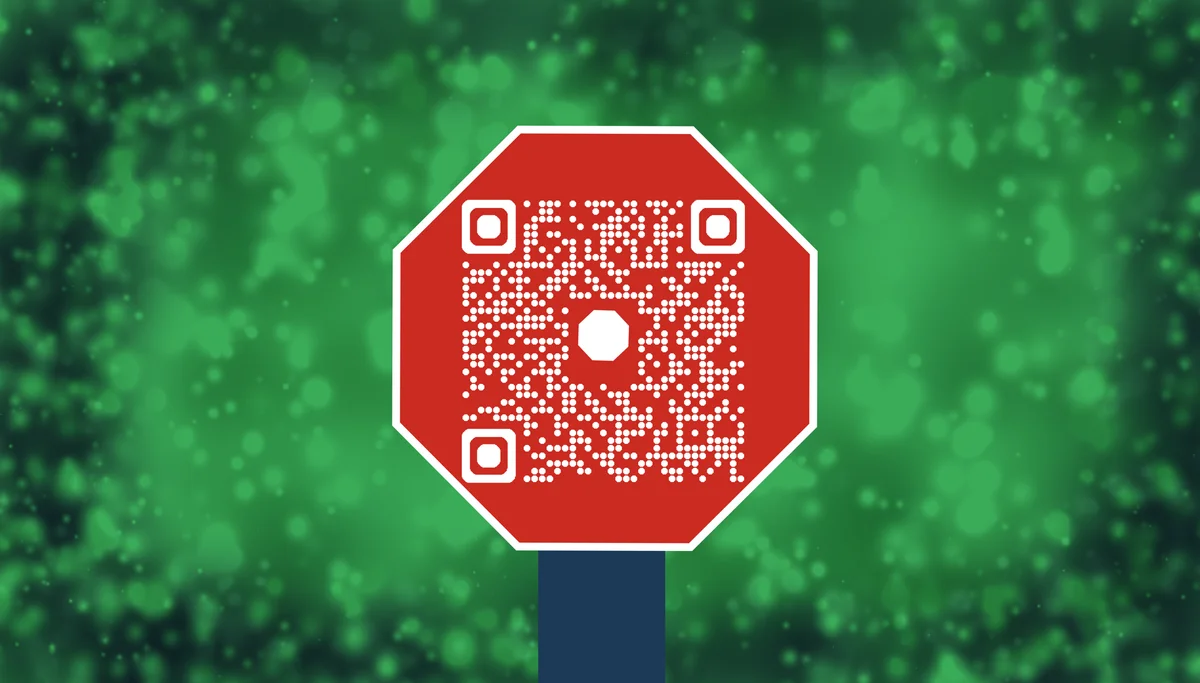
Traffic sign QR codes bridge the gap between basic roadside signage and comprehensive digital information systems. When drivers scan these codes, they access real-time updates about construction progress, weather-related hazards, traffic flow data, and emergency contact information—all without taking their eyes off the road for extended periods. Understanding the different types of QR codes helps traffic authorities choose the most appropriate solution for their specific needs.
In this guide I will cover everything from basic traffic information codes to advanced integration with municipal traffic management systems. I'll also show you how to create codes that work reliably in outdoor conditions while connecting drivers to the most relevant safety information. You can also explore our Google Maps QR codes guide for location-specific navigation solutions. So let's get started!
Smart traffic sign applications for safer roads
Traffic authorities worldwide are implementing QR codes to provide drivers with immediate access to critical road information. These applications range from construction updates to emergency response coordination. Learn more about creating effective landing pages for QR codes to maximize information delivery.
Construction zone updates
Highway departments place QR codes on construction signs that link to live webcams, project timelines, and recommended alternate routes for ongoing roadwork.
Weather hazard alerts
Mountain passes and coastal highways use QR codes to provide real-time weather conditions, visibility reports, and road closure notifications during severe weather events.
Emergency evacuation routes
Emergency management agencies deploy QR codes on evacuation route signs that connect to interactive maps, shelter locations, and emergency contact information during natural disasters. These codes often include contact information QR codes for immediate access to emergency services.
Tourist information corridors
Scenic byways and tourist routes feature QR codes that provide visitors with historical information, points of interest, dining recommendations, and local services along their journey.
Building QR codes for traffic management systems
Creating effective traffic sign QR codes requires consideration of scanning distances, weather resistance, and mobile-friendly information delivery.
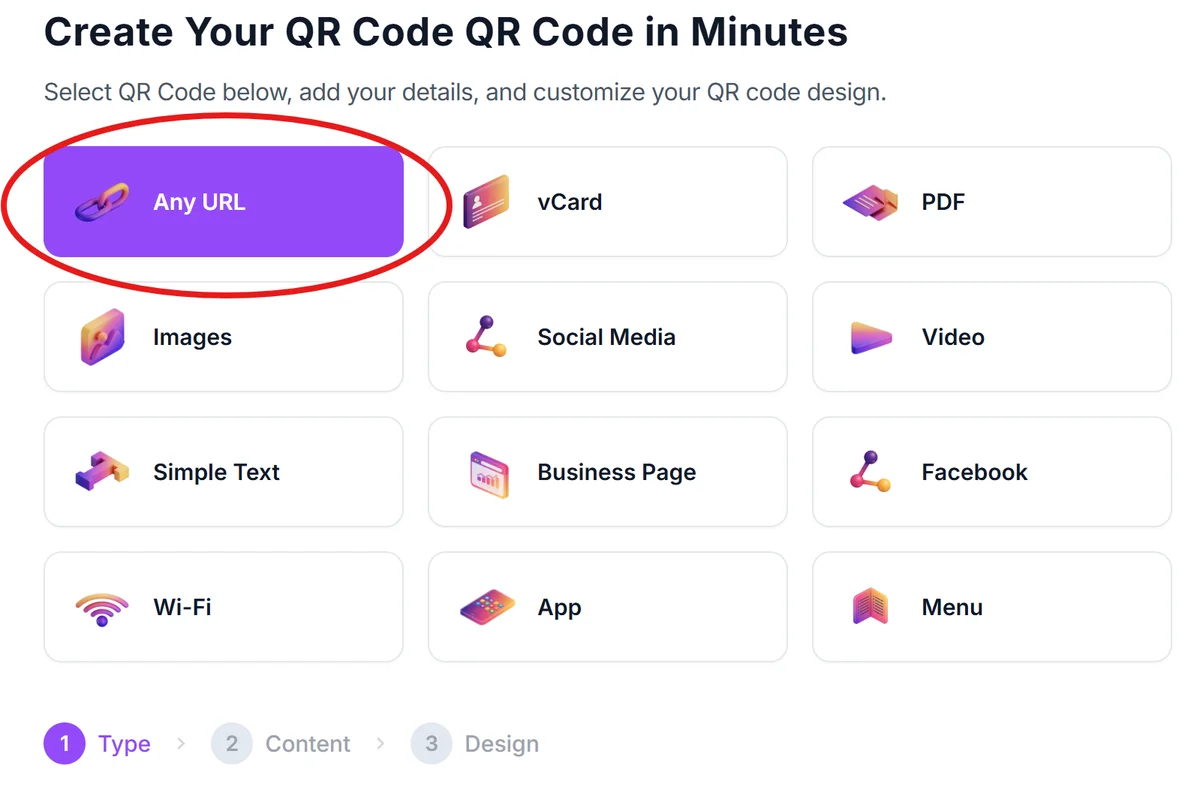
Set up your traffic information hub
Visit qrcodeveloper.com and prepare your destination page with mobile-optimized traffic information, maps, and contact details.
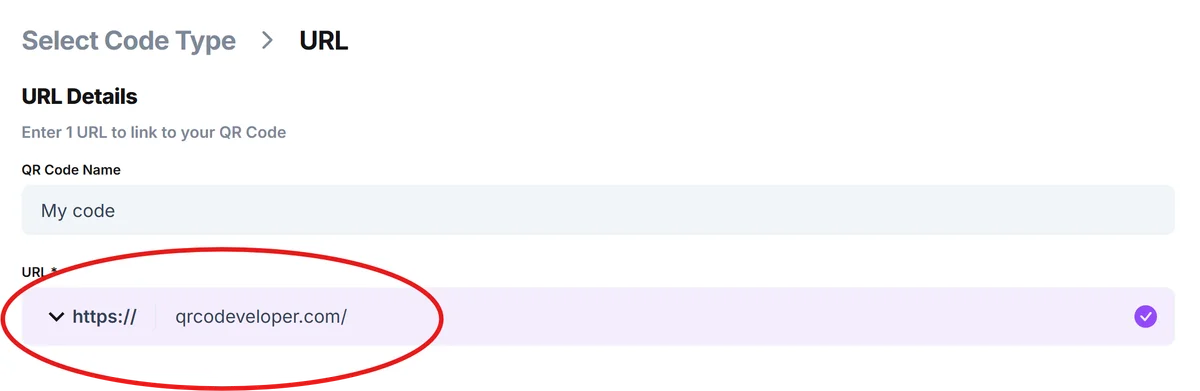
Enter your traffic information URL
Input the web address of your traffic information page, construction update portal, or emergency notification system that drivers will access.
Configure for roadside visibility
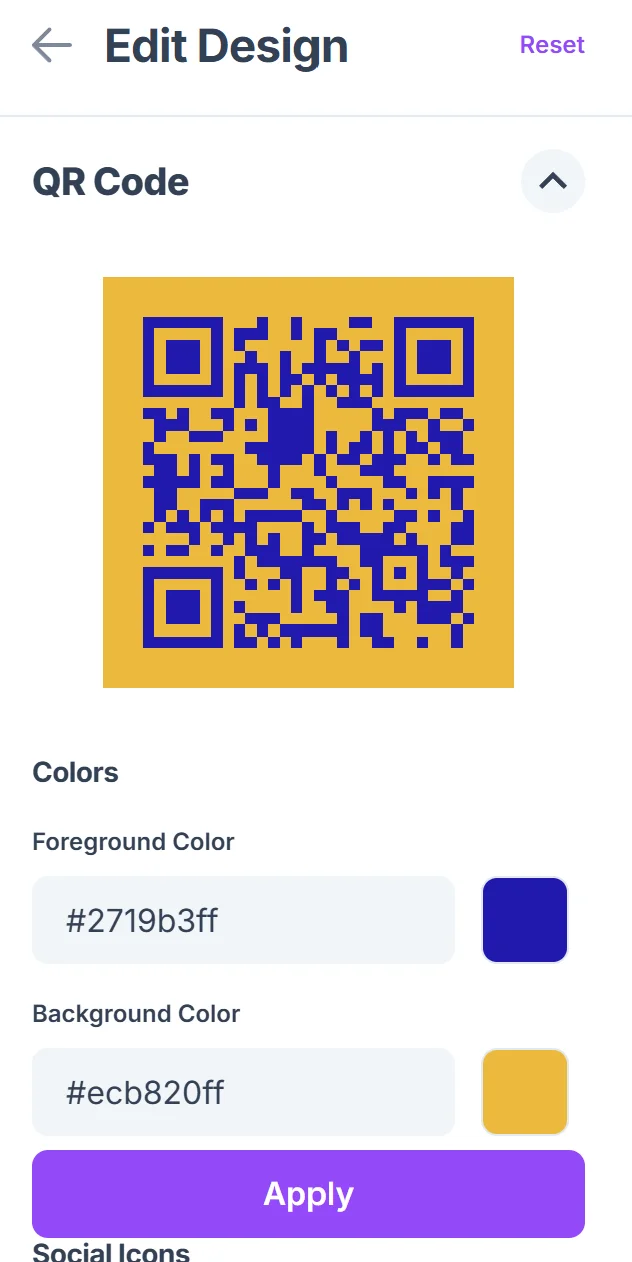
Click on the pencil icon in the Preview window to further customize your code. Select high contrast colors and increase the QR code size to ensure scannability from vehicle distances. Choose weather-resistant printing materials for outdoor installation. Consider QR code design best practices to ensure maximum visibility and scanning reliability in outdoor conditions.

Test scanning from vehicle distances
Verify that your QR code scans reliably from the distances where drivers will encounter your traffic signs, typically 10-20 feet for roadside placement.
Deploy with clear instructions
Install your QR codes with simple text like "Scan for road updates" or "Current conditions" to help drivers understand the information they'll receive.
Best practices for roadside QR code deployment
Successful traffic sign QR codes require specific considerations for outdoor durability, scanning safety, and information relevance.
Position QR codes at eye level on signs where drivers can safely pull over to scan, never requiring scanning while actively driving in traffic lanes.
Use dynamic QR codes that allow you to update information without reprinting signs, essential for changing construction schedules or emergency conditions. Learn about the advantages of static vs dynamic QR codes to make the best choice for your traffic management needs.
Design landing pages with large text and simple navigation optimized for quick mobile viewing, as drivers may have limited time to review information.
Include backup contact information directly on signs in case QR codes become damaged or unreadable due to weather or vandalism.
Frequently Asked Questions
Are QR codes on traffic signs safe for drivers to use?
QR codes should only be placed where drivers can safely pull over to scan them. Never encourage scanning while actively driving. Position codes at rest areas, parking zones, or areas with safe shoulder access.
What information should traffic sign QR codes provide?
Focus on immediately useful information like current road conditions, construction delays, alternate routes, emergency contacts, and real-time traffic updates. Keep information concise and mobile-friendly.
How do I ensure QR codes remain scannable in outdoor conditions?
Use high-contrast colors, weather-resistant materials, and larger code sizes. Regular maintenance and protective coatings help preserve scannability against sun, rain, and temperature changes.
Can I update information without changing the QR code?
Yes, dynamic QR codes allow you to update the destination information without reprinting signs. This is essential for changing construction schedules, weather conditions, or emergency updates.
Do traffic sign QR codes work with all smartphones?
Modern smartphones with built-in QR code scanning capabilities can read properly designed traffic sign codes. Ensure your codes are large enough and high-contrast for reliable scanning across different devices.
Related Guides
Ready to create your QR code?
Generate custom QR codes in seconds - free and easy to use.
Create Free QR Code →