QR code generator for taxis - Simplify passenger connections

Connect passengers to your taxi service instantly with scannable codes that share booking links, contact details, and payment options.
How taxi QR codes connect drivers with passengers
Over 40% of taxi bookings now happen through mobile apps, according to recent transportation industry data. Yet many taxi drivers and small cab companies still struggle to make their contact information easily accessible to potential passengers who need a quick ride. This is where QR codes can help!
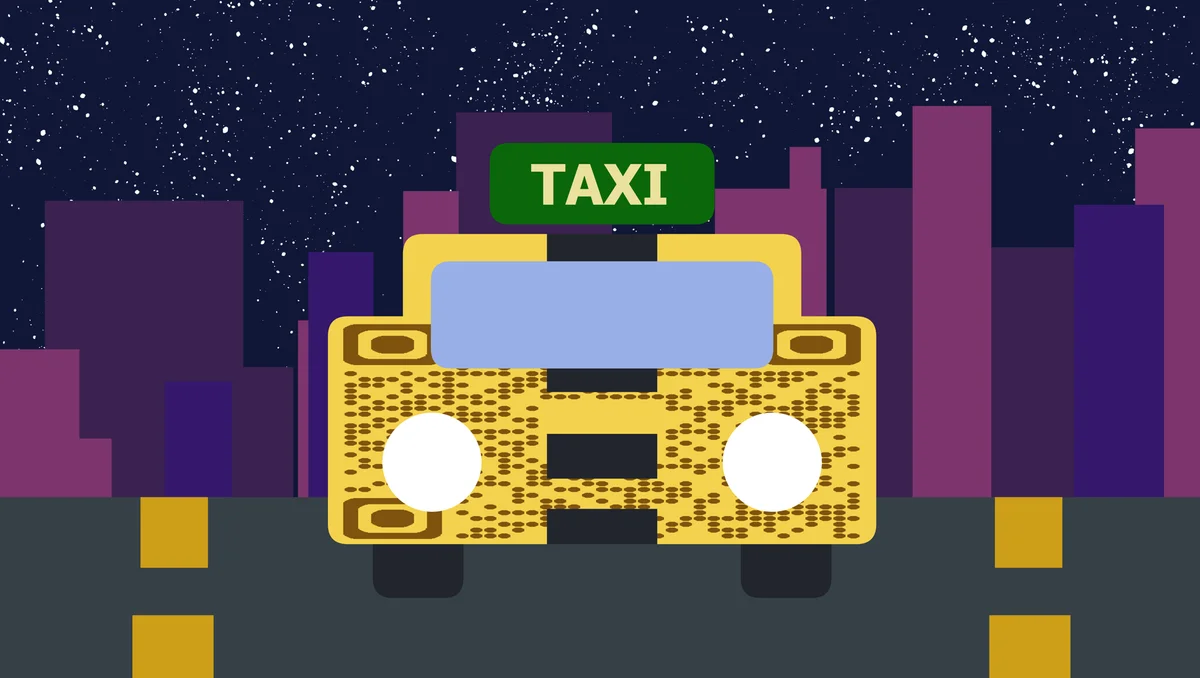
A taxi QR code can instantly connect your phone number, booking app, or payment system to anyone who scans it. Instead of fumbling with business cards or trying to remember a phone number, passengers can scan your code and immediately call, text, or book through your preferred platform.
Taxi drivers can place these codes on their vehicle windows, business cards, and even at popular pickup locations like airports and hotels. This approach works especially well for independent drivers who want to build repeat customers without relying solely on ride-sharing platforms. Our QR code generator makes it simple to create professional codes that work with any smartphone camera.
Practical applications for taxi QR codes
Taxi QR codes solve real connection problems that drivers face daily. Whether you're building a customer base or streamlining your booking process, these codes work in situations where traditional contact methods fall short. Learn more about creating effective contact information QR codes for service businesses.
Vehicle window displays
Place codes on taxi windows so passengers can save your contact info for future rides. Perfect for building repeat customers who prefer calling directly.
Airport and hotel partnerships
Partner with hotels or position yourself at airports with QR codes that link to your booking system or WhatsApp for immediate ride requests.
Business card alternatives
Replace traditional business cards with QR codes that instantly add your contact details to a passenger's phone, including your preferred booking method.
Payment system integration
Link to mobile payment apps, Venmo, or digital payment platforms so passengers can pay without cash or card transactions.
Setting up QR codes for your taxi service
Creating taxi QR codes takes just a few minutes, and you can customize them for different purposes - from contact sharing to payment collection.
Visit the QR code generator
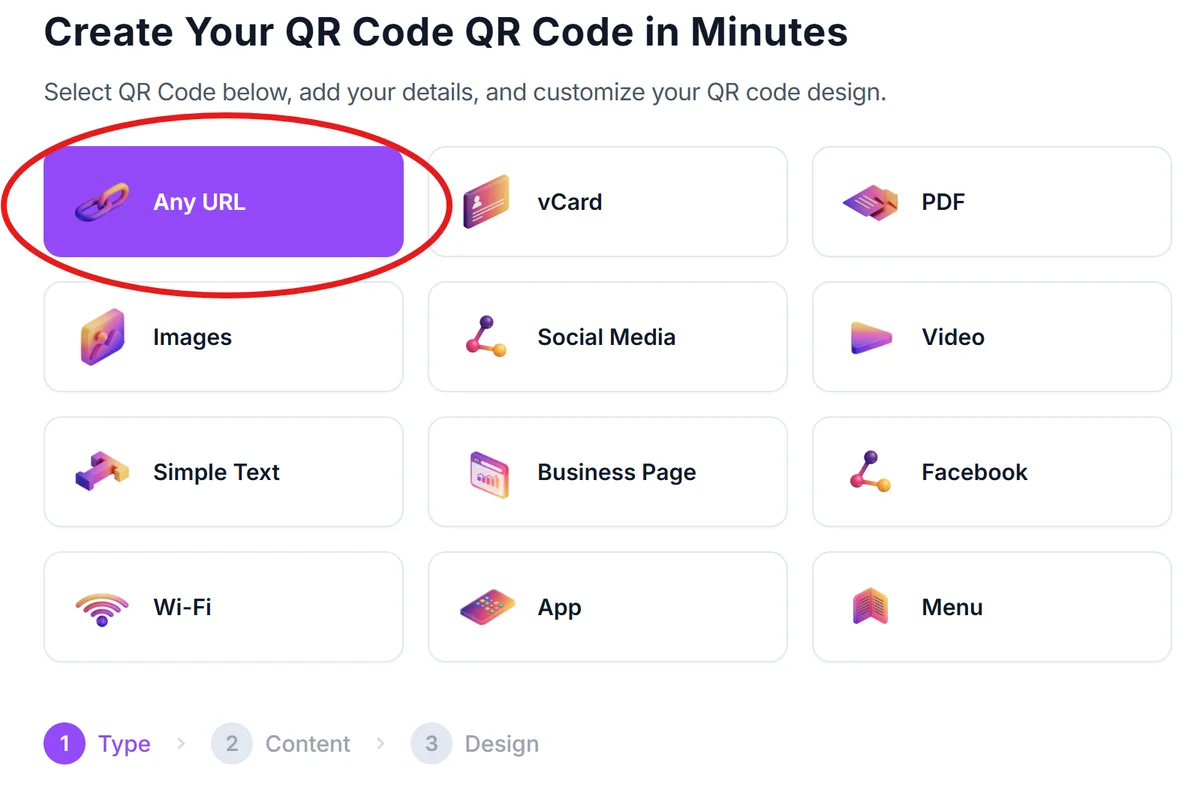
Go to qrcodeveloper.com and select the type of QR code that matches your goal - phone number for calls, URL for booking apps, or contact card for complete information.
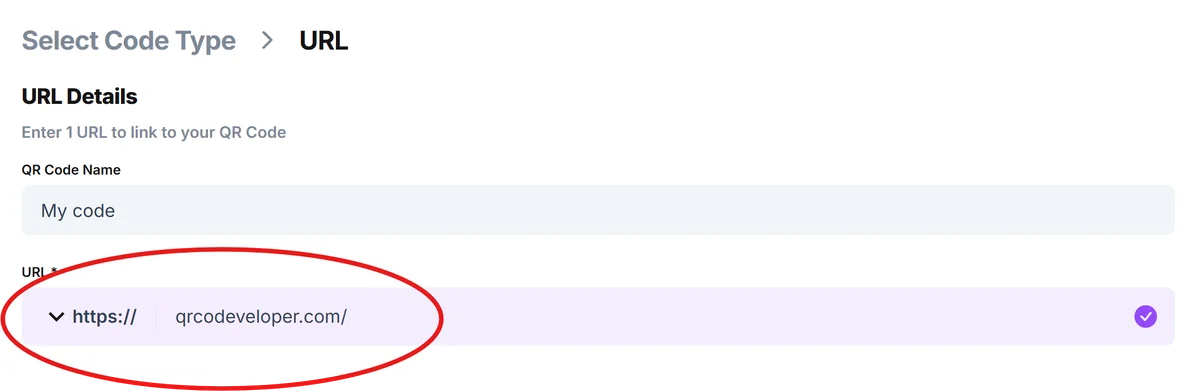
Enter your taxi service details
Input your phone number, booking website URL, or payment app link. For contact cards, include your name, taxi company, phone number, and service area.
Customize with taxi branding
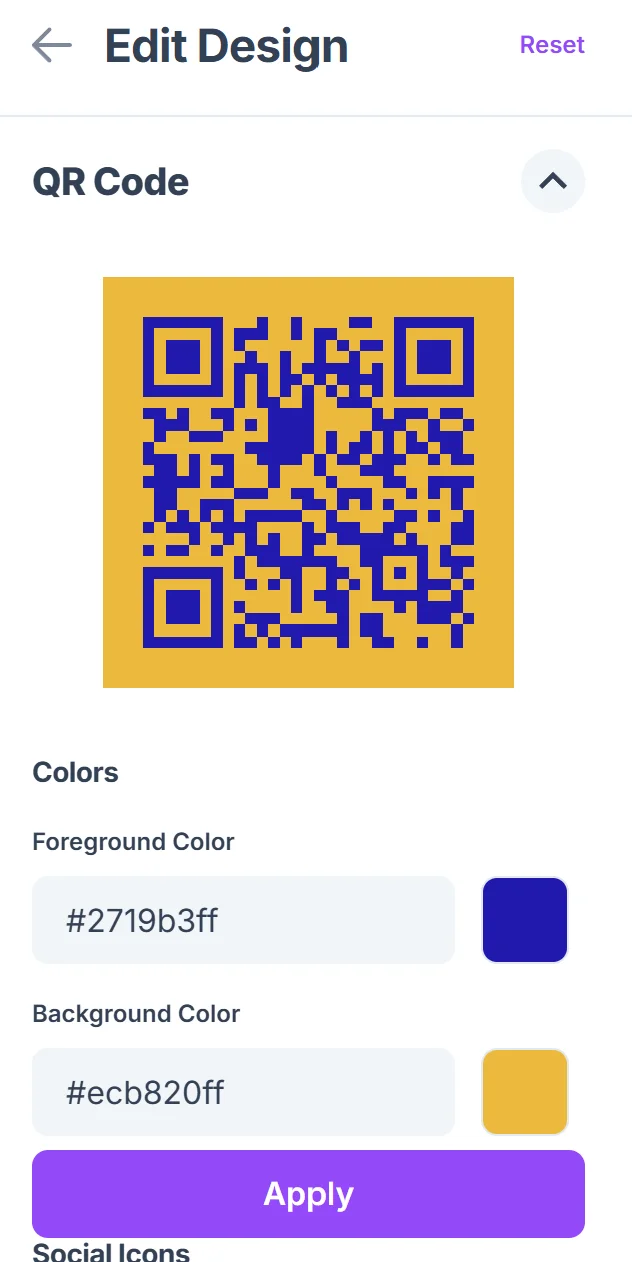
Add your taxi company colors, logo, or a simple design that makes the code look professional. Choose colors that contrast well for easy scanning in various lighting conditions.

Test across different devices
Scan your QR code with different smartphones to ensure it works properly. Test both iPhone and Android devices since passengers use various phone types.
Print and position strategically
Print codes on weather-resistant stickers for vehicle windows, business cards, or promotional materials. Size them appropriately for scanning distance - larger for vehicle displays, smaller for handouts.
Best practices for taxi QR code placement
Strategic placement and design choices can significantly improve how often passengers scan your taxi QR codes and successfully connect with your service.
Position codes at passenger eye level on vehicle windows, making them visible from sidewalks and pickup areas where people naturally look for available taxis
Include simple instructions like 'Scan to call' or 'Scan to book' since not all passengers are familiar with QR code scanning, especially older customers
Use high contrast colors (black code on white background works best) and avoid placing codes on tinted windows where lighting might affect scanning
Create separate QR codes for different purposes - one for immediate booking, another for saving contact information, and a third for payment if you offer multiple services
Frequently Asked Questions
What information should I include in my taxi QR code?
Include your phone number, taxi company name, and service area. You can also link to booking apps, payment platforms, or a simple contact card with all your details.
Where should I place QR codes on my taxi?
Place them on passenger-side windows at eye level, on business cards, and at popular pickup locations. Make sure they're visible and accessible to people looking for taxi services.
Can I track how many people scan my taxi QR code?
Yes, if you use a URL-based QR code that links to your booking page or contact form, you can track scans through website analytics or URL shortening services.
Do QR codes work for all smartphone types?
Modern iPhones and Android phones can scan QR codes with their built-in camera apps. Most passengers won't need to download additional apps to scan your code.
Are taxi QR codes free to create?
Basic QR codes are free to generate and use. You only pay for printing materials like stickers or business cards to display your codes.
Related Guides
Ready to create your QR code?
Generate custom QR codes in seconds - free and easy to use.
Create Free QR Code →