Square QR codes for streamlined payments and business operations

Square merchants process thousands of transactions daily, but many still struggle with payment friction and customer connection points that slow down service.
How Square QR codes bridge the gap between digital and in-person commerce
The morning rush at a busy coffee shop can reveal a common obstacle: customers fumbling with cash, others waiting for card readers, and a few trying to figure out mobile payments. That time spent on payment issues could be spent serving more customers and growing your business. So what do you do? Use QR codes!
Square QR codes can ease this tension by offering a quick and easy way to take payments in person. When customers scan your QR code, they can access your Square payment link, view your menu, leave reviews, or connect directly to your business profile - all without downloading apps or typing lengthy URLs.
Throughout this guide, I'll show you how to create QR codes that work specifically with Square's ecosystem. You'll also discover how QR Code Developer makes it simple to generate codes that integrate perfectly with your Square setup, whether you're running a retail store, restaurant, or service business.
Real-world applications for Square merchants
Square merchants use QR codes to solve specific business challenges, from reducing payment processing time to increasing customer engagement. These applications work particularly well with Square's built-in analytics and contact information systems.
Contactless payment processing
Link directly to your Square payment page, allowing customers to pay without touching shared surfaces or waiting for card readers.
Digital menu access
Restaurant and cafe owners share QR codes that lead to their Square-hosted menus, reducing printing costs and enabling real-time updates. This approach works similarly to creating QR code menus for any restaurant management system.
Customer review collection
Service businesses create QR codes that direct satisfied customers to their Square business profile or Google Reviews page for easy feedback submission.
Appointment booking integration
Professional services connect QR codes to their Square Appointments system, letting clients book services instantly from business cards or storefront displays.
Setting up QR codes for your Square business
Creating QR codes for Square integration takes just a few minutes and works with any Square service you're already using.
Access your Square payment or business URL
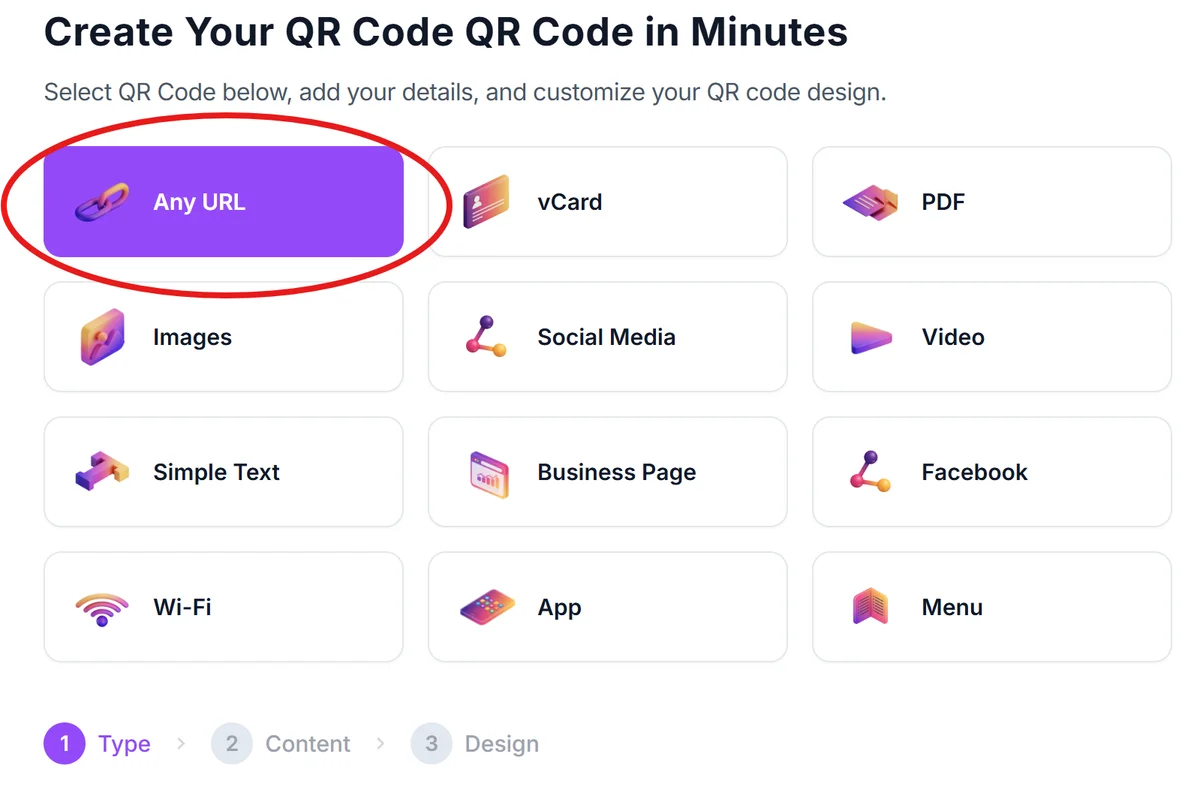
Log into your Square dashboard and copy the URL for your payment page, menu, or business profile. You can also use qrcodeveloper.com to generate codes for any Square-related link.
Enter your Square link details
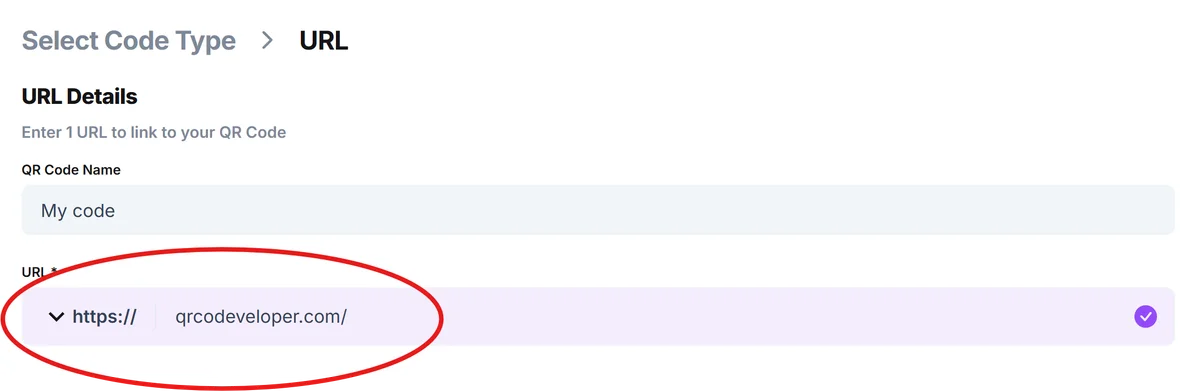
Paste your Square URL into the generator. This could be your payment link (like square.link/u/yourname), your Square menu URL, or a link to your Square business directory page.
Customize for your brand identity
Add your business colors and logo to match your Square branding. Keep the design clean and professional to maintain trust with customers who will be making payments. Follow proven QR code design principles to ensure optimal scanning performance.

Test payment flow thoroughly
Before going live, scan your QR code with multiple devices to ensure it leads to the correct Square page and that the payment process works smoothly for customers.
Deploy at strategic customer touchpoints
Place QR codes on receipts, table tents, business cards, or storefront windows where customers naturally look when they're ready to pay or engage with your business.
Best practices for Square QR code implementation
These strategies help Square merchants maximize the effectiveness of their QR codes while maintaining security and customer trust.
Include clear payment instructions next to your QR code, like 'Scan to pay with Square' or 'Scan for our digital menu.' Many customers still need guidance on what QR codes do and how to use them safely.
Test your QR codes regularly to ensure they still connect to active Square pages. Business URLs can change when you update your Square settings, and broken codes create frustrated customers.
Position QR codes at eye level and in well-lit areas where customers can easily scan them with their phones. Poor lighting or awkward angles reduce successful scan rates significantly.
Monitor your Square analytics to track which QR code placements drive the most engagement. You can see traffic patterns and adjust placement based on what actually works for your customer flow.
Frequently Asked Questions
Can I create QR codes for Square payment links without a paid Square plan?
Yes, you can create QR codes for any Square payment link or business profile URL regardless of your Square plan level. The QR code simply directs customers to your existing Square pages.
Do customers need to download the Square app to use my QR codes?
No, customers can scan your QR codes with their phone's built-in camera app. The QR code takes them to a web page where they can pay or view information without downloading additional apps.
How do I track which QR codes are driving the most Square payments?
Use unique URLs for different QR code placements, or check your Square analytics dashboard to see traffic sources. You can also use URL shorteners with tracking to monitor scan rates.
What happens if my Square payment link changes?
You'll need to generate a new QR code with the updated URL. This is why it's important to test your codes regularly and keep backup digital copies for quick updates.
Are there any fees for using QR codes with Square payments?
QR code generation is free, and Square's standard payment processing fees apply to transactions regardless of how customers access your payment page. There are no additional QR code fees.
Related Guides
Ready to create your QR code?
Generate custom QR codes in seconds - free and easy to use.
Create Free QR Code →