Track social media performance with dynamic QR codes

Social media marketers waste hours manually tracking campaign performance across platforms when dynamic QR codes provide instant, consolidated analytics for every post, story, and ad.
Dynamic QR codes for social media analytics
Most social media managers track campaign performance using platform-specific analytics that can't communicate or interact with each other, creating data silos that make cross-platform measurement nearly impossible. This can be especially frustrating, but dynamic QR codes can aliviate this by acting as universal tracking bridges that capture engagement data regardless of where users discover your content.
When you make dynamic QR codes in your social media content, they become trackable links that record every scan, timestamp, device type, and location. Unlike static QR codes that simply redirect users, dynamic codes update their destination URLs in real-time while maintaining detailed analytics about user behavior and campaign performance.
Throughout this guide, I'll show you how to implement trackable QR codes across different social platforms and interpret the data they generate. You'll also discover how QR Code Developer provides the analytics infrastructure needed to measure ROI across all your social media campaigns from a single dashboard.
Social media tracking scenarios that drive results
Dynamic QR codes excel at bridging the gap between social media exposure and measurable business outcomes. Here are the most effective ways marketers use them to track performance across platforms. Consider combining QR tracking with Instagram QR codes for comprehensive social media measurement.
Cross-platform campaign measurement
Use unique QR codes for each social platform (Instagram, TikTok, LinkedIn) pointing to the same landing page to compare which platforms drive the most qualified traffic and conversions.
Influencer collaboration tracking
Provide each influencer partner with a unique QR code to measure their individual impact on traffic, sign-ups, and sales, enabling data-driven partnership decisions.
Story and temporary content analytics
Track engagement from ephemeral content like Instagram Stories or Snapchat posts by embedding QR codes that capture data even after the original content expires.
Event promotion performance
Monitor registration rates and attendee sources by placing trackable QR codes in event announcements across different social channels and measuring conversion paths.
Setting up trackable QR codes for campaigns
Creating analytics-enabled QR codes requires more than just generating a code - you need to structure your tracking system for meaningful insights.
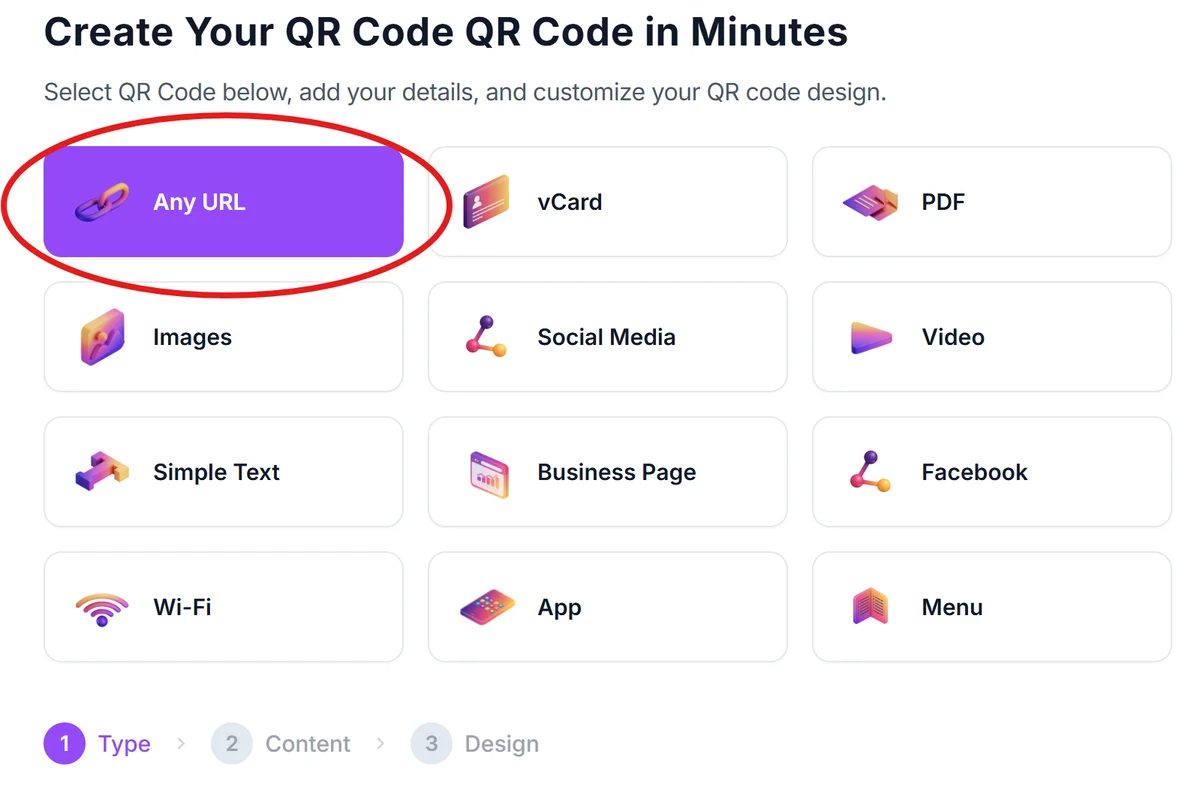
Access the dynamic QR generator
Visit qrcodeveloper.com and select 'Dynamic QR Code' to ensure your codes can be tracked and updated without reprinting.
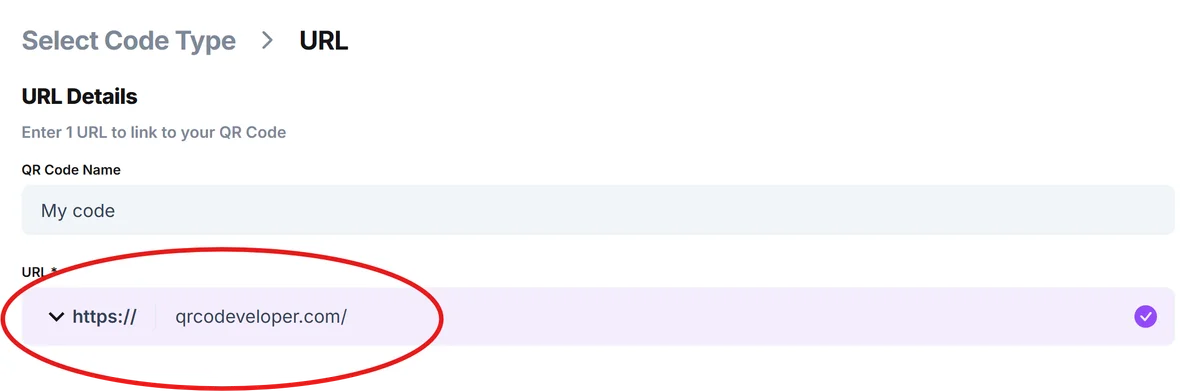
Configure your tracking destination
Enter your landing page URL, ensuring it has proper analytics tracking (Google Analytics, Facebook Pixel, etc.) to capture the complete user journey from QR scan to conversion.
Design platform-specific codes
Customize your QR code design to match each social platform's aesthetic while maintaining scannability - use brand colors for Instagram, high contrast for TikTok videos.

Implement naming conventions
Label each QR code with descriptive names like 'Instagram-Story-ProductLaunch-Week1' to easily identify performance sources in your analytics dashboard.
Deploy and monitor performance
Place codes in your social content and monitor real-time scan data to identify peak engagement times and optimize posting schedules for maximum reach. Consider using QR codes for landing pages to create dedicated conversion paths for each campaign.
Advanced strategies for social media QR tracking
Successful QR code tracking goes beyond basic scan counts - these strategies help you extract actionable insights from your social media campaigns.
Create separate tracking codes for different content types (carousel posts vs. single images vs. videos) to identify which formats drive the most engagement and conversions
Use time-limited QR codes for flash sales or limited offers, then analyze scan patterns to determine optimal promotion durations and urgency messaging effectiveness
Set up geographic tracking to understand which regions respond best to your social media content, enabling location-specific targeting and content customization
Integrate QR scan data with your CRM system to track the complete customer journey from social media discovery through purchase and retention
Frequently Asked Questions
How accurate is QR code tracking compared to native social media analytics?
QR codes provide more accurate conversion tracking because they capture actual user actions (scans) rather than estimated reach or impressions, giving you concrete data about engagement quality.
Can I track QR code performance across multiple social platforms simultaneously?
Yes, dynamic QR codes can track scans from all platforms in a unified dashboard, allowing you to compare cross-platform performance and identify your most effective social channels.
What metrics should I focus on when analyzing social media QR code performance?
Track scan-to-conversion rates, peak scanning times, device types, and geographic distribution to understand user behavior and optimize your social media strategy accordingly.
How do I prevent QR code tracking data from being skewed by bots or fake scans?
Most dynamic QR code platforms filter out bot traffic automatically, but you can also cross-reference scan data with your website analytics to identify genuine user engagement patterns.
Is there a limit to how many QR codes I can track for social media campaigns?
QR Code Developer allows unlimited dynamic QR code creation and tracking, so you can create unique codes for every post, campaign, or platform without restrictions.
Related Guides
Ready to create your QR code?
Generate custom QR codes in seconds - free and easy to use.
Create Free QR Code →