Best practices for social media QR codes on packaging and signage

Strategic placement and design of social media QR codes on physical materials can boost engagement rates by 300% when executed correctly.
Key Takeaways
- Place QR codes at eye level and in high-traffic areas for maximum visibility and scan rates
- Include clear call-to-action text that explains what users will find when they scan
- Maintain a minimum size of 1 inch (2.5cm) square to ensure reliable scanning across devices
- Test your QR codes on multiple devices and lighting conditions before final production
Brands that integrate QR codes on their packaging see a 67% increase in social media engagement compared to those relying solely on traditional marketing methods. This digital bridge connects physical products to online communities, creating opportunities for deeper customer relationships.
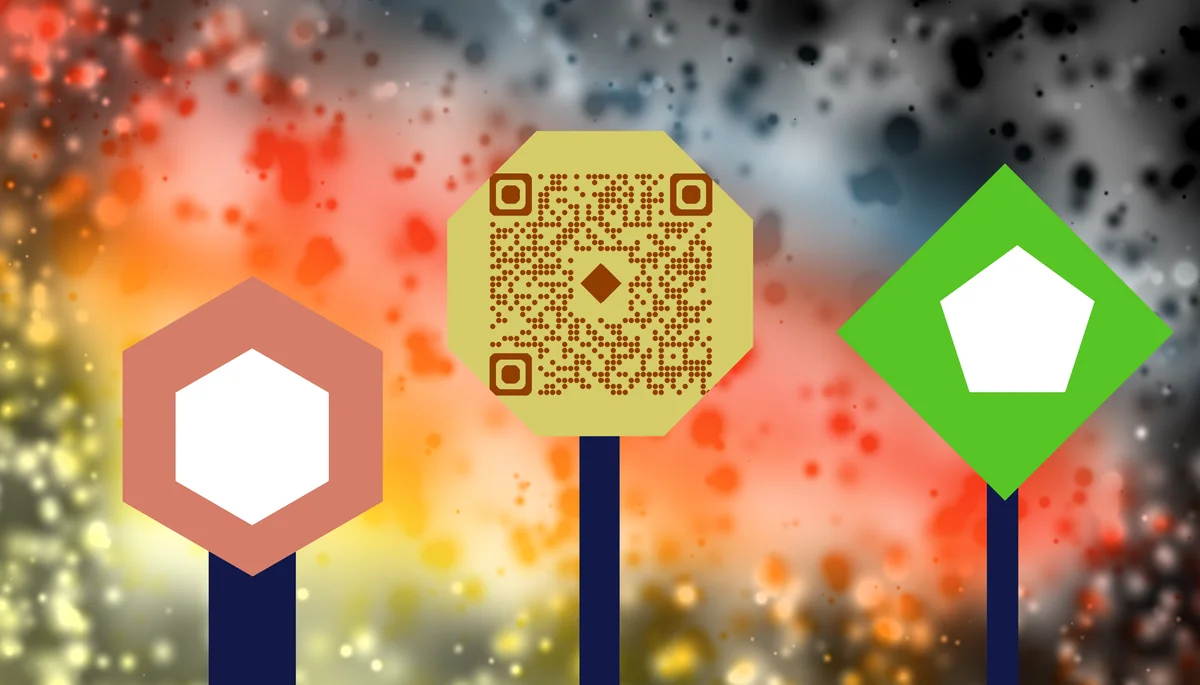
Social media QR codes on packaging and signage serve as instant pathways to your digital presence. They eliminate the friction of manual searches, typing URLs, or remembering social handles. When a customer scans your code, they're immediately connected to your content, whether that's your latest Instagram posts, Facebook page, or YouTube channel.
In this guide I will cover the essential strategies for implementing social media QR codes effectively. I'll also show you proven placement techniques, design principles that increase scan rates, and platform-specific approaches that work. You'll also learn about creating these codes using QR Code Developer for reliable results. So let's get started!
Strategic placement for maximum visibility
Location determines everything when it comes to QR code effectiveness. The best placements create natural scanning moments when customers are already engaged with your product or brand message. Understanding customer behavior patterns helps you identify these prime real estate spots, similar to how QR code stickers require strategic positioning for maximum impact.
Consider the customer journey from discovery to purchase to post-purchase engagement. Each touchpoint offers unique opportunities for QR code placement, but not all locations are equally effective.
Packaging placement zones
Front panels work best for impulse scanning, while back panels suit detailed information sharing. Side panels are ideal for Instagram QR codes since customers naturally rotate products during examination. Bottom panels should be avoided as they're rarely visible during normal handling.
Signage positioning guidelines
Eye-level placement (5-6 feet high) generates the highest scan rates. Corner positioning allows for better smartphone camera angles, while center placement competes with other visual elements. Avoid placing codes near reflective surfaces or in areas with inconsistent lighting.
Environmental considerations
Indoor locations offer controlled lighting and stable conditions, making them ideal for detailed QR codes. Outdoor signage requires larger codes and weather-resistant materials. High-traffic areas need durable printing methods to maintain code integrity over time.
Design elements that drive scans
Visual design directly impacts scan rates and user trust. A well-designed QR code integration feels natural within your brand aesthetic while maintaining technical functionality. The key is balancing brand consistency with scanning reliability.
Color contrast, sizing, and surrounding elements all influence whether customers notice and trust your QR code enough to scan it.
Size and contrast requirements
Minimum size should be 1 inch (2.5cm) square for reliable scanning. High contrast between the code and background improves readability - black on white remains the gold standard. Avoid low-contrast combinations like dark blue on black or light gray on white. For more detailed guidance on visual elements, check out our comprehensive QR code design tips.
Brand integration techniques
Custom colors work when maintaining sufficient contrast ratios. Logo integration in the center quiet zone is possible but requires testing to ensure scannability. Frame your QR code with brand colors rather than altering the code itself for safer customization.
Call-to-action design
Clear instructions increase scan rates by up to 40%. Use action words like 'Scan to Follow' or 'Scan for Exclusive Content' rather than generic 'Scan Me' text. Include the social platform name to set expectations - 'Scan for Instagram' performs better than vague instructions.
Platform-specific QR code strategies
Different social platforms serve different purposes, and your QR code strategy should reflect these distinctions. Instagram codes might focus on visual content discovery, while Facebook QR codes could emphasize community building and event promotion.
Platform-specific approaches also consider user behavior patterns and the type of content that performs best on each network.
Instagram optimization
Instagram QR codes work best when they promise visual content like behind-the-scenes footage or product styling ideas. Place them on packaging where customers are already examining visual details. Include hashtag references in your call-to-action to set content expectations.
Facebook community building
Facebook codes should emphasize community benefits like exclusive groups, event invitations, or customer support access. These work well on service-related signage where customers might need ongoing support or want to connect with other users.
YouTube content promotion
YouTube QR codes excel when promoting educational or entertainment content related to your product. Tutorial videos, unboxing experiences, or product demonstrations create natural scanning motivation. Consider using YouTube QR codes on complex products that benefit from video explanations.
Multi-platform approaches
Linktree-style landing pages allow one QR code to connect to multiple social platforms. This approach works well for brands with strong presences across several networks. However, specific platform codes often generate higher engagement than generic multi-platform options.
Pro tips for higher conversion rates
These advanced strategies can significantly improve your QR code performance and social media engagement rates.
Test your QR codes in actual lighting conditions where they'll be displayed - what works indoors may fail in bright outdoor light or dim retail environments
Create urgency with time-sensitive offers like 'Scan for this week's exclusive content' or 'Limited-time Instagram story highlights' to encourage immediate action
Track scan analytics to identify peak scanning times and locations, then adjust your content posting schedule to match when people are most likely to scan
Use progressive disclosure - start with basic social content for new scanners, then offer deeper engagement opportunities for repeat visitors
Include your QR code in multiple locations with different call-to-actions to test which messaging resonates best with your audience
Frequently Asked Questions
What's the minimum size for QR codes on packaging?
QR codes should be at least 1 inch (2.5cm) square for reliable scanning. Smaller codes may work in perfect conditions but fail in real-world scenarios with varying lighting, angles, and smartphone cameras. For outdoor signage, consider 2 inches or larger.
Should I use different QR codes for different social platforms?
Yes, platform-specific QR codes generally perform better than multi-platform options. They allow you to set clear expectations and create targeted calls-to-action. However, if space is limited, a landing page with multiple social links can be effective.
How do I track the performance of my social media QR codes?
Use URL shorteners with analytics, UTM parameters, or QR code generators that provide scan tracking. Monitor metrics like scan rates, conversion to follows, and engagement on posts that new followers discover through QR codes.
Can I customize QR code colors to match my brand?
Yes, but maintain high contrast for reliability. Dark colors on light backgrounds work best. Avoid light colors on dark backgrounds or low-contrast combinations. Always test customized codes on multiple devices before production.
What should I do if my QR codes aren't getting scanned?
Check placement (eye level works best), ensure adequate size (minimum 1 inch), verify contrast levels, and test your call-to-action messaging. Sometimes the issue is unclear value proposition rather than technical problems.
Related Guides
Ready to create your QR code?
Generate custom QR codes in seconds - free and easy to use.
Create Free QR Code →