SMS QR code generator for instant text messaging

Let customers reach you with one scan. Generate SMS QR codes that open pre-filled text messages on any smartphone.
How SMS QR codes simplify text communication
Customers who need help often struggle to find your support number in their contacts or buried somewhere on your website. SMS QR codes eliminate this friction entirely by opening a pre-filled text message when scanned - complete with your phone number and any message you want to include.
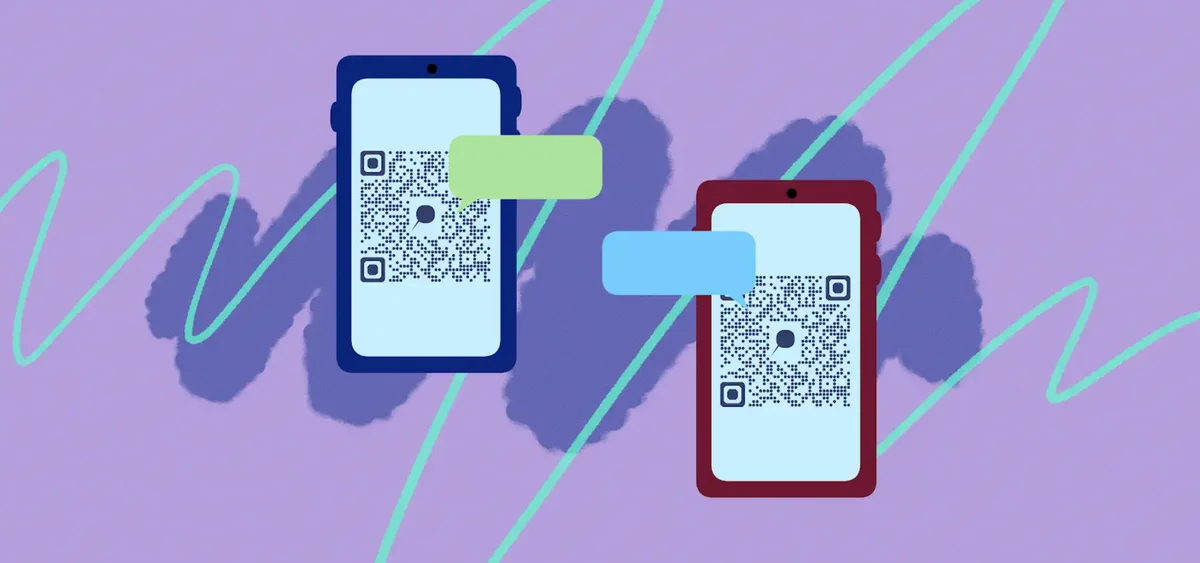
An SMS QR code automatically launches your phone's messaging app with a specific phone number and optional pre-written message. When someone scans the code, they don't need to search for your number, remember what to ask, or worry about typos. The message window opens ready to send, making communication as simple as a single tap.
Businesses across industries are discovering how SMS QR codes bridge the gap between physical and digital communication. From restaurants wanting feedback to real estate agents offering property information, these codes turn any printed material into a direct line of communication. Similar to how you can add QR codes to flyers for marketing purposes, SMS codes work seamlessly on any printed material.
Smart ways businesses use SMS QR codes
SMS QR codes solve real communication challenges across industries. They're particularly powerful for situations where you want to encourage feedback, provide quick support, or make contact information instantly accessible. Similar to how WhatsApp QR codes work for messaging apps, SMS codes work with your phone's built-in messaging.
Customer service hotlines
Retail stores and service businesses place SMS QR codes on receipts, packaging, or displays to make support requests effortless for customers. These codes work particularly well alongside QR code business cards for comprehensive customer communication.
Event feedback collection
Conference organizers and venue managers use SMS codes on programs or signage to gather real-time feedback without requiring apps or forms.
Real estate property inquiries
Agents place SMS QR codes on yard signs and flyers so interested buyers can instantly request showing appointments or property details.
Restaurant reservations and orders
Restaurants use SMS codes for takeout orders, reservation requests, or special event bookings, especially useful for establishments without online ordering systems. They complement traditional QR code menus by providing a direct communication channel.
Building your SMS QR code in minutes
Creating an SMS QR code takes just a few steps, and you can customize both the phone number and message content to fit your specific needs.
Open the SMS QR generator
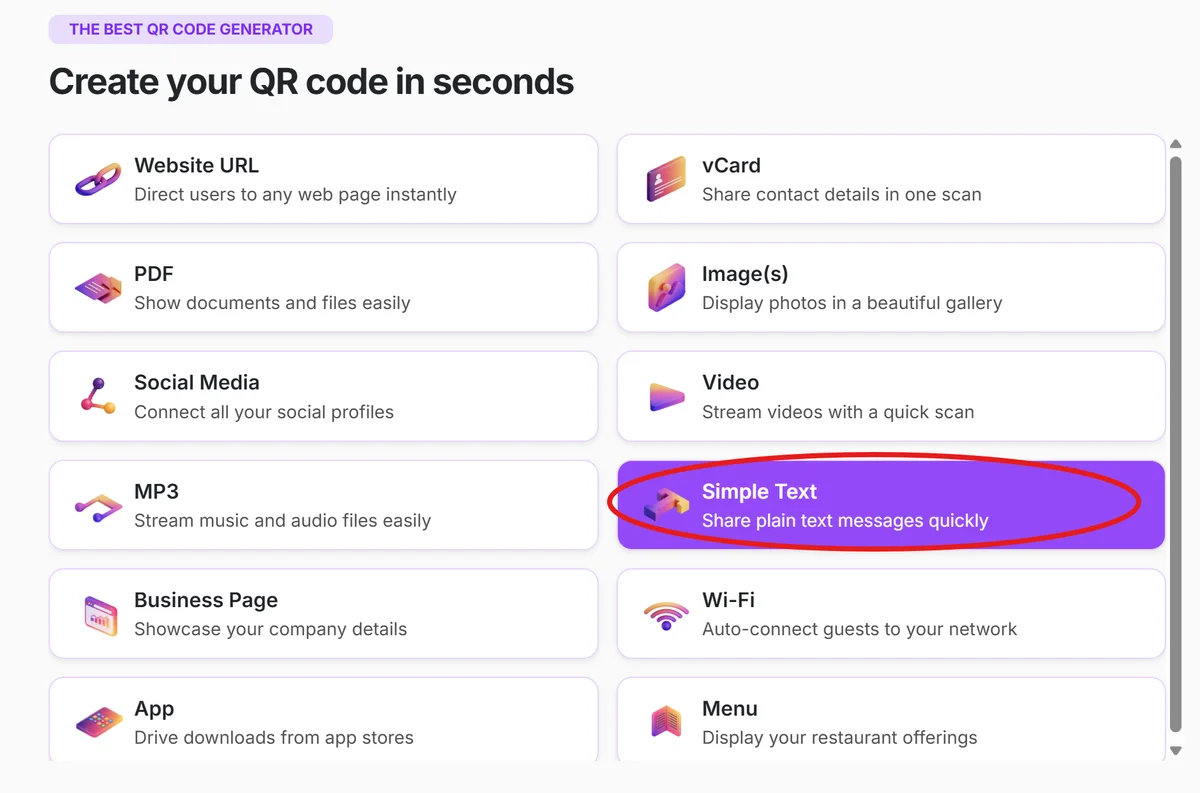
Visit qrcodeveloper.com and select 'Simple Text' from the QR code type options.
Enter your phone number and message
Input your phone number (include country code for international use) and write the pre-filled message you want recipients to see. Keep messages clear and action-oriented.
Customize the design and size
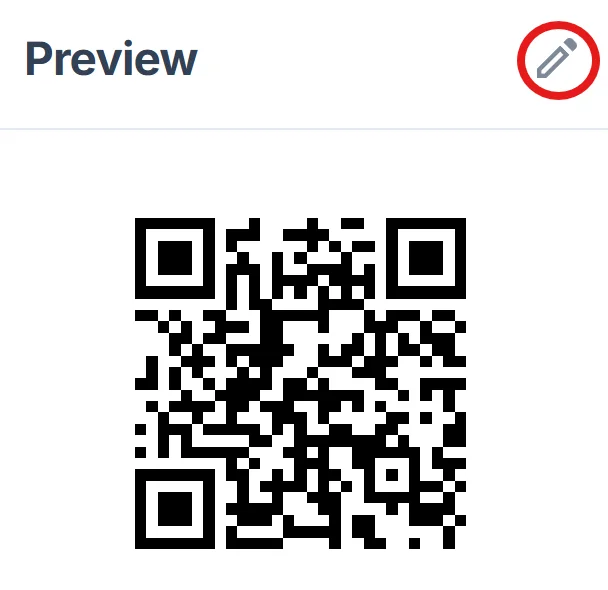
Choose colors that match your brand and ensure the QR code will be large enough for easy scanning in your intended placement location. For design inspiration, check out our QR code design tips to create visually appealing codes.
Test across different devices
Before printing or sharing, scan your QR code with both iPhone and Android devices to confirm the messaging app opens correctly with your pre-filled content.
Deploy strategically for maximum impact
Place your SMS QR code where people naturally look for contact information - receipts, business cards, signage, or product packaging.
Best practices for SMS QR code success
Getting the most from your SMS QR codes requires strategic thinking about placement, messaging, and user experience.
Write clear, actionable pre-filled messages that tell recipients exactly what to do next. Instead of 'Hi there,' try 'I'm interested in scheduling a showing for [property address]' for real estate.
Include your country code in the phone number format (+1 for US, +44 for UK) to ensure the code works for international visitors or if shared digitally.
Size your QR codes appropriately for scanning distance - at least 1x1 inch for business cards, 2x2 inches for flyers, and larger for signs viewed from farther away. Consider creating QR code stickers for flexible placement options across different surfaces.
Monitor response patterns to understand when people text most frequently, helping you staff customer service appropriately and respond quickly to time-sensitive inquiries.
Frequently Asked Questions
Do SMS QR codes work on all phones?
Yes, SMS QR codes work on any smartphone with a camera and built-in messaging app. They don't require special apps since they use your phone's standard texting functionality.
Can I change the pre-filled message after creating the QR code?
With static QR codes, the message is permanent once generated. For flexibility to update messages, consider using dynamic QR codes that let you modify content without reprinting.
How long can my pre-filled SMS message be?
Keep messages under 160 characters for best compatibility. Longer messages may be split into multiple texts or truncated on some devices.
Will scanning the code automatically send the message?
No, scanning opens the messaging app with your number and message pre-filled, but users must tap send. This prevents accidental messages and gives people control over when they contact you.
Are SMS QR codes free to create?
Yes, you can create basic SMS QR codes for free. Premium features like custom designs, analytics, and dynamic editing may require a paid plan depending on your needs.
Related Guides
Ready to create your QR code?
Generate custom QR codes in seconds - free and easy to use.
Create Free QR Code →