QR code generators for mobile apps and app stores

Bridge the gap between physical marketing and digital app downloads with scannable codes that drive direct installs.
How app developers use QR codes to boost downloads
Mobile app downloads reached 230 billion in 2023, yet most users discover apps through word-of-mouth recommendations rather than browsing app stores. This creates a massive opportunity gap for developers who want to connect their offline marketing directly to app installations.
QR codes for apps work as instant bridges between physical marketing materials, like flyers, posters, and stickers, and digital downloads. When someone scans your app's QR code, they're taken directly to your app store listing, a specific in-app feature, or a landing page that explains your app's benefits before directing them to download.
App developers are using these codes on everything from business cards to billboards, making it easier for potential users to find and install their apps without typing long URLs or searching through crowded app stores. Throughout this guide, I'll show you how to create effective app QR codes using QR Code Developer and share strategies that actually drive downloads. So let's get shopping!
Smart ways to promote apps with QR codes
App QR codes solve the friction problem between discovering an app and actually downloading it. Instead of asking people to remember your app name or search through thousands of similar apps, you give them instant access. Here are the most effective ways developers are using QR codes for app promotion:
App store direct links
Point users straight to your iOS App Store or Google Play listing, bypassing search entirely and reducing the steps between discovery and download.
Conference and event promotion
Tech conferences, startup pitches, and networking events where you want attendees to download your app immediately while you're presenting or demonstrating.
Print advertising campaigns
Magazine ads, flyers, and brochures that need to connect print readers to digital downloads without requiring them to type URLs on small screens.
In-app feature showcases
Link to specific features within your app for existing users, or create demo experiences that show potential users exactly what they'll get before downloading.
Creating app download QR codes that convert
Setting up an app QR code requires more strategy than just linking to your app store page. The best performing codes consider the user journey from scan to install.
Visit the QR generator
Head to qrcodeveloper.com and select 'URL' as your QR code type since you'll be linking to web-based app store pages.
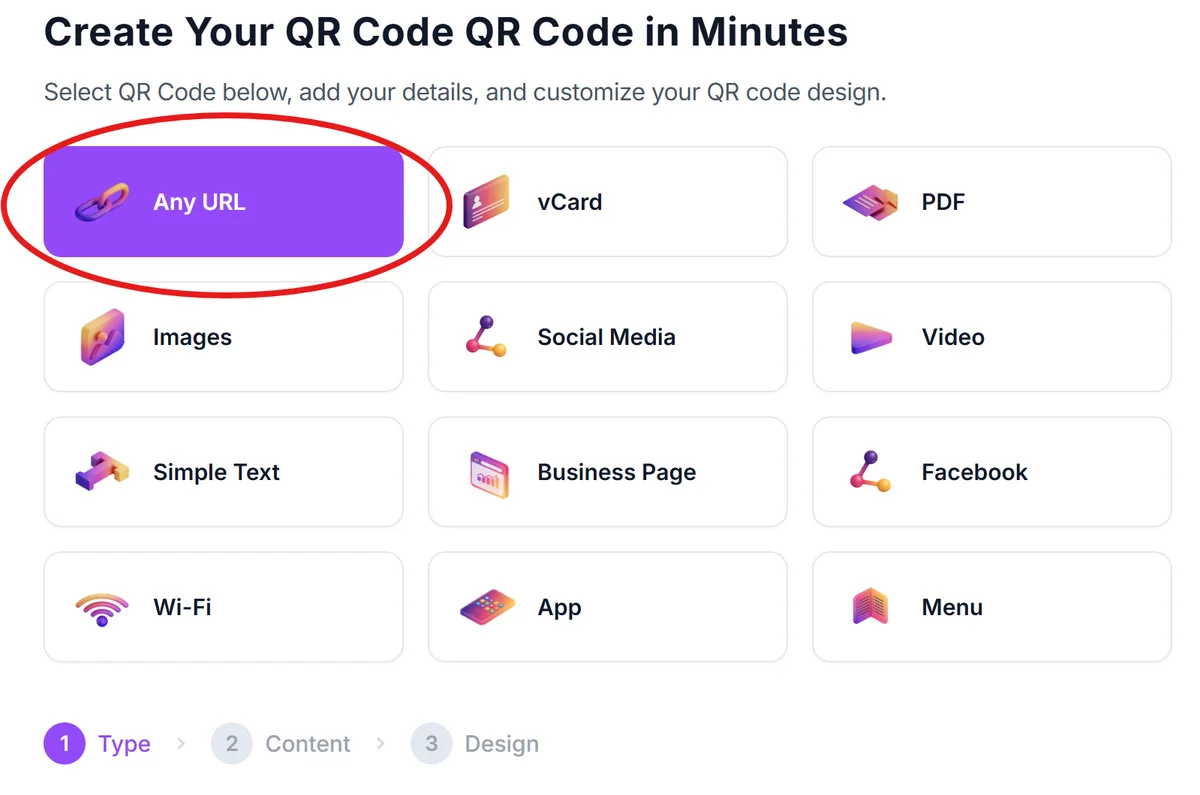
Choose your app store URL strategy
Enter your app's direct App Store or Google Play URL. For cross-platform apps, consider using a landing page that detects the user's device and redirects appropriately.
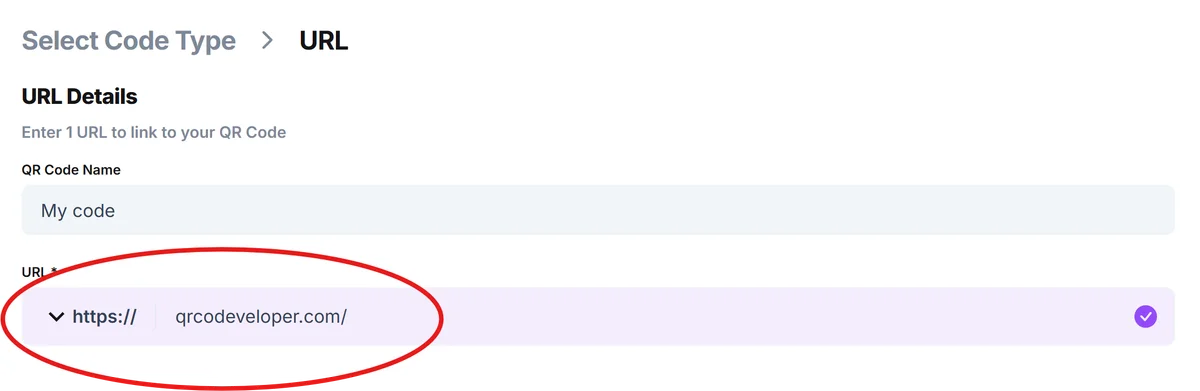
Customize for app branding
Click on the pencil icon in the Preview window to further customize your code. Upload your app icon as the QR code logo and choose colors that match your app's brand. This visual consistency helps users recognize your app even before scanning, following QR code design best practices.
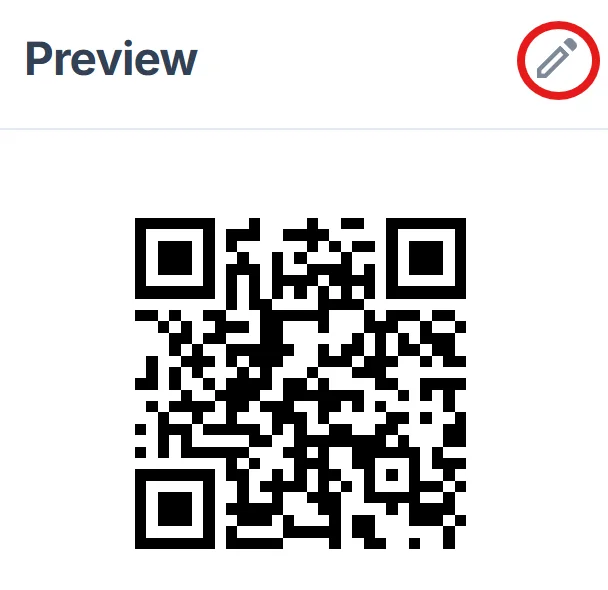
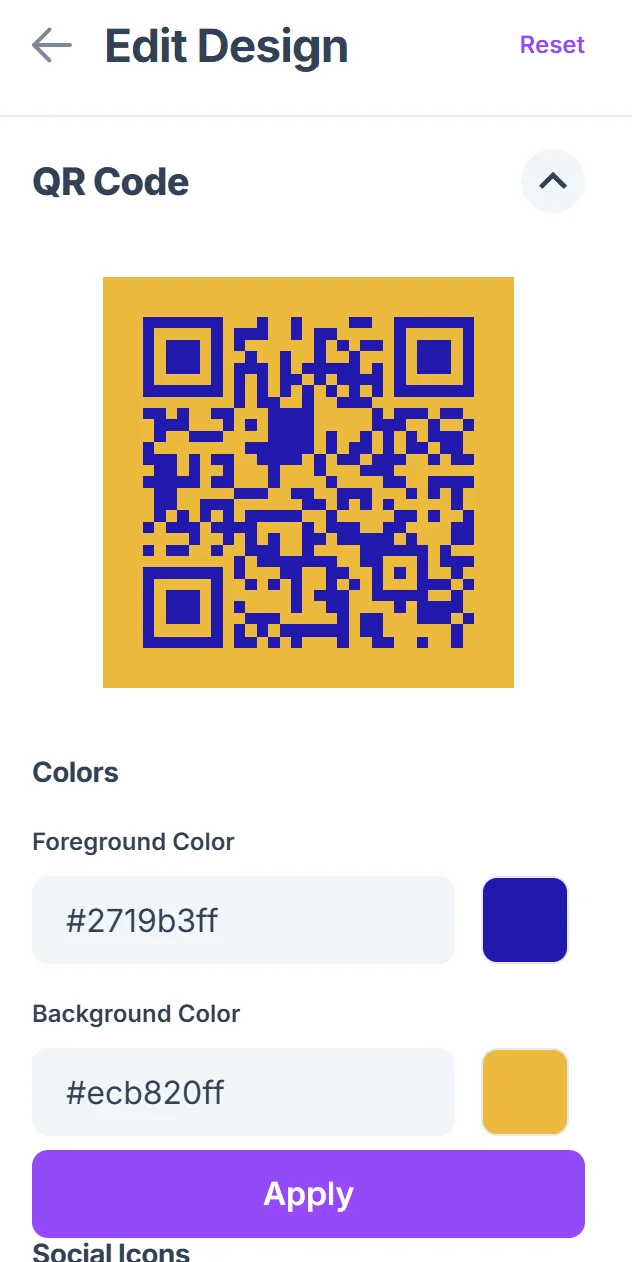
Test across devices
Scan your QR code with both iOS and Android devices to ensure the links work correctly and users land on the right app store for their platform.
Track performance metrics
Monitor scan rates and conversion to downloads. If you're using a landing page, track how many scans result in actual app store visits and installations.
Best practices for app promotion QR codes
Getting people to scan your QR code is just the first step. Converting those scans into actual app downloads requires attention to the entire user experience.
Include clear call-to-action text like 'Scan to Download' or 'Get the App' near your QR code so people understand what will happen when they scan
Create device-specific landing pages that automatically detect whether someone is on iOS or Android and direct them to the appropriate app store
Size your QR codes appropriately for the medium - business cards need smaller codes while billboards can use larger ones for scanning from a distance
Test your app store URLs regularly since app store links can change, and broken links will kill your conversion rate from scans to downloads
Frequently Asked Questions
Can one QR code work for both iOS and Android app stores?
Yes, but you'll need to create a landing page that detects the user's device and redirects them to the appropriate app store. Direct app store URLs only work for their specific platform.
Should I link directly to the app store or use a landing page?
For single-platform apps, direct links work well. For cross-platform apps or when you want to explain your app's benefits first, a landing page provides better user experience and conversion rates.
How can I track how many app downloads come from QR code scans?
Use URL shorteners with analytics, create unique landing pages for QR campaigns, or use app store analytics to track traffic sources if you're linking directly to store pages.
What's the best size for QR codes on different marketing materials?
Business cards need at least 0.5 inches, flyers work well with 1-2 inches, and outdoor signage should use 4+ inches. The key is ensuring the code remains scannable from the expected viewing distance.
Are there any costs associated with creating app QR codes?
Basic QR code generation is free. You might pay for premium URL shorteners, landing page hosting, or advanced analytics, but the core QR code creation doesn't require payment.
Related Guides
Ready to create your QR code?
Generate custom QR codes in seconds - free and easy to use.
Create Free QR Code →