Pinterest QR code generator for boards and profiles

Pinterest creators spend hours crafting perfect boards, but sharing them requires typing long URLs. QR codes bridge that gap instantly.
How Pinterest QR codes connect your content to real-world audiences
Picture this: you're at a craft fair showcasing your handmade jewelry, and visitors keep asking where they can find more of your designs. Instead of spelling out your Pinterest username or trying to describe how to find your boards, you can simply point to a QR code on your display. One quick scan takes them directly to your carefully curated jewelry inspiration boards.
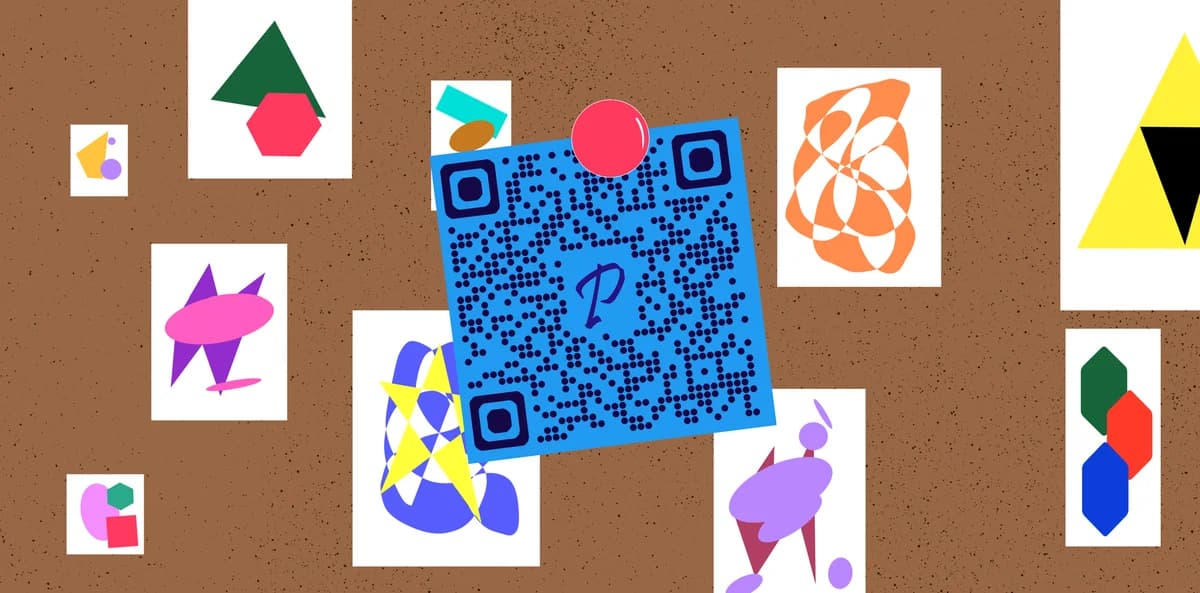
Pinterest QR codes transform any Pinterest URL - whether it's your profile, a specific board, or even an individual pin - into a sharable and scannable code that works with any smartphone camera. These codes streamline the process of discovering your content in person and actually following or engaging with it on Pinterest.
Throughout this guide, I'll show you exactly how to create Pinterest QR codes using QR Code Developer and share strategies that successful Pinterest creators use to grow their following through offline marketing. You'll also discover how these codes work alongside other social media strategies, much like Instagram QR codes do for visual content sharing.
Creative ways Pinterest creators use QR codes
Pinterest QR codes work particularly well because the platform is all about inspiration and discovery. When people see something they love in real life, they want to save it or find similar ideas immediately. These codes make that connection instant and can significantly boost your Pinterest engagement when used strategically with QR code business cards.
Product packaging and retail displays
Small businesses can include QR codes on product tags or packaging that link to Pinterest boards showing styling ideas, recipes, or tutorials using their products.
Event marketing and workshops
Wedding planners, interior designers, and craft instructors can use QR codes on flyers and business cards to direct potential clients to their Pinterest portfolios.
Content creator collaborations
Food bloggers and DIY enthusiasts can add QR codes to printed materials at farmers markets, craft fairs, or pop-up shops to grow their Pinterest following.
Professional networking
Photographers, artists, and designers can include Pinterest QR codes on their business cards to showcase their creative work instantly during networking events.
Building your Pinterest QR code in minutes
Creating a Pinterest QR code takes just a few steps, and you can have one ready to use in under five minutes.
Open your Pinterest content
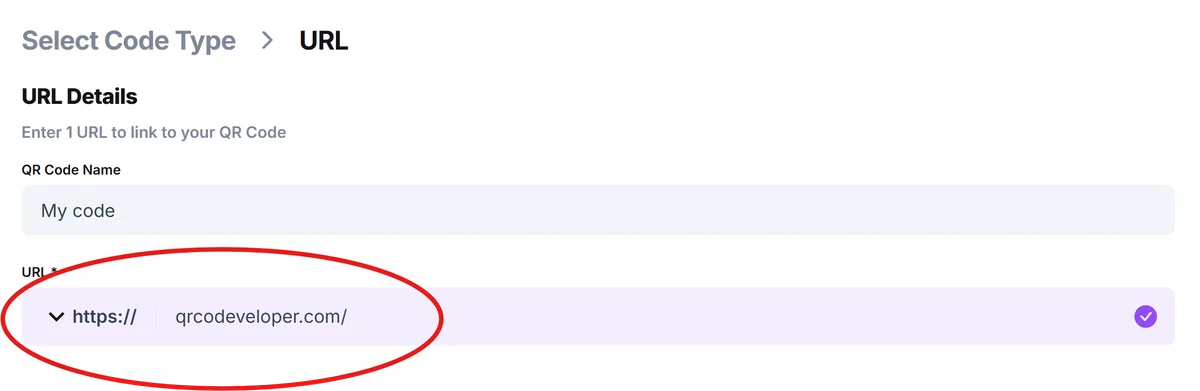
Navigate to the Pinterest profile, board, or pin you want to share. Copy the URL from your browser's address bar. Make sure you're using the full URL that starts with pinterest.com, then head to qrcodeveloper.com.
Paste your Pinterest URL
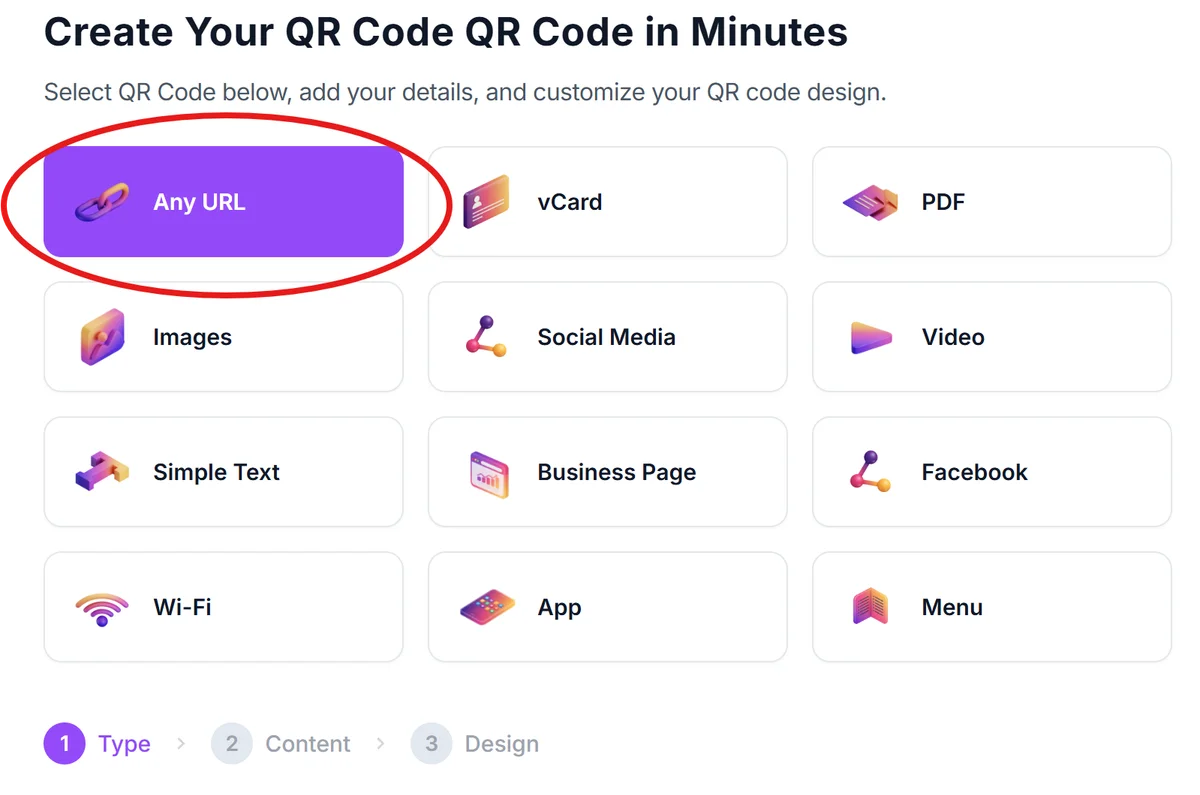
Select 'URL' as your QR code type and paste your Pinterest link into the URL field. The generator will automatically create a QR code that directs scanners to your Pinterest content.
Customize for Pinterest branding
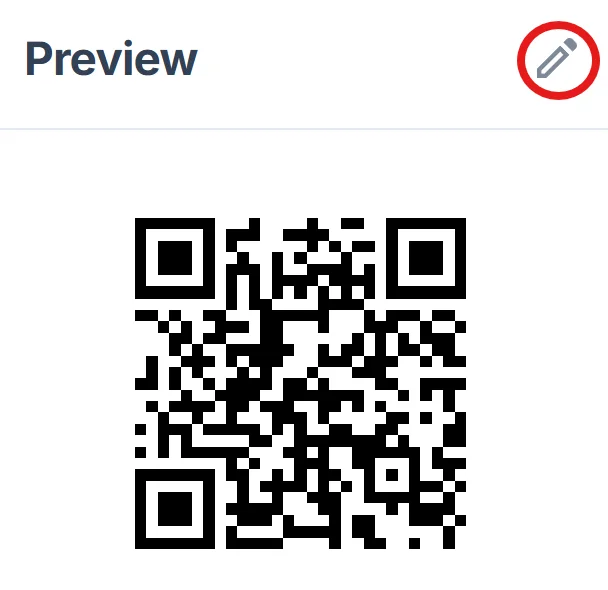
Choose colors that match your Pinterest aesthetic or brand colors. Consider using Pinterest's signature red (#E60023) as an accent color, but ensure there's enough contrast for reliable scanning following proper QR code design principles.
Test across different devices
Download your QR code and test it with multiple smartphones to ensure it works reliably. Check that it opens Pinterest correctly on both iPhone and Android devices.
Add context for your audience
Include a brief call-to-action near your QR code like 'Scan for more inspiration' or 'Follow my boards for daily ideas' so people understand what they'll find when they scan.
Pinterest QR code best practices for maximum engagement
Pinterest users are looking for inspiration and ideas they can save for later. Your QR code strategy should align with this behavior to maximize engagement, similar to how other types of QR codes serve specific user needs.
Link to specific, well-organized boards rather than your general profile - people are more likely to follow a board about 'Small Apartment Decorating' than a profile with mixed content
Place QR codes where people are already in a discovery mindset - craft fairs, home shows, conventions, or anywhere your target audience naturally browses for inspiration
Include a preview of what they'll find, such as 'Scan to see 50+ budget-friendly kitchen ideas' rather than just 'Follow me on Pinterest'
Keep your Pinterest boards fresh and regularly updated - there's nothing worse than scanning a QR code to find outdated or sparse content
Frequently Asked Questions
Can I create QR codes for individual Pinterest pins?
Yes, you can create QR codes for any Pinterest URL, including individual pins. This works great when you want to share a specific recipe, tutorial, or product directly.
Do Pinterest QR codes work on all smartphones?
Yes, Pinterest QR codes work with any smartphone camera app or QR code scanner. The code simply contains a URL that opens in the user's web browser or Pinterest app if installed.
Should I link to my Pinterest profile or specific boards?
Link to specific boards when possible. People are more likely to follow a focused board about their interests than a general profile with mixed content.
Can I track how many people scan my Pinterest QR code?
Pinterest doesn't provide QR code-specific analytics, but you can use URL shortening services with tracking capabilities before creating your QR code to monitor scan rates.
Are Pinterest QR codes free to create?
Yes, you can create Pinterest QR codes for free using basic URL QR code generators. Premium features like custom designs or analytics may require paid plans.
Related Guides
Ready to create your QR code?
Generate custom QR codes in seconds - free and easy to use.
Create Free QR Code →