QR code generator for contact sharing and networking

Share your complete contact information and social profiles instantly through scannable QR codes that connect people to your digital presence.
How people QR codes work for personal branding
Over 80% of professionals still exchange business cards at networking events, yet 88% of those cards get thrown away within a week. This traditional approach to contact sharing creates friction in our increasingly digital world, where people expect instant access to information. However, this is a case where QR codes can come in handy!
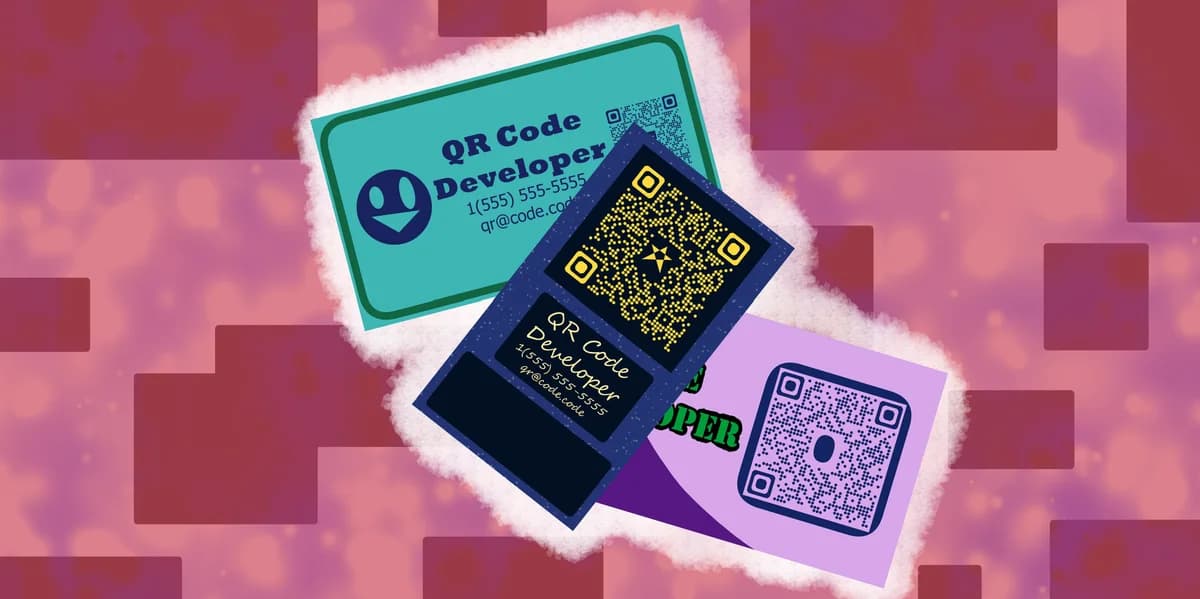
QR codes solve this problem by storing your complete contact information, social media profiles, and professional links in a single scannable code. When someone scans your people QR code, they can instantly save your contact details to their phone, visit your LinkedIn profile, or access your portfolio - all without typing a single character. This approach is part of the broader evolution in types of QR codes available for different networking needs.
In this guide I will cover everything you need to know about creating effective people QR codes. I'll show you how to build codes that make networking more efficient, and you'll discover why professionals are replacing traditional business cards with contact information QR codes for better connection rates. So let's get started!
Smart networking with QR codes
QR codes work best when they solve specific networking challenges. Whether you're building professional relationships or sharing personal information, these codes eliminate the friction of manual data entry. Learn more about different applications in our QR code business cards guide.
Conference networking
Professionals display QR codes on name badges or business cards, allowing attendees to quickly save contact information and connect on LinkedIn without exchanging physical cards.
Real estate agent marketing
Agents include people QR codes on property flyers and yard signs, giving potential clients instant access to contact information, testimonials, and property listings. Learn more about effective placement strategies in our guide on how to add a QR code to your flyer.
Freelancer portfolio sharing
Creative professionals use people QR codes to share their complete digital presence - portfolio website, social media profiles, and contact information - during client meetings.
Student networking
Students and recent graduates include people QR codes on resumes and at career fairs, making it easy for recruiters to access their LinkedIn profiles and portfolio websites. Discover best practices for professional applications in our QR codes and resumes guide.
Building your personal contact QR code
Creating a QR code involves more than just adding your phone number. The most effective codes provide multiple ways for people to connect with you while keeping the scanning experience smooth.
Access the people QR generator
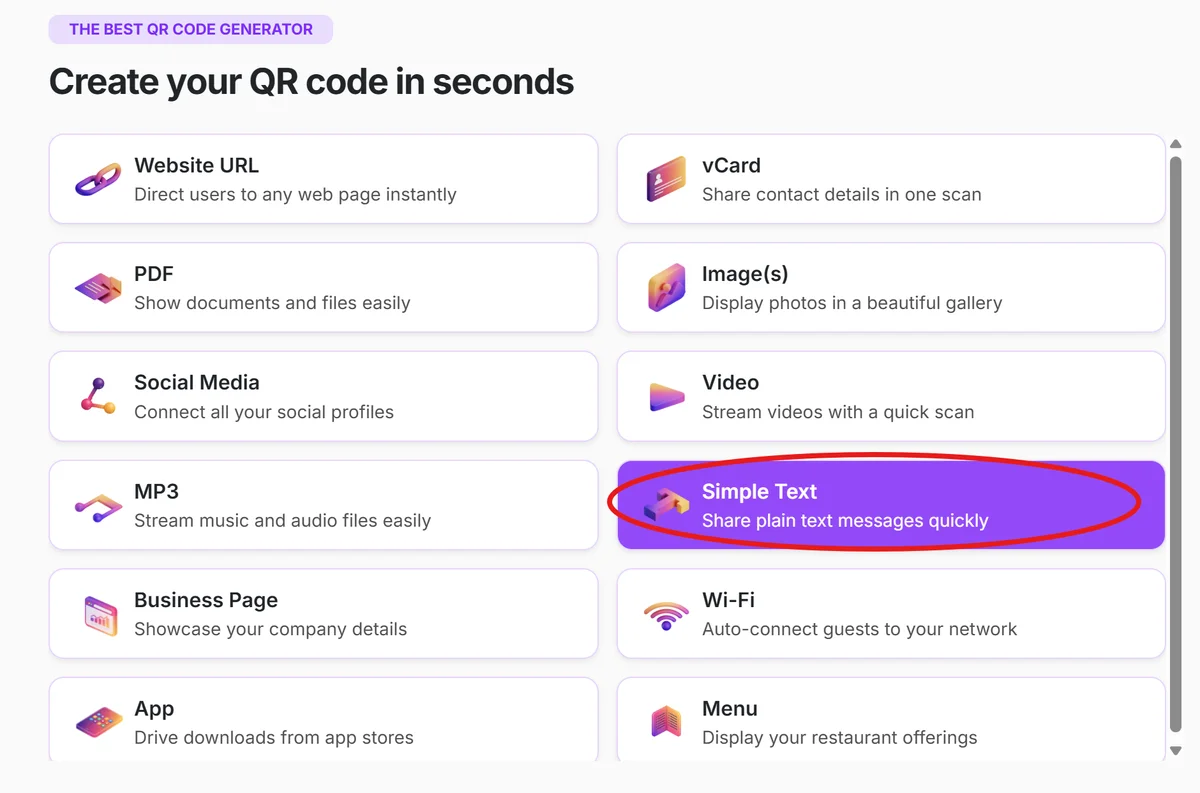
Visit qrcodeveloper.com and select the Simple Text QR code option from the available templates.
Enter your contact information
Fill in your essential details: name, phone number, email address, and company. Include only the information you want people to have immediate access to.
Add social media profiles
Include links to your professional social media accounts like LinkedIn, Twitter, or Instagram. Choose platforms that align with your networking goals.
Customize the design
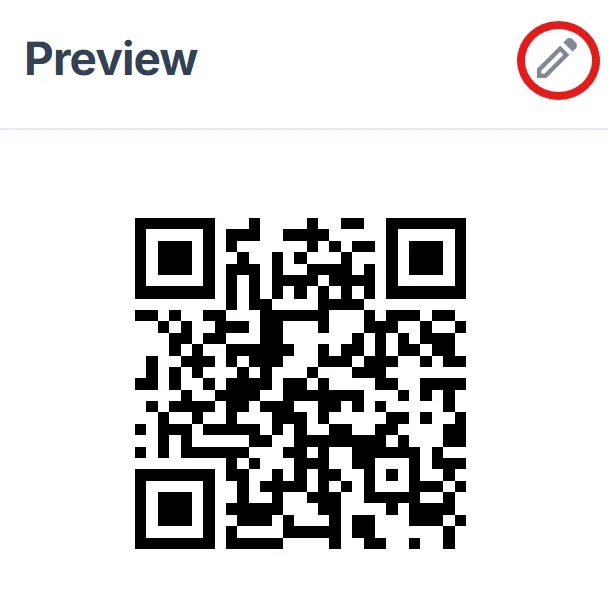
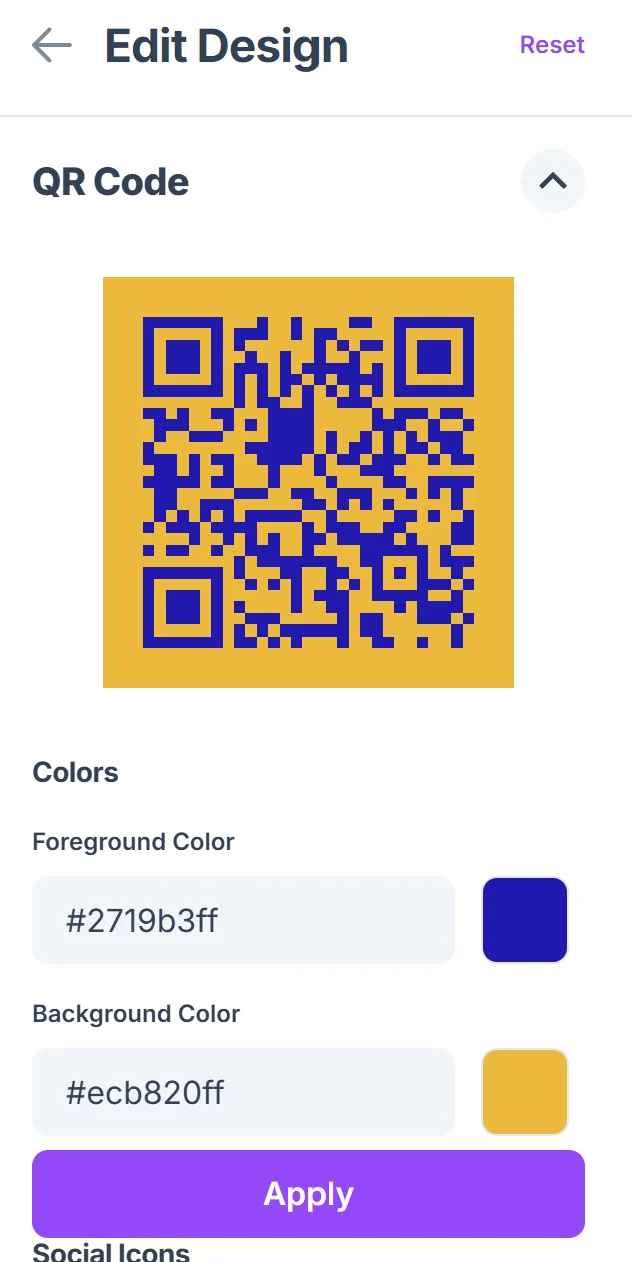
Click on the pencil icon in the Preview window to further customize your code. Select colors and styling that match your personal brand or business identity. Keep the design clean and professional while ensuring good contrast for reliable scanning. For detailed guidance on visual elements, check our QR code design tips.
Test across devices
Scan your QR code with different smartphones to verify all links work correctly and contact information displays properly across various devices and scanning apps.
Best practices for contact info QR codes
Successful QR codes balance comprehensive information with user experience. These practices help ensure your codes get scanned and lead to meaningful connections.
Prioritize mobile-friendly links since most people will scan your code with smartphones - ensure your website, social profiles, and portfolio load quickly on mobile devices
Include a clear call-to-action near your QR code like 'Scan to connect' or 'Get my contact info' so people understand what they'll receive when scanning. For additional security considerations, review our guide on how to check if a QR code is safe to help users feel confident about scanning.
Update your information regularly, especially if you use dynamic QR codes, to ensure contact details and social media links remain current and professional
Test your QR code in different lighting conditions and at various sizes to confirm it scans reliably whether printed on business cards or displayed on screens
Frequently Asked Questions
What information should I include in my people QR code?
Include your name, primary phone number, professional email, and 2-3 key social media profiles. Avoid overwhelming people with too many options - focus on the channels where you're most active professionally.
Can I update the information in my people QR code after creating it?
This depends on whether you create a static or dynamic QR code. Dynamic codes allow you to update contact information without changing the QR code itself, while static codes require generating a new code for any changes.
How do I make my people QR code stand out at networking events?
Use consistent branding with your business colors and include your photo or logo. Place the QR code prominently on business cards or name badges with clear instructions like 'Scan to connect on LinkedIn.'
Will people QR codes work with all smartphone cameras?
Modern smartphones (iPhone and Android from the last 5 years) can scan QR codes directly with their camera apps. Older devices may need a dedicated QR code scanner app, but compatibility is excellent across current devices.
Are people QR codes free to create?
Basic people QR codes are free to generate and use. Premium features like custom branding, analytics tracking, and the ability to update information may require a paid plan depending on your needs.
Related Guides
Ready to create your QR code?
Generate custom QR codes in seconds - free and easy to use.
Create Free QR Code →