Eventzilla QR code generator for event registration and promotion

Generate scannable QR codes that connect directly to your Eventzilla event pages and registration forms.
How QR codes boost Eventzilla event registrations
Promoting events used to require handing out flyers with long URLs that people had to type manually into their phones, often leading to abandoned registrations. Now with smart use of QR codes, potential attendees can simply scan a code and land directly on your registration page in seconds. This direct path from discovery to signup removes the friction that previously caused people to lose interest before completing their event registration. Understanding how QR codes work can help you implement them more effectively in your event marketing strategy.
QR codes for Eventzilla events create a direct bridge between your offline marketing materials and your online event registration. Instead of asking people to remember a URL or search for your event later, a quick scan takes them straight to your Eventzilla page where they can register, view event details, and purchase tickets.
In this guide I'll walk you through creating effective QR codes for your Eventzilla events, from generating the codes to placing them strategically for maximum registrations. I'll also go over how event QR codes can work alongside other marketing strategies to boost attendance.
Practical applications for Eventzilla QR codes
Eventzilla QR codes work particularly well when you need to connect physical marketing with digital registration. These codes eliminate the friction between seeing your event promotion and actually signing up. Learn more about adding QR codes to flyers for maximum impact.
Conference and workshop promotion
Print QR codes on conference brochures, workshop handouts, and networking materials so attendees can instantly register for future events or sessions. Consider creating QR code business cards for networking events to make follow-up connections seamless.
Community event marketing
Add QR codes to posters, bulletin boards, and local business partnerships to drive registrations for community gatherings, fundraisers, and local meetups.
Corporate training and seminars
Include QR codes in email signatures, internal communications, and training materials to make it easy for employees to register for professional development events.
Social media and digital marketing
Share QR codes in Instagram stories, LinkedIn posts, and email campaigns to provide a quick registration path that works across all devices and platforms.
Creating QR codes for your Eventzilla events
Building QR codes for your Eventzilla events takes just a few minutes and can dramatically improve your registration rates.
Access your QR code generator
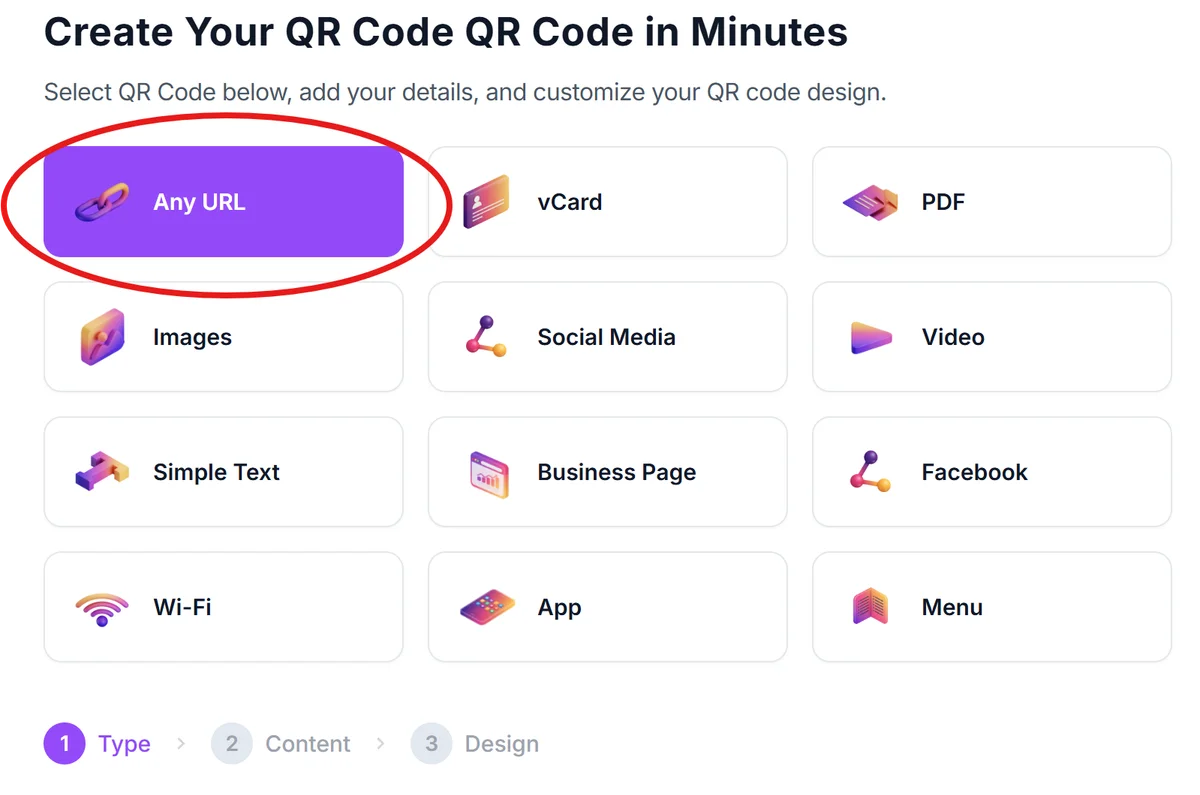
Visit qrcodeveloper.com and select the URL option since you'll be linking directly to your Eventzilla event page.
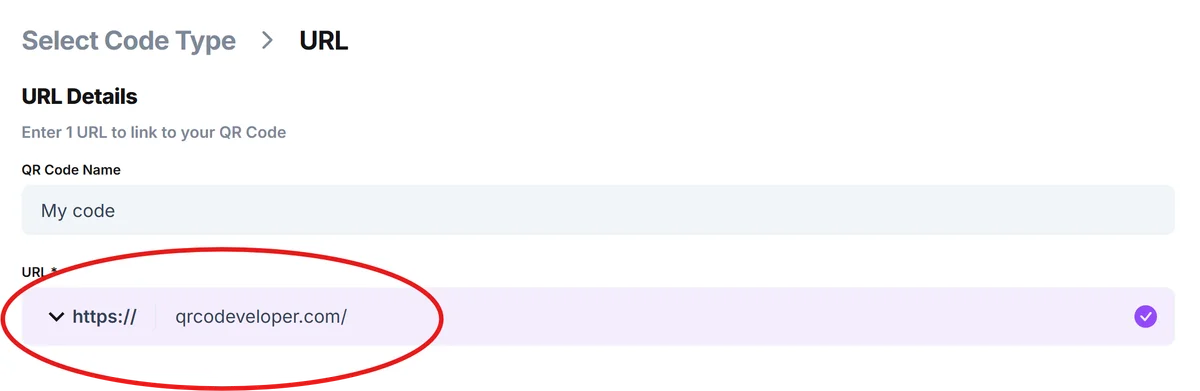
Copy your Eventzilla event URL
Log into your Eventzilla account, navigate to your event page, and copy the full URL from your browser's address bar. This should include your event's unique identifier.
Customize your QR code design
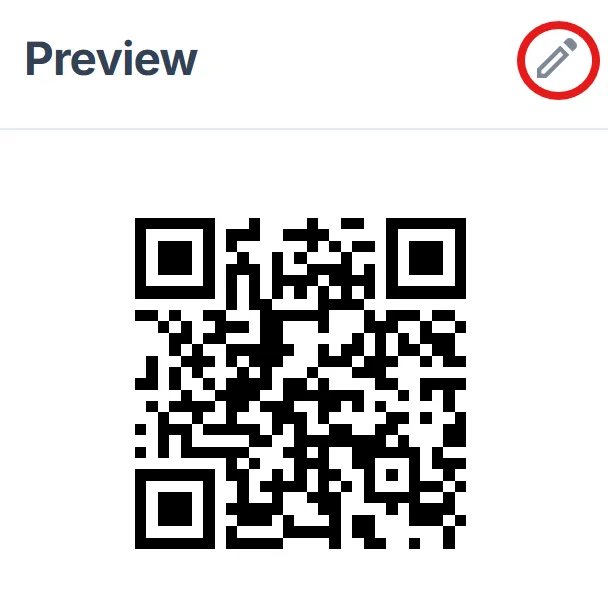
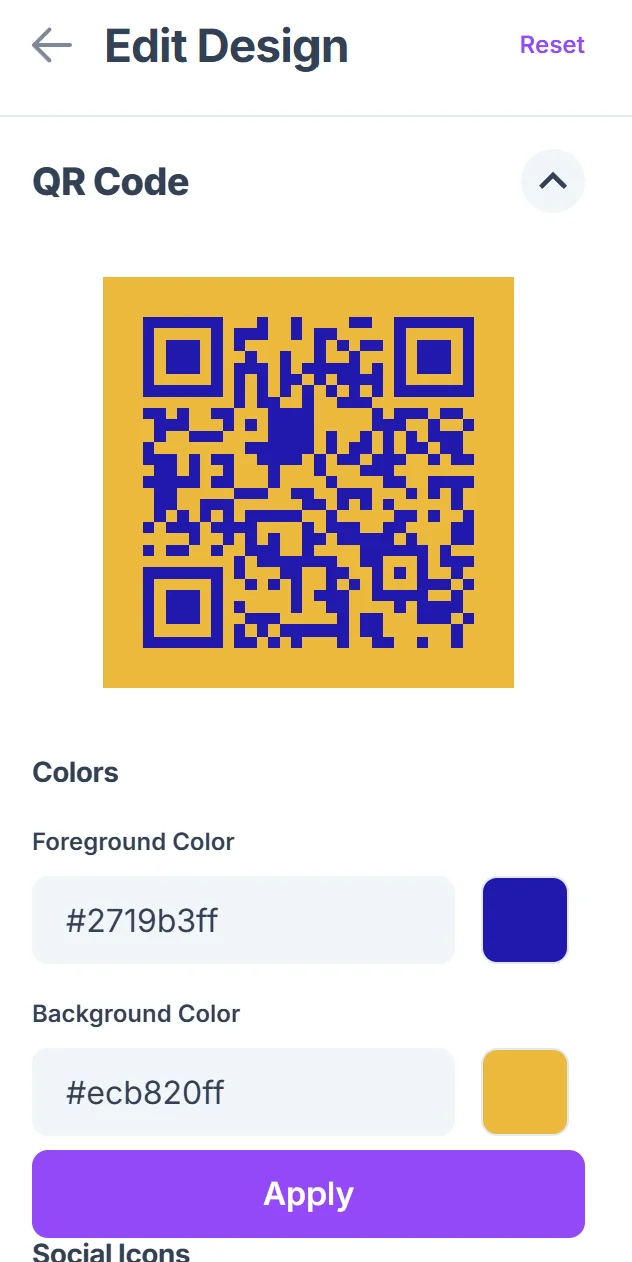
Click on the pencil icon in the Preview window to further customize your code. Choose colors that match your event branding and consider adding your event logo to the center of the QR code for better brand recognition. Follow proven QR code design tips to ensure your codes remain scannable while looking professional.
Test across multiple devices
Before printing or sharing, test your QR code on different smartphones to ensure it properly redirects to your Eventzilla registration page and displays correctly on mobile devices.
Download and distribute strategically
Save your QR code in high resolution for print materials and create multiple sizes for different marketing channels, from business cards to large posters.
Best practices for event QR code marketing
Getting the most from your Eventzilla QR codes requires strategic placement and clear communication about what happens when people scan.
Always include a clear call-to-action near your QR code like 'Scan to Register' or 'Scan for Event Details' so people know exactly what to expect when they scan
Place QR codes at eye level on printed materials and ensure they're large enough to scan easily from arm's length - typically at least 1 inch square for most applications. You can also create QR code stickers for flexible placement on various surfaces and promotional materials.
Test your QR codes in the actual lighting conditions where they'll be displayed, as poor lighting or reflective surfaces can make codes difficult to scan
Create separate QR codes for different marketing channels so you can track which promotional methods are driving the most registrations to your Eventzilla events
Frequently Asked Questions
Can I track how many people scan my Eventzilla QR codes?
Yes, when you create QR codes with tracking features, you can monitor scan rates and see which marketing materials are driving the most traffic to your Eventzilla registration page.
What happens if I need to update my Eventzilla event details after creating QR codes?
Since QR codes link directly to your Eventzilla event page, any updates you make to event details, pricing, or scheduling will automatically appear when people scan the code - no need to regenerate the QR code.
Should I create different QR codes for different ticket types on Eventzilla?
Generally, linking to your main event page works best since attendees can choose their preferred ticket type once they arrive. However, for VIP or special access tickets, separate QR codes can create a more targeted experience.
How large should my QR code be for print materials?
For most print applications, make your QR code at least 1 inch by 1 inch. For business cards, 0.75 inches works, while posters and banners can use larger codes that are easier to scan from a distance.
Are QR codes free to create for Eventzilla events?
Basic QR code generation is free, and these codes will continue working indefinitely. Premium features like detailed analytics, custom designs, and bulk generation may require a subscription depending on your needs.
Related Guides
Ready to create your QR code?
Generate custom QR codes in seconds - free and easy to use.
Create Free QR Code →